Your Browsing History
Meet Your Seller
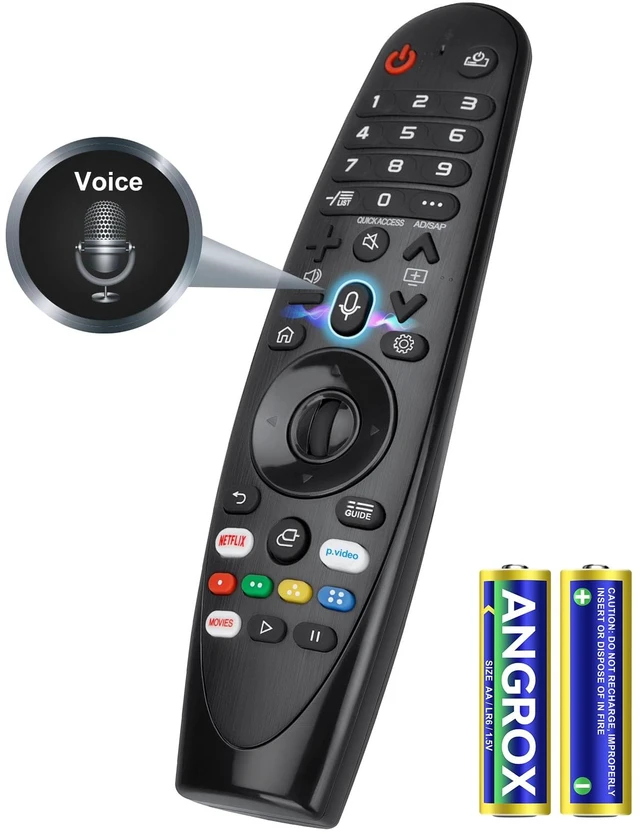
Voice Magic Remote for LG TV Remote Control Replacement with Battery for LG Magic Remote AKB75855501 MR20GA MR650A Precision Pointing Cursor, Enhanced Voice Control & Scroll Wheel Navigation
Limited time offer, ends 10/06 By FullChao Living Store
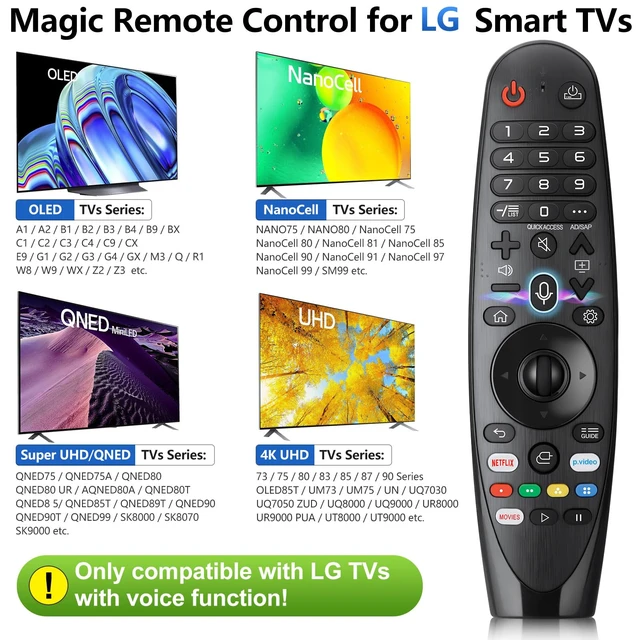
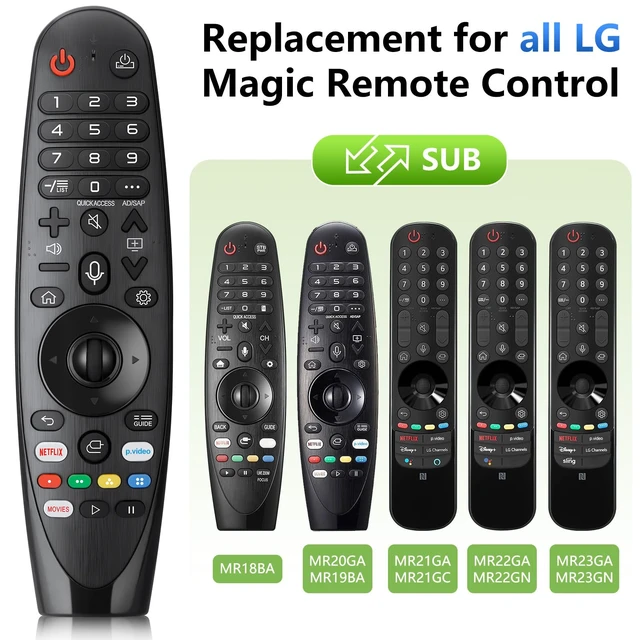
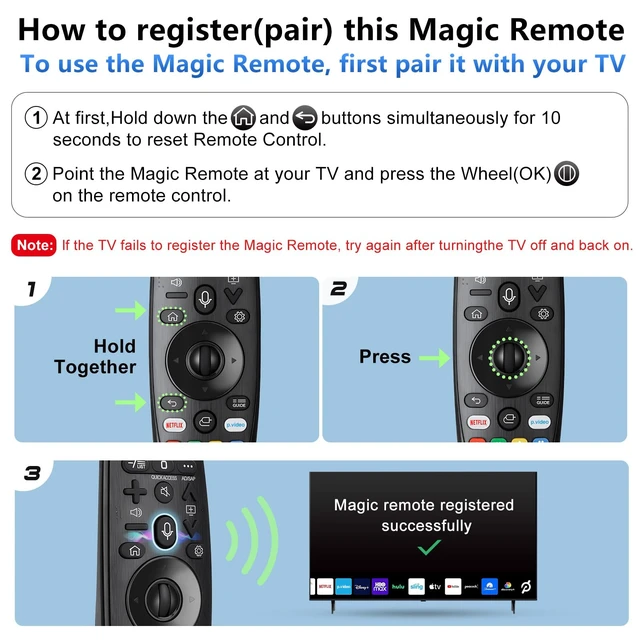
- [Pre-Purchase Instructions] This upgraded replacement for the LG Magic Remote only works with LG TVs with voice function. If your LG TV does not support voice function, some buttons on this remote may not function. This TV remote control is not compatible with Blu-ray discs, DVD players, home theater systems, sound bars, AV receivers, or subwoofers. [Compatibility] Compatible with all 2019-2024 LG Smart TVs with voice and pointer function. It serves as a replacement for LG smart remotes, including MR20GA, MR19BA, MR18BA, AKB76039902, AKB76043102, AKB75855501, MR23GA/GN, MR22GA/GN, MR21GA/GC, and MR24GA/GN. [Pairing Instructions] Point the Magic Remote directly at your TV and press the Wheel (OK) button. A confirmation message will appear on the TV screen after successful pairing. If the pointer does not work, press and hold the "GUIDE" button for 5+ seconds to reset the motion sensor, then repeat the pairing steps. A new Magic Remote or one from another TV requires full pairing before first use. [Features] Voice control lets you search shows, adjust volume, or switch inputs using voice commands. Batteries are included for immediate use after pairing

+
+
Overview
Specs
Reviews
Any questions? Our AI mode will help you find out quickly.
Try me now
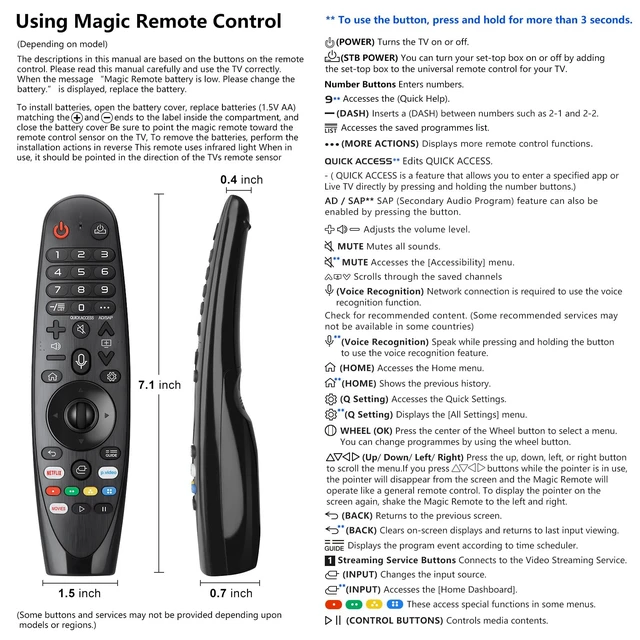
[Pre-Purchase Instructions] This upgraded replacement for the LG Magic Remote only works with LG TVs with voice function. If your LG TV does not support voice function, some buttons on this remote may not function. This TV remote control is not compatible with Blu-ray discs, DVD players, home theater systems, sound bars, AV receivers, or subwoofers. [Compatibility] Compatible with all 2019-2024 LG Smart TVs with voice and pointer function. It serves as a replacement for LG smart remotes, including MR20GA, MR19BA, MR18BA, AKB76039902, AKB76043102, AKB75855501, MR23GA/GN, MR22GA/GN, MR21GA/GC, and MR24GA/GN.
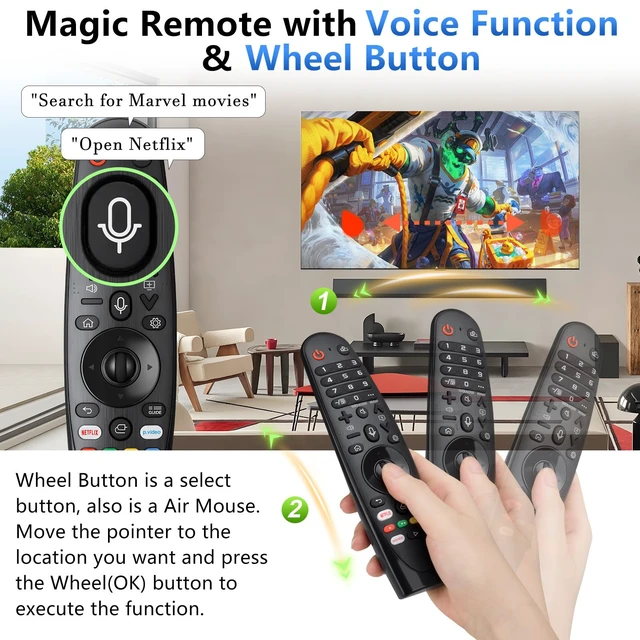
[Pairing Instructions] Point the Magic Remote directly at your TV and press the Wheel (OK) button. A confirmation message will appear on the TV screen after successful pairing. If the pointer does not work, press and hold the "GUIDE" button for 5+ seconds to reset the motion sensor, then repeat the pairing steps. A new Magic Remote or one from another TV requires full pairing before first use. [Features] Voice control lets you search shows, adjust volume, or switch inputs using voice commands. Batteries are included for immediate use after pairing
[Pairing Instructions] Point the Magic Remote directly at your TV and press the Wheel (OK) button. A confirmation message will appear on the TV screen after successful pairing. If the pointer does not work, press and hold the "GUIDE" button for 5+ seconds to reset the motion sensor, then repeat the pairing steps. A new Magic Remote or one from another TV requires full pairing before first use. [Features] Voice control lets you search shows, adjust volume, or switch inputs using voice commands. Batteries are included for immediate use after pairing
Warranty & Returns
Warranty, Returns, And Additional Information
Warranty
- Please contact the Seller directly for warranty information. Warranty information may also be found on the Manufacturer's website.
- CONTACT
Return Policies
- Return for refund within: 30 days
- Return for replacement within: 30 days
- This item is covered by FullChao Living Store Return Policy
Manufacturer Contact Info
- For a directory of all our manufacturers, please click below.
- Manufacturers Directory
LOADING...