

Your Browsing History

Meet Your Seller

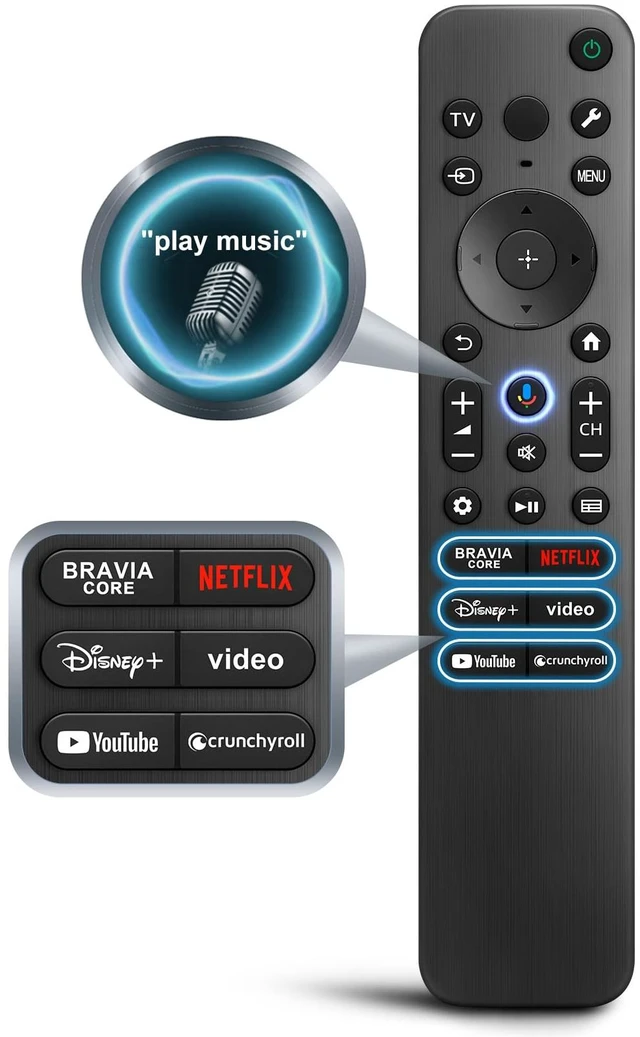
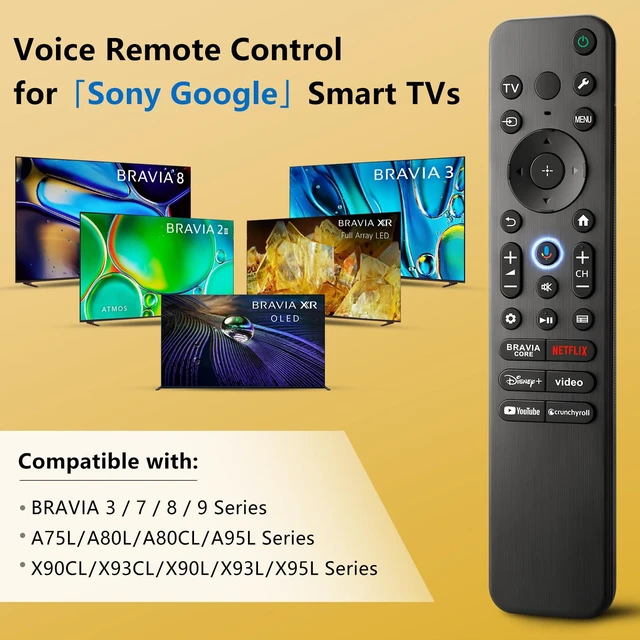
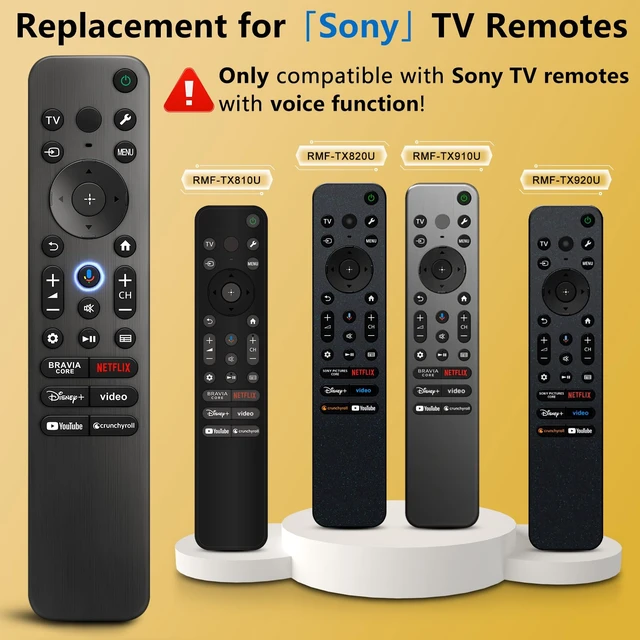


Voice Remote for Sony-TV-Remote Control Replacement, for All Sony Bravia Google Smart TVs Series with Voice Function
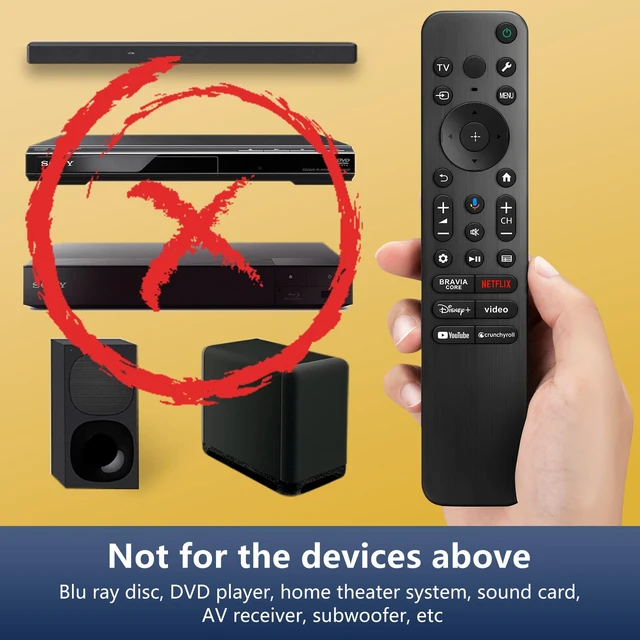
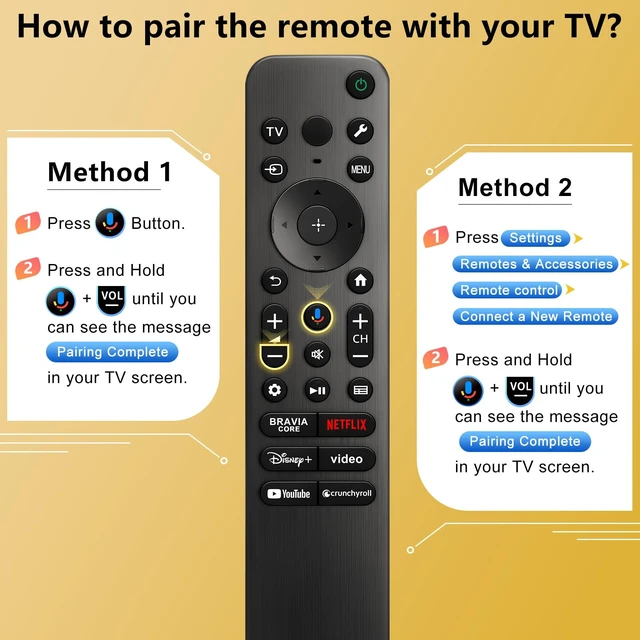
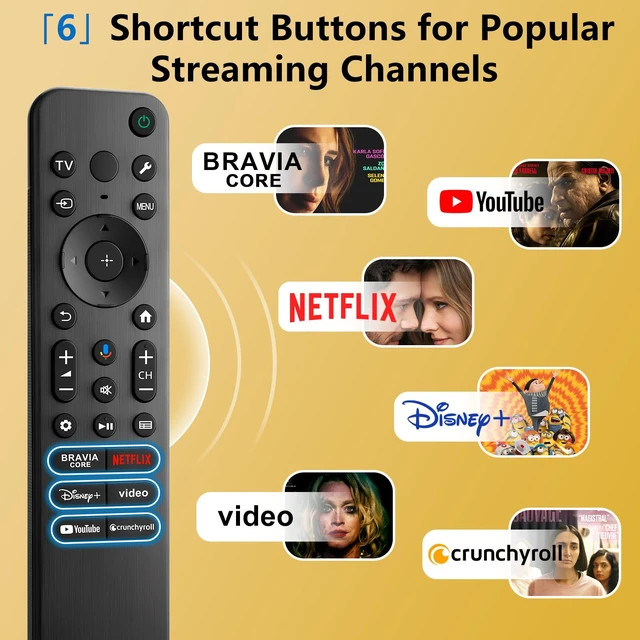
- Notice: The new upgraded voice replacement RMF-TX810U for Sony TV remote only works for Sony TVs with voice function. If your Sony TV doesn't support voice control, the voice function of this remote may not work. This is a TV remote control and is not compatible with Blu-ray discs, DVD players, home theater systems, sound bars, AV receivers, and subwoofers. Universal for Sony Voice Replacement Remote Control Models: RMF-TX810U, RMF-TX820U, RMF-TX910U, RMF-TX920U. Compatible with Sony Bravia Google Smart TVs including BRAVIA 3, BRAVIA 7, BRAVIA 8, BRAVIA 9, X90L, X90CL, X93L, X93CL, X95L, A75L, A80L, A80CL, A95L, etc. Insert 2*AAA batteries and turn on the TV. Press and hold theVOL-andMicbuttons for 5 seconds; the indicator light blinks and enters the pairing status. When pairing is successful, the indicator light goes off. (Note: If pairing fails, please repeat again.) The voice replacement remote for Sony TV has 6 shortcut buttons for popular streaming channels. Voice function covers your needs anywhere and makes interacting with your smart TV easier and more intuitive. The product needs to install new 2*AAA batteries (batteries are NOT included)
+
+
Overview
Specs
Reviews

Any questions? Our AI mode will help you find out quickly.
Try me now
Notice: The new upgraded voice replacement RMF-TX810U for Sony TV remote only works for Sony TVs with voice function. If your Sony TV doesn't support voice control, the voice function of this remote may not work. This is a TV remote control and is not compatible with Blu-ray discs, DVD players, home theater systems, sound bars, AV receivers, and subwoofers. Universal for Sony Voice
Replacement Remote Control Models: RMF-TX810U, RMF-TX820U, RMF-TX910U, RMF-TX920U. Compatible with Sony Bravia Google Smart TVs including BRAVIA 3, BRAVIA 7, BRAVIA 8, BRAVIA 9, X90L, X90CL, X93L, X93CL, X95L, A75L, A80L, A80CL, A95L, etc. Insert 2*AAA batteries and turn on the TV. Press and hold theVOL-andMicbuttons for 5 seconds; the indicator light blinks and enters the pairing status. When pairing is successful, the indicator light goes off.
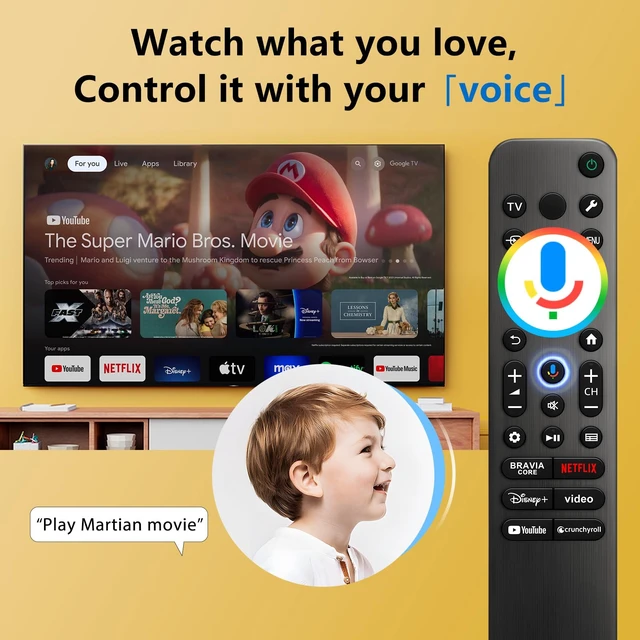
(Note: If pairing fails, please repeat again. ) The voice replacement remote for Sony TV has 6 shortcut buttons for popular streaming channels. Voice function covers your needs anywhere and makes interacting with your smart TV easier and more intuitive. The product needs to install new 2*AAA batteries (batteries are NOT included)
Replacement Remote Control Models: RMF-TX810U, RMF-TX820U, RMF-TX910U, RMF-TX920U. Compatible with Sony Bravia Google Smart TVs including BRAVIA 3, BRAVIA 7, BRAVIA 8, BRAVIA 9, X90L, X90CL, X93L, X93CL, X95L, A75L, A80L, A80CL, A95L, etc. Insert 2*AAA batteries and turn on the TV. Press and hold theVOL-andMicbuttons for 5 seconds; the indicator light blinks and enters the pairing status. When pairing is successful, the indicator light goes off.
(Note: If pairing fails, please repeat again. ) The voice replacement remote for Sony TV has 6 shortcut buttons for popular streaming channels. Voice function covers your needs anywhere and makes interacting with your smart TV easier and more intuitive. The product needs to install new 2*AAA batteries (batteries are NOT included)
Warranty & Returns
Warranty, Returns, And Additional Information
Warranty
- Please contact the Seller directly for warranty information. Warranty information may also be found on the Manufacturer's website.
- CONTACT
Return Policies
- Return for refund within: 30 days
- Return for replacement within: 30 days
- This item is covered by FullChao Living Store Return Policy
Manufacturer Contact Info
- For a directory of all our manufacturers, please click below.
- Manufacturers Directory
LOADING...