Your Browsing History
Meet Your Seller
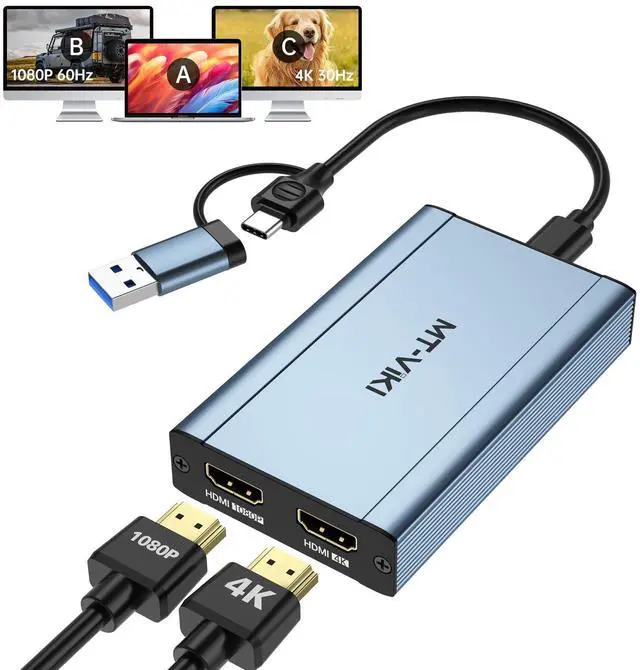
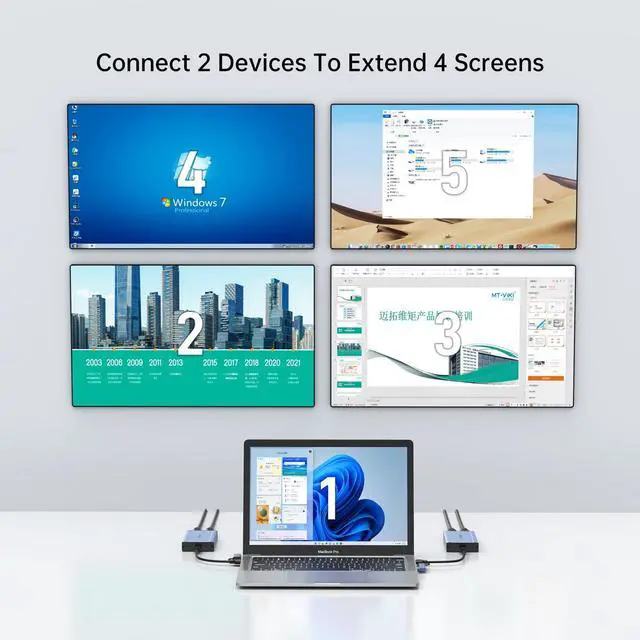
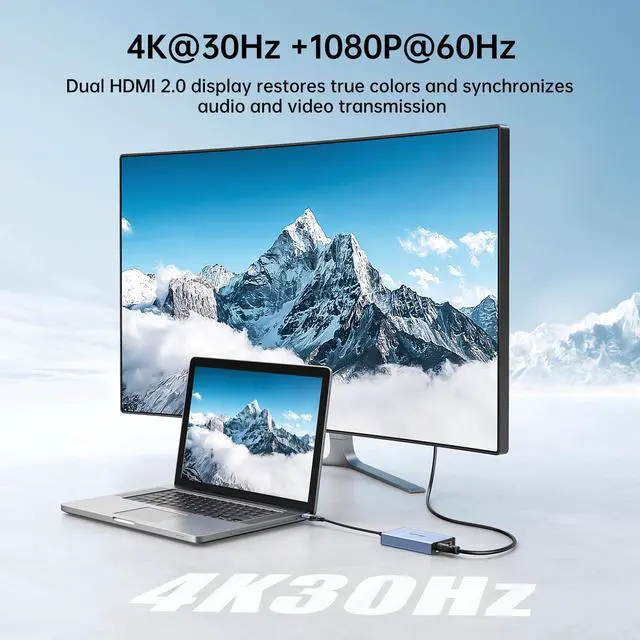
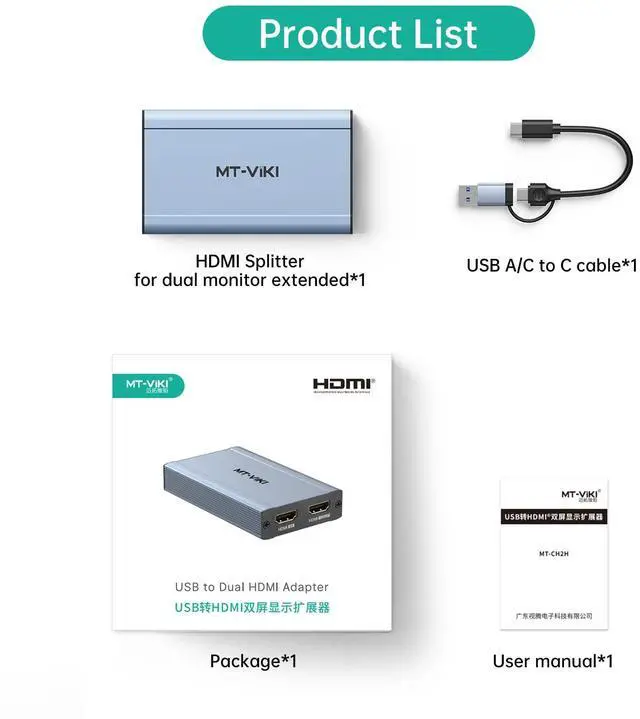
HDMI Splitter Extended Display for Dual Monitors/Multi-Monitor, 4K@30Hz & 1080P@60Hz, USB 3.0 & USB C Adapter to HDMI for Windows & Mac, Required Driver Installation
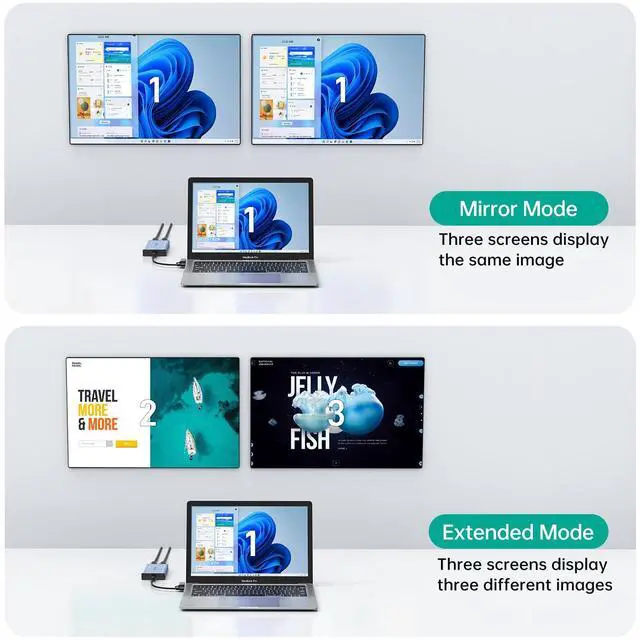
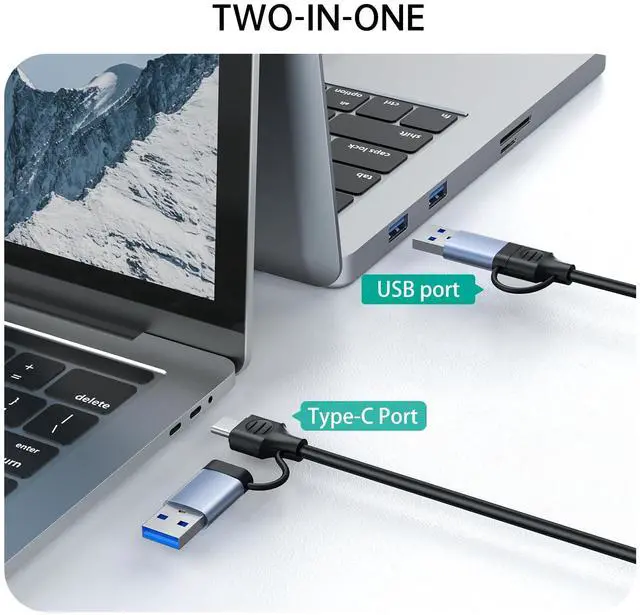
- IMPORTANT 1: NOT PLUG & PLAY: Siliconmotion driver installation is required. Please close the antivirus software before downloading and installing; the software is virus-free. If you use a USB C port to connect, please ensure that it is a thunderbolt 3/4 port. IMPORTANT 2: It does not support playback of HDCP-protected content on sites like Netflix, Hulu and others. Att: iOS, Linux, Unix and TV BOX are not supported. SYSTEM SUPPORT: Windows 11, 10, 7, 8.1, Mac OS 10.10 or higher, Android 7.1 and above. Also, Android devices only support mirroring mode with resolutions up to 1080P. Att: iOS, Linux, Unix are not supported. USB 3.0 or USB C to HDMI Adapter for dual monitors, each capable of mirrored or extended display with resolutions up to 4K@30Hz at Output 1, 1080P@60Hz at Output 2. Cannot support 8K resolution. How to set up in Windows: Right-click on the desktop and select "Display settings" In the "Display" section, click on one of the monitors Scroll down to "Multiple Displays" and select the desired mode from the dropdown list. How to set up in Mac OS: Click the icon in the top-left corner, select "System Preferences," then click "Displays," and choose "Display Preferences." Click "Arrangement" to rearrange the position
+
+
Overview
Specs
Reviews
Any questions? Our AI mode will help you find out quickly.
Try me now
IMPORTANT 1: NOT
PLUG & PLAY: Siliconmotion driver installation is required. Please close the antivirus software before downloading and installing; the software is virus-free. If you use a USB C port to connect, please ensure that it is a thunderbolt 3/4 port.
IMPORTANT 2: It does not support playback of HDCP-protected content on sites like Netflix, Hulu and others.
Att: iOS, Linux, Unix and TV BOX are not supported.
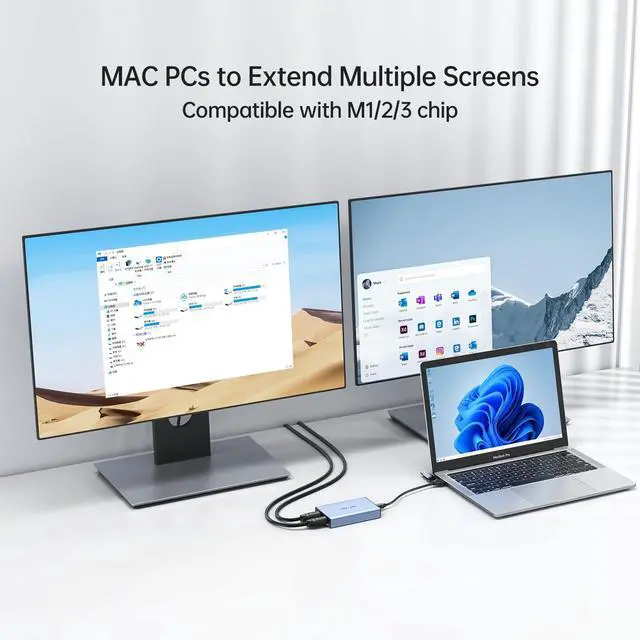
SYSTEM SUPPORT: Windows 11, 10, 7, 8.1, Mac OS 10.10 or higher, Android 7.1 and above. Also, Android devices only support mirroring mode with resolutions up to 1080P.
Att: iOS, Linux, Unix are not supported. USB 3.0 or USB C to HDMI Adapter for dual monitors, each capable of mirrored or extended display with resolutions up to 4K@30Hz at Output 1, 1080P@60Hz at Output
2. Cannot support 8K resolution. How to set up in
Windows: Right-click on the desktop and select "Display settings" In the "Display" section, click on one of the monitors Scroll down to "Multiple Displays" and select the desired mode from the dropdown list. How to set up in
Mac OS: Click the icon in the top-left corner, select "System Preferences, " then click "Displays, " and choose "Display Preferences. " Click "Arrangement" to rearrange the position

PLUG & PLAY: Siliconmotion driver installation is required. Please close the antivirus software before downloading and installing; the software is virus-free. If you use a USB C port to connect, please ensure that it is a thunderbolt 3/4 port.
IMPORTANT 2: It does not support playback of HDCP-protected content on sites like Netflix, Hulu and others.
Att: iOS, Linux, Unix and TV BOX are not supported.
SYSTEM SUPPORT: Windows 11, 10, 7, 8.1, Mac OS 10.10 or higher, Android 7.1 and above. Also, Android devices only support mirroring mode with resolutions up to 1080P.
Att: iOS, Linux, Unix are not supported. USB 3.0 or USB C to HDMI Adapter for dual monitors, each capable of mirrored or extended display with resolutions up to 4K@30Hz at Output 1, 1080P@60Hz at Output
2. Cannot support 8K resolution. How to set up in
Windows: Right-click on the desktop and select "Display settings" In the "Display" section, click on one of the monitors Scroll down to "Multiple Displays" and select the desired mode from the dropdown list. How to set up in
Mac OS: Click the icon in the top-left corner, select "System Preferences, " then click "Displays, " and choose "Display Preferences. " Click "Arrangement" to rearrange the position
Warranty & Returns
Warranty, Returns, And Additional Information
Warranty
- Please contact the Seller directly for warranty information. Warranty information may also be found on the Manufacturer's website.
- CONTACT
Return Policies
- Return for refund within: 30 days
- Return for replacement within: 30 days
- This item is covered by MiniJoyBelle Tech Return Policy
Manufacturer Contact Info
- For a directory of all our manufacturers, please click below.
- Manufacturers Directory
LOADING...