

Your Browsing History
- Free 30-day Returns
$124.68

Meet Your Seller

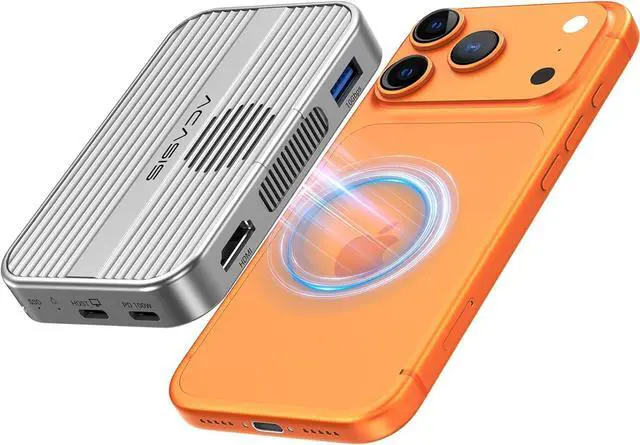
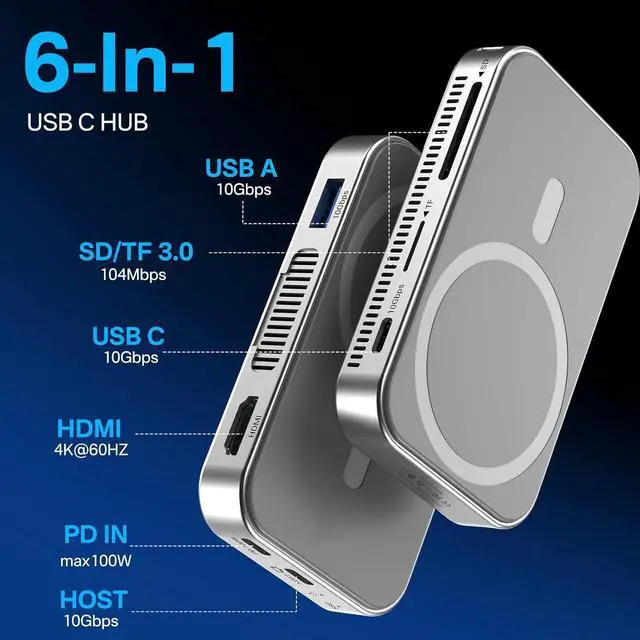




10Gbps Magnetic M.2 NVMe SSD Enclosure With 4K ProRes Recording M.2 EnclosureCompatible IPhone 17/16/15 Pro/Pro Max Magnetic SSD Enclosure with Cooling Fan For Video Editor/Blogger/Videographer
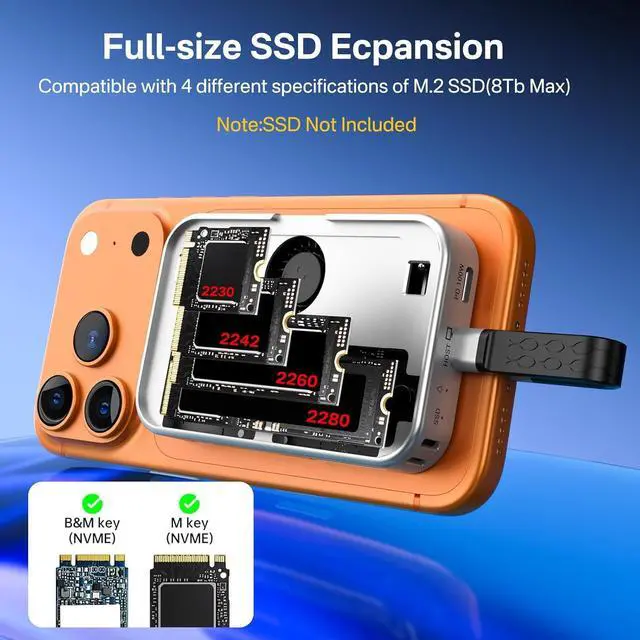
- Excellent heat dissipation---Cooling Fan 2026 Upgraded 10gbps Magnetic NVMe enclosure built-in silent cooling fan, This ssd enclosure adopts aerospace-grade aluminum alloy material and is used with a silicone thermal pad with high thermal conductivity, forming a triple heat dissipation system. This ensures that your Iphone maintains optimal performance and stability under high-intensity work.Note: SSDs are not included.
- 4K@60 Ultra HD StorageThis NVMe enclosure features a 4K@60Hz HDMI port Seamless switching between mobile and desktop makes this the ideal choice for video editors, short-form video bloggers, and content creators.This nvme ssd enclosure compatible Iphone 15/16/17pro/promax direct 4K @60 ProRes recording to SSD with compatible iPhone models,freeing internal storage.
+
+
Overview
Reviews

Any questions? Our AI mode will help you find out quickly.
Try me now
Amazing Magnetic AttachmentThis USB C Magnetic SSD Enclosure Built-in magnetic structure, one-push to attach, stable attachment, not easy to fall off. When paired with the Magsafe case, it can also be used with the case to secure your phone;
Directly Store ProRes Videos: Compatible with iPhone 17/16/15 Pro/Pro Max
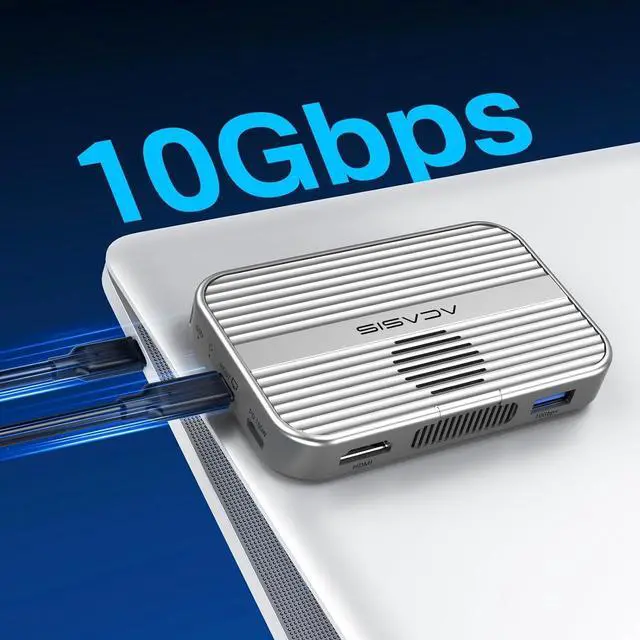
Blazing-Fast Transfer Speed10Gbps Magnetic M. 2 NVMe SSD Enclosure ----Instant Transfer of 1GB Files Ideal for transferring photos, videos, and files.
Portable Design This 2230 NVMe SSD enclosure is only half the size of a mobile phone and features a powerful magnetic attachment that ensures it stays firmly in place. Not only is it convenient to carry with you, but it also fits effortlessly into your laptop bag, meeting the recording needs of users on the go. The M. 2 NVMe SSD enclosure is the ideal choice for travel, event recording, and mobile work.
Note: 1. When connecting a new M. 2 SSD to this product, please change the format of the M. 2 SSD to Exfat /APFS format first. If it's a new SSD, please format it now on your computer before linking it to your phone 2. If you are using an SSD larger than 1TB or connecting multiple devices simultaneously, it is recommended to also use an external power supply for more stable performance"
Directly Store ProRes Videos: Compatible with iPhone 17/16/15 Pro/Pro Max
Blazing-Fast Transfer Speed10Gbps Magnetic M. 2 NVMe SSD Enclosure ----Instant Transfer of 1GB Files Ideal for transferring photos, videos, and files.
Portable Design This 2230 NVMe SSD enclosure is only half the size of a mobile phone and features a powerful magnetic attachment that ensures it stays firmly in place. Not only is it convenient to carry with you, but it also fits effortlessly into your laptop bag, meeting the recording needs of users on the go. The M. 2 NVMe SSD enclosure is the ideal choice for travel, event recording, and mobile work.
Note: 1. When connecting a new M. 2 SSD to this product, please change the format of the M. 2 SSD to Exfat /APFS format first. If it's a new SSD, please format it now on your computer before linking it to your phone 2. If you are using an SSD larger than 1TB or connecting multiple devices simultaneously, it is recommended to also use an external power supply for more stable performance"
Warranty & Returns
Warranty, Returns, And Additional Information
Warranty
- Please contact the Seller directly for warranty information. Warranty information may also be found on the Manufacturer's website.
- CONTACT
Return Policies
- Return for refund within: 30 days
- Return for replacement within: 30 days
- This item is covered by Group Can Trading Limited Return Policy
Manufacturer Contact Info
- For a directory of all our manufacturers, please click below.
- Manufacturers Directory
LOADING...