

Your Browsing History

- Free 30-day Returns
$512.98


Meet Your Seller


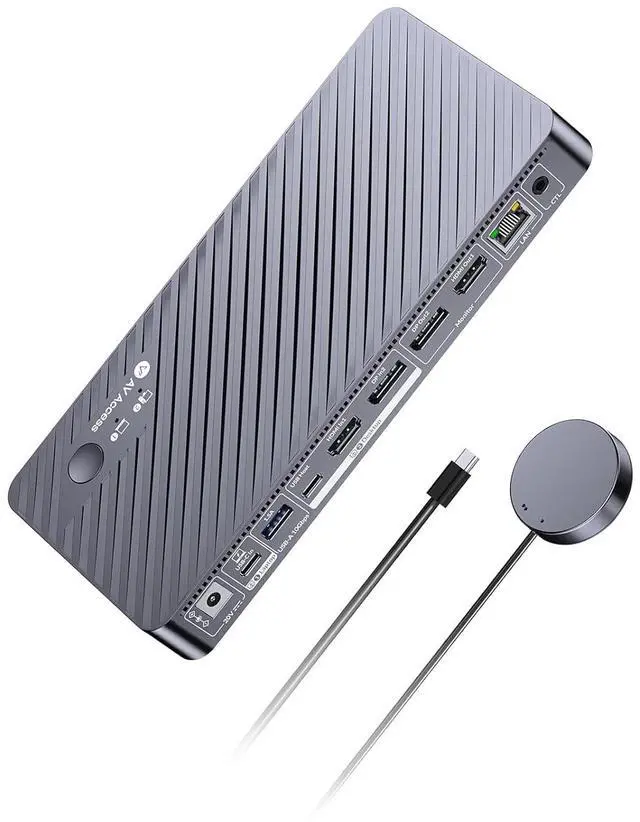

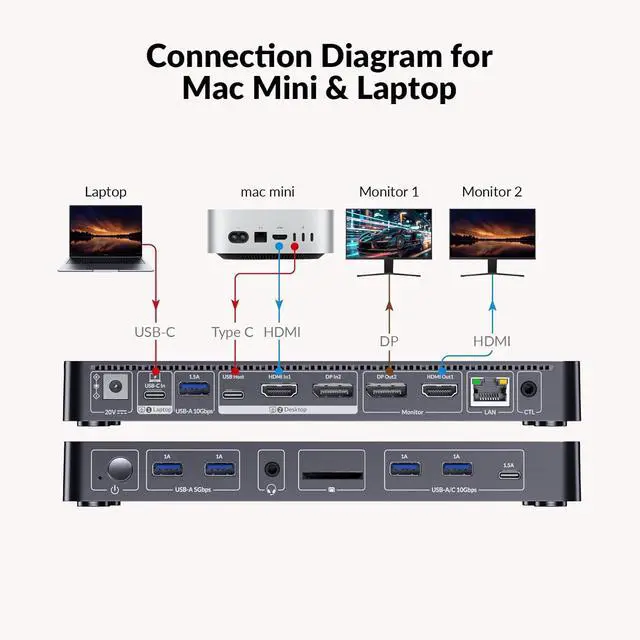


AV Access 8K KVM Switch 2 Monitors 2 Computers for Laptop & PC/Mac mini, 100W USB C Charge for Laptop, Ethernet, KVM Docking Station Dual Monitor 8K@60Hz/4K@165Hz, 4xUSB 3.2, Audio, SD, Remote Switch
- Important Compatibility NotesmacOS does not support extended dual displays only mirror mode. For MacBooks requiring extended dual screens, please choose AV Access iDock M10. Windows and Linux systems support extended mode.
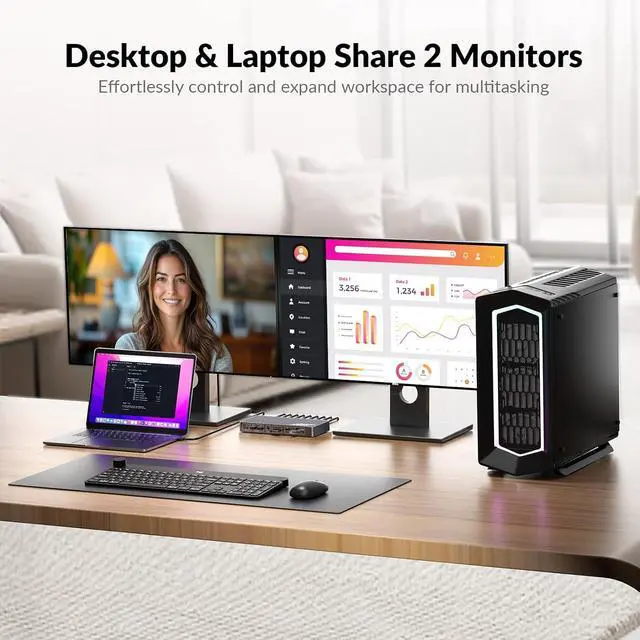
- Optimized for AI Development with Mac Mini + Laptop WorkflowUse your laptop for daily office tasks like emails, documents, and meetings, while running OpenClaw coding and debugging on your Mac Mini. Easily switch between both systems on the same dual-monitor setup, sharing keyboard, mouse, and peripheralsno cable swapping, no workflow interruption.
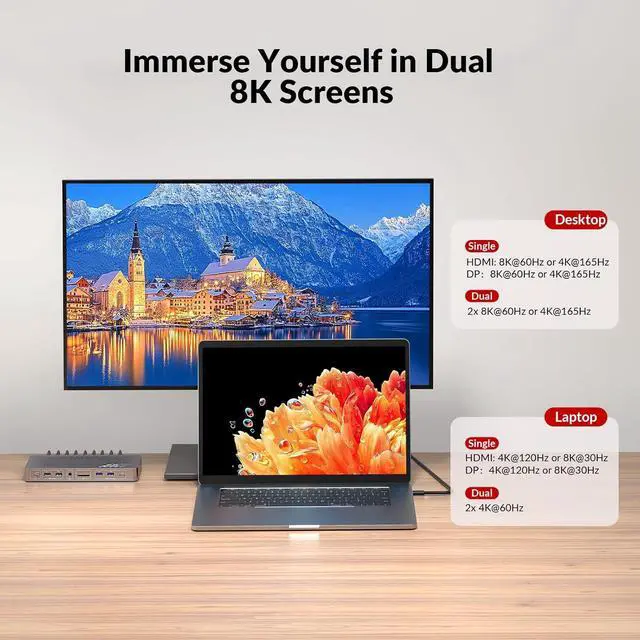
- Built for Gaming Performance & High Refresh RatesSupports up to dual 8K@60Hz or 4K@165Hz on desktops, and up to dual 4K@60Hz or single 4K@120Hz on laptops via USB C. Also supports 1440p@144Hz and 1080p@240Hz, delivering ultra-smooth gameplay with sharp visuals. Compatible with high-end GPUs and gaming monitors, ensuring responsive performance for FPS, esports, and immersive titles.
+
+
Overview
Specs
Reviews

Any questions? Our AI mode will help you find out quickly.
Try me now
11in1 Docking station to replace multiple hubsExpand your workspace with 1 x HDMI, 1 x DP, 3 x USB 3.2, 2 x USB 3.0, 1 x USB C, SDXC card slot, 3.5 mm audio out, and 1G Ethernet. Designed for modern home offices, developers, streamers, gamer, and content creators.
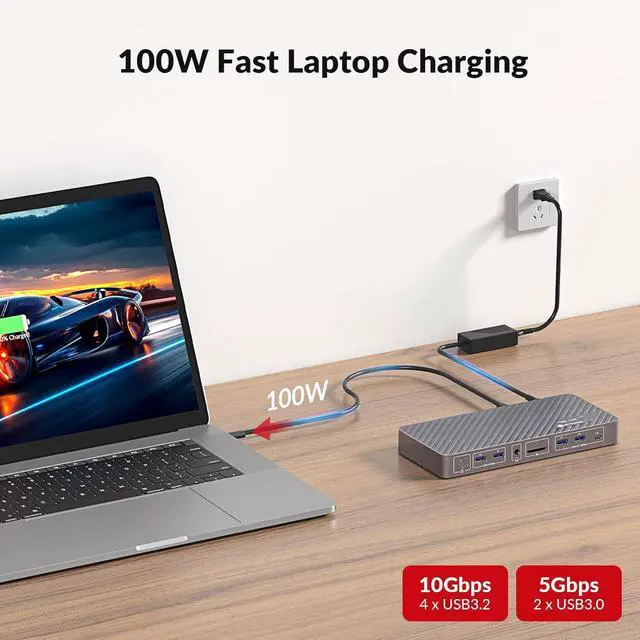
Full Speed 100W USB C ChargingCharge your laptop while using dual monitors, data transfer, and wired internet --- all through one USB C cable. Keeps your workspace clean and efficient. Actual charging power may vary depending on the laptops power requirements.
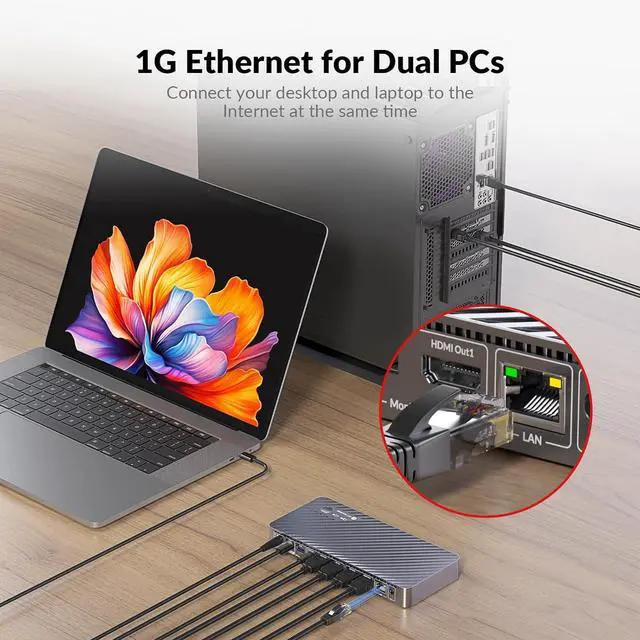
Always-On Network for Both SystemsBoth connected computers stay online via shared Gigabit Ethernet, even when not selected. Continue downloads, updates, or AI processing in the background without interruption.
Full Speed 100W USB C ChargingCharge your laptop while using dual monitors, data transfer, and wired internet --- all through one USB C cable. Keeps your workspace clean and efficient. Actual charging power may vary depending on the laptops power requirements.
Always-On Network for Both SystemsBoth connected computers stay online via shared Gigabit Ethernet, even when not selected. Continue downloads, updates, or AI processing in the background without interruption.
Warranty & Returns
Warranty, Returns, And Additional Information
Warranty
- Please contact the Seller directly for warranty information. Warranty information may also be found on the Manufacturer's website.
- CONTACT
Return Policies
- Return for refund within: 30 days
- Return for replacement within: 30 days
- This item is covered by Halo Electronics Return Policy
Manufacturer Contact Info
- For a directory of all our manufacturers, please click below.
- Manufacturers Directory
LOADING...