

Your Browsing History
- Free 30-day Returns
$159.99

Meet Your Seller

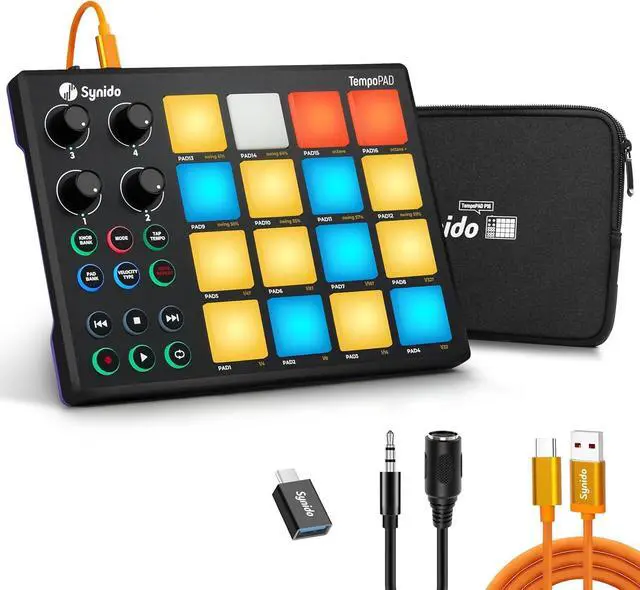


TempoPAD Portable MIDI Pad Controller Beat Maker Machine for Beginners, 16 Velocity-Sensitive RGB Pads + 4 Knobs, USB-C Plug-and-Play, Carry Bag Included Let Your Creative Inspiration Flow
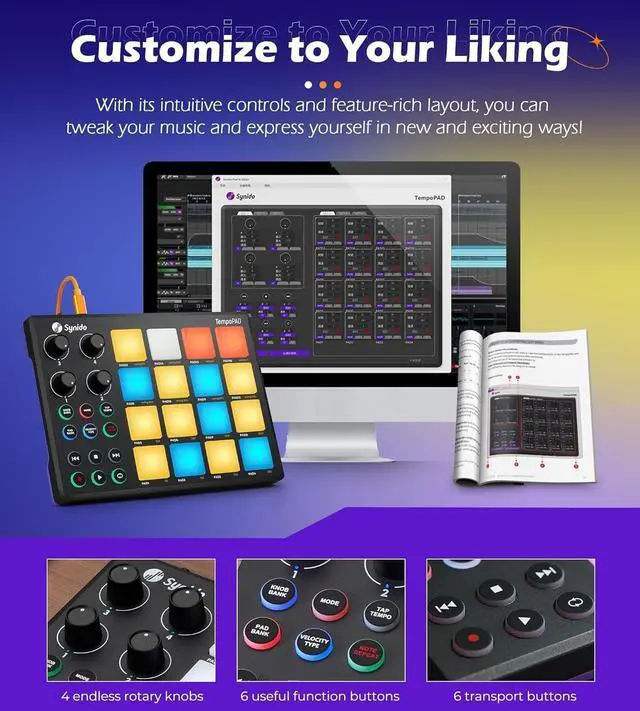
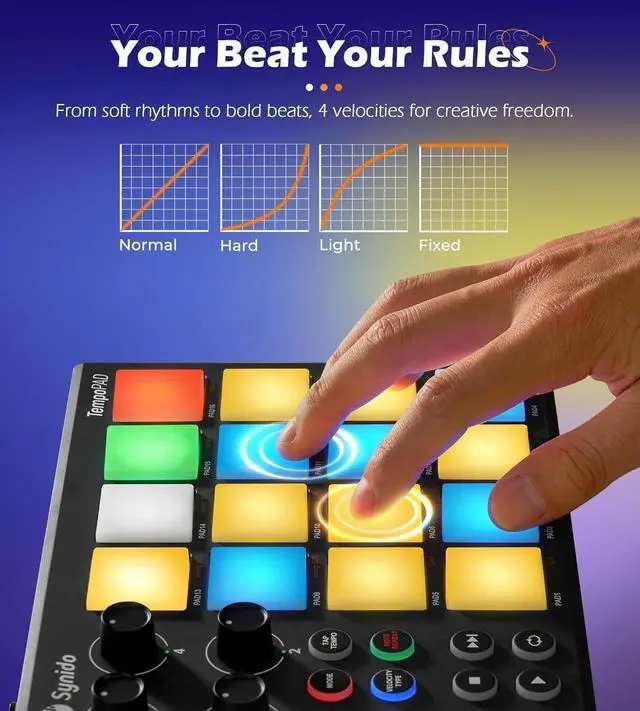
- Make Beats, Not Just Clicks Tired of mouse-clicking your drum patterns? Synido TempoPAD puts 16 responsive pads under your fingers hit them light or hard, and your DAW responds with natural, human-feeling dynamics. With 3 banks (48 total assignments) and 4 assignable knobs, you can switch between drum kits, trigger samples, and tweak effects on the fly. No menu-diving. No mouse-dragging. Just you, the pads, and the beat.
- See Your Sound, Feel Your Beat What if each drum, sample, and effect had its own color? With Synido TempoPAD, they can. Customize all 16 soft silicone pads with full. One glance tells you exactly what you're about to hit. Perfect for dim studios, dark stages, or late-night creation sessions. Let the colors guide your fingers and inspire your next track. (Note: Pad 14 does not light up in Keyboard Mode)
+
+
Overview
Specs
Reviews

Any questions? Our AI mode will help you find out quickly.
Try me now
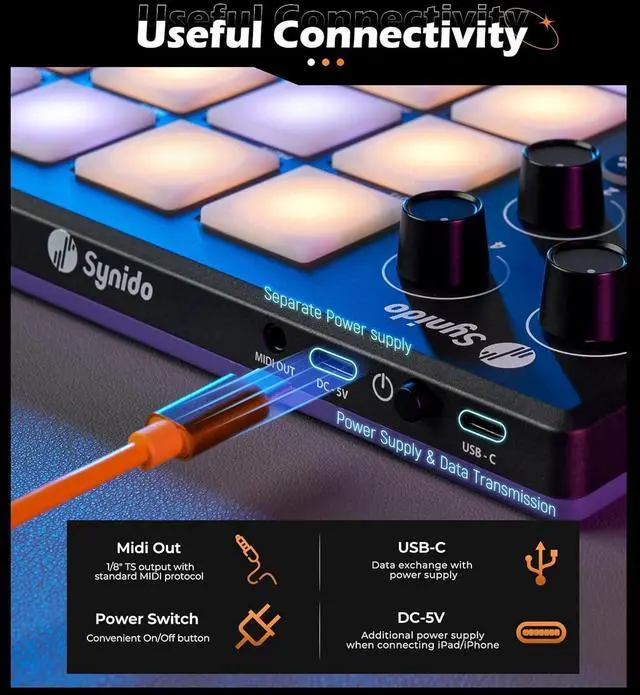
Plug & Play So You Can Focus on Making Beats, Not Setup You're new to music production. You have your DAW installed and you're ready to create. What you don't need is complicated driver installations, battery hunting, or reading through MIDI technical manuals. That's why TempoPAD keeps things simple. The USB-C port connects to your laptop in seconds no additional drivers, no wall outlet required. The included MIDI out cable gives you the option to connect external synthesizers or vintage MIDI equipment when your setup grows. Just plug in, open your DAW, and start playing.
Less time on preparation. More time on music.
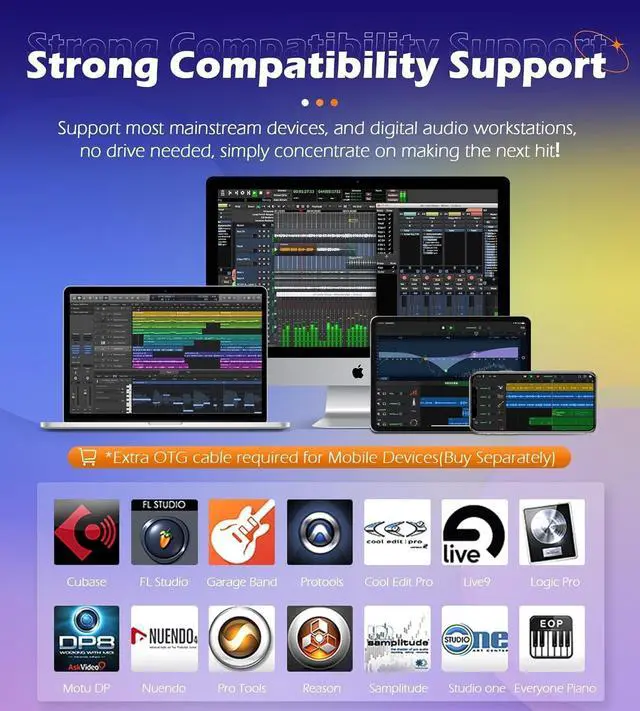
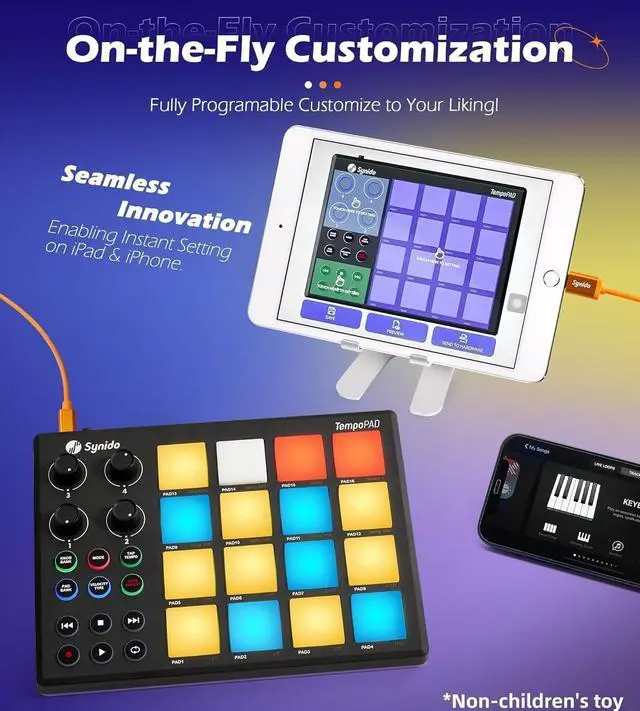
Works with Your DAW Not Against It You've already chosen your music software whether it's Ableton Live, FL Studio, Cubase, or Garageband. TempoPAD speaks their language. No need to switch tools or learn new workflows. Plug it in, and your DAW recognizes it instantly. Want to customize your layout? Use the included editor to remap pads and buttons exactly how you like. Or adjust settings from the companion app. The result? Your controller fits your style, not the other way around.
Take It Wherever Inspiration Strikes You don't have a permanent studio. Your creative space might be a dorm room desk, a café corner, or a park bench on a sunny afternoon. TempoPAD goes with you. Small enough to slip into your backpack with the included carry case. No need to find a power outlet USB cable does it all. The rubberized bottom keeps it steady on any surface. And the bright-colored cable? Easy to spot in your bag. So when an idea hits, you're ready. Wherever you are.
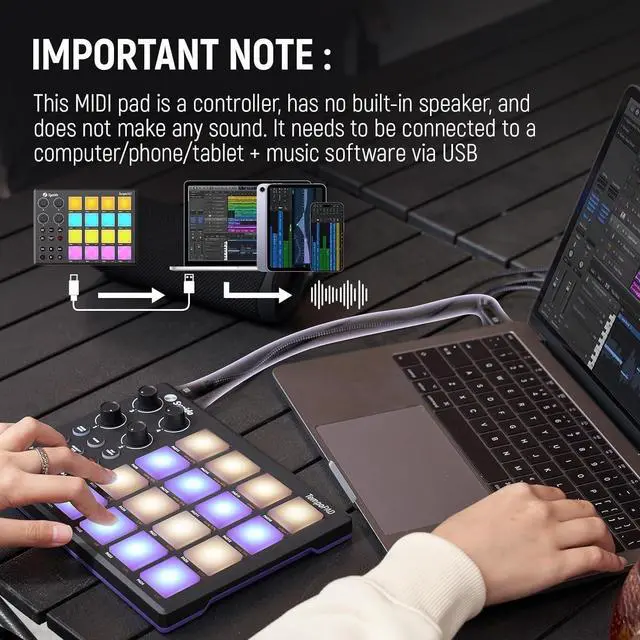
Before You Buy A Quick Truth TempoPAD does not make sound on its own. It is a MIDI controller, not a standalone instrument. To hear what you create, you will need DAW software such as Garageband, Ableton Live, FL Studio, or Cubase running on your computer, tablet, or phone. If you already have music software and simply want a more hands-on way to play it, TempoPAD is for you.
Less time on preparation. More time on music.
Works with Your DAW Not Against It You've already chosen your music software whether it's Ableton Live, FL Studio, Cubase, or Garageband. TempoPAD speaks their language. No need to switch tools or learn new workflows. Plug it in, and your DAW recognizes it instantly. Want to customize your layout? Use the included editor to remap pads and buttons exactly how you like. Or adjust settings from the companion app. The result? Your controller fits your style, not the other way around.
Take It Wherever Inspiration Strikes You don't have a permanent studio. Your creative space might be a dorm room desk, a café corner, or a park bench on a sunny afternoon. TempoPAD goes with you. Small enough to slip into your backpack with the included carry case. No need to find a power outlet USB cable does it all. The rubberized bottom keeps it steady on any surface. And the bright-colored cable? Easy to spot in your bag. So when an idea hits, you're ready. Wherever you are.
Before You Buy A Quick Truth TempoPAD does not make sound on its own. It is a MIDI controller, not a standalone instrument. To hear what you create, you will need DAW software such as Garageband, Ableton Live, FL Studio, or Cubase running on your computer, tablet, or phone. If you already have music software and simply want a more hands-on way to play it, TempoPAD is for you.
Warranty & Returns
Warranty, Returns, And Additional Information
Warranty
- Please contact the Seller directly for warranty information. Warranty information may also be found on the Manufacturer's website.
- CONTACT
Return Policies
- Return for refund within: 30 days
- Return for replacement within: 30 days
- This item is covered by Group Can Trading Limited Return Policy
Manufacturer Contact Info
- For a directory of all our manufacturers, please click below.
- Manufacturers Directory
LOADING...