Your Browsing History
Meet Your Seller
KN104 Wireless Mechanical Keyboard 100% Full-Size with Knob, Bluetooth/2.4GHz/USB-C, Custom RGB Backlit, Hot-Swappable Linear Switches, Creamy Sound for Gaming/Typing (Retro Beige)
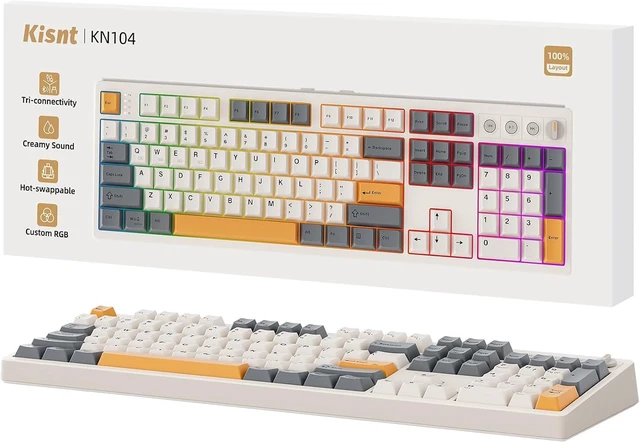
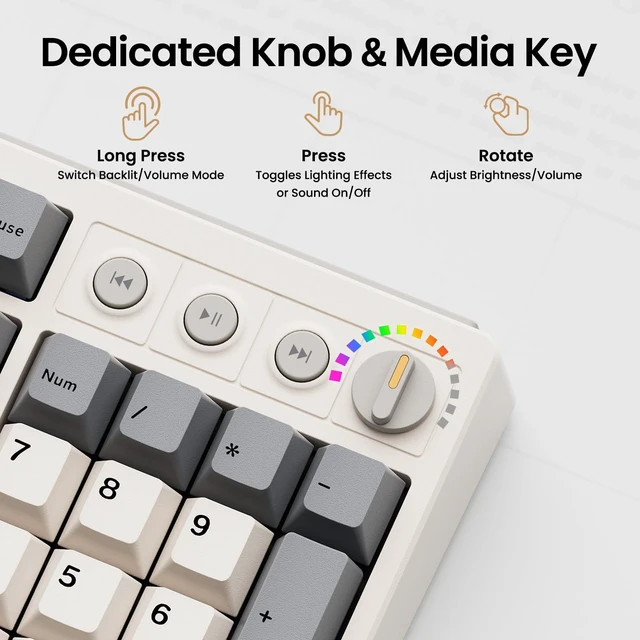
- 100% Layout, Zero CompromiseThe KN104 features a familiar standard full-size (17.52" × 5.55" × 1.65") keyboard with number pad. The dedicated knob makes it easy to adjust volume (default) and backlight. Retaining the KN85's premium sound and performance while boosting daily productivity and data entry. Best for spreadsheets, accounting, coding and heavy data work. For numpad functionality within a more spaceefficient frame, explore our new KN98 (15.26" × 5.51" × 1.71"), the 99-key compact-num model
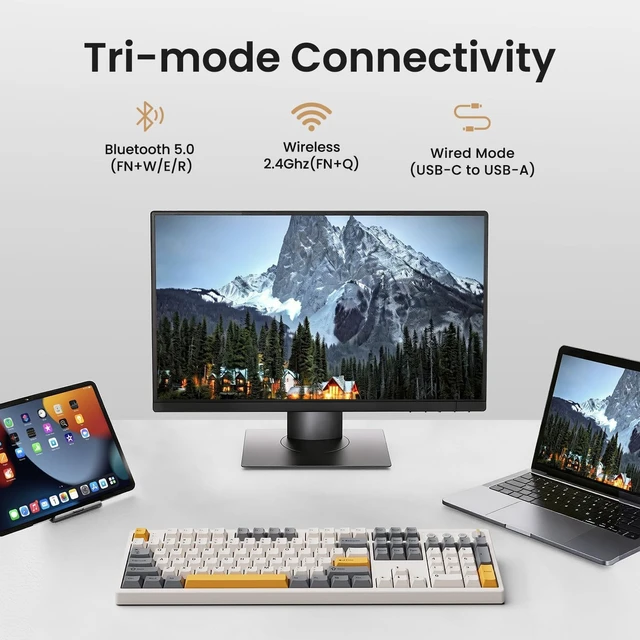
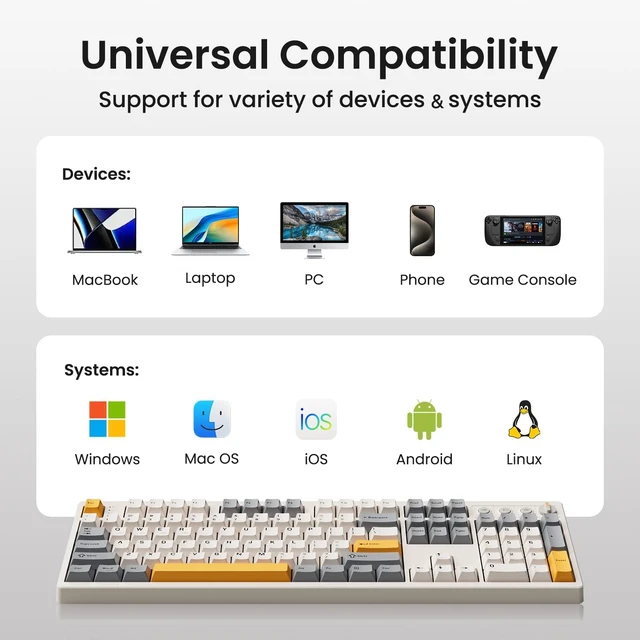
- Tri-Mode Connectivity for Multi-Device WorkflowConnect via USB-C, 2.4GHz wireless, or Bluetooth 5.0 (3 channels supported), with ultra-low latency (USB 2ms, 2.4G 5ms, BT 11ms). Switch seamlessly between Windows and Mac to work across your PC, laptop, tablet, smartphone, or gaming console. Perfect for programmers, students, creators, hybrid workers. The built-in 4000mAh rechargeable battery ensures stable wireless performance.
+
+
Overview
Reviews
Any questions? Our AI mode will help you find out quickly.
Try me now
Creamy Thocky Typing SoundThe gasket mount absorbs harsh vibrations and hollow echoes to produce a smooth marbly thock, rather than loud clacky taps. Each keypress feels softly cushioned. Whether youre working late at home or typing in a shared office space, the mellow, ASMR-like tone makes every keystroke a genuinely enjoyable experience
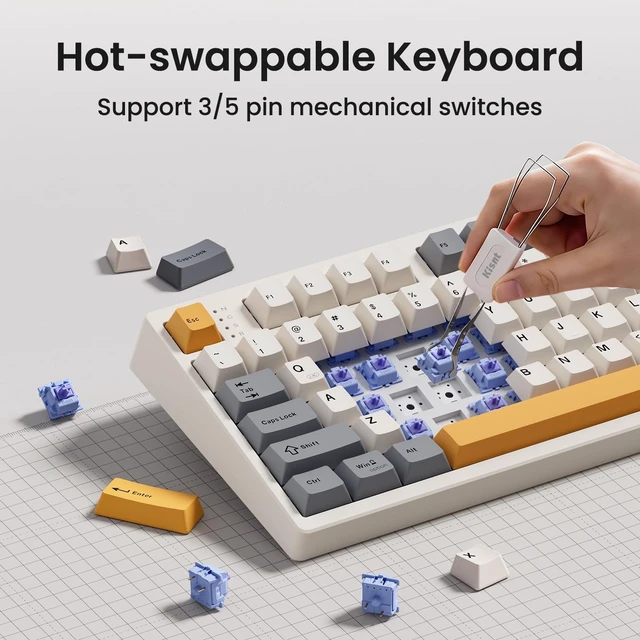
Hot-swap for Tailored Sound & TactilePre-lubed Bsun linear switches (45-50gf actuation) deliver a buttery response. Compatible with both 3 pin and 5pin switches, they enables solder-free swapping. From beginners to frequent typists and dedicated writers, craft your preferred typing signature without complex modding
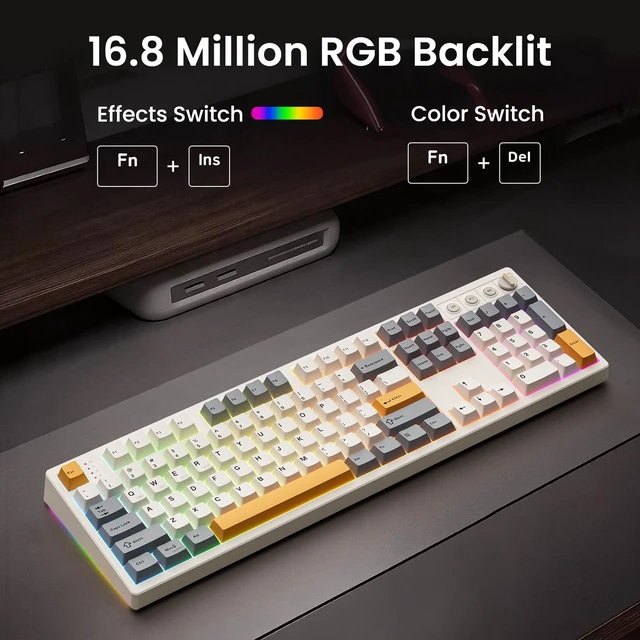
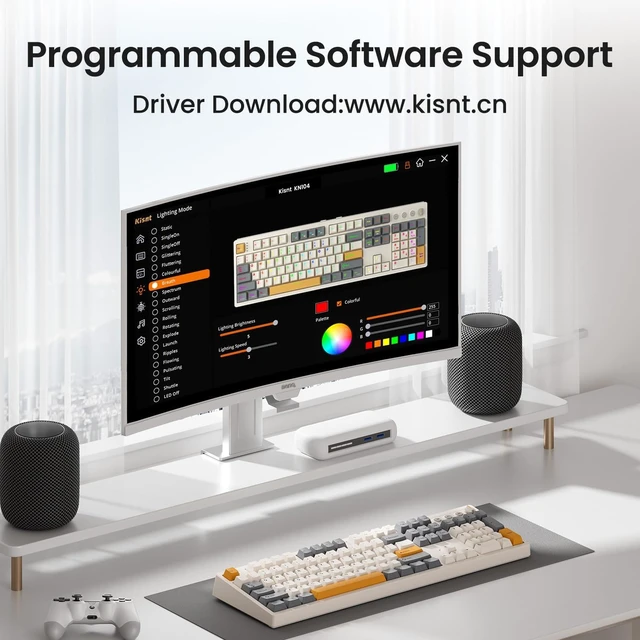
RGB Backlighting & ProgrammableA warm ambient glow surrounds PBT keycaps and case edges, creating a calm, inviting desk vibe for late-night workspace. Adjust hues and brightness through shortcut keys or companion software. The KN104 driver (Windows only, wired/2.4G mode) lets you remap keys and set custom macros to boost your daily productivity
Helpful RemindersAll keyboards use the same core parts (switches, gaskets, foam, PCB, case). Sound/feel vary with case cavity and plate layout; perception varies by user. We recommend using a wrist rest to prevent wrist fatigue from developing during extended use, which can cause discomfort and affect your focus
Important Before You Buy1. Charge: Fully charge before first use. A full charge 78h (may vary). Use a 5V 1A charger or a computer USB port. Fast chargers may damage the keyboard. 2. Choose static over animated effects animated RGB drains more battery. Press Fn+ to dim or turn off when not in use. Power off completely during long breaks. 3. Bluetooth Pairing: Toggle to [BT], hold FN+W (or E/R) for 35s until key flashes rapidly, then pair with KN104 BT-1/2/3. Bluetooth requires Windows 8 or later & Bluetooth 4.05.3
Hot-swap for Tailored Sound & TactilePre-lubed Bsun linear switches (45-50gf actuation) deliver a buttery response. Compatible with both 3 pin and 5pin switches, they enables solder-free swapping. From beginners to frequent typists and dedicated writers, craft your preferred typing signature without complex modding
RGB Backlighting & ProgrammableA warm ambient glow surrounds PBT keycaps and case edges, creating a calm, inviting desk vibe for late-night workspace. Adjust hues and brightness through shortcut keys or companion software. The KN104 driver (Windows only, wired/2.4G mode) lets you remap keys and set custom macros to boost your daily productivity
Helpful RemindersAll keyboards use the same core parts (switches, gaskets, foam, PCB, case). Sound/feel vary with case cavity and plate layout; perception varies by user. We recommend using a wrist rest to prevent wrist fatigue from developing during extended use, which can cause discomfort and affect your focus
Important Before You Buy1. Charge: Fully charge before first use. A full charge 78h (may vary). Use a 5V 1A charger or a computer USB port. Fast chargers may damage the keyboard. 2. Choose static over animated effects animated RGB drains more battery. Press Fn+ to dim or turn off when not in use. Power off completely during long breaks. 3. Bluetooth Pairing: Toggle to [BT], hold FN+W (or E/R) for 35s until key flashes rapidly, then pair with KN104 BT-1/2/3. Bluetooth requires Windows 8 or later & Bluetooth 4.05.3



Warranty & Returns
Warranty, Returns, And Additional Information
Warranty
- Please contact the Seller directly for warranty information. Warranty information may also be found on the Manufacturer's website.
- CONTACT
Return Policies
- Return for refund within: 30 days
- Return for replacement within: 30 days
- This item is covered by Faro Global Electronics Return Policy
Manufacturer Contact Info
- For a directory of all our manufacturers, please click below.
- Manufacturers Directory
LOADING...