• $149.99
  • Free 30-day Returns
  • Sold by Vast Sun Tech

    Shipped by Vast Sun Tech

    Price alert
    Shop it at NeweggBusiness.

    Meet Your Seller

    Laptop Docking Station Dual Monitor 4K@60Hz, 6*USB-C/A, PD3.0, Windows Only USB C Dock with 2HDMI, Ethernet, Vertical Stand Dock for Windows Laptops & Surface Pro 11/10/9/8 (No Adapter)-Black

    Limited time offer, ends 10/16 By Vast Sun Tech

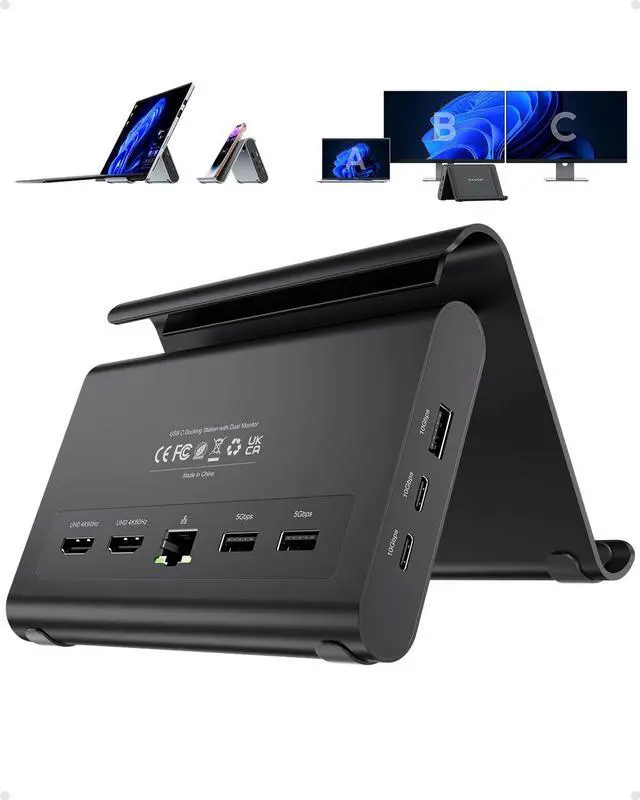
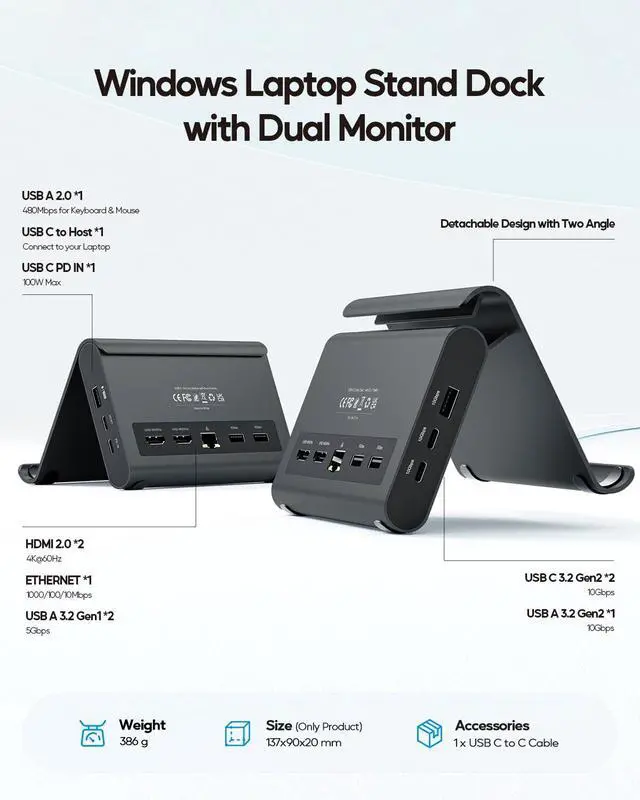
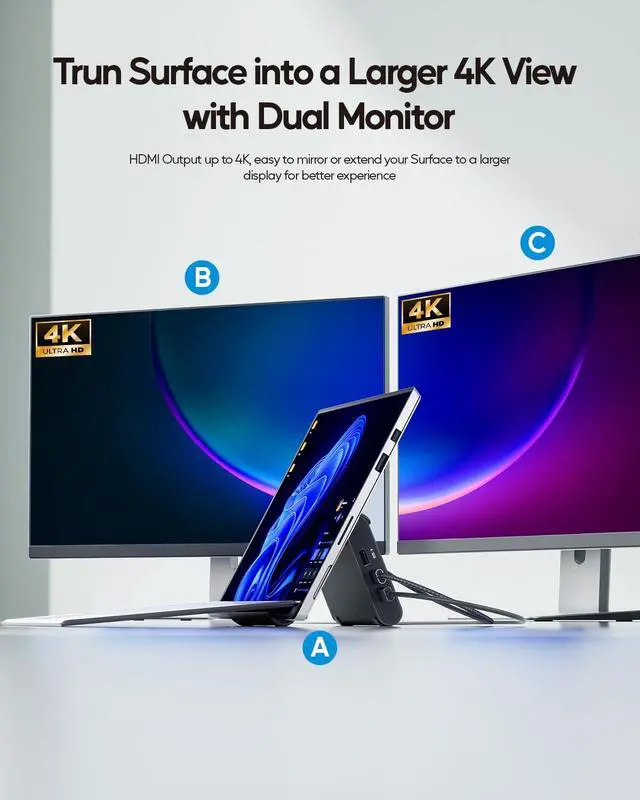
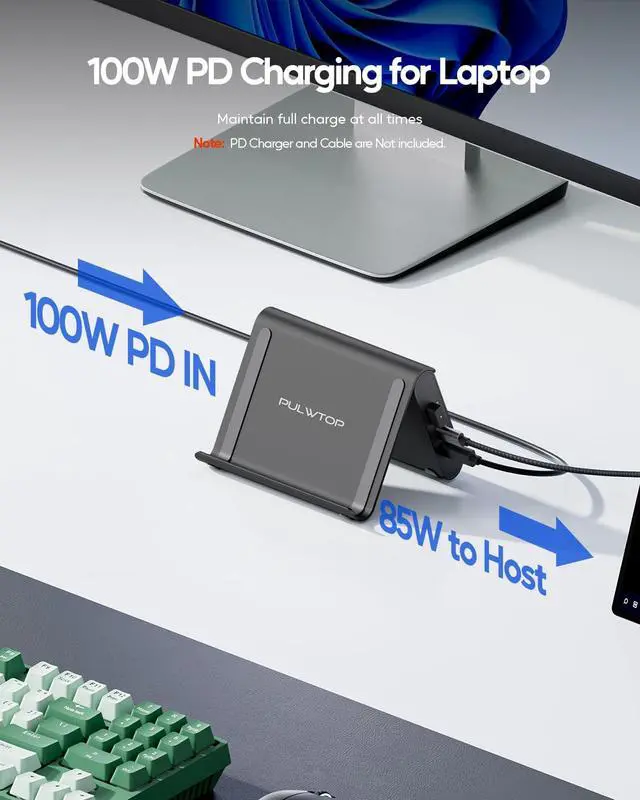
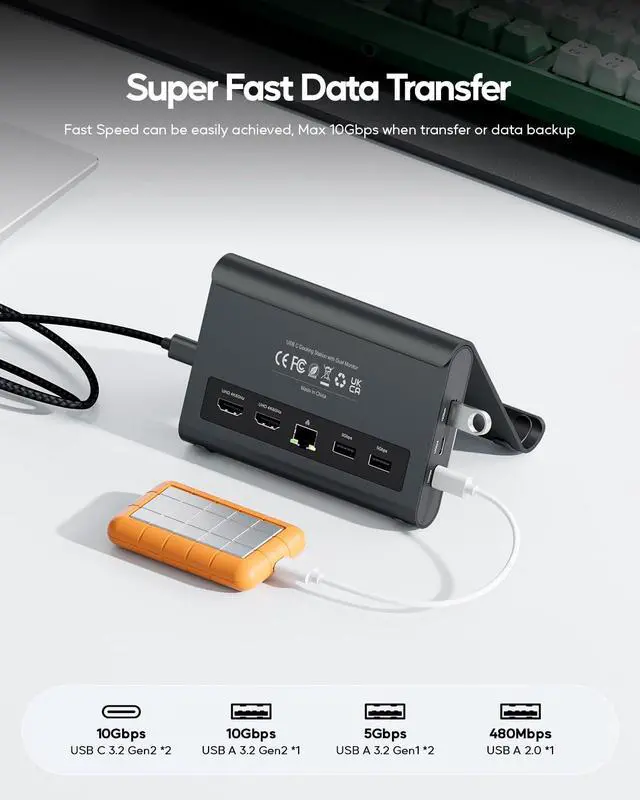
    • Dual 4K@60Hz DisplayDual 4K@60Hz HDMI outputs turn your Surface Pro or Windows laptop into a pro workstation. This laptop docking station delivers crystal-clear multitasking as a dual monitor for traders, editors, and programmers. This docking station for laptop works with both Windows and ChromeOS devices. NoteDue to Surface Pro hardware limitations, dual monitor output maxes out at 3840 x 2160@30Hz. 11-in-1 Port Expansion11-in-1 USB C Dock with 2x HDMI, 1x USB-A 10Gbps, 2x USB-C 10Gbps, 2x USB-A 5Gbps, USB 2.0, Gigabit Ethernet and 100W PD input (Max 85W safe output). This universal docking station connects SSDs, Gigabit Ethernet, and peripherals for designers, IT pros, and creative studios with multiple devices. Works as a surface pro docking station dual monitor setup for Surface Pro users. Ultra-Fast Data TransferMaximize your workflow with laptop docking stations ports at 10Gbps 1x USB-A and 2x USB-C (Only DATA) for large file transfers like RAW footage and 3D renders. Built-in RJ45 Gigabit Ethernet delivers lag-free wired internet for Zoom calls, cloud collaboration, and large downloads. A true universal docking station for all your connectivity needs. Multi-Function Stand DesignBuilt-in laptop stand holds device upright, saves space, and reduces heat. Works for Windows, Surface Pro, tablets, and phones. Notice of clamshell mode via external monitors: 1, Remove case before placing on stand. 2, The thickness of laptop size are not exceed 18mm when place
    +
    +
    Overview
    Specs
    Reviews
    avatar

    Any questions? Our AI mode will help you find out quickly.

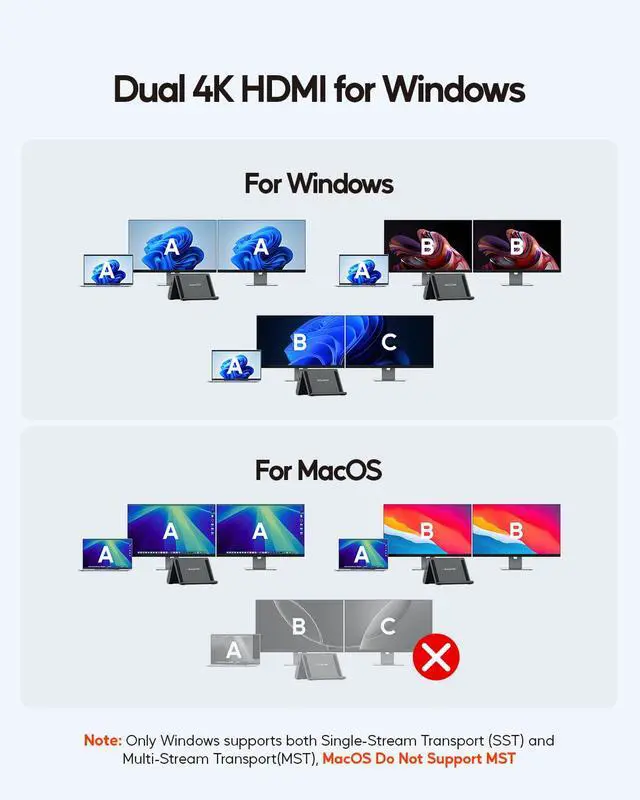
    Dual 4K@60Hz DisplayDual 4K@60Hz HDMI outputs turn your Surface Pro or Windows laptop into a pro workstation. This laptop docking station delivers crystal-clear multitasking as a dual monitor for traders, editors, and programmers. This docking station for laptop works with both Windows and ChromeOS devices. NoteDue to Surface Pro hardware limitations, dual monitor output maxes out at 3840 x 2160@30Hz. 11-in-1 Port Expansion11-in-1 USB C Dock with 2x HDMI, 1x USB-A 10Gbps, 2x USB-C 10Gbps, 2x USB-A 5Gbps, USB 2.0, Gigabit Ethernet and 100W PD input (Max 85W safe output).

    This universal docking station connects SSDs, Gigabit Ethernet, and peripherals for designers, IT pros, and creative studios with multiple devices. Works as a surface pro docking station dual monitor setup for Surface Pro users. Ultra-Fast Data TransferMaximize your workflow with laptop docking stations ports at 10Gbps 1x USB-A and 2x USB-C (Only DATA) for large file transfers like RAW footage and 3D renders. Built-in RJ45 Gigabit Ethernet delivers lag-free wired internet for Zoom calls, cloud collaboration, and large downloads. A true universal docking station for all your connectivity needs.

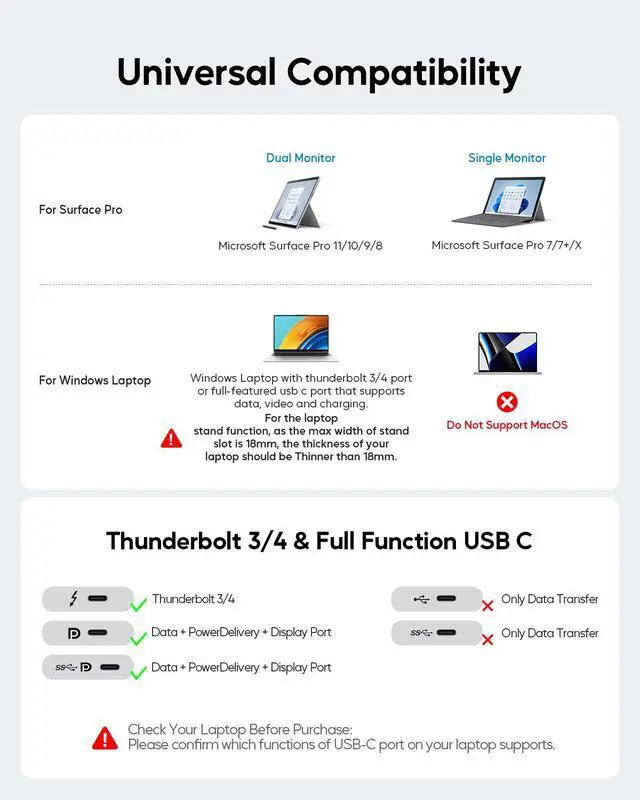
    Multi-Function Stand DesignBuilt-in laptop stand holds device upright, saves space, and reduces heat. Works for Windows, Surface Pro, tablets, and phones. Notice of clamshell mode via external monitors: 1, Remove case before placing on stand. 2, The thickness of laptop size are not exceed 18mm when place on the stand 3, Before
    closing lid: keep laptop awake. Plug in 65W+ PD, HDMI, and mouse (USB 2.0 ). After Closed lid, move your mouse to wake up monitor. Plug-and-Play & Wide CompatibilityNo driver needed plug and play via full-function USB-C or Thunderbolt. This USB C Docking Station Dual Monitor works with Windows 10/11 and ChromeOS laptops with DP Alt Mode and Power Delivery. Compatible with Dell, HP, Lenovo, Surface Pro 11/10/9/8 and more. NoteThis docking station on Mac OS, iPad OS, and Microsoft Surface Pro 7/7+/X only support Single-Display

    Warranty & Returns

    Warranty, Returns, And Additional Information

    Warranty

    • Please contact the Seller directly for warranty information. Warranty information may also be found on the Manufacturer's website.
    • CONTACT

    Return Policies

    Manufacturer Contact Info

    LOADING...