Your Browsing History
Meet Your Seller
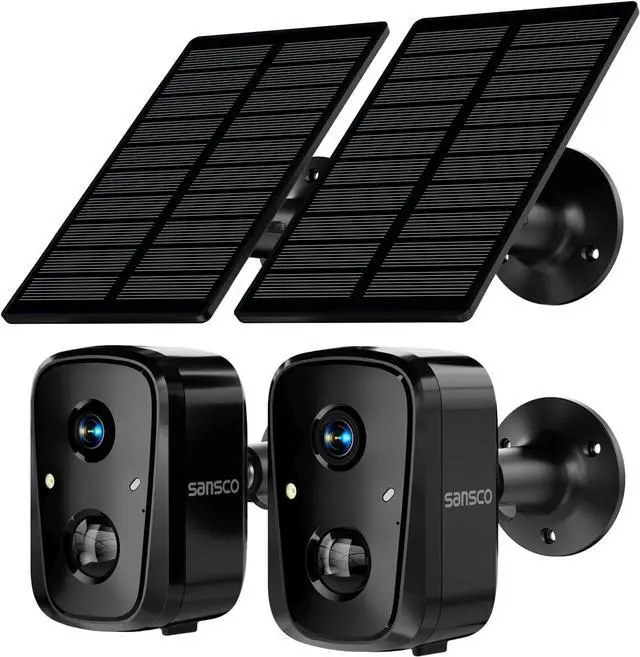
SANSCO Wireless Solar Security Wireless Camera 2Pack
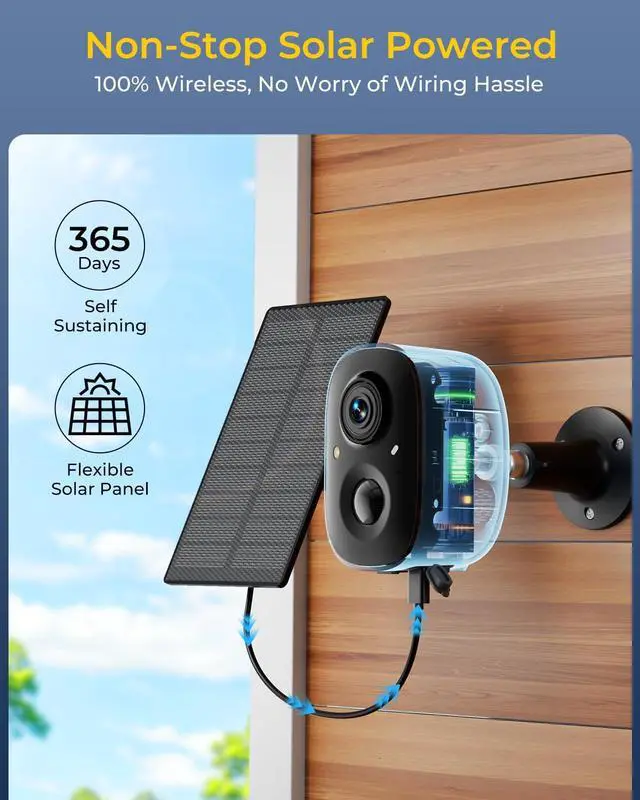
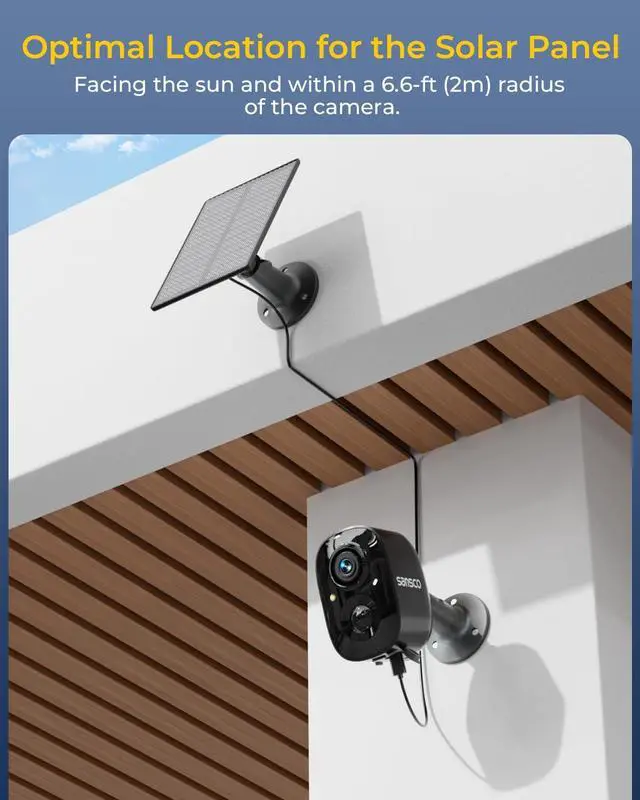
- 100% Wireless & Forever Solar-Powered: Say goodbye to wiring and power cords! The camera is powered by efficient solar energy and features a built-in rechargeable battery (3.7V), enabling true wireless installation. Just 3 hours of direct sunlight daily ensures year-round operation. Rated for -10°C to 45°C, it performs reliably in varied climates.
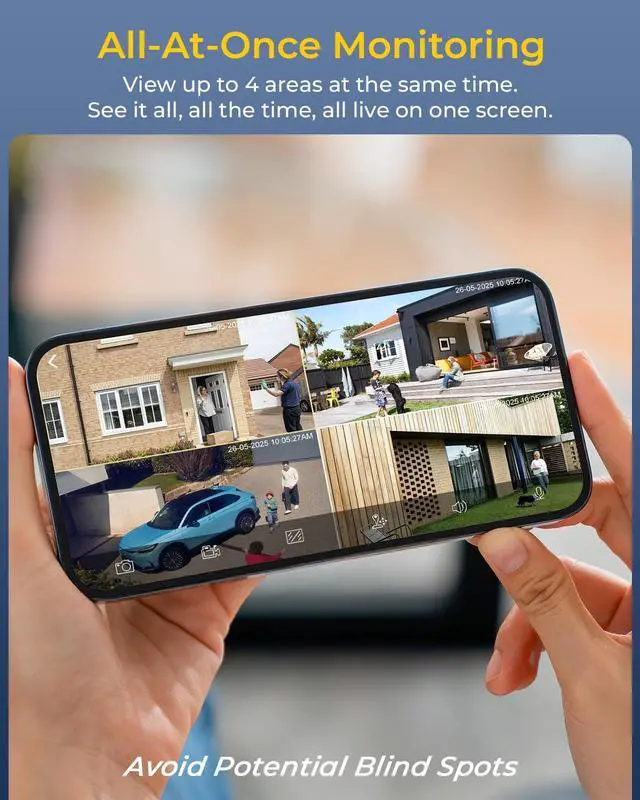
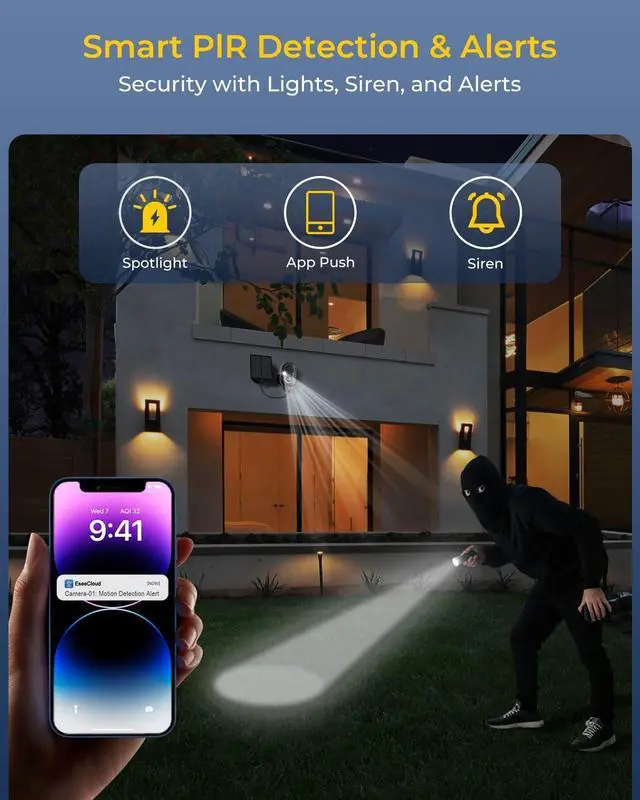
- Smart PIR Human Detection & Real-Time Alerts: Equipped with a 58 m PIR sensor and 100° detection range, this camera uses advanced algorithms to distinguish human movement from false triggers like pets or leaves. Receive instant alerts on the monitor and via the EseeCloud app, so you only pay attention to what truly matters.
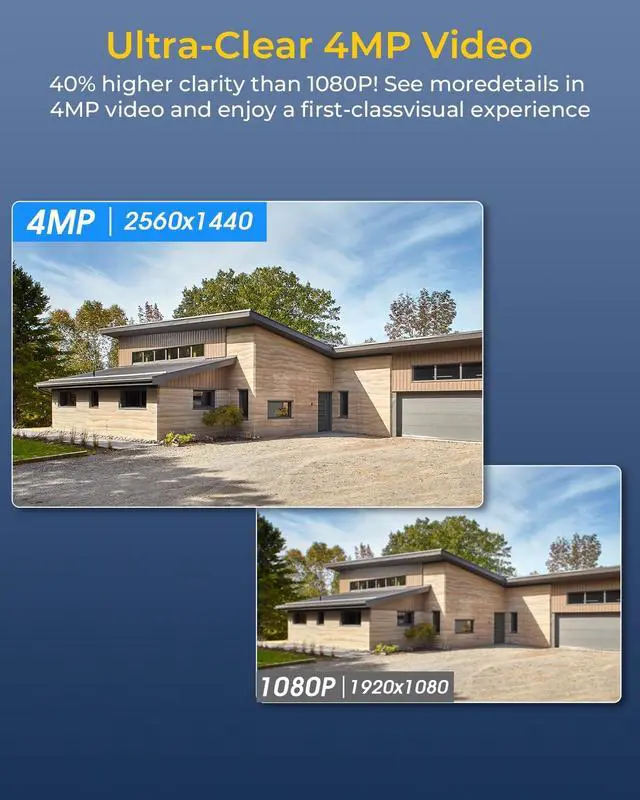
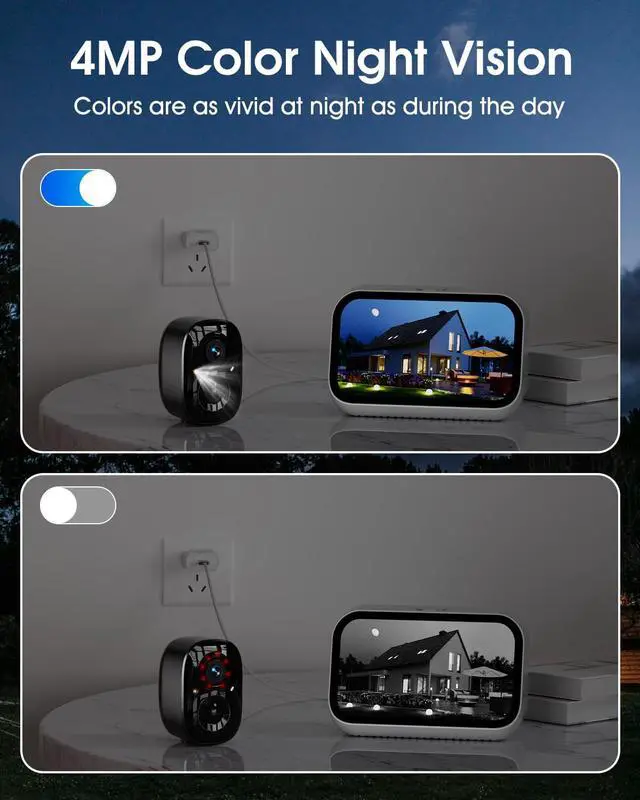
- 4MP HD Video & Full Color Night Vision: Capture crystal-clear 2560×1440 resolution video day and night. With a 4mm lens and 88° field of view, you get a balanced and detailed perspective. When lighting is low, the camera automatically switches to night vision mode, offering clarity even in 0.1 lux low-light conditions.
+
+
Overview
Specs
Reviews
Any questions? Our AI beta will help you find out quickly.
Try me now
1Cover More Area2Smart Playback3PIR Detection4Set Sensitive Zones5Custom Monitoring1Ultra-Clear 4MP2Color Night Vision3Instant Alerts4Two-Way Talk5IP66 Waterproof13 Recording Modes2Share Your Camera3Works with Alexa4Advanced H.2655Broad Signal Range1Wide Connectivity3Dual-Band WiFi Why isn't the motion detection recording working?
1. Make sure the camera is installed at the correct height and distance;
2. Check if a TF card is inserted;
3. Make sure the camera is fully charged and enable the recording.
Does this security camera support 5G wifi connection?
Yes. The solar outdoor camera support 2.4GHz and 5GHz Wireless WiFi Connection.
(Please disregard the statement in the manual that mentions using only 2.4 GHz Wi-Fi.)
The camera worked for a while, then started to lose signal?
1. Ensure all cameras are within Wi-Fi range.
2. Reset your cameras, then re-pair them.
3. Provide the Virtual ID to Sansco to help resolve your issues (if applicable).
Do I need to pay cloud storage subscription
No. You do not need to subscribe to any of the apps services to watch or replay videos. The cloud storage service requires a fee but is entirely optional.
How to reset the camera?
Power on the camera (by pressing the camera's Power button, then press and hold the Reset button (R) until you hear a voice saying camera has been reset.
Why isn't the motion detection recording working?
Does this security camera support 5G wifi connection?
The camera worked for a while, then started to lose signal?
Do I need to pay cloud storage subscription
How to reset the camera?

1. Make sure the camera is installed at the correct height and distance;
2. Check if a TF card is inserted;
3. Make sure the camera is fully charged and enable the recording.
Does this security camera support 5G wifi connection?
Yes. The solar outdoor camera support 2.4GHz and 5GHz Wireless WiFi Connection.
(Please disregard the statement in the manual that mentions using only 2.4 GHz Wi-Fi.)
The camera worked for a while, then started to lose signal?
1. Ensure all cameras are within Wi-Fi range.
2. Reset your cameras, then re-pair them.
3. Provide the Virtual ID to Sansco to help resolve your issues (if applicable).
Do I need to pay cloud storage subscription
No. You do not need to subscribe to any of the apps services to watch or replay videos. The cloud storage service requires a fee but is entirely optional.
How to reset the camera?
Power on the camera (by pressing the camera's Power button, then press and hold the Reset button (R) until you hear a voice saying camera has been reset.
Why isn't the motion detection recording working?
Does this security camera support 5G wifi connection?
The camera worked for a while, then started to lose signal?
Do I need to pay cloud storage subscription
How to reset the camera?
Warranty & Returns
Warranty, Returns, And Additional Information
Warranty
- Please contact the Seller directly for warranty information. Warranty information may also be found on the Manufacturer's website.
- CONTACT
Return Policies
- Return for refund within: 30 days
- Return for replacement within: 30 days
- This item is covered by Cloud Sail Return Policy
Manufacturer Contact Info
- For a directory of all our manufacturers, please click below.
- Manufacturers Directory
LOADING...