Your Browsing History
Meet Your Seller
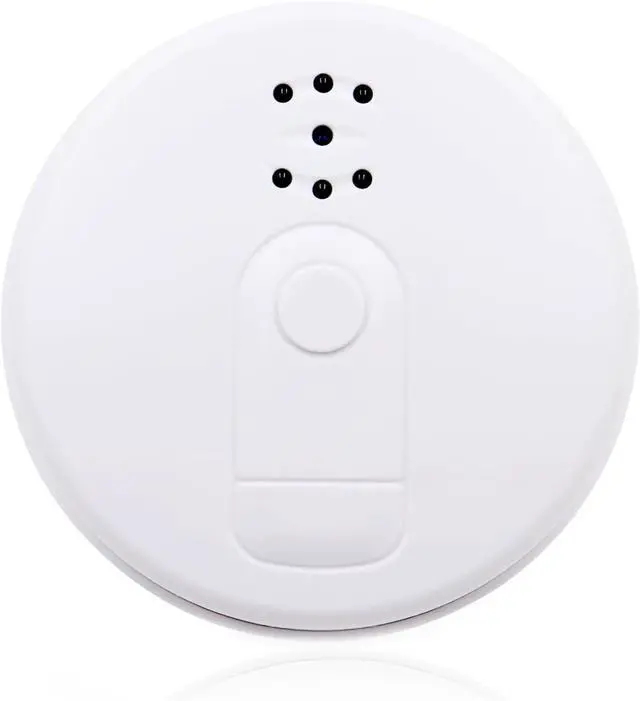
Wireless Security Camera Indoor Surveillance, FHD 1080P Rechargeable Battery Powered Guard House Security Camera, Continuous Recording Room Indoor WiFi Security Camera with Night Vision
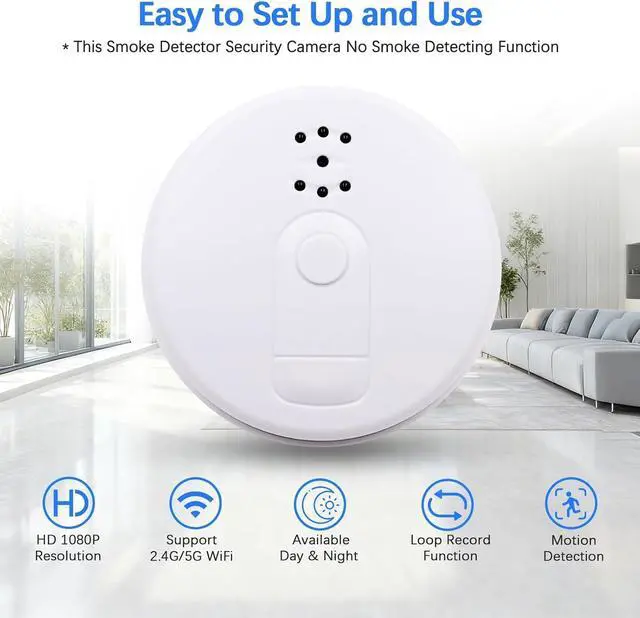
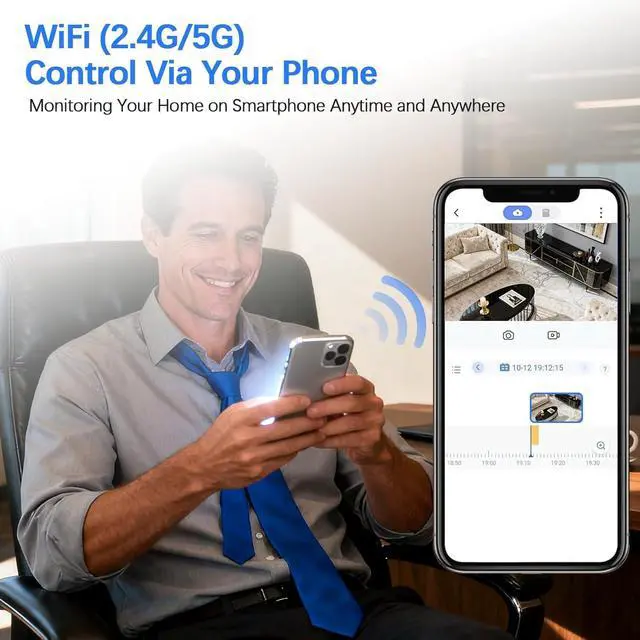
- Real-Time Monitoring On Your PhoneThis smoke detector hidden camera supports 2.4G and 5G WiFi network, which provides you smoother experience. By downloading an app named TuyaSmart and signing up your account then configuring the app with this hidden spy camera. After that you can monitor your home in real-time and control the hidden indoor camera on your phone, such as take picture, record video, set up the hidden camera for home and so on ( Note: this hidden camera smoke detector has no smoke detecting function)
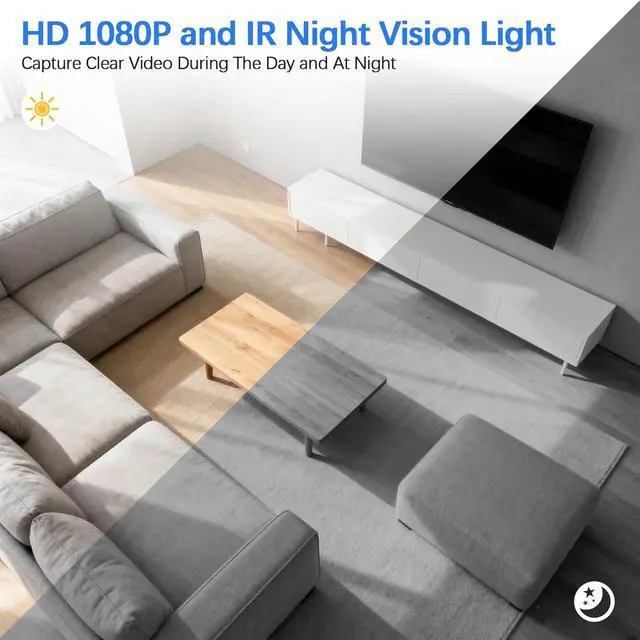
- Capture Clear Video Day & NightEquipped with HD 1080P lens and invisible IR night vision lights, this nanny cam hidden camera allows you to record clear video whether its during the day or at night
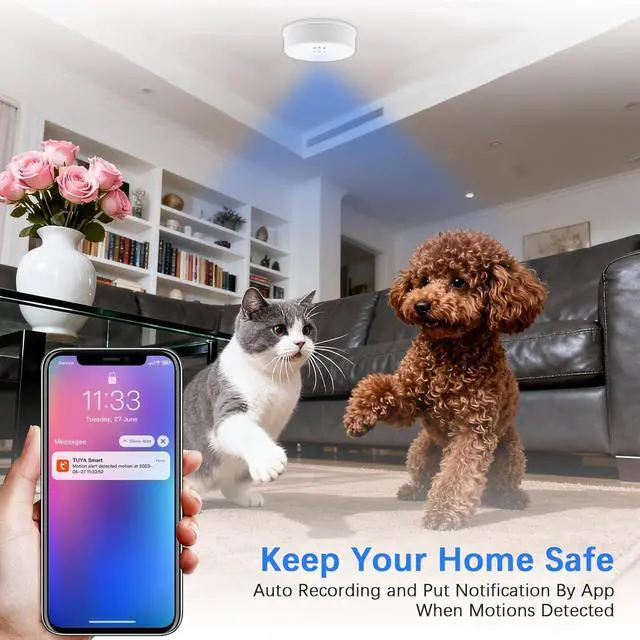
- Keep Home Safe in A Covert WayDo you worry about the safety of your house when youre outdoor? No worries now with this smoke detector shaped wireless indoor security camera that combines motion detection function. With this shape and function, the indoor surveillance cam
+
+
Overview
Specs
Reviews
Any questions? Our AI beta will help you find out quickly.
Try me now
Brand Name Tkiplay Product Name HD 1080P WiFi Remote Smoke Detector Hidden Security Camera for Home Product Type Hidden Camera, Indoor Security Camera Power Battery Powered or AC Power Supply (100V-240V, 50Hz/60Hz) Battery Life About 6 Hours When Fully Charged Packing List Smoke Detector Camera *1, Hard wired *1, USB Cable *1, User Manual *1 Features 2.4G/5G WiFi Remote, 1920*1080P Resolution, Motion Detection, Night Vision, Loop Recording Tips Please Insert An SD Card If You Want to Save Video to Local Otherwise You Can Only View Live Video Online To provide you better viewing, this hidden camera for home supports 2.4G/5G WiFi. Taking several steps to pair the wifi spy camera with a free App then you can monitor home in real-time and control the nanny cam on your phone. Such as view live video, take video/photo and adjust camera setting.
Equipped with HD 1080P lens and IR night vision light, the smoke alarm camera could capture sharp videos with more details even in darkness.
Enable its motion detection, the wireless hidden camera will push notification to your phone when detecting motions, so you can know what happened.
Video will be saved in segments and the oldest one will be covered by the latest one when SD card is full. So you don't need to delete files manually.
Shaped of smoke detector, the hidden spy camera is won't be noticed, so you can monitor home in a secret way if you don't want to attract attention.
1. Please charge the hidden nanny camera for about 6 to 8 hour before the first use.
2. Please insert an SD card before using if you want to save video to local. (SD card not included in packing list, please prepare it separately)
3. To avoid data losing, please make sure the hidden wireless camera is turned off when inserting or removing SD card.
4. Please reset the hidden camera if you don't hear a voice prompt of "Ready to Pair" after 20 seconds.
5. To reset the hidden spy camera, please use a pin to press reset button for about 7 to 8 seconds until you hear a voice prompt of "Reset Successfully" then release. Waiting till you hear a voice prompt of "Ready to Pair" then you can continue to configure hidden camera smoke detector.
6. If pairing is unsuccessful, please configure again or check if the name and password of WiFi is correct.
7. This smoke detector camera has no smoke detecting function.
8. TuyaSmart is free to use, but if you want to use its built-in cloud storage feature, you will need to pay a monthly subscription fee to the application provider (Not the seller)
Search and download TuyaSmart on App Store or Google Play.
Sign up your account with email or tel. (*This App may acquire some permissions. To sign up successfully please allow all the requests)
Power on camera and wait for a voice of 'Ready to Pair' then open App click 'Add Device'(Make sure Bluetooth is on), enter password & name of WiFi
After successful pairing, you can start to use the wifi hidden camera now. Such as change video resolution, take photo, record video, and so on.
* Let us know if you have any questions
Step 1: Open the back cover along counterclockwise direction
Step 2: Insert an SD card (Card not included in packing list)
Step 3: Fasten back cover
Step 4: Connect the hidden indoor camera to power. There are 3 ways:
Way 1: Powered by built in battery (Works for about 6 hours when fully charged)
Way 2: Use USB cable and AC adapter to plug in power outlet for long term power supply
Way 3: Use hard wired to connect to AC power(100V to 240V, 50Hz/60Hz) for long term power supply
Worry About Indoor Safety When You're Outdoor? See What's Special About This WiFi Hidden Camera? Get Clear Video Even In Dark Instant Notification Save More Space on Memory Card Monitor Home in A Secret Way Things You Should Know When Setting Up The Smoke Alarm Hidden Camera: Several Steps to Set Up and Use 1. Download & Instal

Equipped with HD 1080P lens and IR night vision light, the smoke alarm camera could capture sharp videos with more details even in darkness.
Enable its motion detection, the wireless hidden camera will push notification to your phone when detecting motions, so you can know what happened.
Video will be saved in segments and the oldest one will be covered by the latest one when SD card is full. So you don't need to delete files manually.
Shaped of smoke detector, the hidden spy camera is won't be noticed, so you can monitor home in a secret way if you don't want to attract attention.
1. Please charge the hidden nanny camera for about 6 to 8 hour before the first use.
2. Please insert an SD card before using if you want to save video to local. (SD card not included in packing list, please prepare it separately)
3. To avoid data losing, please make sure the hidden wireless camera is turned off when inserting or removing SD card.
4. Please reset the hidden camera if you don't hear a voice prompt of "Ready to Pair" after 20 seconds.
5. To reset the hidden spy camera, please use a pin to press reset button for about 7 to 8 seconds until you hear a voice prompt of "Reset Successfully" then release. Waiting till you hear a voice prompt of "Ready to Pair" then you can continue to configure hidden camera smoke detector.
6. If pairing is unsuccessful, please configure again or check if the name and password of WiFi is correct.
7. This smoke detector camera has no smoke detecting function.
8. TuyaSmart is free to use, but if you want to use its built-in cloud storage feature, you will need to pay a monthly subscription fee to the application provider (Not the seller)
Search and download TuyaSmart on App Store or Google Play.
Sign up your account with email or tel. (*This App may acquire some permissions. To sign up successfully please allow all the requests)
Power on camera and wait for a voice of 'Ready to Pair' then open App click 'Add Device'(Make sure Bluetooth is on), enter password & name of WiFi
After successful pairing, you can start to use the wifi hidden camera now. Such as change video resolution, take photo, record video, and so on.
* Let us know if you have any questions
Step 1: Open the back cover along counterclockwise direction
Step 2: Insert an SD card (Card not included in packing list)
Step 3: Fasten back cover
Step 4: Connect the hidden indoor camera to power. There are 3 ways:
Way 1: Powered by built in battery (Works for about 6 hours when fully charged)
Way 2: Use USB cable and AC adapter to plug in power outlet for long term power supply
Way 3: Use hard wired to connect to AC power(100V to 240V, 50Hz/60Hz) for long term power supply
Worry About Indoor Safety When You're Outdoor? See What's Special About This WiFi Hidden Camera? Get Clear Video Even In Dark Instant Notification Save More Space on Memory Card Monitor Home in A Secret Way Things You Should Know When Setting Up The Smoke Alarm Hidden Camera: Several Steps to Set Up and Use 1. Download & Instal
Warranty & Returns
Warranty, Returns, And Additional Information
Warranty
- Please contact the Seller directly for warranty information. Warranty information may also be found on the Manufacturer's website.
- CONTACT
Return Policies
- Return for refund within: 30 days
- Return for replacement within: 30 days
- This item is covered by Cloud Sail Return Policy
Manufacturer Contact Info
- For a directory of all our manufacturers, please click below.
- Manufacturers Directory
LOADING...