Your Browsing History
Meet Your Seller
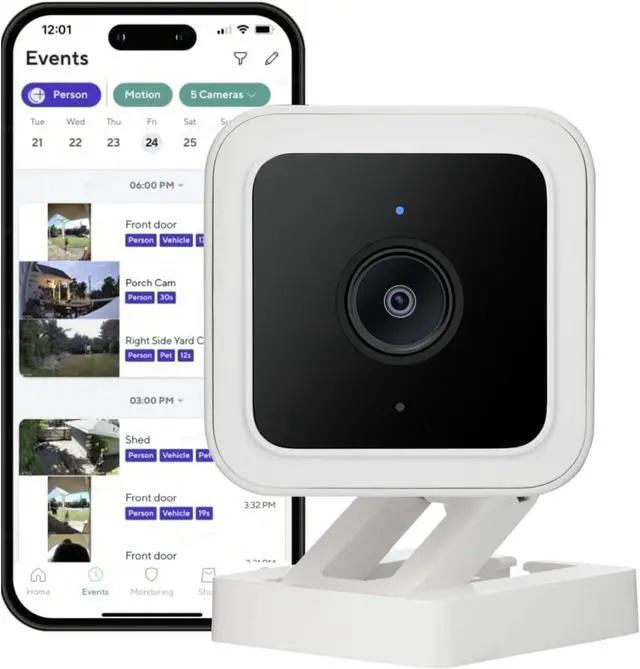
WyzeCam Cam v3 Security Camera for Pets, Indoor/Outdoor Home Security Camera with 1080p Color Night Vision Motion & Sound Detection, Compatible with Alexa & Google, White, 1-Pack
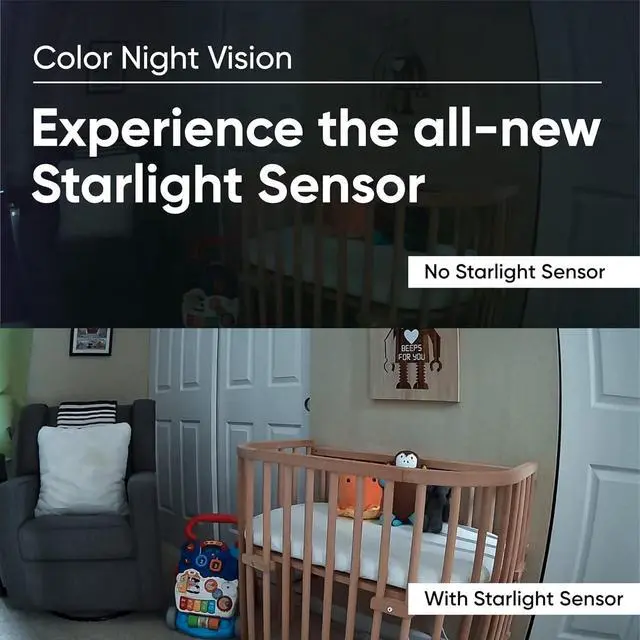
- 1080p Color Night Vision: See more clearly at night in full color. An improved sensor and lens lets the camera capture extraordinary images and videos in any light. (support 2.4GHz WiFi Only)
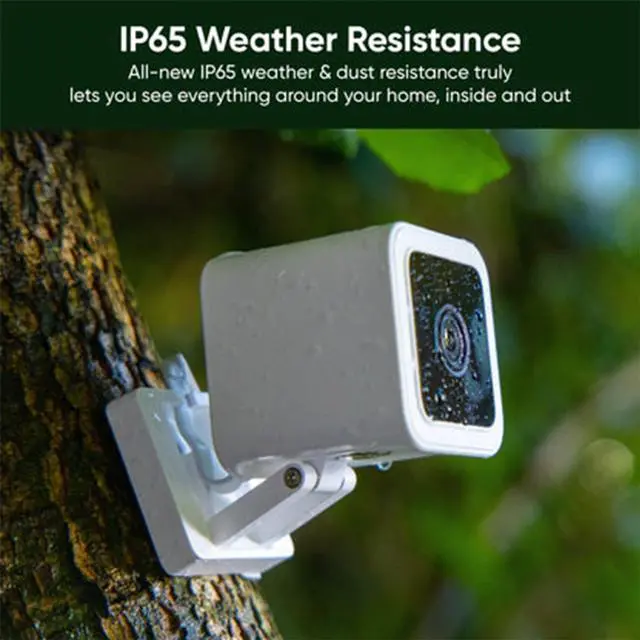
- Indoor/Outdoor Home Security Camera: Capture moments indoors and outdoors with IP65 weather resistance. Operating Temperature: -5°F - 113°F (-20°C - 45°C).
- MicroSD card slot for 24/7 continuous recording and Time lapse: Take stunning time-lapse videos over long periods of time. Requires a Micro SD card (sold separately).
- Weather Resistance : An all-new Starlight Sensor illuminates the outdoors in full color while weather resistance lets you capture life outside. Performance upgrades across the board make this Wyzes most powerful smart cam ever.
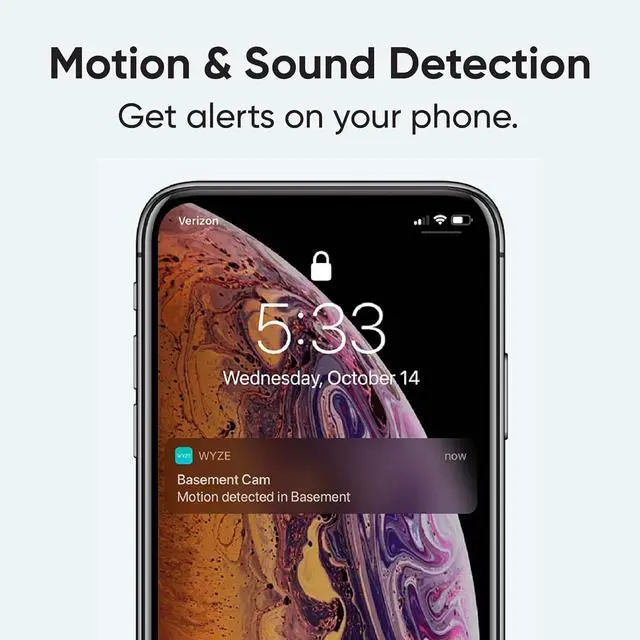
- Motion & Sound Alerts: Wyze Cam sends your phone an alert. Monitor specific areas for motion so you only receive notifications when it matters.
+
+
Overview
Specs
Reviews
Any questions? Our AI beta will help you find out quickly.
Try me now
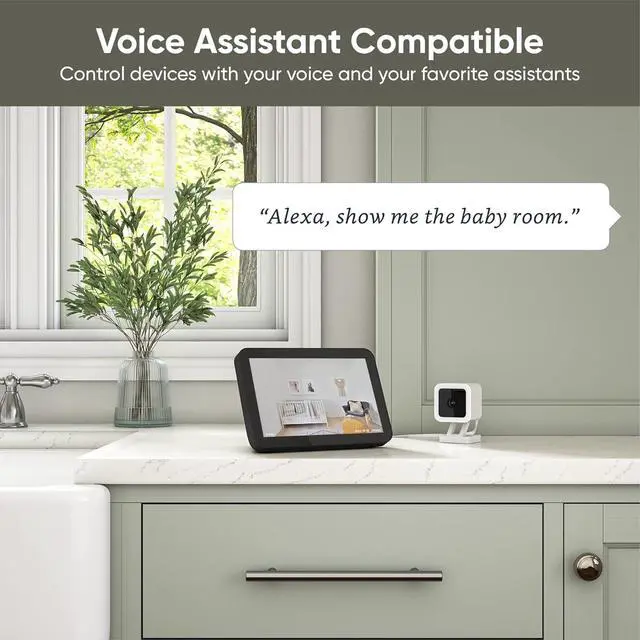
Our award-winning wired smart camera is back with illuminating Color Night Vision and new outdoor-friendly IP65 weatherproofing. Keep an eye on what matters most - indoor or out, rain or shine, light or dark, as a pet camera, baby monitor, or security camera.
Note: Wyze Cam Plus is an optional subscription plan with extra features to care for your home. *Every camera comes with a 14-day trial that you can cancel anytime. Without the plan, you can still see, talk and receive Motion Alerts on your phone.
Unlock continuous recording and time lapses for Wyze Cams with MicroSD card. (MicroSD card sold separately).
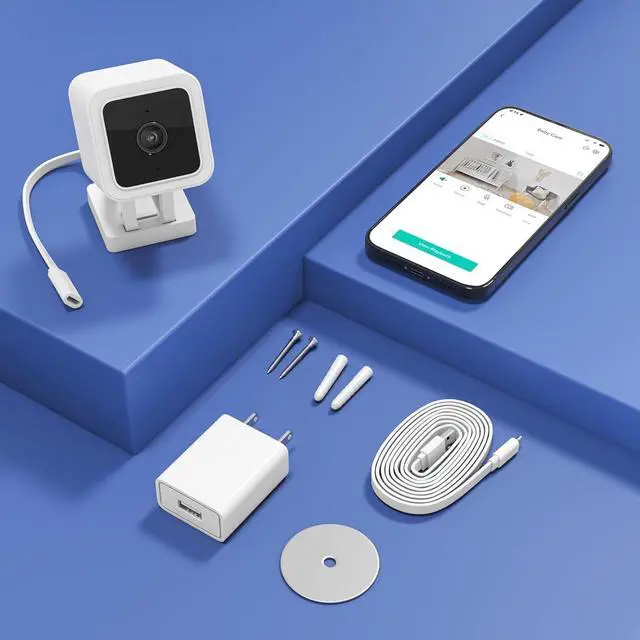
Plug in the camera.
Download the WYZE app and add the camera.
*The Wyze app is compatible with Android (7.0+) and iOS (14.0+) devices, 2.4GHz WiFi network only.
Place anywhere you need it and enjoy.
Have a family member who wants to see baby? Share it with them right from the Wyze app.
How to set up Wyze Cam v3?
1. Download the Wyze app and sign in or create an account.
2. Connect the camera to a power outlet and wait for 20 seconds or until the status light flashes red.
3. Press the SETUP button for 3 seconds or until there is a voice prompt.
4. Follow the instructions in the Wyze app to finish setup.
Q: My camera is not connecting to the network?
1. Check that your phone or tablet is connected to a 2.4 GHz network. Does not support 5GHz WiFi and Wi-Fi 6 routers.
2. Forget all WiFi networks, restart your phone/tablet, then reconnect to your 2.4 GHz network.
3. Power off and then restart your Wyze Cam. Force close the Wyze app, then open it again.
4. Check that your password is correct. Your password is case sensitive.
Secure Local Storage Simple to set up and use Step 1 Step 2 Step 3 Share with the loved ones FAQs

Note: Wyze Cam Plus is an optional subscription plan with extra features to care for your home. *Every camera comes with a 14-day trial that you can cancel anytime. Without the plan, you can still see, talk and receive Motion Alerts on your phone.
Unlock continuous recording and time lapses for Wyze Cams with MicroSD card. (MicroSD card sold separately).
Plug in the camera.
Download the WYZE app and add the camera.
*The Wyze app is compatible with Android (7.0+) and iOS (14.0+) devices, 2.4GHz WiFi network only.
Place anywhere you need it and enjoy.
Have a family member who wants to see baby? Share it with them right from the Wyze app.
How to set up Wyze Cam v3?
1. Download the Wyze app and sign in or create an account.
2. Connect the camera to a power outlet and wait for 20 seconds or until the status light flashes red.
3. Press the SETUP button for 3 seconds or until there is a voice prompt.
4. Follow the instructions in the Wyze app to finish setup.
Q: My camera is not connecting to the network?
1. Check that your phone or tablet is connected to a 2.4 GHz network. Does not support 5GHz WiFi and Wi-Fi 6 routers.
2. Forget all WiFi networks, restart your phone/tablet, then reconnect to your 2.4 GHz network.
3. Power off and then restart your Wyze Cam. Force close the Wyze app, then open it again.
4. Check that your password is correct. Your password is case sensitive.
Secure Local Storage Simple to set up and use Step 1 Step 2 Step 3 Share with the loved ones FAQs
Warranty & Returns
Warranty, Returns, And Additional Information
Warranty
- Please contact the Seller directly for warranty information. Warranty information may also be found on the Manufacturer's website.
- CONTACT
Return Policies
- Return for refund within: 30 days
- Return for replacement within: 30 days
- This item is covered by Cloud Sail Return Policy
Manufacturer Contact Info
- For a directory of all our manufacturers, please click below.
- Manufacturers Directory
LOADING...