Your Browsing History
Meet Your Seller
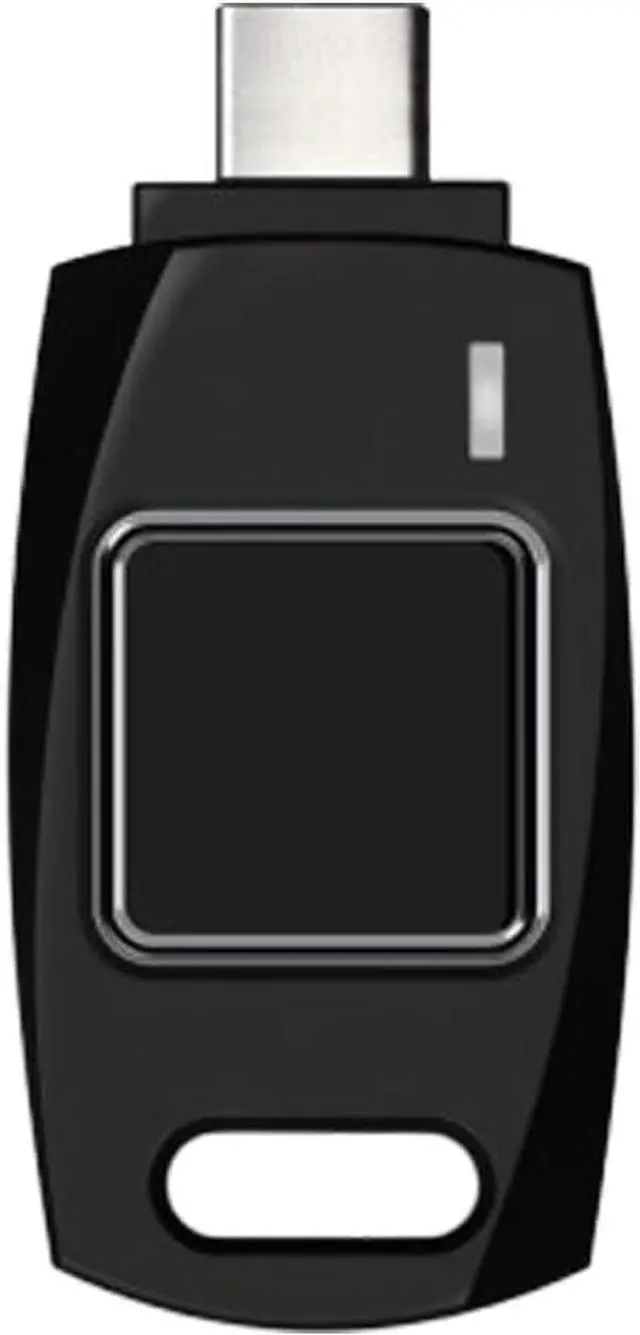
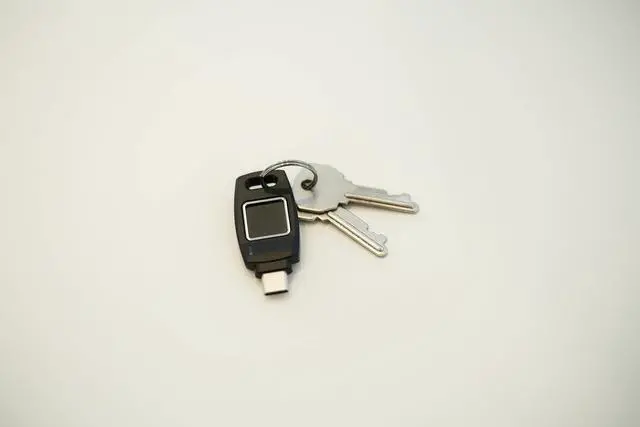
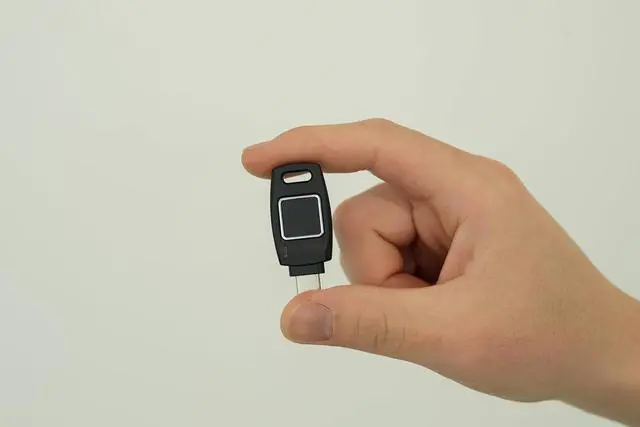
Passkey Windows Hello FIDO2 U2F Fingerprint Security Key USB-C Type TrustKey B220H
- You can use your B220H security key to logon to your local Windows10 and Windows 11 PC via Windows Hello. (*Windows 10 Version 1903 and beyond)
- Security Key : Protect your online accounts against unauthorized access by using FIDO2 and U2F authentication with B220H security key. It's the world's most protective security key that works with windows, Mac OS, Linux as well as Chrome, Firefox, Edge and many other major browsers.
- Strong security without worrying about fingerprint data breach: B220H is designed with strong security with fingerprint recognition algorithm using MS500 security chip designed by eWBM. This prevents information being leaked and hijacked.
- Fits USB-C port : Once the fingerprint registration is completed, insert the B220H security key into the USB-C port of each service and log in conveniently with one touch.
- For the driver download and user guide, please visit TrustKey Home support page.
+
+
Overview
Specs
Reviews
Any questions? Our AI beta will help you find out quickly.
Try me now
TrustKey B220H is a USB token for FIDO authentication, supporting strong multi-factor authentication (MFA) and passwordless login using fingerprints. Equipped with Windows Hello authentication, it enables instant access to Windows 10 and 11 devices. B220H offers a complete passwordless login systemfrom logging into Windows PCs to accessing online web applications.
Supports Windows Hello login
Multi-protocol support: FIDO2, U2F, HOTP, TOTP
Available in form factors for desktops or laptops
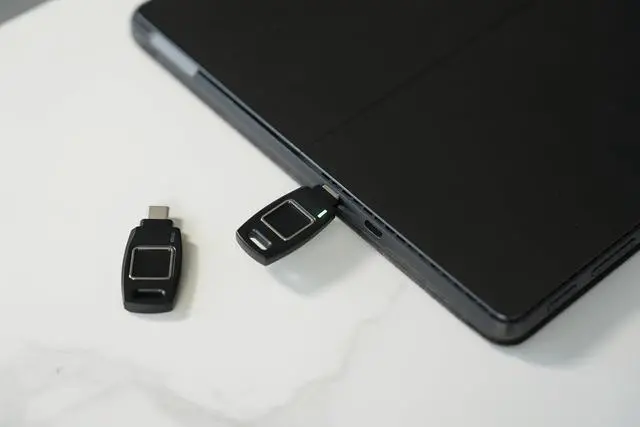
USB-C compatible
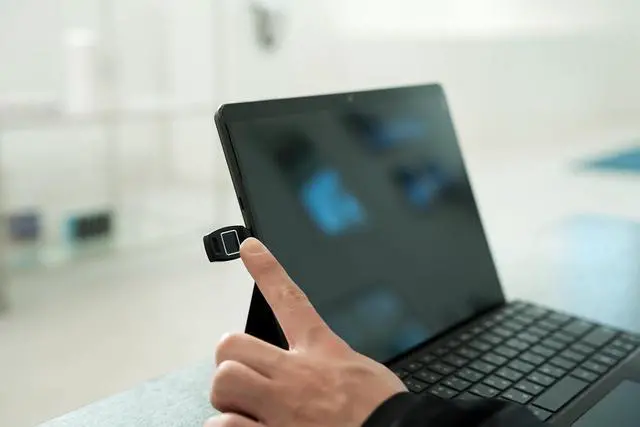
You can use your B220H security key to logon to your local Windows10 (running on Windows10 1903 version above) and Windows 11 PC via Windows Hello.
Fingerprint data never leaves the key during the registration or authentication. It always remains in a secure area in the key.
Simply plug your key into the USB port on your PC. And light touch will do the job.
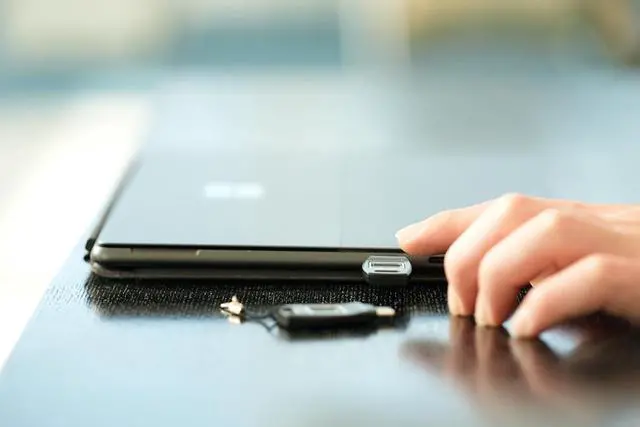
Lightweight, durable and easy to connect to the key-chain.
Click 'Windows Hello Fingerprint' in 'Sign-in options' to start fingerprint registration for Windows10(running on Windows10 1903 version above) and Windows 11 local PC logon.
Repeatedly touch your finger on the fingerprint sensor of the security key and release it until the setting is complete.
Fingerprint registration is complete. If the user wants, additional fingerprints can be registered.
With TrustKey Manager, you can configure the FIDO2 functionality of TrustKey devices on both Windows and macOS. This tool supports all current TrustKey devices. Additionally, it allows you to check the type of device and firmware version.
Register, change, or delete the security key PIN
Register or delete fingerprints (available only on fingerprint-enabled models)
Perform initialization (factory reset)
Downloads are available from the "DOWNLOAD" section under the "SUPPORT" menu on the official TrustKey website. **Since fingerprint registration with Windows Hello and with a security key use different methods, each must be set up separately. With the TrustKey Manager, you can register and delete fingerprints for the security key, but Windows Hello fingerprint registration is not supported. To register a fingerprint for Windows Hello, please go to Settings Accounts Sign-in options in Windows.
Compatible with all TrustKey security keys. Simply connect the device to check the available settings and get started.
By using TrustKey Manager, you can quickly check the model, firmware, and serial number of your TrustKey device.
You can view detailed information about the supported TrustKey devices from the FIDO2 tab within the application. It allows you to configure FIDO2 functions, including PIN registration, changes, deletion, and initialization.
Register, change, or delete the security key PIN
Register or delete fingerprints (available only on fingerprint-enabled models)
Perform initialization (factory reset)
TrustKey Manager
Plug and Play
Easy Key Identification
FIDO2 Function Configuration
Log in to an online service that supports FIDO2/U2F security keys.
Select "Register Security Key" or "Two-Factor Authentication" from the security settings menu and follow the on-screen instructions to register your PIN-enabled TrustKey security key as your authentication method.
Once registration is complete, you can start using your security key for login immediately. It is also recommended to register a backup key in case of loss.
FIDO Standard FIDO2 / U2F
USB Type Type A
Authentication Method Fingerprint (biometric)
Condition Indicator 3 Color LED
Size 20.1 X 45.8 X 5.4 mm
Weight 4.0 g
Material Poly-carbonate
Fingerprint Algorithm Precise Biometrics
Manufacturer TrustKey Co., Ltd.
Country of Manufacture KOREA
Supported OS Windows, mac OS, Linux, iPadOS, Android, Chrome OS..
Supported Browser Chrome, Edge, Firefox, Safari, Brave, Whale, Opera, Chromium, M

Supports Windows Hello login
Multi-protocol support: FIDO2, U2F, HOTP, TOTP
Available in form factors for desktops or laptops
USB-C compatible
You can use your B220H security key to logon to your local Windows10 (running on Windows10 1903 version above) and Windows 11 PC via Windows Hello.
Fingerprint data never leaves the key during the registration or authentication. It always remains in a secure area in the key.
Simply plug your key into the USB port on your PC. And light touch will do the job.
Lightweight, durable and easy to connect to the key-chain.
Click 'Windows Hello Fingerprint' in 'Sign-in options' to start fingerprint registration for Windows10(running on Windows10 1903 version above) and Windows 11 local PC logon.
Repeatedly touch your finger on the fingerprint sensor of the security key and release it until the setting is complete.
Fingerprint registration is complete. If the user wants, additional fingerprints can be registered.
With TrustKey Manager, you can configure the FIDO2 functionality of TrustKey devices on both Windows and macOS. This tool supports all current TrustKey devices. Additionally, it allows you to check the type of device and firmware version.
Register, change, or delete the security key PIN
Register or delete fingerprints (available only on fingerprint-enabled models)
Perform initialization (factory reset)
Downloads are available from the "DOWNLOAD" section under the "SUPPORT" menu on the official TrustKey website. **Since fingerprint registration with Windows Hello and with a security key use different methods, each must be set up separately. With the TrustKey Manager, you can register and delete fingerprints for the security key, but Windows Hello fingerprint registration is not supported. To register a fingerprint for Windows Hello, please go to Settings Accounts Sign-in options in Windows.
Compatible with all TrustKey security keys. Simply connect the device to check the available settings and get started.
By using TrustKey Manager, you can quickly check the model, firmware, and serial number of your TrustKey device.
You can view detailed information about the supported TrustKey devices from the FIDO2 tab within the application. It allows you to configure FIDO2 functions, including PIN registration, changes, deletion, and initialization.
Register, change, or delete the security key PIN
Register or delete fingerprints (available only on fingerprint-enabled models)
Perform initialization (factory reset)
TrustKey Manager
Plug and Play
Easy Key Identification
FIDO2 Function Configuration
Log in to an online service that supports FIDO2/U2F security keys.
Select "Register Security Key" or "Two-Factor Authentication" from the security settings menu and follow the on-screen instructions to register your PIN-enabled TrustKey security key as your authentication method.
Once registration is complete, you can start using your security key for login immediately. It is also recommended to register a backup key in case of loss.
FIDO Standard FIDO2 / U2F
USB Type Type A
Authentication Method Fingerprint (biometric)
Condition Indicator 3 Color LED
Size 20.1 X 45.8 X 5.4 mm
Weight 4.0 g
Material Poly-carbonate
Fingerprint Algorithm Precise Biometrics
Manufacturer TrustKey Co., Ltd.
Country of Manufacture KOREA
Supported OS Windows, mac OS, Linux, iPadOS, Android, Chrome OS..
Supported Browser Chrome, Edge, Firefox, Safari, Brave, Whale, Opera, Chromium, M
Warranty & Returns
Warranty, Returns, And Additional Information
Warranty
- Please contact the Seller directly for warranty information. Warranty information may also be found on the Manufacturer's website.
- CONTACT
Return Policies
- Return for refund within: 30 days
- Return for replacement within: 30 days
- This item is covered by Cloud Sail Return Policy
Manufacturer Contact Info
- For a directory of all our manufacturers, please click below.
- Manufacturers Directory
LOADING...