Your Browsing History
Meet Your Seller
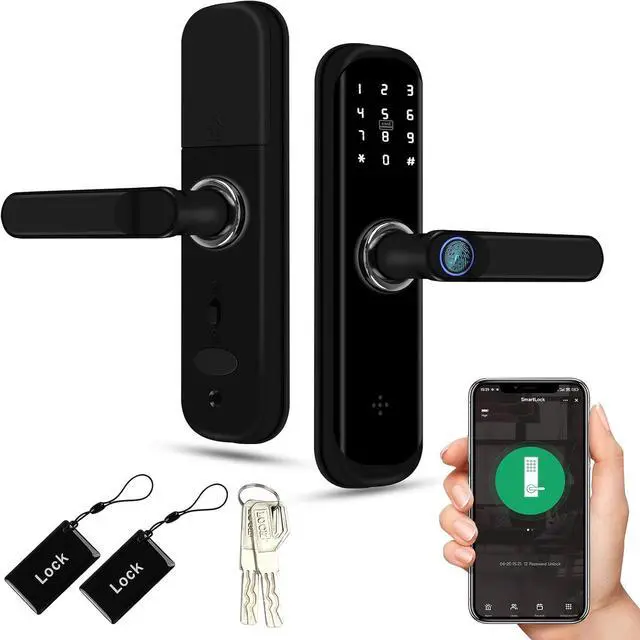
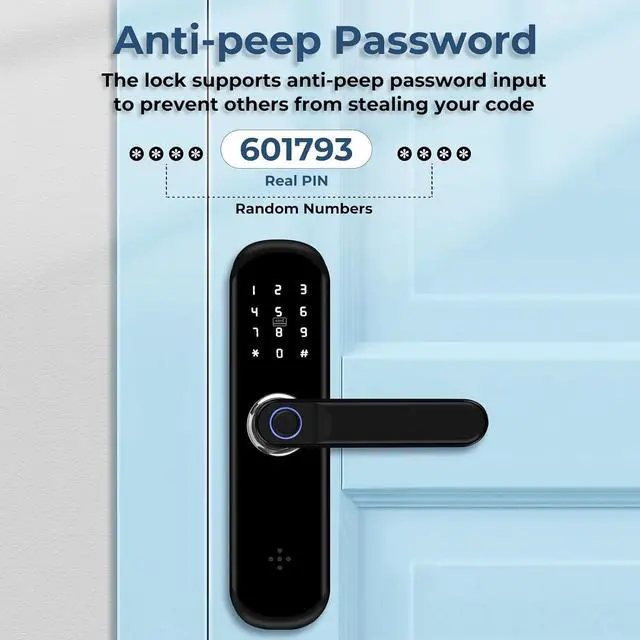
TUYA Smart Door Lock, Fingerprint Door Lock with Keypad & App Control, Keyless Entry Door Lock, Auto Lock, Anti-Peep Password, Easy Installation for Front Door Home Office with Handle
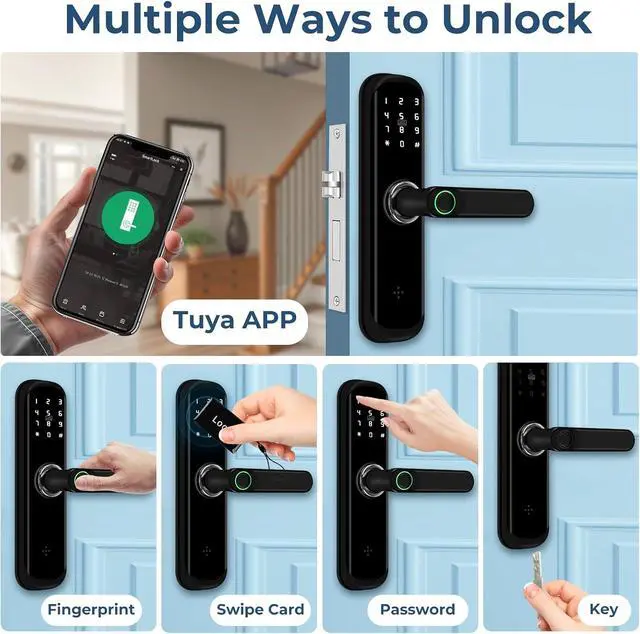
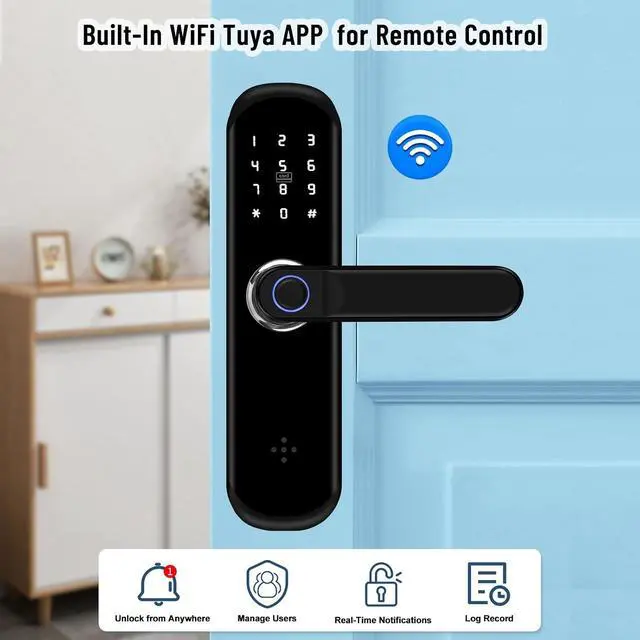
- This smart fingerprint door lock supports five unlocking methodsfingerprint, IC card, passcode, mechanical key, and mobile appand also allows you to view unlocking records in real-time via the app, offering both security and convenience
- Smart door locks feature multiple unlocking modesequipped with advanced fingerprint recognition, contactless card, and passcode capabilitiesmaking them even more convenient to use
- Should you forget to replace the batteries and find yourself unable to open the electronic door lock, you can easily unlock it using the emergency USB power supplysaving you from any awkward situations. The lock features a quick and hassle-free installation process, making it an ideal security solution for a wide range of settings, including homes, offices, bathrooms, and hotel apartments
- You can configure the smart door handle's Wi-Fi auto-lock function and access modes at any time, as needed. The addition and deletion of fingerprints and passcodes are managed based
+
+
Overview
Specs
Reviews
Any questions? Our AI beta will help you find out quickly.
Try me now
Supports multiple unlocking methods: outdoor graffiti app/fingerprint/RFID card/password/key unlocking; indoor push-button handle unlocking.
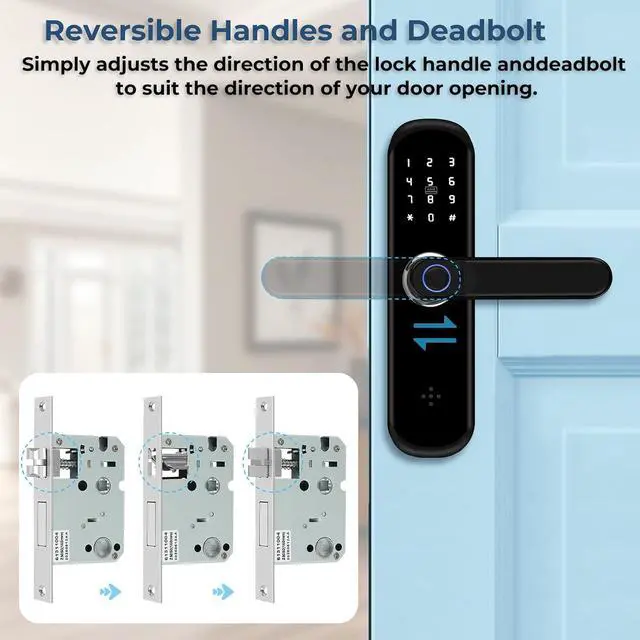
It supports virtual passwords, is compatible with both left- and right-opening doors, and is adjustable.
1Real-time notifications2Quick installation3Low battery reminder Two power supply options:
1. Battery powered: Uses four AAA 1.5V batteries (not included), low power consumption.
2. Low battery unlock: Can be unlocked with a key or via USB port for emergency charging (standard Android interface).
Note: The USB port is for emergency charging only and does not support normal charging. In case of power failure, please use an external battery to unlock the device. Replace the battery immediately after use.
How many passwords/fingerprints/cards are there?
Fingerprint capacity: 100, Card capacity: 100, Password capacity: 100
How do I unlock my XYBkey S3 lock if the battery is dead?
If the battery runs out, you can use a power bank or a physical key to lock the smart lock. Note: The USB-C port is for emergency power only and cannot be used to charge the battery.
What types of doors is the XYBkey S3 smart fingerprint lock compatible with?
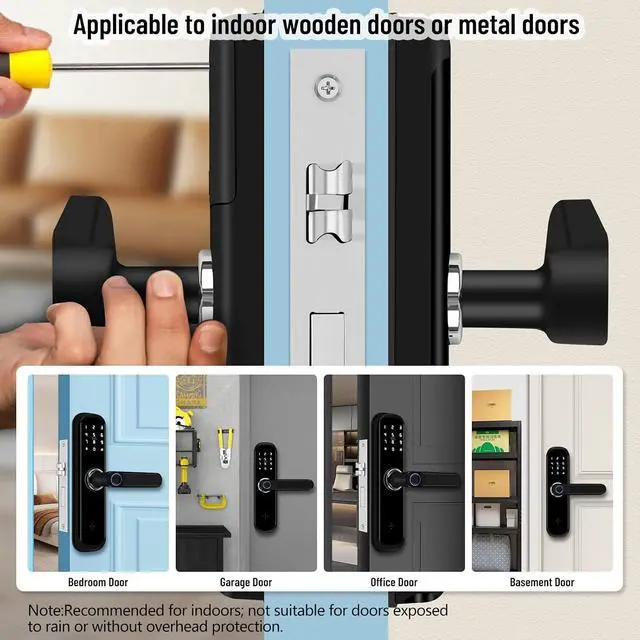
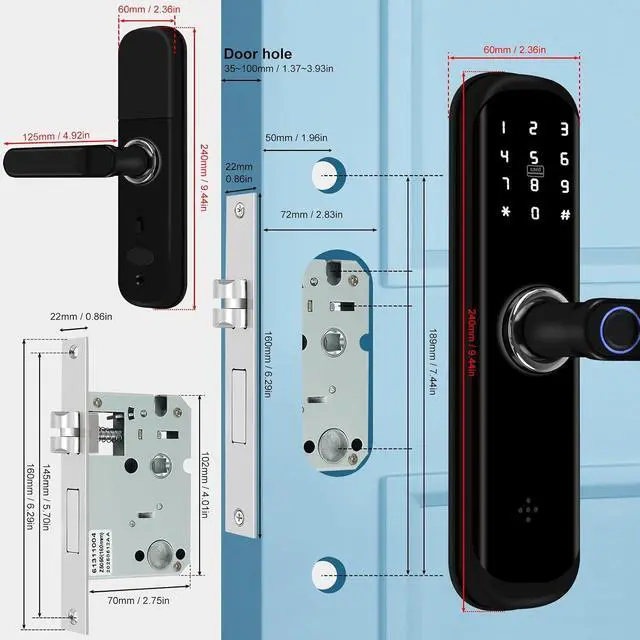
Suitable for any door made of wood or metal. Please refer to our product dimensions for specific sizes. Door thickness ranges from 35-100mm.
Which Wi-Fi app does this XYBkey S3 smart fingerprint lock use?
We are Tuya App. Please feel free to if you have any questions about the link and setup process.
My smart lock is making some noise and feels a bit loose. Is this normal? Will it affect the lock's performance?

It's normal for some smart locks to make slight noises or feel a little loose inside. This is a common characteristic and will not affect the lock's function or security.
How many passwords/fingerprints/cards are there?
How do I unlock my XYBkey S3 lock if the battery is dead?
What types of doors is the XYBkey S3 smart fingerprint lock compatible with?
Which Wi-Fi app does this XYBkey S3 smart fingerprint lock use?
My smart lock is making some noise and feels a bit loose. Is this normal? Will it affect the lock's performance?
It supports virtual passwords, is compatible with both left- and right-opening doors, and is adjustable.
1Real-time notifications2Quick installation3Low battery reminder Two power supply options:
1. Battery powered: Uses four AAA 1.5V batteries (not included), low power consumption.
2. Low battery unlock: Can be unlocked with a key or via USB port for emergency charging (standard Android interface).
Note: The USB port is for emergency charging only and does not support normal charging. In case of power failure, please use an external battery to unlock the device. Replace the battery immediately after use.
How many passwords/fingerprints/cards are there?
Fingerprint capacity: 100, Card capacity: 100, Password capacity: 100
How do I unlock my XYBkey S3 lock if the battery is dead?
If the battery runs out, you can use a power bank or a physical key to lock the smart lock. Note: The USB-C port is for emergency power only and cannot be used to charge the battery.
What types of doors is the XYBkey S3 smart fingerprint lock compatible with?
Suitable for any door made of wood or metal. Please refer to our product dimensions for specific sizes. Door thickness ranges from 35-100mm.
Which Wi-Fi app does this XYBkey S3 smart fingerprint lock use?
We are Tuya App. Please feel free to if you have any questions about the link and setup process.
My smart lock is making some noise and feels a bit loose. Is this normal? Will it affect the lock's performance?
It's normal for some smart locks to make slight noises or feel a little loose inside. This is a common characteristic and will not affect the lock's function or security.
How many passwords/fingerprints/cards are there?
How do I unlock my XYBkey S3 lock if the battery is dead?
What types of doors is the XYBkey S3 smart fingerprint lock compatible with?
Which Wi-Fi app does this XYBkey S3 smart fingerprint lock use?
My smart lock is making some noise and feels a bit loose. Is this normal? Will it affect the lock's performance?

Warranty & Returns
Warranty, Returns, And Additional Information
Warranty
- Please contact the Seller directly for warranty information. Warranty information may also be found on the Manufacturer's website.
- CONTACT
Return Policies
- Return for refund within: 30 days
- Return for replacement within: 30 days
- This item is covered by Cloud Sail Return Policy
Manufacturer Contact Info
- For a directory of all our manufacturers, please click below.
- Manufacturers Directory
LOADING...