Your Browsing History
Meet Your Seller
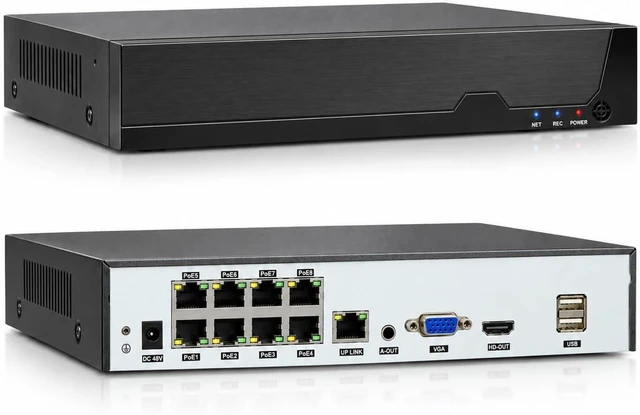
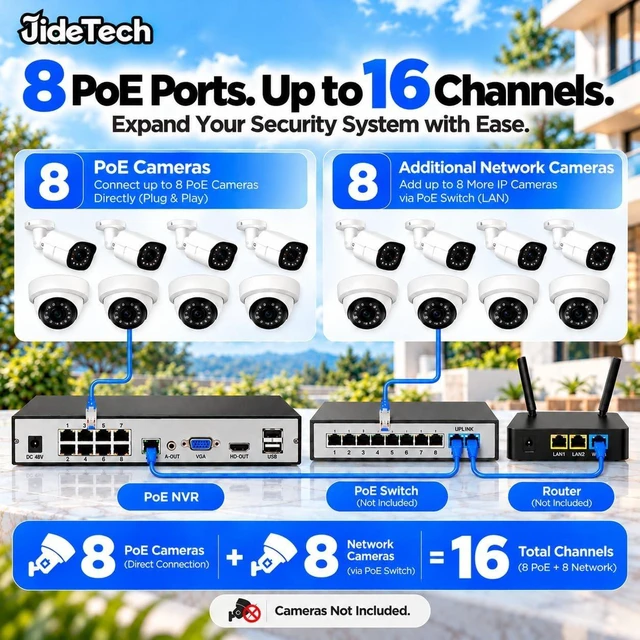
JideTech 4K PoE NVR 8-Port, Expandable Up to 20-Channel Network Video Recorder, H.265+ Security Camera System for 12MP/8MP IP Cameras, Remote View, 24/7 Recording, Fits 14TB HDD
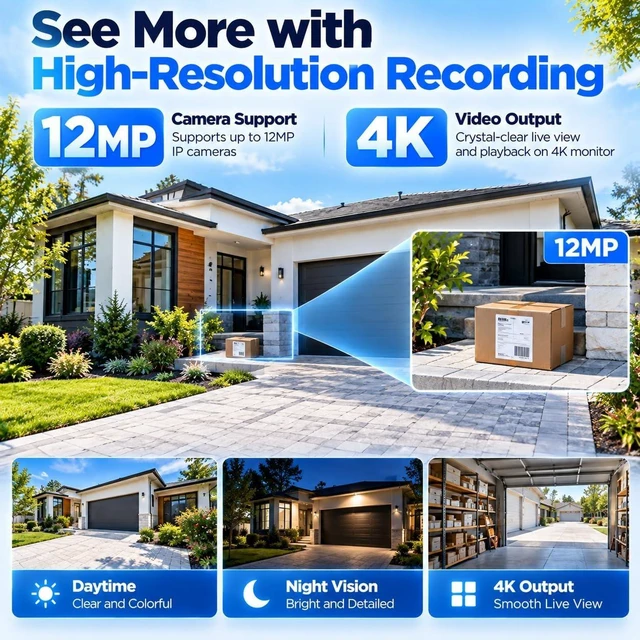
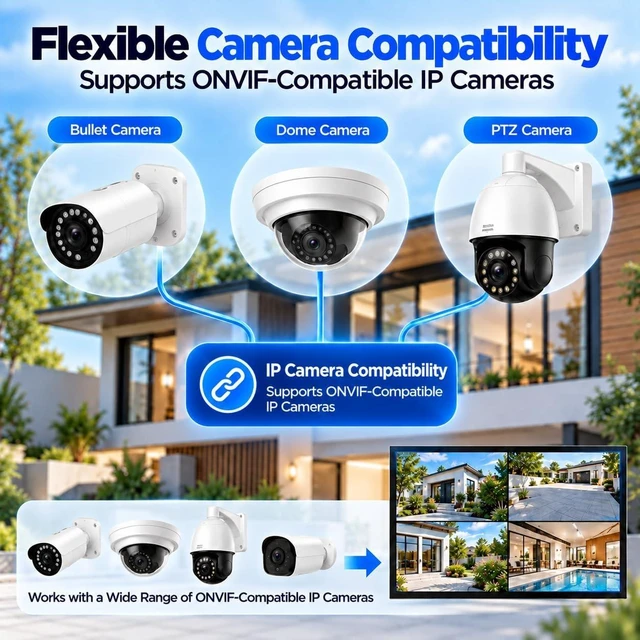
- 4K PoE NVR 8 Channel Extendable 16CH: JideTech network video recorder has built-in 8 PoE ports, compliant with IEEE802.3at POE PSE, each port supports up to 30W, HDMI supports up to 4K@30fps output, VGA supports 1080P@30fps output. 16 channel PoE NVR Compatible with with most third-party 4K/8MP/5MP/4/MP/3MP/1080P for Onvif ip cameras. Such as PoE Dome/Bullet/Turret IP surveillance cameras.
- PoE Plug&Play, Easy Setup: JideTech NVR 8 Channel PoE adopts Power over Ethernet, connect each of your IP cameras to the NVR via one network cable for power and video signal transmission. Supports fully loaded 8-channel 12MP preview, simultaneous playback 1-channel 12MP/1-channel 8MP/4-channel 4MP/8-channel D1; supports intelligent search and playback backup, effectively improving the efficiency of video retrieval and playback.
- Advanced H.265+ Video Compression Technology: This 4K 8 channel PoE NVR is equipped with a 1TB hard drive and supports H.265+/H.265/H.264 video formats, H.265+ technology c
+
+
Overview
Specs
Reviews
Any questions? Ask CelesteSM will help you find out quickly.
Try me now
Why does this 4K PoE NVR only have 8 POE network ports, but it says it supports 12 channels?
The default channel of NVR is 8 channels. Please change the channel to 12 channels manually on your computer monitor (System >> Limited Channels >> Select Channels >> Save Settings).
Why does the NVR keep making a continuous beeping sound when I plug a camera into the NVR?
Hard Drive Issue: If the hard drive connected to the NVR is not installed, it will emit beeping sounds to alert the user. you can cancel this settings on a Monitor, Alarm>>> Abnormality>>> No disk >>> Cancel select "Beep", and save the settings.
What is the login and password for this POE NVR?
If you want to use computer monitor to access NVR, the user name is admin and no password is needed; if you want to use computer software Videolink to access this NVR, the user name is admin and the password is 123456;
Does this 8CH POE NVR support ONVIF protocol?
Support, cameras using other APP can be added via ONVIF protocol and support to view live video/playback recordings/pan and tilt cameras.
Which APP series camera is this NVR perfectly compatible with?
This POE 8CH NVR is perfectly compatible with Videolink/AC18PRO app series cameras.
4K 8MP PTZ IP PoE Camera
10X Hybrid PTZ IP Camera
8MP PoE IP Bullet Camera
4K Dual Lens PoE Camera
5MP PoE IP Bullet Camera
4K PoE IP Turret Camera
Customer Reviews 4.1 out of 5 stars1234.0 out of 5 stars104.2 out of 5 stars83.6 out of 5 stars33.6 out of 5 stars124.5 out of 5 stars35.0 out of 5 stars2 PTZ Technology Pixel 8MP 8MP 8MP 8MP 8MP 5MP 8MP RTMP IR Night Vision Full Color Night Vision PoE Technology Two-way Audio Remote Access Human/Vehicle Detection Night Vision Distance 492ft 492ft 492ft 98ft 98ft 98ft 98ft For Onvif NVR Videlink APP Yes Yes Yes Yes Yes Yes Yes Why does this 4K PoE NVR only have 8 POE network ports, but it says it supports 12 channels?
Why does the NVR keep making a continuous beeping sound when I plug a camera into the NVR?
What is the login and password for this POE NVR?
Does this 8CH POE NVR support ONVIF protocol?
Which APP series camera is this NVR perfectly compatible with?
Warranty & Returns
Warranty, Returns, And Additional Information
Warranty
- Please contact the Seller directly for warranty information. Warranty information may also be found on the Manufacturer's website.
- CONTACT
Return Policies
- Return for refund within: 30 days
- Return for replacement within: 30 days
- This item is covered by Cloudless Clear Return Policy
Manufacturer Contact Info
- For a directory of all our manufacturers, please click below.
- Manufacturers Directory
LOADING...