Your Browsing History
Meet Your Seller
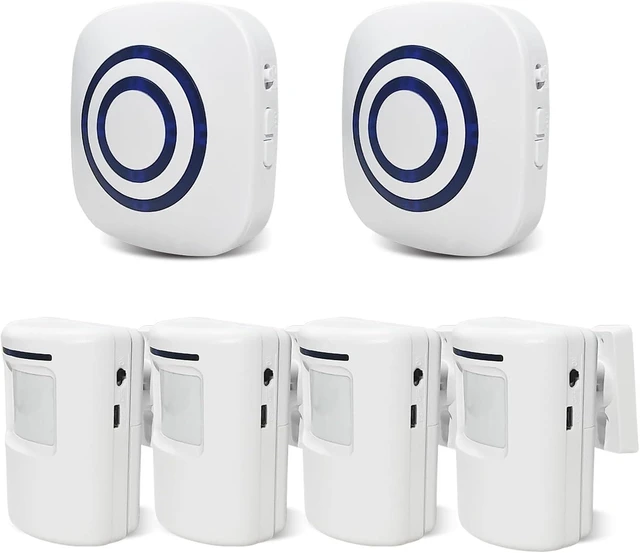
Motion Sensor Alarm Indoor for Home Security, 2 Receivers, 4 Sensors
- Doorbell Chime Sound, 300Ft Range, 38 Tunes, 4 Level Volume, Mute Mode, for Home Apartment Store, Indoor Use Only
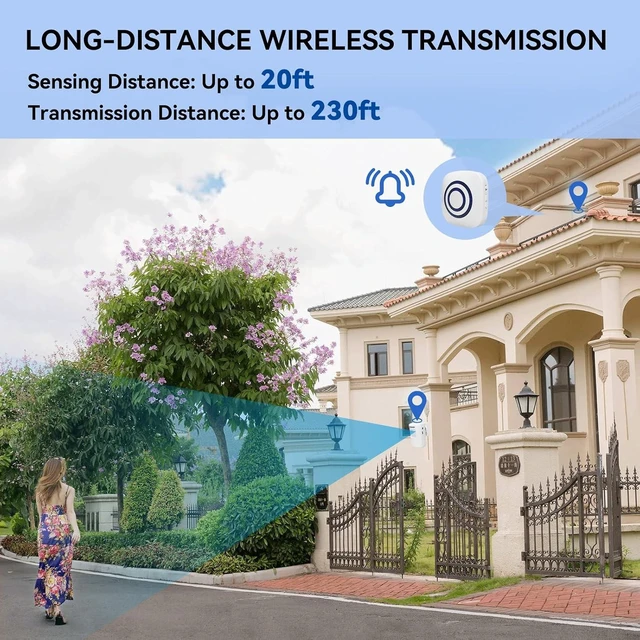
- LONG-DISTANCE WIRELESS TRANSMISSION This motion sensor doorbell chime features a wireless signal range of up to 300 feet between the motion sensor and the receiver. The sensor itself can detect movement within 20-foot. Its an ideal solution for medium-sized homes, offering reliable coverage without being overly complex.
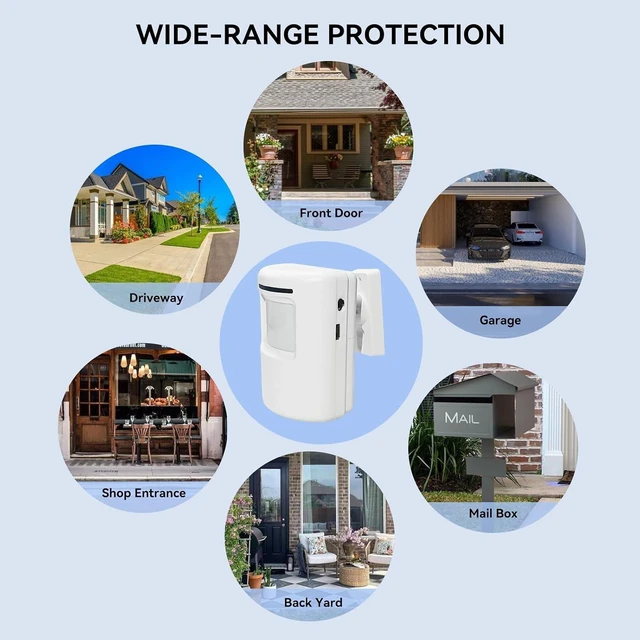
- WIDE-RANGE PROTECTION This motion detector alarm is designed to detect people, vehicles, or animals entering the monitored area. When triggered, it sends a signal to the receiver, which then sounds an alarm and flashes an indicator light. This alerts the homeowner to the presence of an intruder or visitor, helping to monitor and safeguard your property. Its versatile and can be used in various locations, such as front doors, garages, shop entrances, backyards, or mailboxes.
- 38 RINGTONES & MUTE MODE This door chimes receiver offers 38 ringtones a
+
+
Overview
Specs
Reviews
Any questions? Ask CelesteSM will help you find out quickly.
Try me now
Homelife Security Motion Sensor Alarm System
How to Use the Device
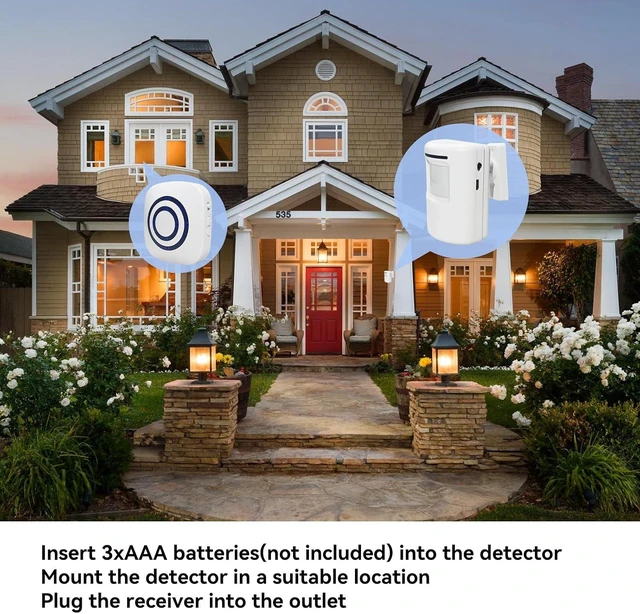
1.Insert the correct batteries (not included) into the detector.
2.Ensure the batteries are properly positioned.
3.Mount the detector in a suitable location, such as near the front door, window frame, garage, walkway, backyard, or any other area where monitoring is needed.
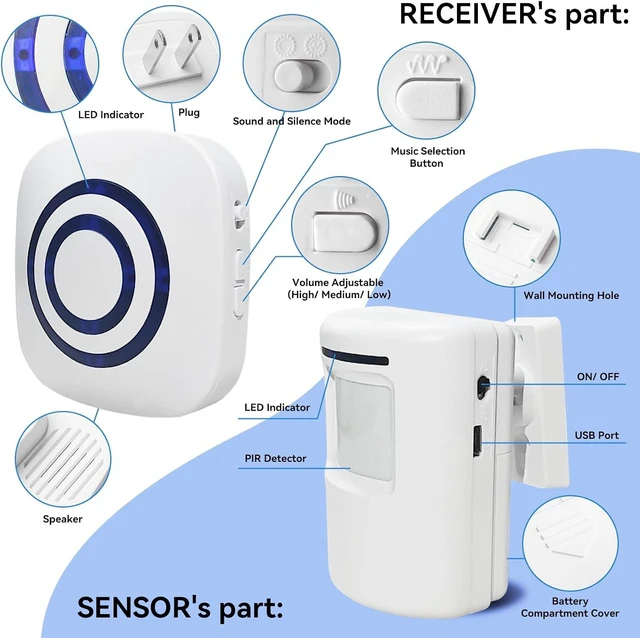
4.Turn on the receiver and adjust the volume settings (high, medium, or low).
5.The remote detection system is now operational, utilizing infrared detection technology.
6.Place the receiver in an easily accessible location.
7.When the detector senses motion, the receiver will emit an audible alert, and the LED light will flash.
8.Allow 30 seconds after powering on the detector and receiver for the system to activate.
9.For optimal performance, install both units at least 3 feet above the ground.
Helpful Tips
Avoid placing the detector in windy areas to prevent movement.
Ensure there is a clear line of sight between the detector and the receiver for the best performance.
Care and Maintenance
1.Important: Keep the detector and receiver in sheltered areas to protect them from water and direct sunlight.
2.If the LED indicator does not light up, the batteries may be low or dead. Replace them as needed.
3.Regularly clean the detector with a damp cloth to prevent dirt or debris from blocking the sensor.
4.Avoid placing the device in areas where it may get wet. During heavy storms or snowfall, move the unit indoors or to a safe location.
5.Do not attempt to disassemble the units.
6.When not in use, remove all batteries, clean both units, and store them in a dry, cool place.
7.This device is not a toy and should be kept out of reach of children.
Specifications
Receiver operating voltage: 110V-240V
PIR sensor operating voltage: 4.5V (3 AAA batteries)
Receiver settings:
a. Music source: 36 different songs available; use the external music button to select.
b. Volume adjustment: Three levels (high, medium, low).
c. Sound/silence mode: Adjustable.
Working range: Up to 70 meters (230 feet)
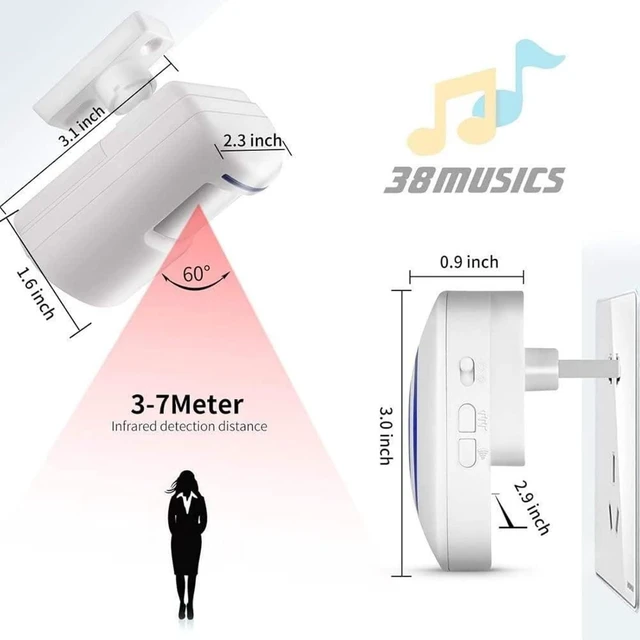
Infrared sensing distance: 3-7 meters (10-23 feet)
Receiver dimensions: 76 x 80 x 33 mm (3 x 3.15 x 1.3 inches)
PIR sensor dimensions: 80 x 59 x 45 mm (3.15 x 2.3 x 1.8 inches)
Package size: 14 x 14.8 x 8.6 cm (5.5 x 5.8 x 3.4 inches)
Weight: 0.44 kg (0.96 lbs)
Warranty & Returns
Warranty, Returns, And Additional Information
Warranty
- Please contact the Seller directly for warranty information. Warranty information may also be found on the Manufacturer's website.
- CONTACT
Return Policies
- Return for refund within: 30 days
- Return for replacement within: 30 days
- This item is covered by Cloudless Clear Return Policy
Manufacturer Contact Info
- For a directory of all our manufacturers, please click below.
- Manufacturers Directory
LOADING...