

Your Browsing History

- Free 30-day Returns
$180.99

Meet Your Seller

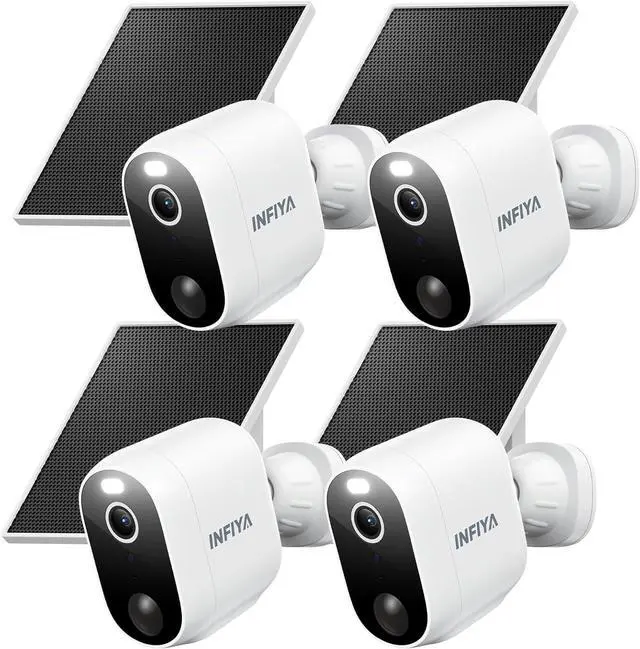
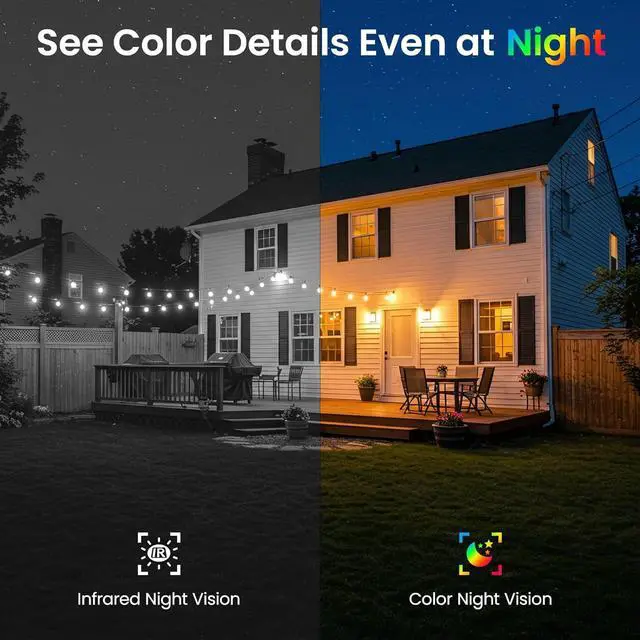


INFIYA Security Cameras Wireless Outdoor-Solar&Battery Powered 2K 2.4G Cameras for Home Security, Instant Alert, AI Human Detection, Color Night Vision, 2-Way Talk, SD Storage, Work with Alexa, Z1 4P
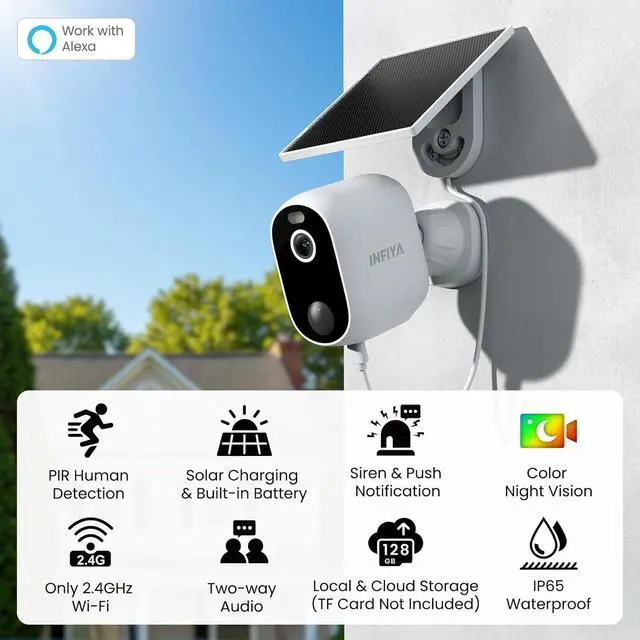
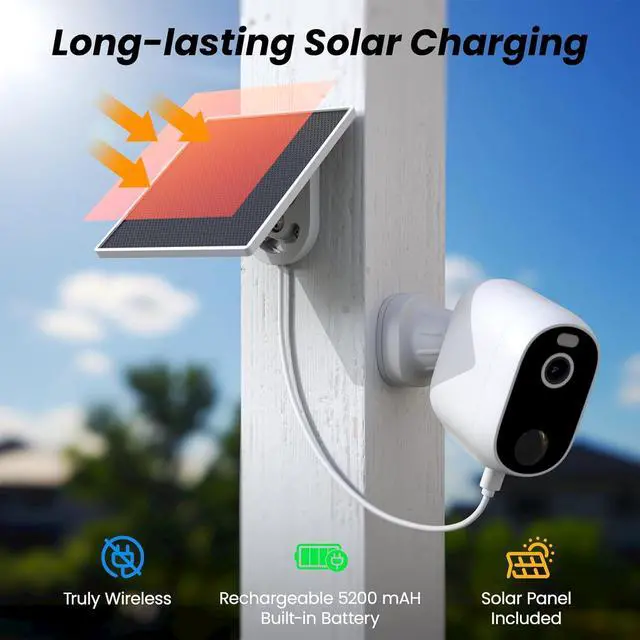
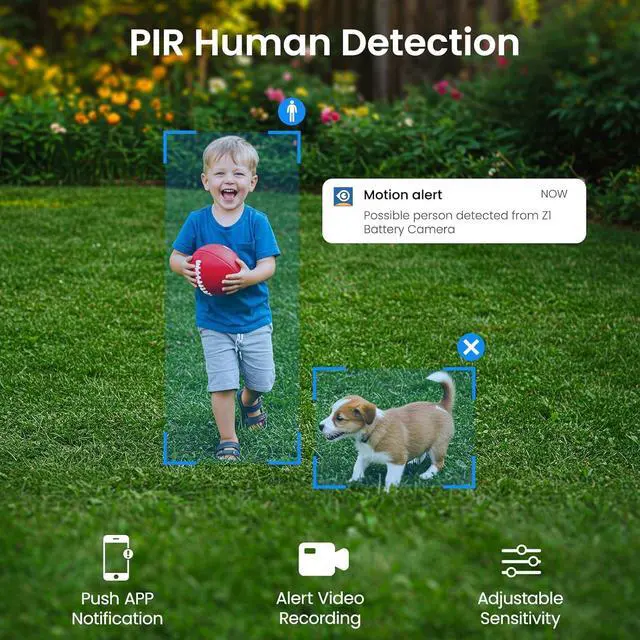
- All about security, so it's all about longer standby time: INFIYA security camera outdoor has a built-in 5200 mAh battery, which allows it to work without annoying power wiring. False alerts are reduced with AI-enhanced PIR human detection, meanwhile, the outdoor camera is triggered only when important events are detected, suppressing unnecessary power consumption. Enjoy solar charging with solar panel included for longer camera standby time and money saved on electricity. (PTZ not supported)
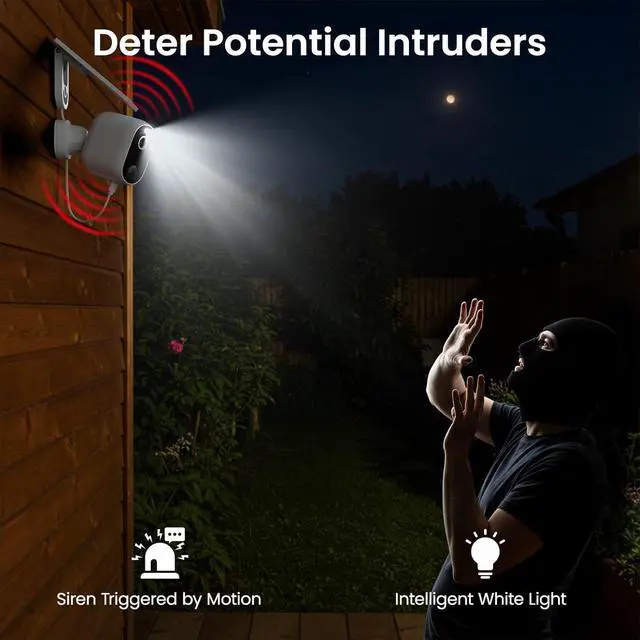
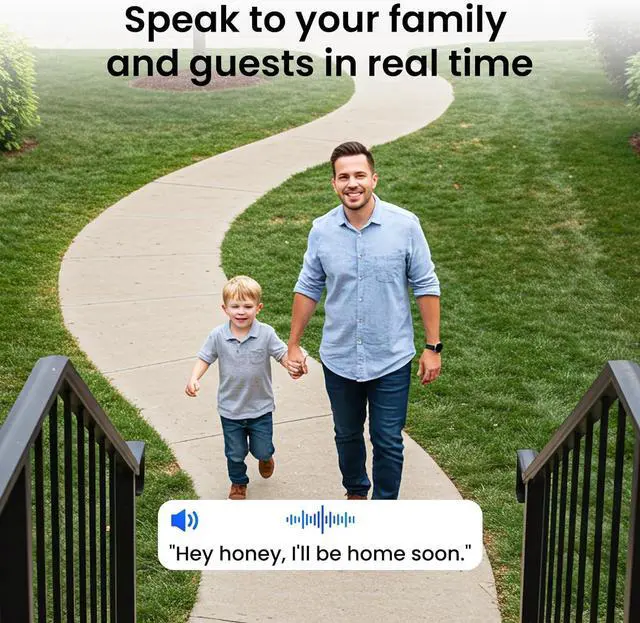
- See the light, hear the security: INFIYA wireless cameras for home security have dual defense of the light&siren alarm. After setting the alarm trigger conditions, the outdoor security camera can automatically spark light&sound to scare away possible intruders at night. Install the outdoor security camera at your doorstep, garage, or garden entrance to enjoy the 2-way audio security guarantee. (10m max motion detection distance; detection settings can be modified on demand)
- See Clearly, Day
+
+
Overview
Reviews

Any questions? Our AI beta will help you find out quickly.
Try me now
GUARD THE SAFETY; RECORD THE MOMENT
*Power adpter & TF card not included Camera body | Camera body bracket | Solar panel (with integrated mounting bracket & 2m [6.56ft] long cable)
Camera body mounting screws kit | Solar panel mounting screws kit
Quick start guide | 24-hour surveillance sticker | 1m (3.28ft) long power cord (adapter not included)
*You will need a electric drill (not included in the package) to install the camera and solar panel.
*Refer to the [How to Install Your INFIYA Z1 Camera & Solar Panel] under product videos for further details.
At most 4 cameras for home security can be added to 1 quad-screen for simultaneous monitoring.
You can also create separate monitoring groups to switch as needed.
Doorstep, garage, patio, backyard, etc -- all at your control.
One wireless security camera outdoor can be shared with at most 3 app users at the same time at no cost.
The camera owner has absolute control over the device, and the shared user can only use the permitted features.
*The shared users also need to create their own camera app account.
How to connect this wireless security camera outdoor with network?
1. Power on the camera.
2. Connect your phone with the 2.4GHz Wi-Fi that you want the camera connects with. *5GHz Wi-Fi not supported
3. Follow the in-app instructions to connect the camera, *Place the camera near the router within 3 feet when setup
Can this solar camera outdoor wireless record 24/7 continuously?
No, the Z1 camera doesn't support 24/7 continuous recording due to power-saving needs.
However, it can record alert video automatically when motion is detected. You can check the motion events on the dedicated camera app and save them to your phone.
Do I have to subscribe to a cloud plan to use this outdoor camera?
No, cloud plan is not compulsory. It's an optional premium add-on service. Some users think using TF card too troublesome, and videos stored on TF card cannot be retrieved if it is lost, so this additional service has been introduced.
What should I do if the live feed of these cameras for home security lags?
1. Check if your real-time internet speed meets the requirements for smooth live streaming: 2M/s (2K); 512k/s (SD).
2. Change to SD resolution.
3. Reboot your router to clean cache.
4. Avoid connecting too many devices to the same network.
What should I do if these home security cameras wireless outdoor won't hold a charge?
1. Please check that the solar panel is correctly connected to the camera.
2. Clean the surface of the solar panel and adjust its angle for better sunlight reception.
3. Use a power cord to charge the camera to check its built-in battery status.
What's in the box of this outdoor camera wireless? SEE MORE, SHARE MORE Quad-screen Displaying Device Sharing How to connect this wireless security camera outdoor with network?
Can this solar camera outdoor wireless record 24/7 continuously?
Do I have to subscribe to a cloud plan to use this outdoor camera?
What should I do if the live feed of these cameras for home security lags?
What should I do if these home security cameras wireless outdoor won't hold a charge?
*Power adpter & TF card not included Camera body | Camera body bracket | Solar panel (with integrated mounting bracket & 2m [6.56ft] long cable)
Camera body mounting screws kit | Solar panel mounting screws kit
Quick start guide | 24-hour surveillance sticker | 1m (3.28ft) long power cord (adapter not included)
*You will need a electric drill (not included in the package) to install the camera and solar panel.
*Refer to the [How to Install Your INFIYA Z1 Camera & Solar Panel] under product videos for further details.
At most 4 cameras for home security can be added to 1 quad-screen for simultaneous monitoring.
You can also create separate monitoring groups to switch as needed.
Doorstep, garage, patio, backyard, etc -- all at your control.
One wireless security camera outdoor can be shared with at most 3 app users at the same time at no cost.
The camera owner has absolute control over the device, and the shared user can only use the permitted features.
*The shared users also need to create their own camera app account.
How to connect this wireless security camera outdoor with network?
1. Power on the camera.
2. Connect your phone with the 2.4GHz Wi-Fi that you want the camera connects with. *5GHz Wi-Fi not supported
3. Follow the in-app instructions to connect the camera, *Place the camera near the router within 3 feet when setup
Can this solar camera outdoor wireless record 24/7 continuously?
No, the Z1 camera doesn't support 24/7 continuous recording due to power-saving needs.
However, it can record alert video automatically when motion is detected. You can check the motion events on the dedicated camera app and save them to your phone.
Do I have to subscribe to a cloud plan to use this outdoor camera?
No, cloud plan is not compulsory. It's an optional premium add-on service. Some users think using TF card too troublesome, and videos stored on TF card cannot be retrieved if it is lost, so this additional service has been introduced.
What should I do if the live feed of these cameras for home security lags?
1. Check if your real-time internet speed meets the requirements for smooth live streaming: 2M/s (2K); 512k/s (SD).
2. Change to SD resolution.
3. Reboot your router to clean cache.
4. Avoid connecting too many devices to the same network.
What should I do if these home security cameras wireless outdoor won't hold a charge?
1. Please check that the solar panel is correctly connected to the camera.
2. Clean the surface of the solar panel and adjust its angle for better sunlight reception.
3. Use a power cord to charge the camera to check its built-in battery status.
What's in the box of this outdoor camera wireless? SEE MORE, SHARE MORE Quad-screen Displaying Device Sharing How to connect this wireless security camera outdoor with network?
Can this solar camera outdoor wireless record 24/7 continuously?
Do I have to subscribe to a cloud plan to use this outdoor camera?
What should I do if the live feed of these cameras for home security lags?
What should I do if these home security cameras wireless outdoor won't hold a charge?
Warranty & Returns
Warranty, Returns, And Additional Information
Warranty
- Please contact the Seller directly for warranty information. Warranty information may also be found on the Manufacturer's website.
- CONTACT
Return Policies
- Return for refund within: 30 days
- Return for replacement within: 30 days
- This item is covered by Zhanfu Technology Co., Limited Return Policy
Manufacturer Contact Info
- For a directory of all our manufacturers, please click below.
- Manufacturers Directory
LOADING...