

Your Browsing History

- Free 30-day Returns
$421.99

Meet Your Seller

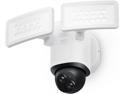
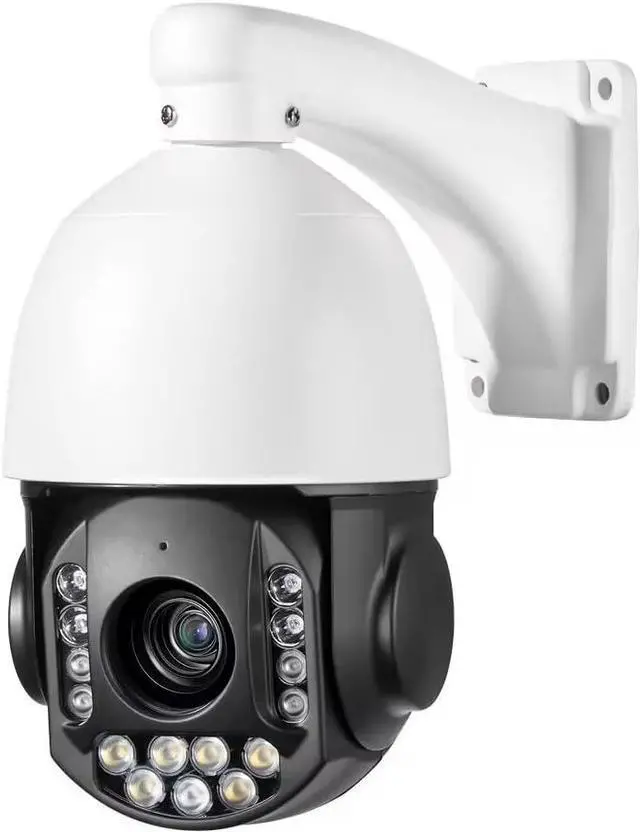
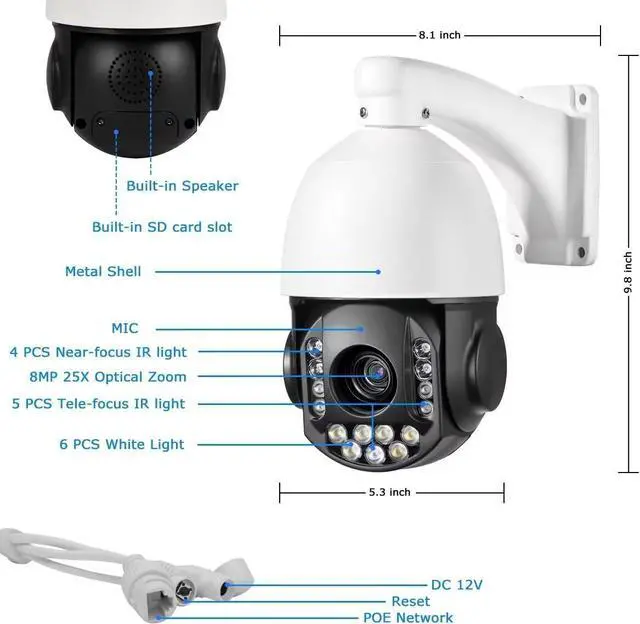


8MP 4K 25X optical 5.3-130mm Auto Tracking Outdoor PTZ Camera PoE IP wired Human Vehicle Detect Security Camera with 298ft IR,Floodlight color Night View,2-Way Audio alarm,Preset,NVR,Mobile App,360Pan
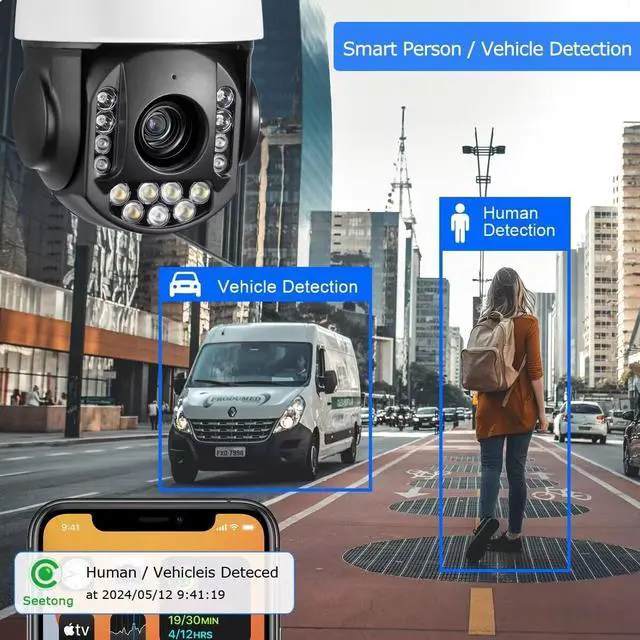
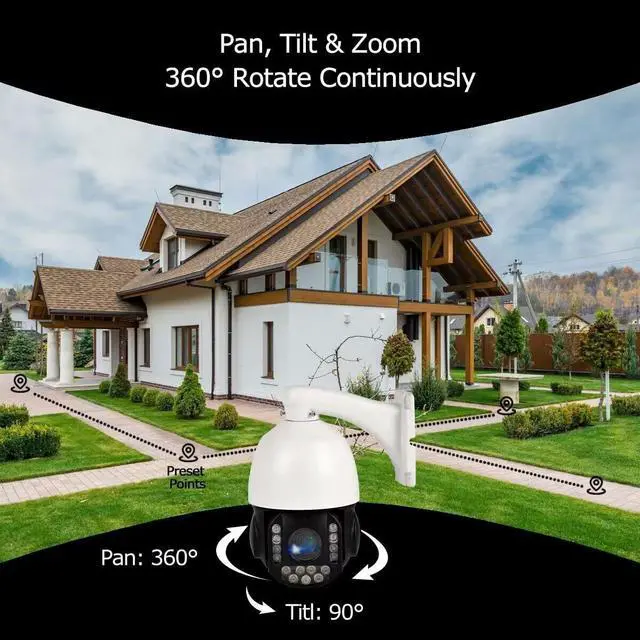
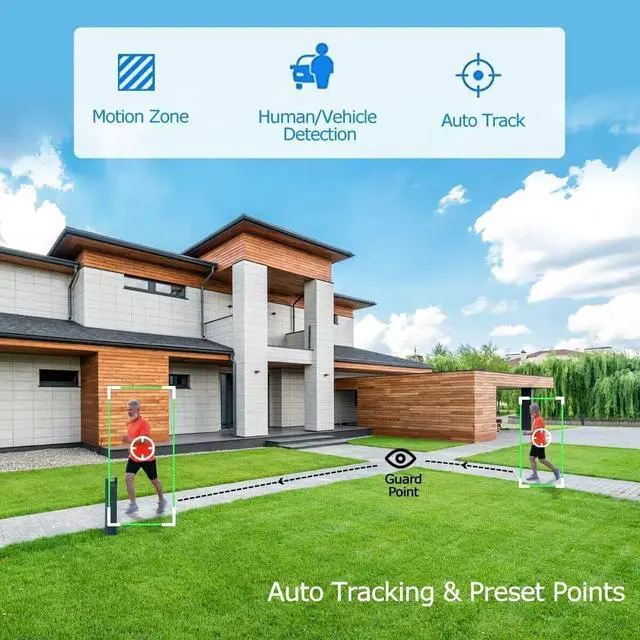
- Auto Tracking & Human Detection:This 360° Pan 8MP outdoor ptz security PoE dome camera Features auto-tracking and humanoid detection, detection area or sensitivity can be adjusted to reduce false alarms. When the detected person enters the video area, it will automatically track and send the real-time video/snapshot to mobile phone. Support 8 groups of cruising routes, each route can be set to 16 preset positions and cyclically check according to your preset position, patrol to guard your home/place
- 8MP HD & 25X Optical Zoom: this 8MP PTZ outdoor PoE dome camera ouputs ultra-high clarity HD video at 3840*2160@20fps, capture every detail with precision , With 5.3~130mm Auto Iris motorized lens, it allows 25X optical zoom without impairing image quality. It supports viewing the car license plate remotely, great for use in large places such as parking lots, hypermarkets, gardens, roadsides, etc. With pan from 0° to 360°,tilt -5° to 90°, the poe ptz outdoor camera allows 360 de
+
+
Overview
Specs
Reviews

Any questions? Our AI beta will help you find out quickly.
Try me now
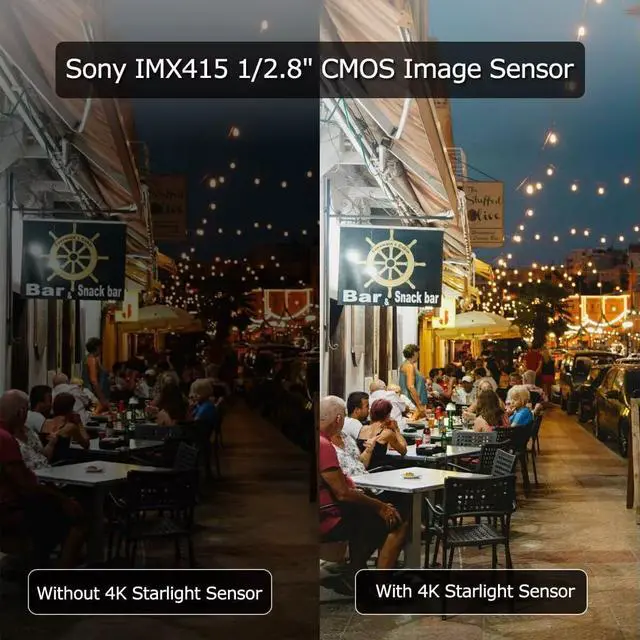
125X Optical Zoom2Full Color Night Vision3PoE Notwork Output Pixel3840*2160@20fps, 2304*1296@30fps, 2592*1520@22fps, 2592*1944@15fpsLens25Xoptical zoom f=5.3~ 130mmIrisF1.4-4.3FOV3.8° -72°Min. illuminationColor: 0.05 Lux, B/W: 0 LuxD/NIR-CUTAuto Tracking SupportVehicle/Human DetectionSupportCommunications ProtocolTCP/IP, HTTP, NTP, IGMP, DHCP, UDP, SMTP, RTP, RTSP, ARP, DDNS, DNS, HTTPS, P2PCompatibilityIE, SEETONG ONVIFPreset Points128Tilt Range0~90°(Auto Flip)Pan Range360° continued rotationLED28 8pcs infrared / 28 9pcs Full ColorIR distanceInfrared 60 meters / Full Color 40metersPowerDC12V 3A Is this POE camera compatible with the third-part software/system/NVR with a setting page?
This ptz camera just support Onvif to connect video and control by third party NVR,
How to get the camera working?
1.Power on the camra.
2.Do the initial setup.
3.Scan the RQcode via Seetong App or directily view the camera on the NVR UI.
How do I turn on Humans tracking?
1. Access the "Seetong" Client&APP or Camera website
2. PTZ control area - Add preset point 1 at a suitable location.
3. PTZ control area - advanced functions - enable/disable 3D positioning (humanoid tracking)
No sound is coming out after clicking the talk
1.Confirm the icon talk is already pushed
2.Confirm whether the dome comes with speakers,if the camera only support audio output interface,make sure the speaker is connected.
If the camera is PoE powered, the camera has sound but no picture, no self-test and cannot be controlled!
Please check if the power of the PoE port reaches 30W and try to connect it with a 12V3A power supply.
Is this POE camera compatible with the third-part software/system/NVR with a setting page?
How to get the camera working?
How do I turn on Humans tracking?
No sound is coming out after clicking the talk
If the camera is PoE powered, the camera has sound but no picture, no self-test and cannot be controlled!
This ptz camera just support Onvif to connect video and control by third party NVR,
How to get the camera working?
1.Power on the camra.
2.Do the initial setup.
3.Scan the RQcode via Seetong App or directily view the camera on the NVR UI.
How do I turn on Humans tracking?
1. Access the "Seetong" Client&APP or Camera website
2. PTZ control area - Add preset point 1 at a suitable location.
3. PTZ control area - advanced functions - enable/disable 3D positioning (humanoid tracking)
No sound is coming out after clicking the talk
1.Confirm the icon talk is already pushed
2.Confirm whether the dome comes with speakers,if the camera only support audio output interface,make sure the speaker is connected.
If the camera is PoE powered, the camera has sound but no picture, no self-test and cannot be controlled!
Please check if the power of the PoE port reaches 30W and try to connect it with a 12V3A power supply.
Is this POE camera compatible with the third-part software/system/NVR with a setting page?
How to get the camera working?
How do I turn on Humans tracking?
No sound is coming out after clicking the talk
If the camera is PoE powered, the camera has sound but no picture, no self-test and cannot be controlled!
Warranty & Returns
Warranty, Returns, And Additional Information
Warranty
- Please contact the Seller directly for warranty information. Warranty information may also be found on the Manufacturer's website.
- CONTACT
Return Policies
- Return for refund within: 30 days
- Return for replacement within: 30 days
- This item is covered by Zhanfu Technology Co., Limited Return Policy
Manufacturer Contact Info
- For a directory of all our manufacturers, please click below.
- Manufacturers Directory
LOADING...