



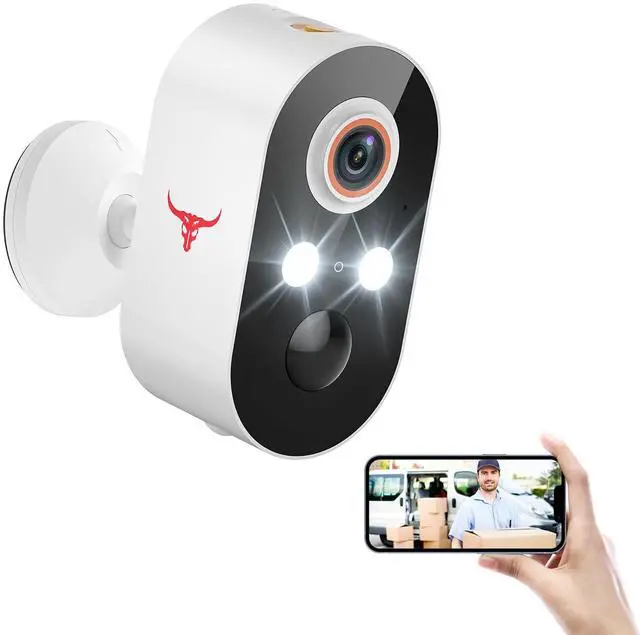
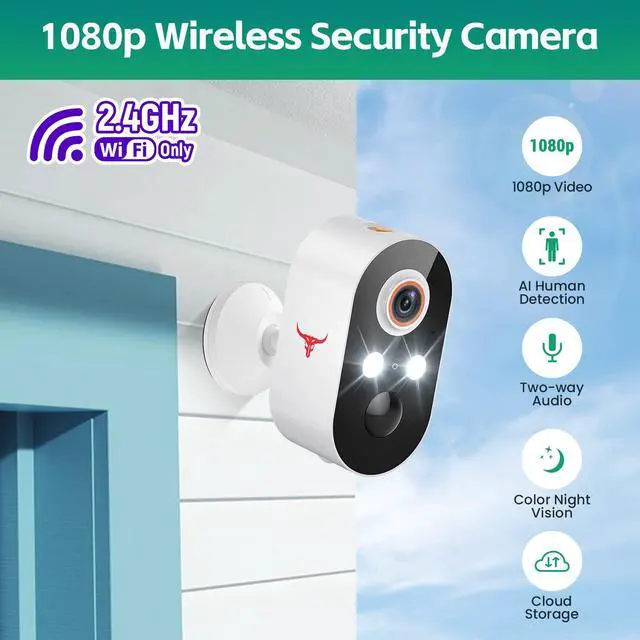


1080p Wireless Security Camera, AI Human Detection, 2-Way Talk, Night Vision, Cloud Storage(sold separately), 2.4G WiFi Only

2.4GHz Wi-Fi Networks Only: Reliable connections ensure smooth performance without interruptions.
Wide-Angle Lens for Complete Oversight: Monitor every inch of your entryway with a lens that captures more.
Cloud Storage Secured with AES Encryption: Keep your recordings private with encrypted cloud storage, available to access anytime (sold separately). 365-Day Cloud Storage (Basic) - $29.99 USD
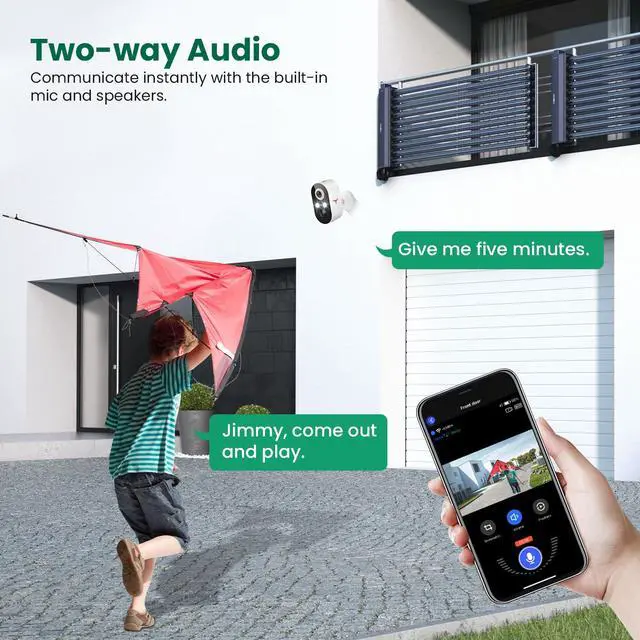
Two-Way Audio for Instant Conversations: Talk to guests or delivery drivers in real-time from your smartphone.
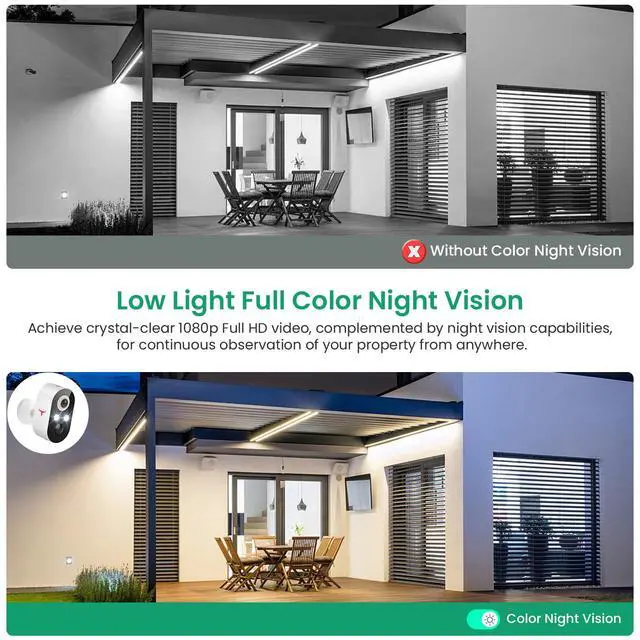
Night Vision in Vibrant Color:Monitor every detail at night with full-color vision. See faces and movement just as clearly as in daylight.

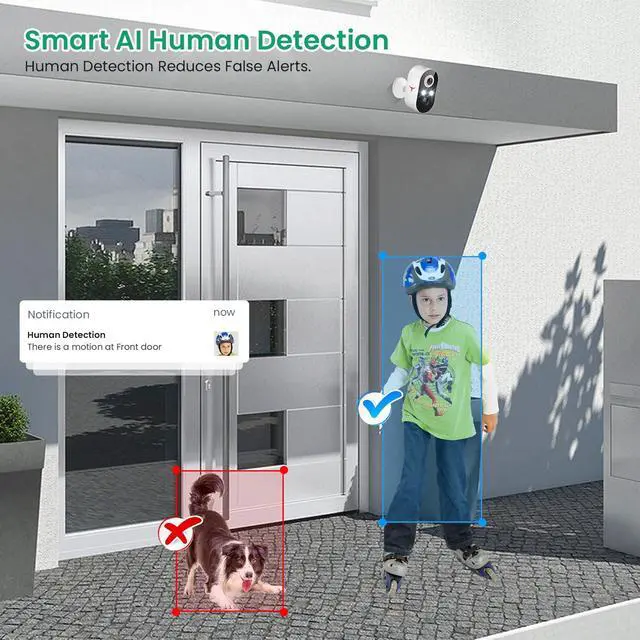
AI-Powered Alerts for Relevant Notifications
Your Security Camera knows the difference between people and pets, so only important alerts reach you.

Two-Way Audio for Instant Conversations
Talk to guests or delivery drivers in real-time from your smartphone.

Cloud Storage Secured with AES Encryption
Keep your recordings private with encrypted cloud storage, available to access anytime (sold separately).
365-Day Cloud Storage (Basic) - $29.99 USD

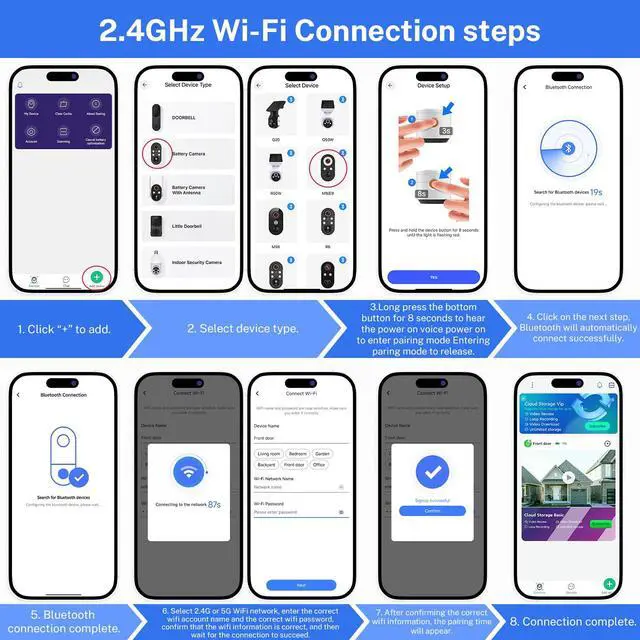
Troubleshooting network connection issues:
(1) The security camera only works with 2.4GHz Wi-Fi. Please connect it to a 2.4GHz network.
(2) Double-check that you are entering the correct Wi-Fi name and password.
(3) Verify the distance between the camera and the Wi-Fi router; the camera should be within 33 feet (10 meters) of the router.
(4) Please enable Bluetooth on your phone, but you don't need to connect Bluetooth with the device, just ensure the Bluetooth is on.
(5) If you changed your Wi-Fi password, or your camera got disconnected, please reset the Wi-Fi connection with the camera:
Press and hold the camera button until the camera was reset, and then add the camera again back to the same App account.
Q&A
Q1: Can I use my smartphone to control the security camera and watch live?
A1: Yes, you can use the app to see the video.
Q2: What's the max range for the security camera to detect human movement?
A2: It can see up to 20 to 25 feet.
Q3: Can the videos from this camera be backed up online?
A3: Saving videos requires a subscription, starting with a free trial. It'll auto-renew unless you cancel during the trial.
Q4: Are my uploaded videos encrypted in the cloud?
A4: Yes, cloud videos are securely encrypted with AES-128.
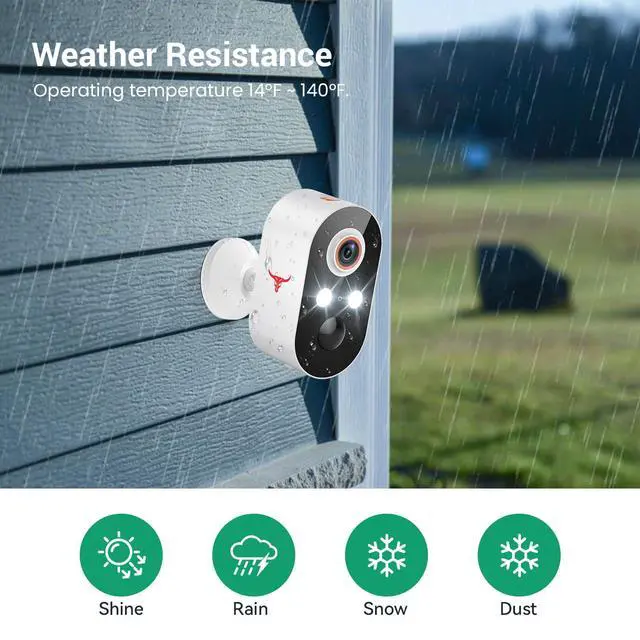
Q5: How does the camera do in extreme weather?
A5: It's IP65 certified, weather-resistant, and handles conditions like rain, sun, hot, or cold weather.
1080p Wireless Security Camera, AI Human Detection, 2-Way Talk, Night Vision, Cloud Storage(sold separately), 2.4G WiFi Only
2.4GHz Wi-Fi Networks Only: Reliable connections ensure smooth performance without interruptions.
Wide-Angle Lens for Complete Oversight: Monitor every inch of your entryway with a lens that captures more.
Cloud Storage Secured with AES Encryption: Keep your recordings private with encrypted cloud storage, available to access anytime (sold separately). 365-Day Cloud Storage (Basic) - $29.99 USD
Two-Way Audio for Instant Conversations: Talk to guests or delivery drivers in real-time from your smartphone.
Night Vision in Vibrant Color:Monitor every detail at night with full-color vision. See faces and movement just as clearly as in daylight.
AI-Powered Alerts for Relevant Notifications
Your Security Camera knows the difference between people and pets, so only important alerts reach you.
Two-Way Audio for Instant Conversations
Talk to guests or delivery drivers in real-time from your smartphone.
Cloud Storage Secured with AES Encryption
Keep your recordings private with encrypted cloud storage, available to access anytime (sold separately).
365-Day Cloud Storage (Basic) - $29.99 USD
Troubleshooting network connection issues:
(1) The security camera only works with 2.4GHz Wi-Fi. Please connect it to a 2.4GHz network.
(2) Double-check that you are entering the correct Wi-Fi name and password.
(3) Verify the distance between the camera and the Wi-Fi router; the camera should be within 33 feet (10 meters) of the router.
(4) Please enable Bluetooth on your phone, but you don't need to connect Bluetooth with the device, just ensure the Bluetooth is on.
(5) If you changed your Wi-Fi password, or your camera got disconnected, please reset the Wi-Fi connection with the camera:
Press and hold the camera button until the camera was reset, and then add the camera again back to the same App account.
Q&A
Q1: Can I use my smartphone to control the security camera and watch live?
A1: Yes, you can use the app to see the video.
Q2: What's the max range for the security camera to detect human movement?
A2: It can see up to 20 to 25 feet.
Q3: Can the videos from this camera be backed up online?
A3: Saving videos requires a subscription, starting with a free trial. It'll auto-renew unless you cancel during the trial.
Q4: Are my uploaded videos encrypted in the cloud?
A4: Yes, cloud videos are securely encrypted with AES-128.
Q5: How does the camera do in extreme weather?
A5: It's IP65 certified, weather-resistant, and handles conditions like rain, sun, hot, or cold weather.