







How To Connect The Camera

Trouble shooting Step:
Q: When you can't connect the camera, please perform the following steps.
A:
Step 1: Please charge the camera for 4 hours before setting up the camera, because low battery will cause the camera to fail to pair successfully.
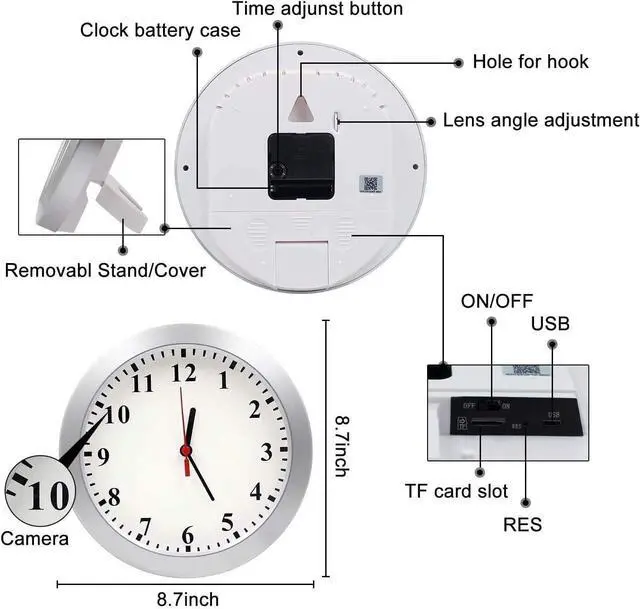
Step 2: Let's reset the camera, this step is very important, please turn on the camera, the blue indicator light is on, wait for 40 seconds and the indicator light starts to flash, and you will hear an AI prompt "ready to pair", then please use reset pin press and hold the reset button for 7s, you will see the indicator light go off and hear the AI prompt "reset successfully", then let go, the indicator light turns on again after 10s, and flashes again after 40s, then we start pairing the camera.
Step 3: Turn on the Bluetooth function of the mobile phone, and place the camera and the mobile phone closer to the router before setting the camera, which can help the camera receive wifi signals.
Step 4: Please add the camera to the app according to the operation steps in the attached screenshot:
"Add Device" --- "Camera & Lock" --- "Smart Camera (Wi-Fi)" --- "QR code" --- "Wi-Fi Mode" --- AP Mode" --- "Next" --- enter your house 2.4GHz WiFi network name and password --- go your phone's WIFI list --- Connect the WIFI with the prefix "SmartLife"
Note:If you enter the wrong information, you need to reset the camera again and start setting up the camera again.
Step5: Return to the app, it will automatically enter the pairing interface and wait for pairing successfully (PS: If it does not automatically enter the pairing interface, please click "Confirm hot spot connecton, next" to enter the pairing interface).


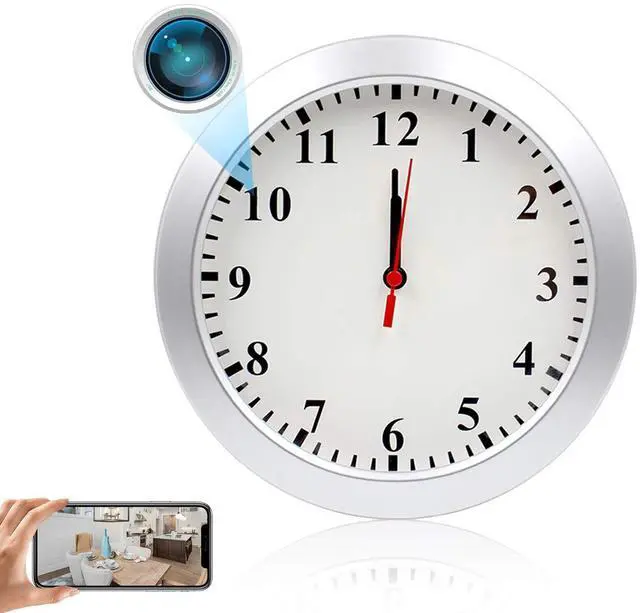
Please Note: The camera function is powered by a built-in rechargeable battery, please charge the camera for 4-6 hours before use. The camera can be used continuously for 4 hours after a full charge. The clock function is powered by an external battery, please prepare 2 AA batteries separately.

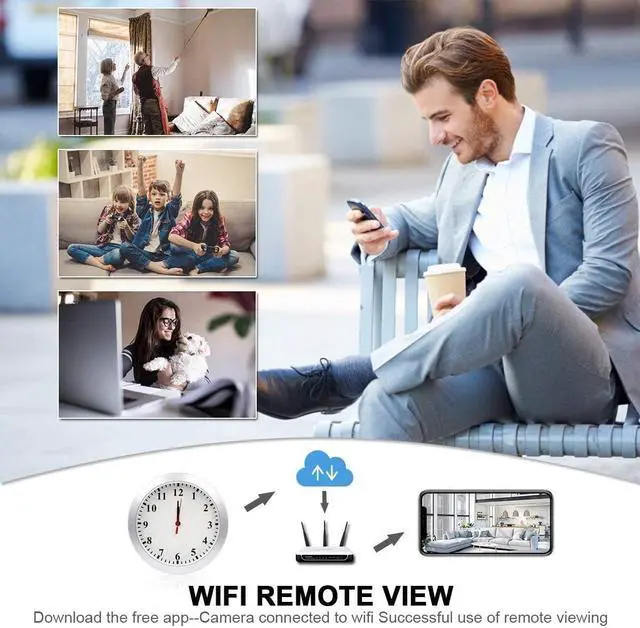
Please download the TUYA SMART APP on your phone, you can get it through the APP STORE or GOOGLE PLAY. Then connect the TUYA SMART APP and the camera via 2.4GHz WiFi network.
Please note: The camera needs to be connected to a 2.4GHz WiFi network to work. The camera will not record video if it is disconnected from the network.
Warm Tips:
1.This camera is only used as video-only surveillance equipment that does not record sound.
2.Please insert a sd card to the camera if you want a recording, support up to 64GB (not included in the package).
3.Before insert the card, turn off the hidden camera and the SD card must be formatted for first use.
4.If your router has 2 wifi signals, please don't choose 5G. Because it only supports 2.4 GHz wifi, doesn't support 5Ghz wifi
5.Before setting up the camera, be sure to reset the camera, otherwise the pairing will not be completed.
How To Connect The Camera
Trouble shooting Step:
Q: When you can't connect the camera, please perform the following steps.
A:
Step 1: Please charge the camera for 4 hours before setting up the camera, because low battery will cause the camera to fail to pair successfully.
Step 2: Let's reset the camera, this step is very important, please turn on the camera, the blue indicator light is on, wait for 40 seconds and the indicator light starts to flash, and you will hear an AI prompt "ready to pair", then please use reset pin press and hold the reset button for 7s, you will see the indicator light go off and hear the AI prompt "reset successfully", then let go, the indicator light turns on again after 10s, and flashes again after 40s, then we start pairing the camera.
Step 3: Turn on the Bluetooth function of the mobile phone, and place the camera and the mobile phone closer to the router before setting the camera, which can help the camera receive wifi signals.
Step 4: Please add the camera to the app according to the operation steps in the attached screenshot:
"Add Device" --- "Camera & Lock" --- "Smart Camera (Wi-Fi)" --- "QR code" --- "Wi-Fi Mode" --- AP Mode" --- "Next" --- enter your house 2.4GHz WiFi network name and password --- go your phone's WIFI list --- Connect the WIFI with the prefix "SmartLife"
Note:If you enter the wrong information, you need to reset the camera again and start setting up the camera again.
Step5: Return to the app, it will automatically enter the pairing interface and wait for pairing successfully (PS: If it does not automatically enter the pairing interface, please click "Confirm hot spot connecton, next" to enter the pairing interface).
Please Note: The camera function is powered by a built-in rechargeable battery, please charge the camera for 4-6 hours before use. The camera can be used continuously for 4 hours after a full charge. The clock function is powered by an external battery, please prepare 2 AA batteries separately.
Please download the TUYA SMART APP on your phone, you can get it through the APP STORE or GOOGLE PLAY. Then connect the TUYA SMART APP and the camera via 2.4GHz WiFi network.
Please note: The camera needs to be connected to a 2.4GHz WiFi network to work. The camera will not record video if it is disconnected from the network.
Warm Tips:
1.This camera is only used as video-only surveillance equipment that does not record sound.
2.Please insert a sd card to the camera if you want a recording, support up to 64GB (not included in the package).
3.Before insert the card, turn off the hidden camera and the SD card must be formatted for first use.
4.If your router has 2 wifi signals, please don't choose 5G. Because it only supports 2.4 GHz wifi, doesn't support 5Ghz wifi
5.Before setting up the camera, be sure to reset the camera, otherwise the pairing will not be completed.