USB C Laptop Docking Station 15
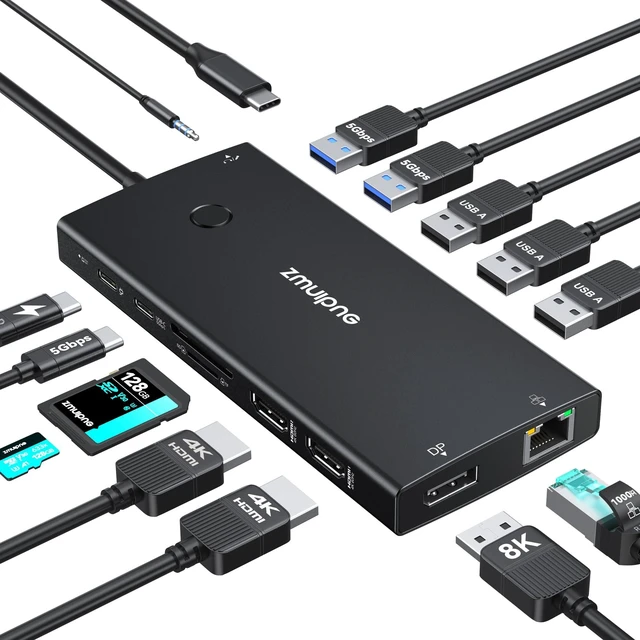
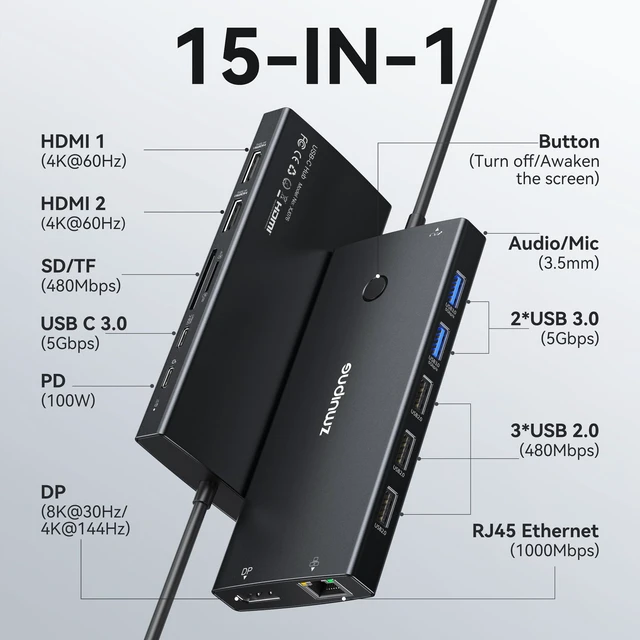
IN 1: the docking station 3 monitors features 2*HDMI 4K ports, 1*DP 8K ports, turn off button, compatible and working detection lamp, 3*USB 3.0 ports, 2*USB 2.0 ports, 1*USB C 3.0 port, 100W USB C PD Port, 1Gbps Gigabit Ethernet, SD/Micro SD card readers and 3.5 mm Mic/audio. The USB C docking station dual monitor is only compatible with a laptop with Thunderbolt 3/4 and a Full-Functional USB C port.
NOTE: If your laptop has an HDMI port, it will not be compatible with this hub. 4K Dual Monitor & Triple
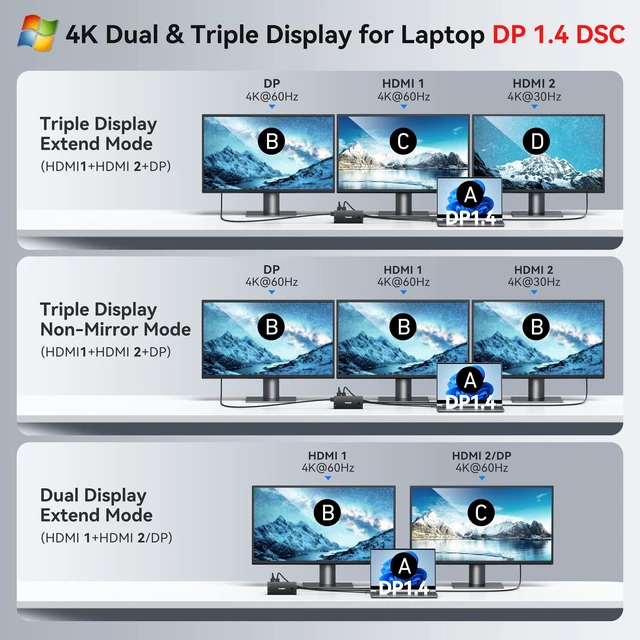
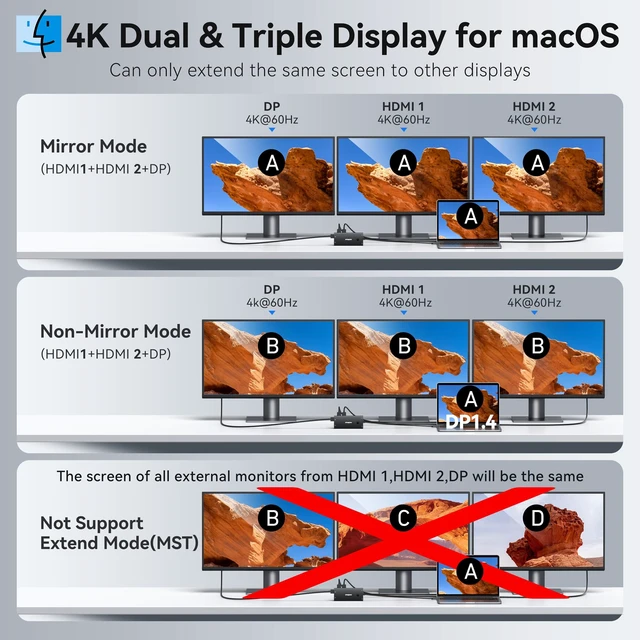
Display Docking Station: The multi-display docking station can easily achieve dual-monitor and triple-monitor displays for Windows. Single use HDMI max up to 4K@60Hz, DP up to 8K@30Hz (DP 1.4 ). When connecting 2 displays or triple display, the resolution will be 4K (DP 1.4 ). When connecting 3 monitors and only two monitors are displayed, please plug in the DP port first, then plug in the 2 HDMI ports. Due to OS limitations, macOS laptops only support SST mode, meaning all connected external monitors will show the same mirrored display.
Privacy Protection Button: Press to turn off your screens; the screen lock button protects sensitive information at any time.
NOTE: you need an HDMI to HDMI or a DP to DP cable. 100W PD Charging for Your Laptop and
Devices: The dedicated USB-C Power Delivery port delivers up to 100W USB-C charging to power your laptop efficiently while the docking station 3 display is in use.
NOTE: The package contains only the product and the user manual. Charger not included. Make sure a 100W adapter is available to meet the requirements for charging under full load. Fast Data Transfer & Gigabit
Ethernet & Audio/Mic: Move files in seconds with multiple 5Gbps USB ports that offer 10x the speed of USB 2.0. Complement your wireless connection with the stable, high-performance 1000Mbps RJ45 network port for seamless video calls, large downloads, and lag-free online gaming. Also, this docking station for laptop has a 3.5 mm Mic/Audio (2 in 1) port, so that you can enjoy music without disturbing others





 here!
here!