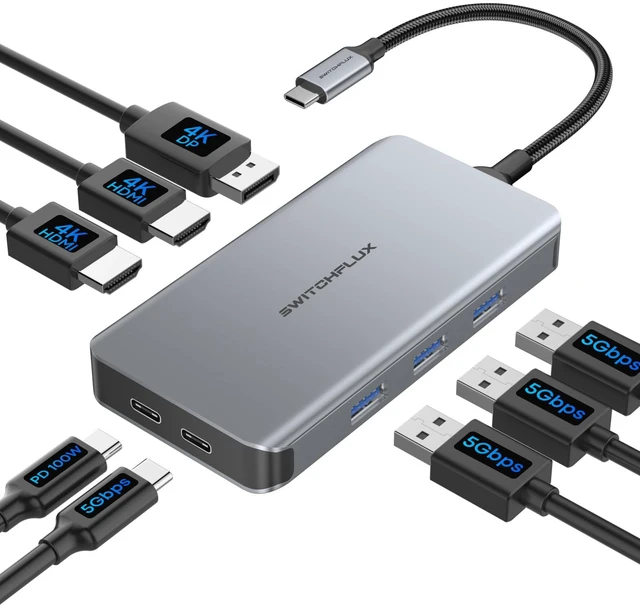
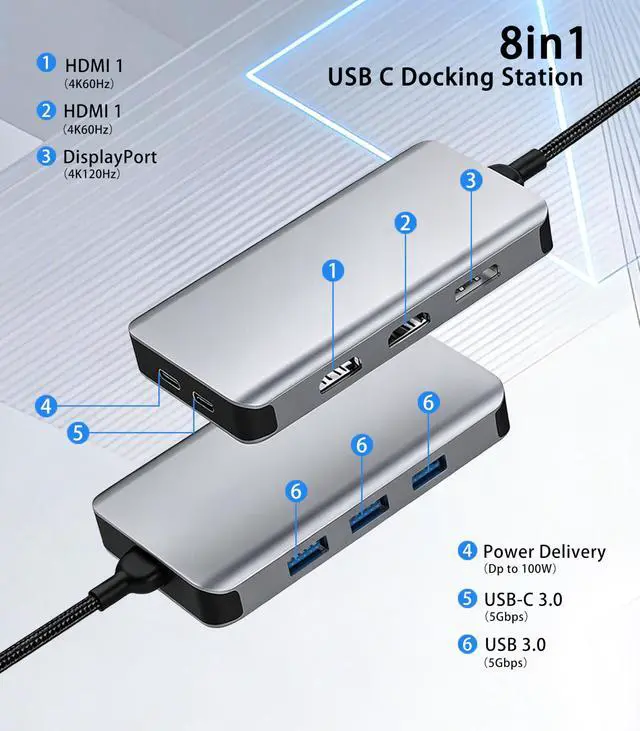
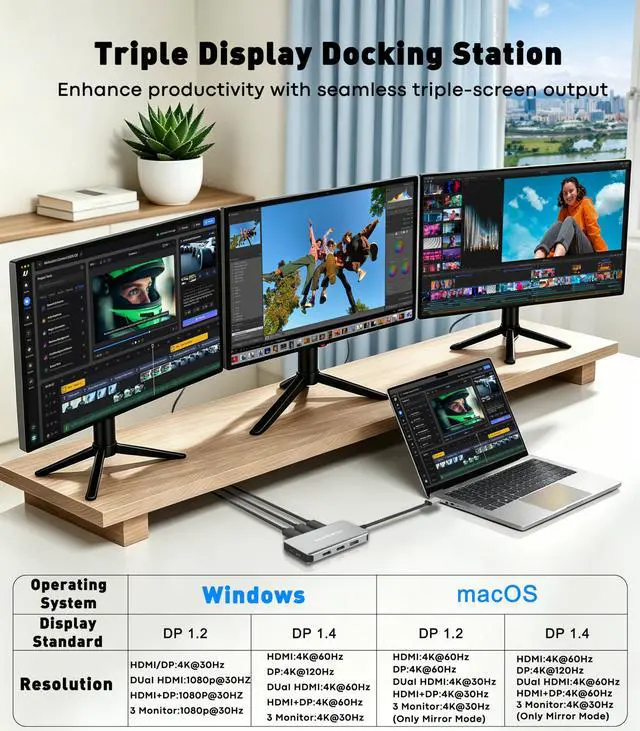
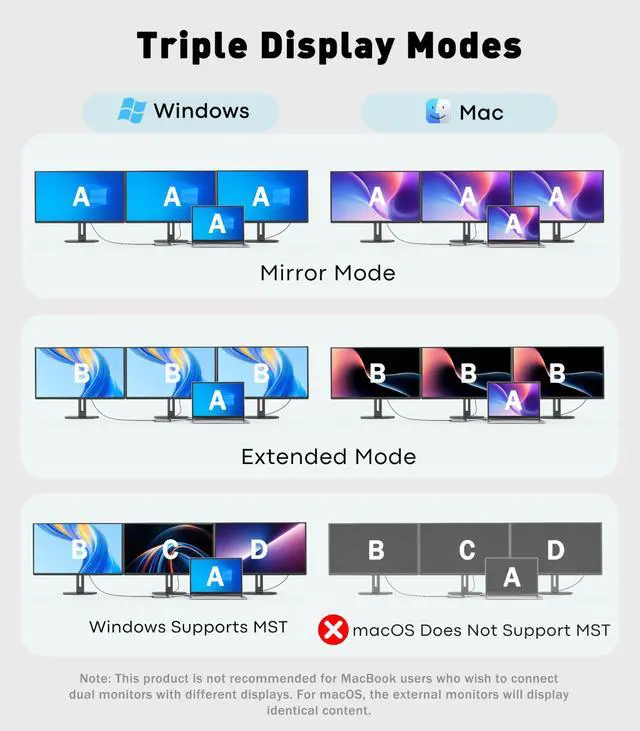
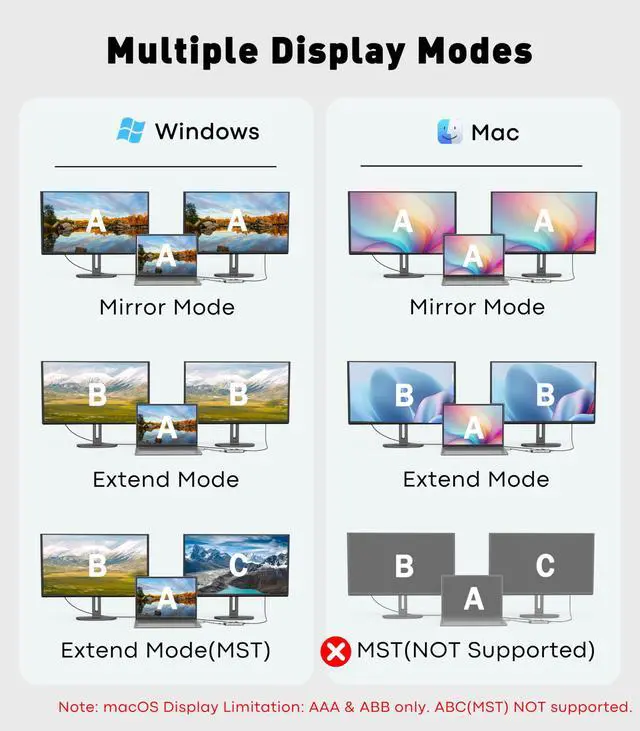
[All-in-One Docking Station] The Laptop Docking Station features 2 HDMI ports (4K/60Hz), 1 DisplayPort (4K/60Hz), PD charging (100W), 1 USB-C 3.0 (5Gbps), and 3 USB-A 3.0 (5Gbps) ports. With its powerful 8-in-1 expansion capabilities, this docking station solves the problem of insufficient ports on your laptop with a single cable, instantly transforming your ultraportable laptop into a powerful productivity tool. [Ultra-HD Triple-Monitor Expansion] This docking station 3 monitors features 2 HDMI ports (4K@60Hz) and 1 DisplayPort (4K@120Hz), supporting Windows MST technology to enable true triple-monitor display with different content on each screen.
With a refresh rate of up to 4K@120Hz via DisplayPort, it delivers smoother visuals and an ultimate visual experience for office work, design, programming, or video post-production.
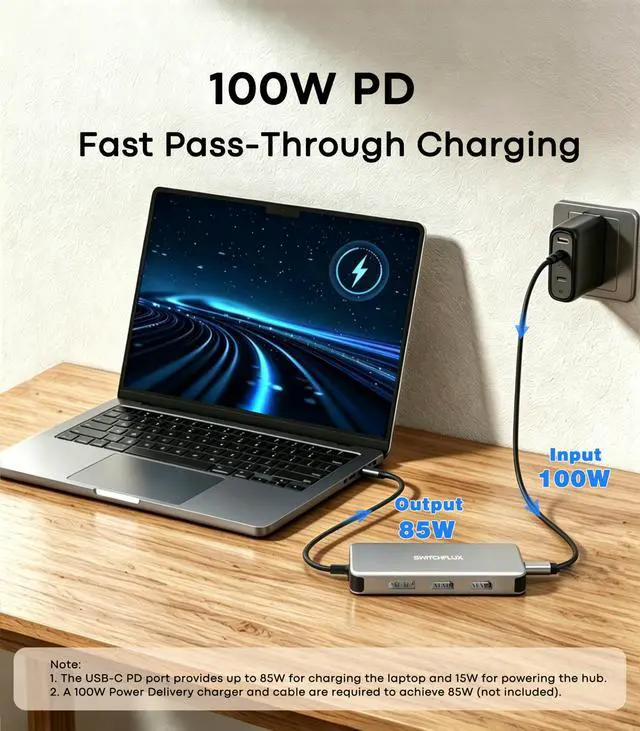
Note: Mac users are only supported in AAAA or ABBB modes. [Powerful 100W Charging] This USB C hub features a 100W PD charging port that supports up to 85W of stable power output to your laptop. It delivers fast charging even when connected to three monitors and multiple peripherals, putting an end to battery anxiety.
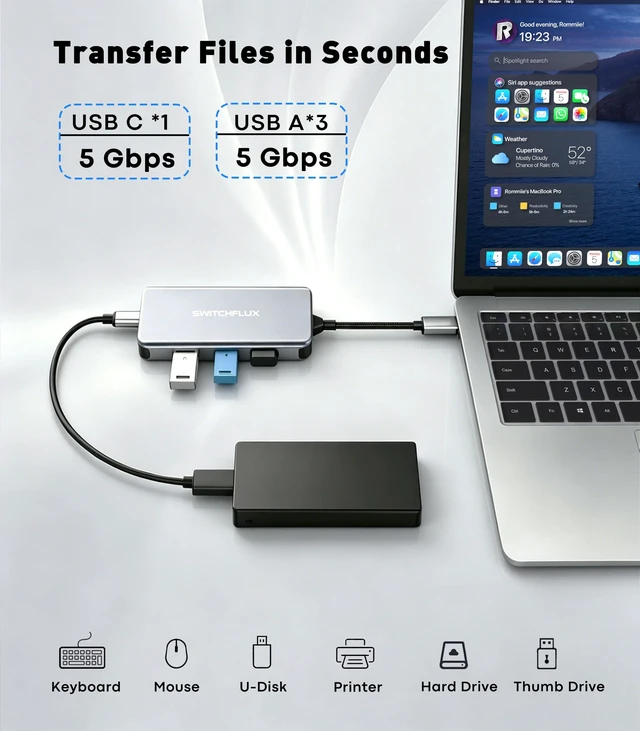
Please note: Make sure your laptop's USB-C port supports Power Delivery. [High-Speed Data Transfer] This 8-in-1 hub features 1 USB-C 3.0 ports and 3 USB-A 3.0 ports (all supporting 5Gbps high-speed transfer), allowing you to connect peripherals such as keyboards, mice, USB flash drives, external hard drives, and printers simultaneously. Enjoy stable connections and lightning-fast file transfers. Turn your laptop into a powerful desktop workstation in an instant! [Wide Compatibility, Portable Design] This USB-C docking station is fully compatible with mainstream USB-C laptops such as the MacBook Pro/Air, Dell XPS 13/15/17, Lenovo ThinkPad, HP EliteBook/Envy, and Surface Pro 7/8, and supports both Windows and macOS. Featuring a premium aluminum alloy chassis, it is lightweight, slim, and portable with excellent heat dissipation, making it ideal for office use, home offices, and business travel. It is a professional docking station that combines style with performance





 here!
here!