




 here!
here!
I’m your shopping assistant for PC builds, upgrades, and everything tech.
Got questions? Ask away!
Start a conversation
here!
I’m your shopping assistant for PC builds, upgrades, and everything tech.
Got questions? Ask away!
Start a conversation



Any questions? Ask CelesteSM will help you find out quickly.
Product Overview:
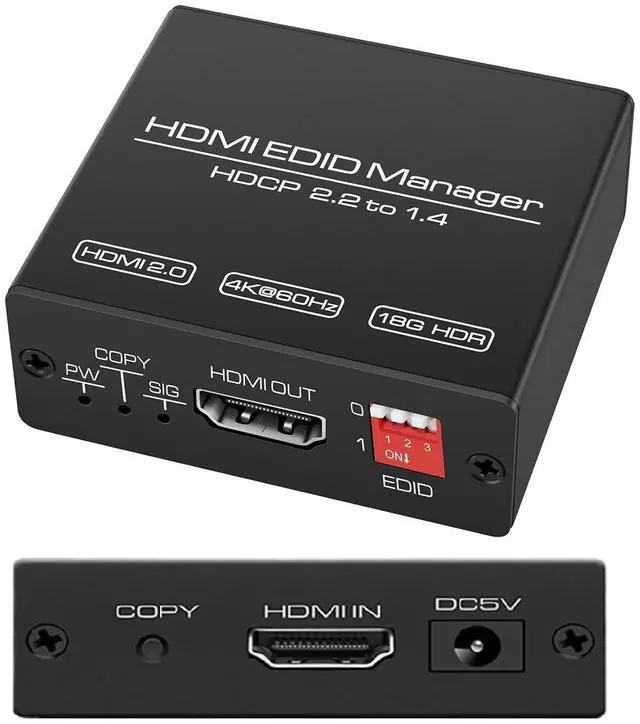
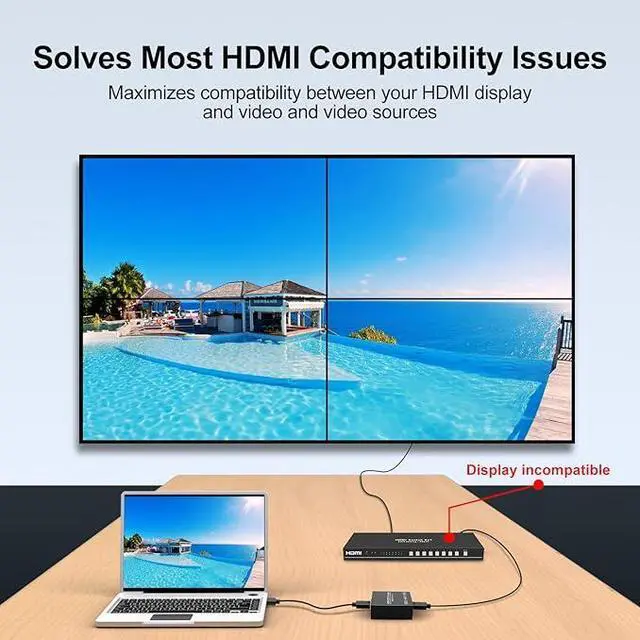
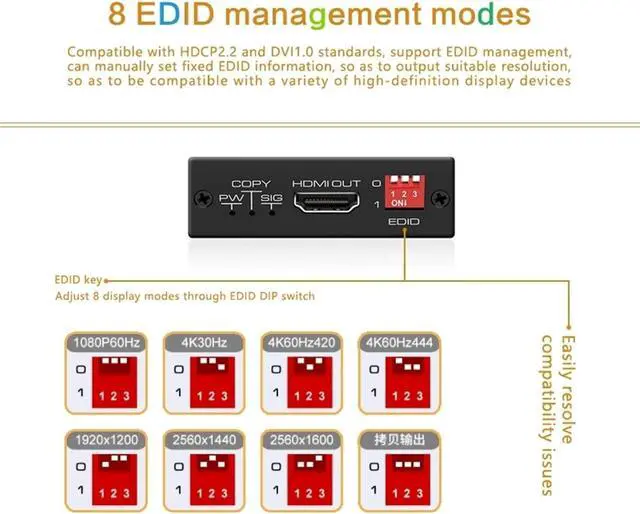
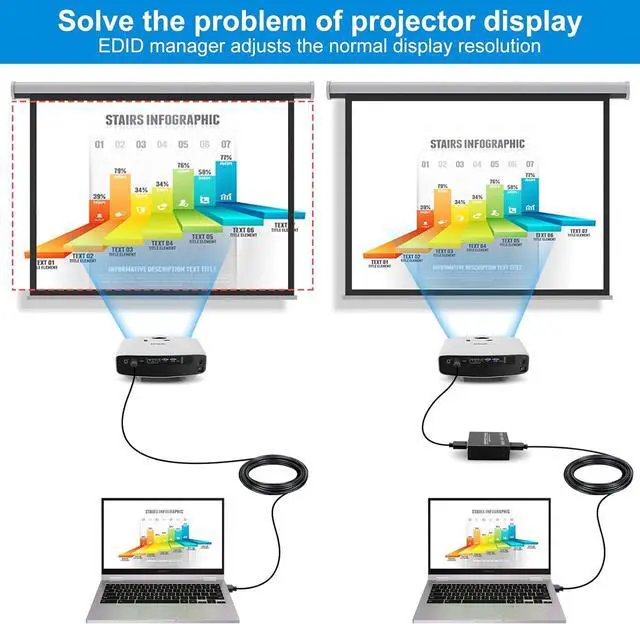
This HDMI EDID Manager/Simulator effortlessly resolves compatibility issues between source devices (such as computers, Blu-ray players, and game consoles) and display devices (such as monitors, TVs, and projectors) through 8 preset EDID modes and EDID cloning functionality.
Supporting resolutions up to 4K@60Hz 4:4:4 HDR and HDCP 2.3, it ensures crisp, smooth visuals with stable audio-video synchronization. Ideal for diverse applications including multimedia system integration, conference rooms, home theaters, digital signage displays, and KVM switches.
Product Features
Video Performance Specifications
Resolution Support: 4K2K@60Hz / 3D / 1080P / 1080i / 720P / 576P / 480P
Color Format: RGB / YCbCr 4:4:4 / 4:2:2 / 4:2:0
Color Depth Support: 10-bit / 12-bit
Maximum Bandwidth: 18Gbps (600MHz)
HDR Support: HDR10 / HLG / 10-bit HDR
Audio Performance Specifications
Supported Audio Formats: LPCM 2.0 / 5.1 / 7.1, Dolby Digital, Dolby Digital Plus, Dolby TrueHD, DTS, DTS-HD, Dolby Atmos, DTS:X
Supports High Bitrate Audio (HBR) Pass-Through
Signal Transmission Distance
Input Distance: 10 meters (1080P HDMI Standard Cable) / 5 meters (4K60Hz High-Speed Cable)
Output Distance: 10 meters (1080P HDMI Standard Cable) / 5 meters (4K60Hz High-Speed Cable)
We recommend using high-quality high-speed HDMI cables to ensure signal stability.
Panel Description
Front Panel:
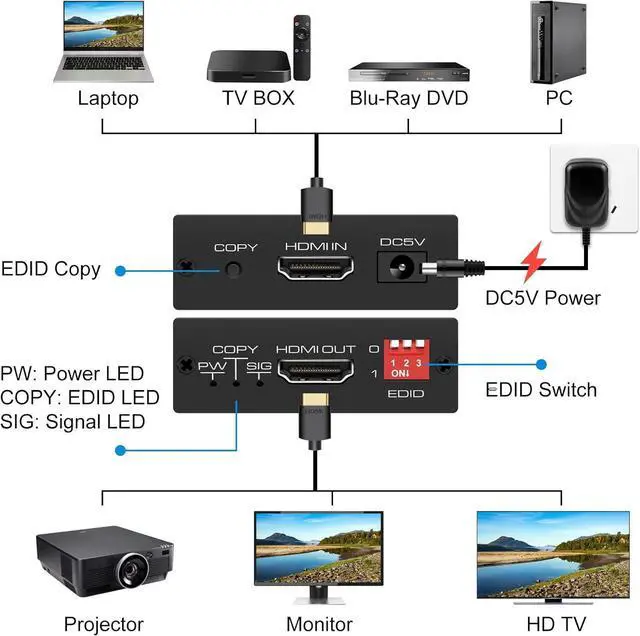
Copy Button: Press to start reading/storing EDID; press and hold for 3 seconds to restore default mode
HDMI IN: Signal source input port
DC 5V: Power input port
Rear Panel:
PW Power Indicator: Lights up when powered on
SIG Signal Indicator: Lights up when HDMI signal is detected
HDMI OUT: Output port for connecting display devices
DIP Switch: Selects from 8 EDID modes
Important Notes
1. Connect devices with power disconnected to prevent electrostatic damage.
2. If signals are unstable, check HDMI cable quality and length.
3. 4K60Hz resolution requires devices supporting HDMI 2.0b and HDCP 2.3.
4. Press and hold the Copy button for 3 seconds to restore factory default settings.
Packing list:
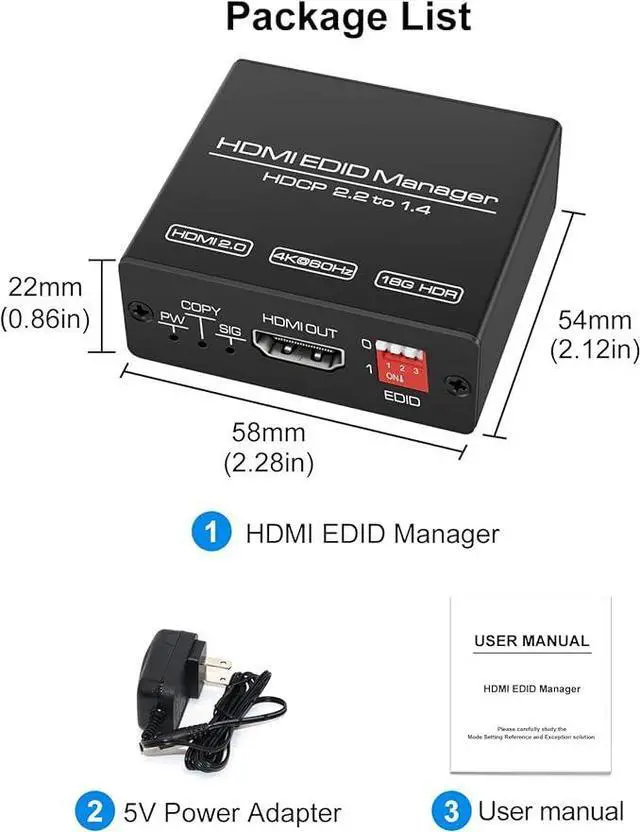
HDMI EDID Manager × 1
5V USB Power Cable × 1
User Manual × 1


