Your Browsing History
Meet Your Seller
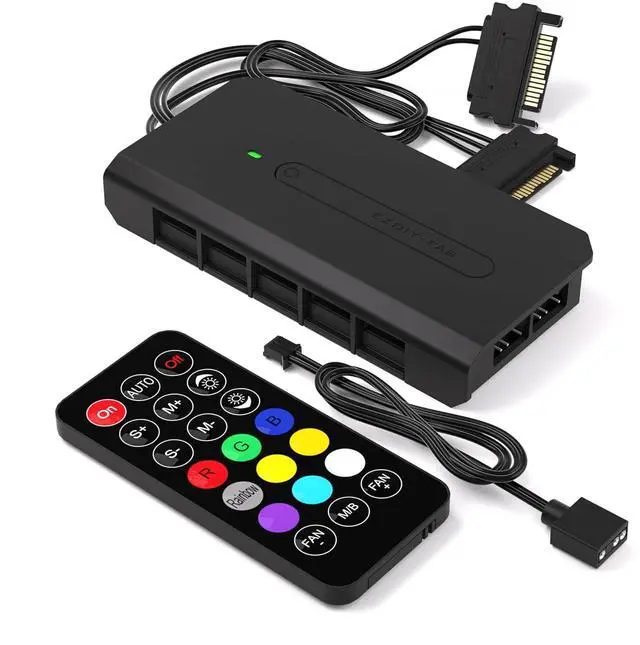
10 Ports RGB Fan Hub-I for PC Case Fans,Support 6-pin RGB Fans,with 2X 5V 3pin Ports for ARGB Device,with SATA Power Cable and Remote Control,Motherboard Sync
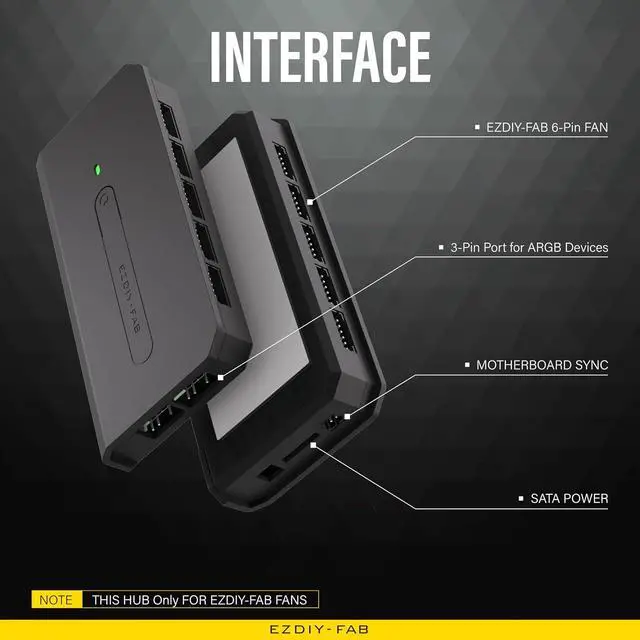
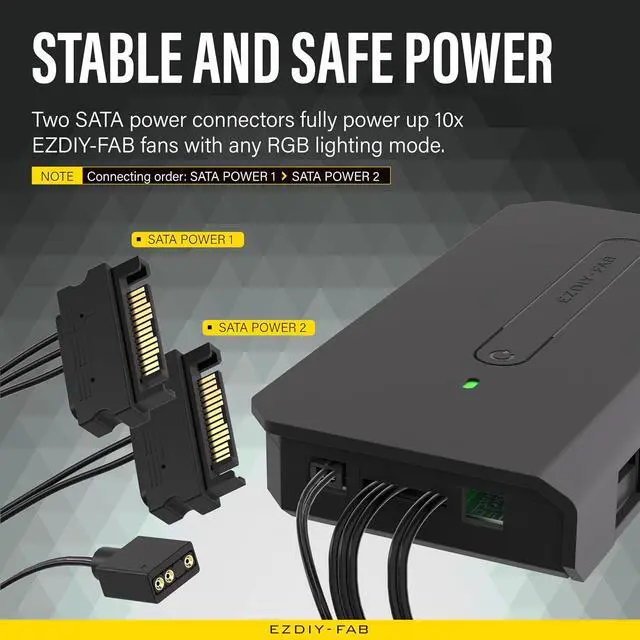
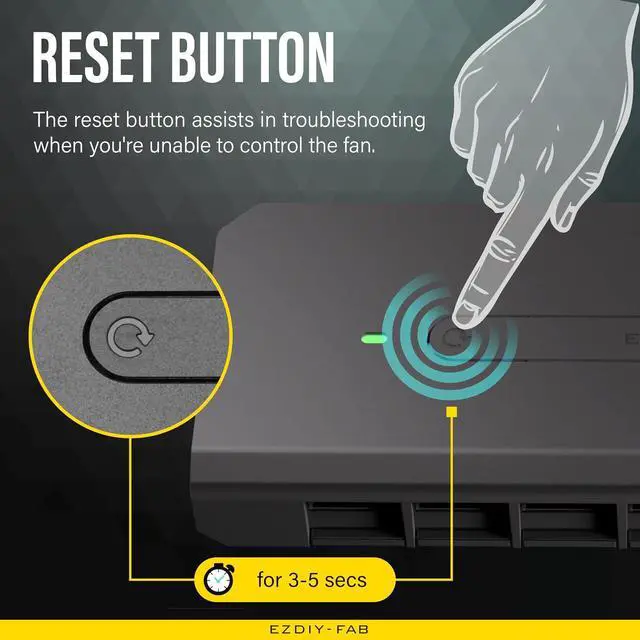
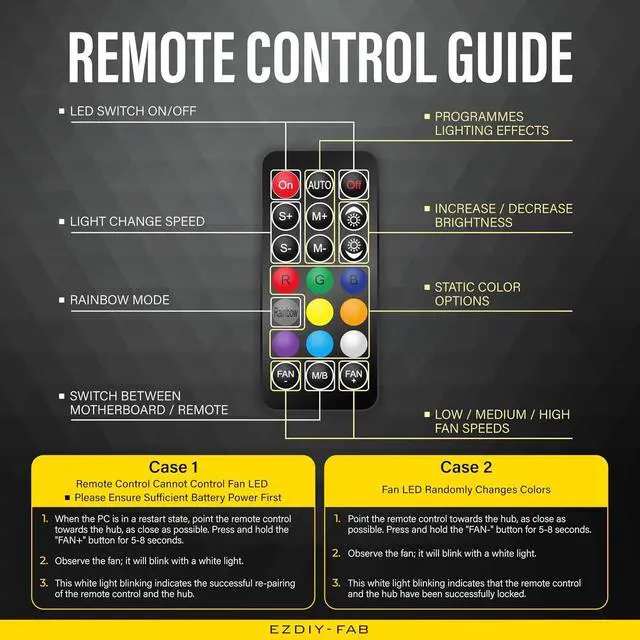
- Two SATA power connectors ensure stable and reliable power when connecting up to 10 EZDIY-FAB fans with any RGB lighting effects.; No Fan included, only Fan hub and remote control. Can compatible with 6-pin EZDIY-FAB Fans.; With the remote, you can easily and instantly adjust the EZDIY-FAB fan's RGB lighting effects, colors, brightness, and speed. Additionally, you can switch to motherboard sync mode by pressing the M/B button on the remote.; Spare two 5V 3-pin ARGB headers are available for connecting additional ARGB devices.; The reset button aids in troubleshooting.
+
+
Overview
Specs
Reviews
Any questions? Our AI mode will help you find out quickly.
Try me now
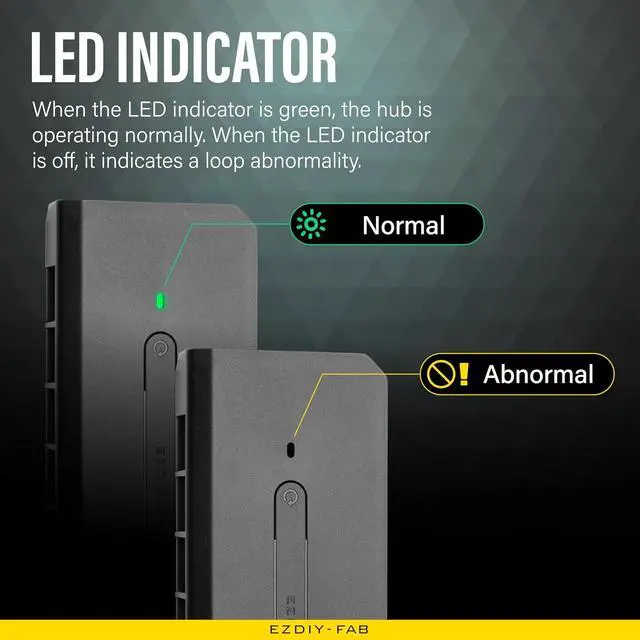
Product description Supports Up To 10x Fans + 2x ARGB Devices Connecting 1-6 fans requires only one three-wire SATA power cable connected to PSU SATA cord. Connecting 7-10 fans requires two SATA power cables of HUB-I connected to PSU SATA cords. NOTE- FOR EZDIY-FAB FANS ONLY The reset button assists in troubleshooting. Press the button for 3-5 seconds to reset. Safety comes first. When the green light is on, it indicates that the 5V power supply is functioning normally. If the light is off, it signifies a circuit anomaly. Both the 5V and 12V terminals on the board are equipped with fuses.
Any short circuit will immediately break the connection, preventing any further damage caused by the short circuit. In addition to using the remote to control your EZDIY-FAB fans, you can synchronize them with motherboard software from ASUS, GIGABYTE, MSI, and ASRock by pressing the M/B button on the remote.

Warranty & Returns
Warranty, Returns, And Additional Information
Warranty
- Please contact the Seller directly for warranty information. Warranty information may also be found on the Manufacturer's website.
- CONTACT
Return Policies
- Return for refund within: 30 days
- Return for replacement within: 30 days
- This item is covered by TERRA HAVEN Return Policy
Manufacturer Contact Info
- For a directory of all our manufacturers, please click below.
- Manufacturers Directory
LOADING...