Your Browsing History
Meet Your Seller
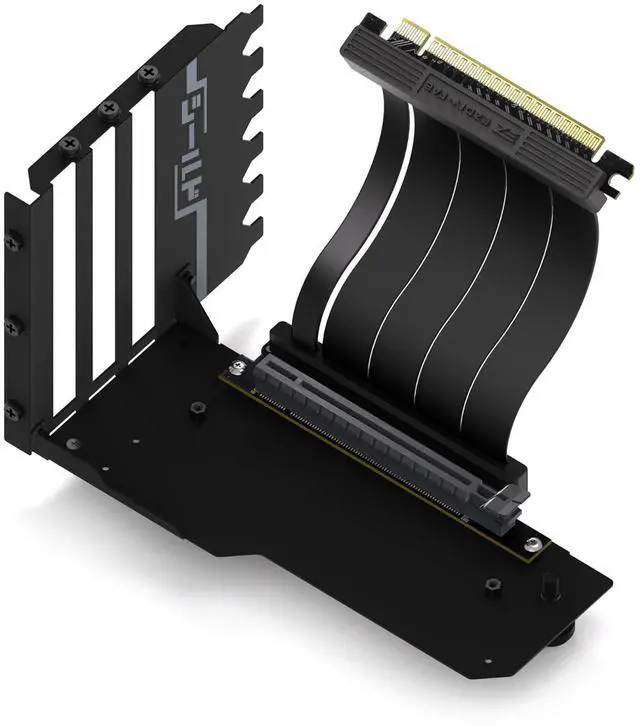
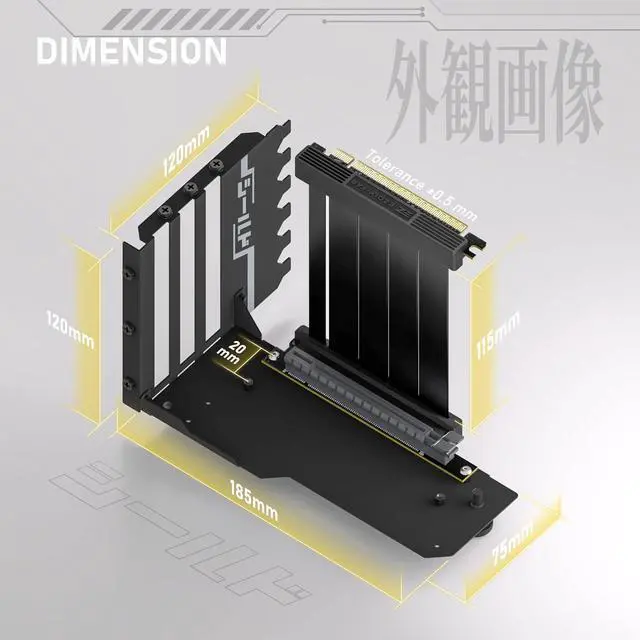
Shield Vertical GPU Mount, 115mm PCIe 4.0 Riser Cable, Black
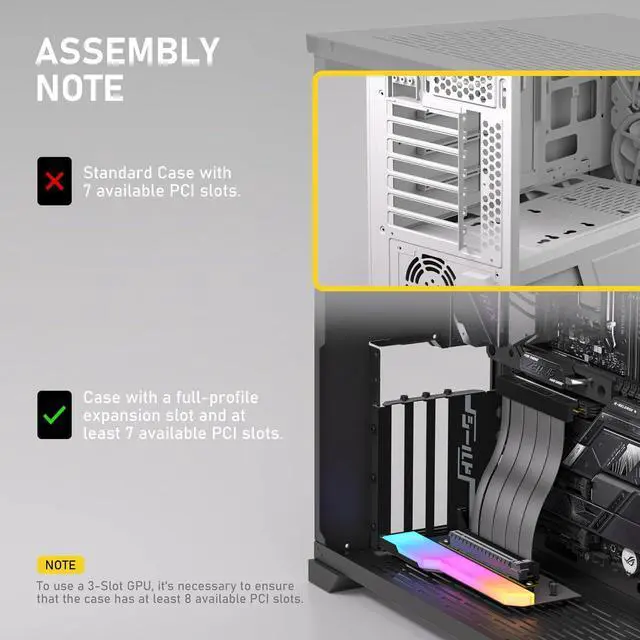
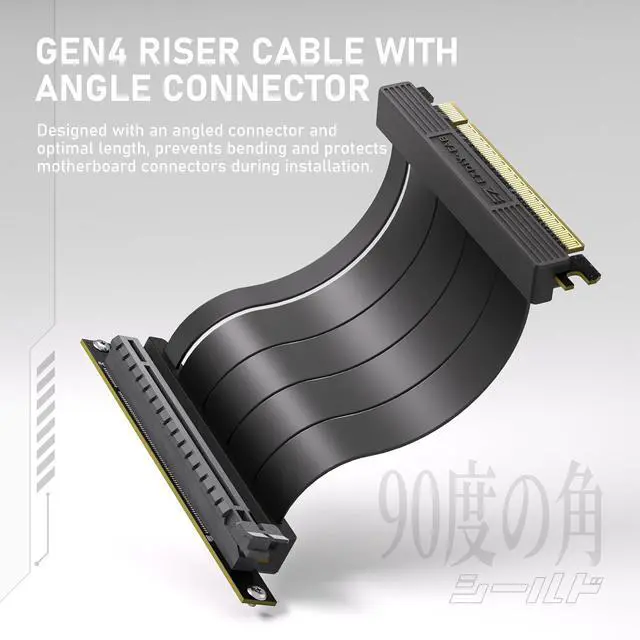
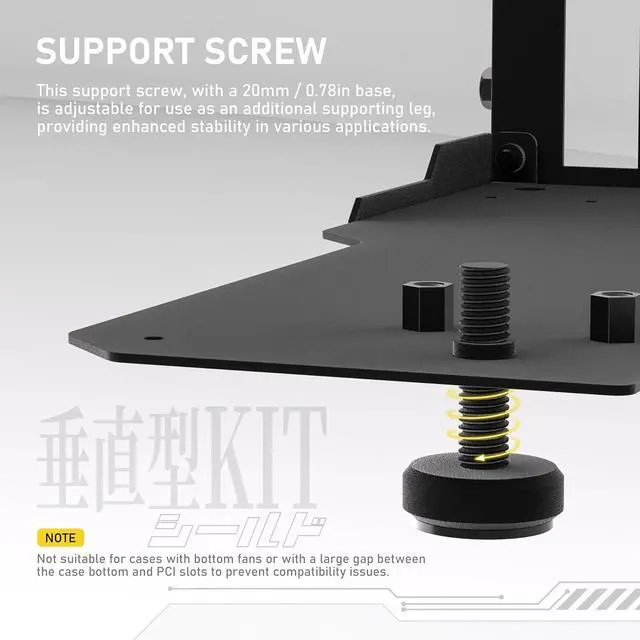
- Optimized for Full PCI Slot Cases: Tailored for enclosures with 7 opened PCIe slots, this vertical GPU mount is ideal for RTX40 series; 3-slot graphics cards, requiring a case of minimum of 8 slots for optimal fit and stability.; Precisely Engineered Riser Cable: The PCIe 4.0 riser cable features a carefully angled connector and an ideal length of 115mm/4.52in, ensuring a perfect fit without the risk of bending or crimping, thereby protecting your motherboard connectors from potential damage.; Vertical Display Made Simple and Sturdy: Designed for effortless installation, this mount enables a stunning vertical presentation of your GPU. The added adjustable support screw ensures a distinctive and stands out with added stability.; Bidirectional Locking Structure: Constructed with superior steel, this component is designed with a bidirectional locking structure, offering robust, multi-directional support, ensuring heavy graphics cards are held firmly in place.; SHIELD Series Design: Highlighting the durability and solid protection the component offers, combined with a sleek design that embodies the artistry of esports aesthetics.
+
+
Overview
Specs
Reviews
Any questions? Our AI mode will help you find out quickly.
Try me now
Product description - SHIELD Arrives, Game On Introducing the SHIELD Series Vertical GPU Mount, inspired by the following standout product features, and reimagined for gamers seeking unmatched stability and a sleek, modern aesthetic. Gen 4 Riser Cable Angle Design Angled connector with 115mm cable prevents cable bending, ensuring connector safety. Premium Steel Bidirectional Locking Structure Lock and reinforcement from two directions and offering a solid foundation. Futuristic Mecha Gaming Gaming SHIELD Secure your GPU with the SHIELD Bracket - Ultimate Protection & Stability. PRECISE STURDY AESTHETIC Installation Guide Mount the Screws of side panel and base Mount the base Screw in the Support screw Mount the riser cable screws and attach 2-PCIe slot GPUs to the front standoffs.
For 3-PCI slot GPUs, ensure the case has at least 8 PCIe slots. Install the graphics card and tighten the screws Connect the riser cable to the corresponding port on the motherboard. Mount into the case and secure the side panel with the screws. Rotate the support screw to the appropriate position as needed. The Support Screw not suitable for cases with bottom fans or with a large gap betweenthe case bottom and PCl slots to prevent compatibility issues.

Warranty & Returns
Warranty, Returns, And Additional Information
Warranty
- Please contact the Seller directly for warranty information. Warranty information may also be found on the Manufacturer's website.
- CONTACT
Return Policies
- Return for refund within: 30 days
- Return for replacement within: 30 days
- This item is covered by TERRA HAVEN Return Policy
Manufacturer Contact Info
- For a directory of all our manufacturers, please click below.
- Manufacturers Directory
LOADING...