Your Browsing History
Meet Your Seller
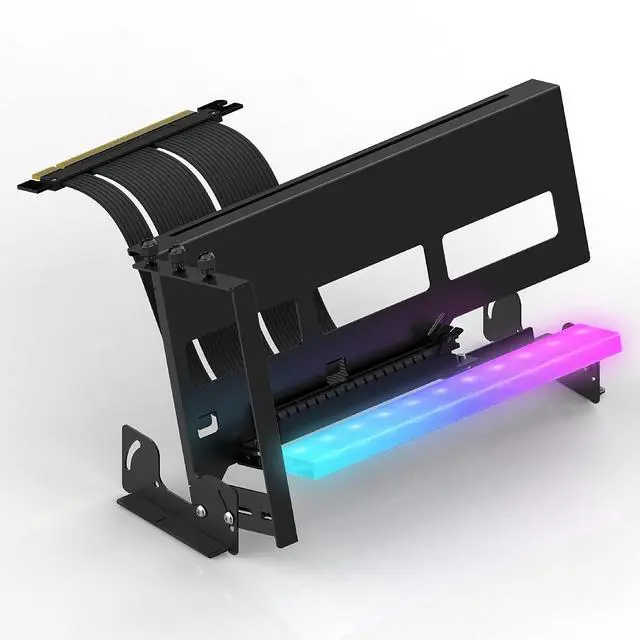
PCIe 4.0 GPU Mount Bracket with ARGB LED Module, Multi-Angle Adjustment with Riser Cable, Compatible to RTX4090, 4080, 4070ti- Black
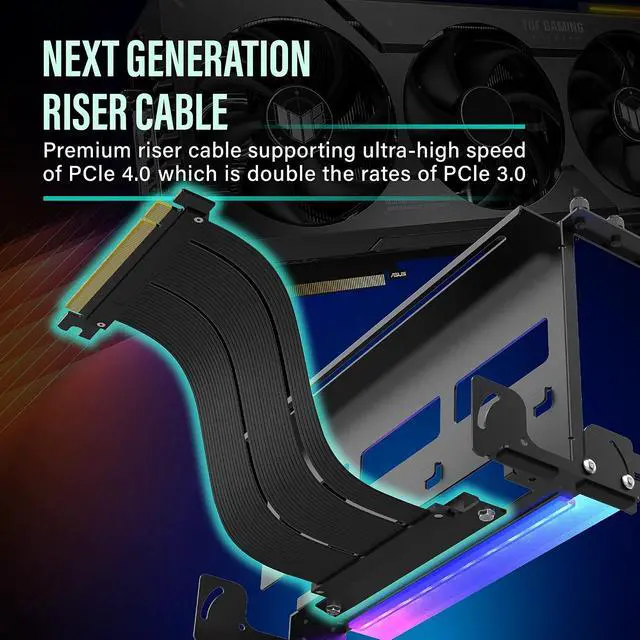
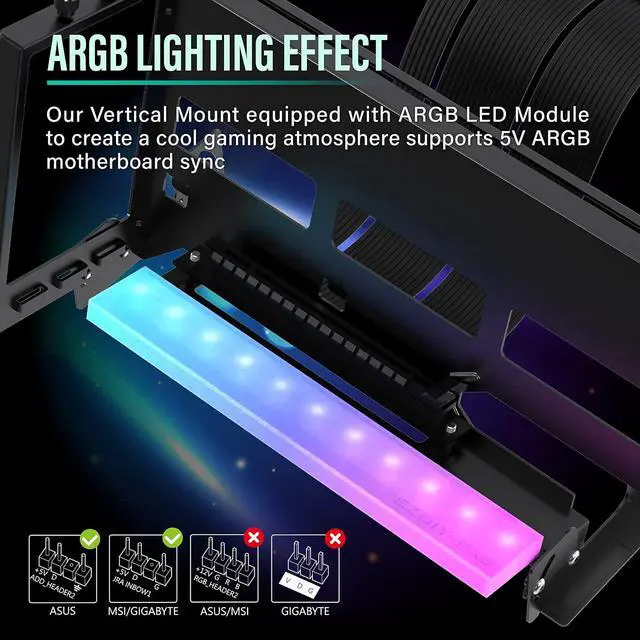
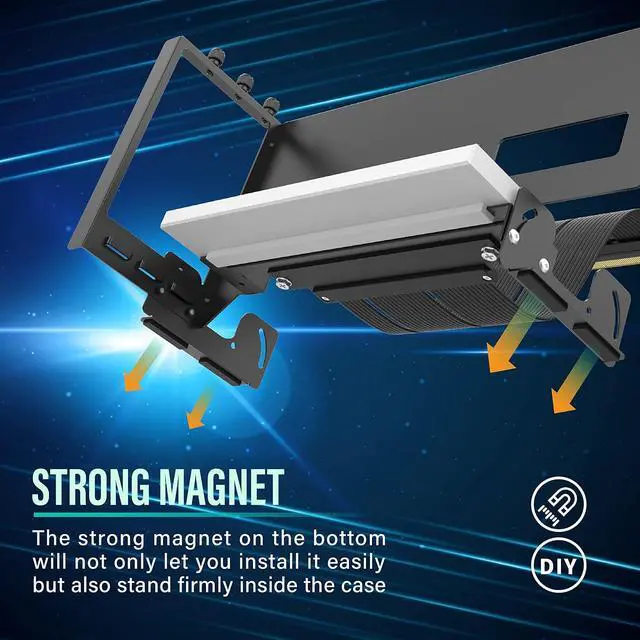
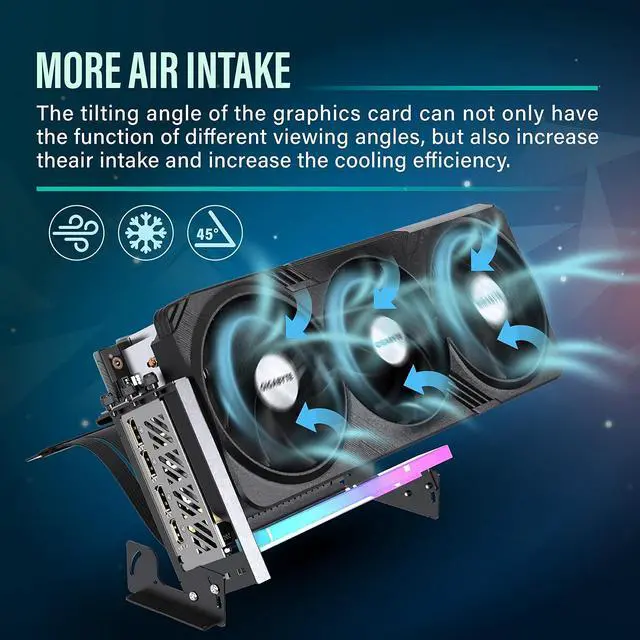
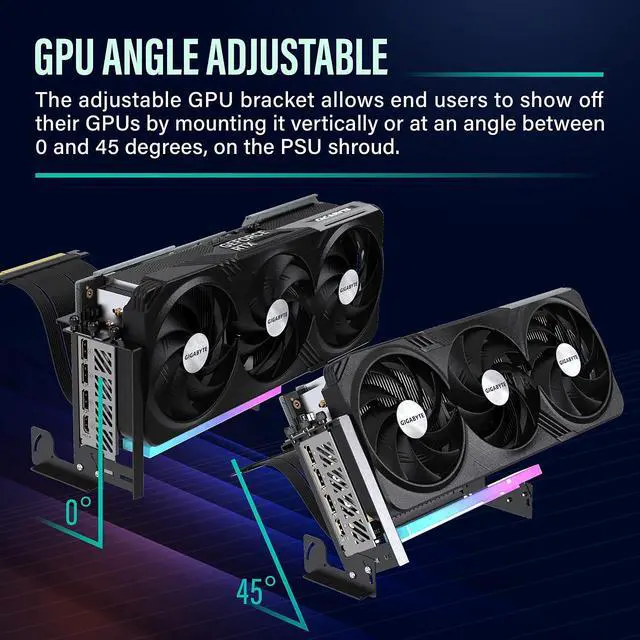
- Enhance Cooling Efficiency: Adjustable bracket allows mounting of GPU vertically or at an angle for better heat dissipation on PSU shroud or any metal plane; Synchronized ARGB Lighting: Bracket features ARGB LED lighting effects and can sync with motherboard lighting (AURA, Mystic, Fusion) via M/B 3-Pin ARGB Header; does not support 12V RGB.; Strong Magnet Base: Equipped with a magnet for stable placement on PSU shroud; Wide Compatibility: Supports most 2 and 3 slot graphics cards, and made of high-quality metal material for increased structural toughness; Compatible with Latest Models: Features Gen4 riser cable and compatible with RTX 4090, RTX 4080, RTX 4070ti, RTX 30' Series, and RX70' Series. Prior testing of riser cable onto GPU is recommended. Please refer to length spec image to confirm compatibility with your chassis.; Note: Ensure the pcie cable is fully and securely inserted into the socket! Please make sure the male connector (Gold Fingers) is fully inserted into the motherboards PCIe socket.
+
+
Overview
Specs
Reviews
Any questions? Our AI mode will help you find out quickly.
Try me now
Product description Choose your own Best Visual Angle of your GPU. Nowadays, the graphics cards on the market are getting bigger and bigger and the appearance is very eye-catching, the new released vertical graphics card mount allows vertical installation of a GPU on any chassis to better show off the visual design of the GPU and its cooler. Equipped with 11pcs of Addressable RGB LED lights, ARGB provides full lighting for your build, it can be synced with other 5V ARGB devices by M/B. Bigger Graphics Card Support Verified Supports most 1, 2, and 3 slot graphic cards.
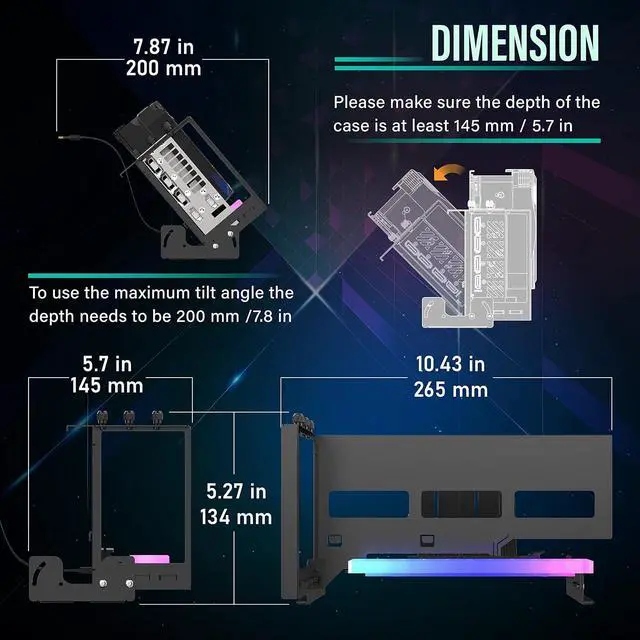
Designed for most full/mid ATX tower with at least 7 available PCI slots. Compatible with most brand's Graphic card Please refer to length spec image and confirm that there is enough space of your chassis. Equipped With PCIE 4.0 Riser Cable- Cable length 6.69 in/17cm Compatible with RTX4090, RTX4080, RTX4070Ti, RTX3090Ti, RTX30' Series, RX6000', RX7000' Series Cards. Assemble the graphics card and GPU Mount first, then adjust and lock the riser cable screw.
NOTE: Please test the riser cable onto the GPU first before installing the GPU to vertical bracket mount. INSTALLATION GUIDE Mount The Magnetic Feet I Mount The Magnetic Feet II Put On Riser Cable. Connect GPU To The Riser Cable. Insert the graphics card into the riser cable connector, and tighten the screws. In this step, do not mount the screw of the riser cable. Tighten GPU screw first. Mount the screw of riser cable and connect to motherboard PCIEx16_1 slot.

Designed for most full/mid ATX tower with at least 7 available PCI slots. Compatible with most brand's Graphic card Please refer to length spec image and confirm that there is enough space of your chassis. Equipped With PCIE 4.0 Riser Cable- Cable length 6.69 in/17cm Compatible with RTX4090, RTX4080, RTX4070Ti, RTX3090Ti, RTX30' Series, RX6000', RX7000' Series Cards. Assemble the graphics card and GPU Mount first, then adjust and lock the riser cable screw.
NOTE: Please test the riser cable onto the GPU first before installing the GPU to vertical bracket mount. INSTALLATION GUIDE Mount The Magnetic Feet I Mount The Magnetic Feet II Put On Riser Cable. Connect GPU To The Riser Cable. Insert the graphics card into the riser cable connector, and tighten the screws. In this step, do not mount the screw of the riser cable. Tighten GPU screw first. Mount the screw of riser cable and connect to motherboard PCIEx16_1 slot.
Warranty & Returns
Warranty, Returns, And Additional Information
Warranty
- Please contact the Seller directly for warranty information. Warranty information may also be found on the Manufacturer's website.
- CONTACT
Return Policies
- Return for refund within: 30 days
- Return for replacement within: 30 days
- This item is covered by TERRA HAVEN Return Policy
Manufacturer Contact Info
- For a directory of all our manufacturers, please click below.
- Manufacturers Directory
LOADING...