Your Browsing History
Meet Your Seller
Cable Extension Kit for Raspberry Pi Camera, Up to 10-Meter Extension, Compatible with Raspberry Pi Camera V2/V3/HQ/Global Shutter, and 16MP/64MP/ToF Camera Module
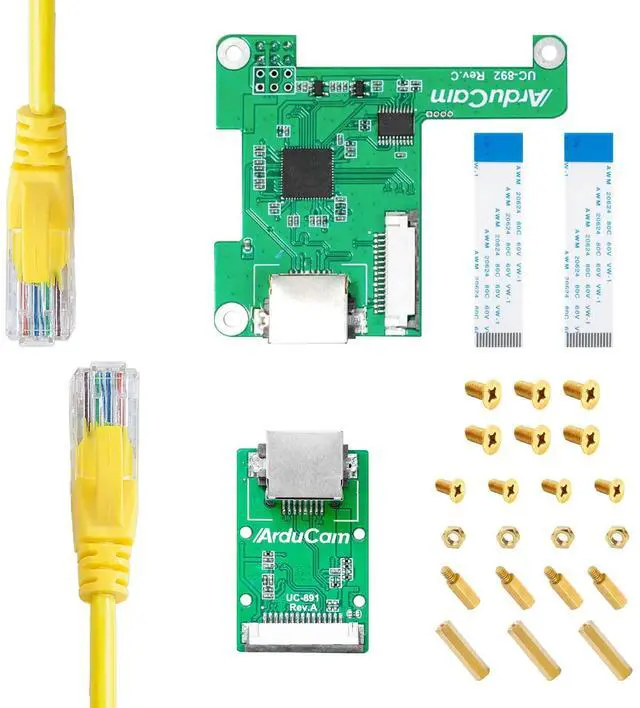
- Designed for Raspberry Pi: This extension cable kit is designed for Raspberry Pi and Raspberry Pi cameras. The purpose is to keep your camera long away from the Pi. This way you can get clear and delay-free images no matter where you put your Pi.; Extend up to 10 meters: With just one LAN/Ethernet cable, you can place the camera module up to 10 meters away from the Pi.; Easy to plug and play: Setup is hassle-free and plug&play. There is no need to install any additional software or scripts. Please note that updated drivers are required if working with Arducam IMX519 16MP AF camera (ASIN: B09STL7S88).; Supported cameras: RPi Camera V2, RPi Camera V3, RPi High Quality (HQ) Camera, and Arducam 16MP/64MP/ToF camera. It can work with the synchronized quad-camera kit (ASIN: B09TSGMCM9) for a 10-meter connection too.; Package includes: The kit includes two boards (Rx and Tx board), a 1-meter LAN cable, two 8cm ribbon flex cables for MIPI CSI-2 Transmission, and mounting screws.
+
+
Overview
Specs
Reviews
Any questions? Our AI mode will help you find out quickly.
Try me now
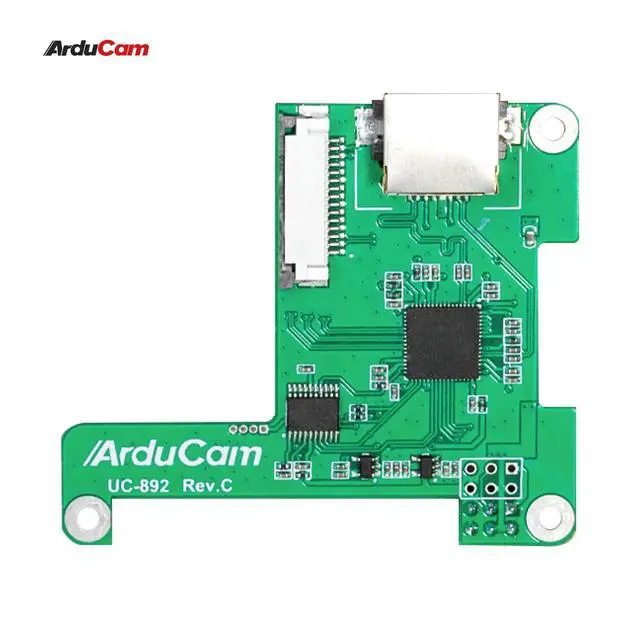
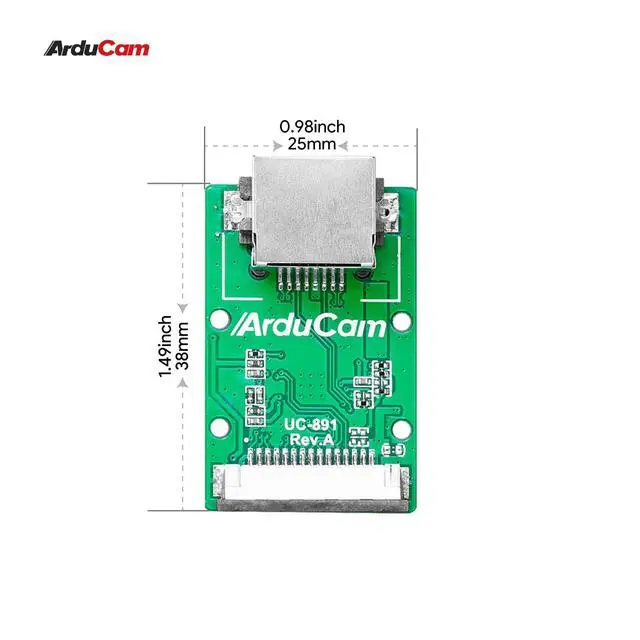
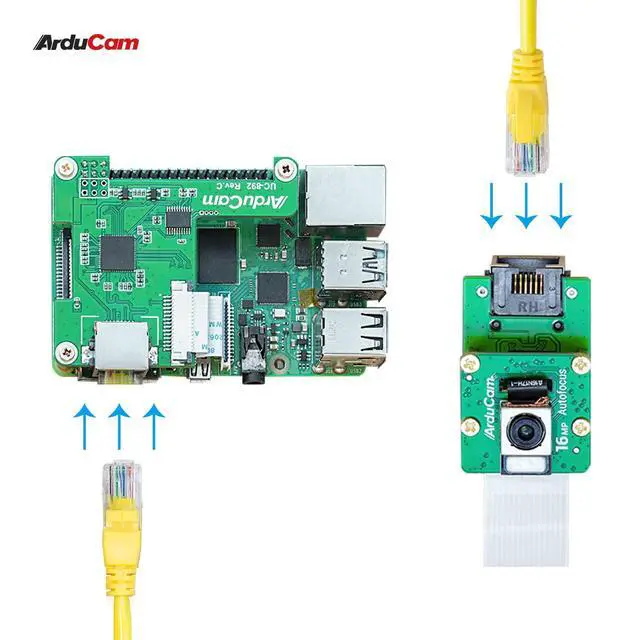
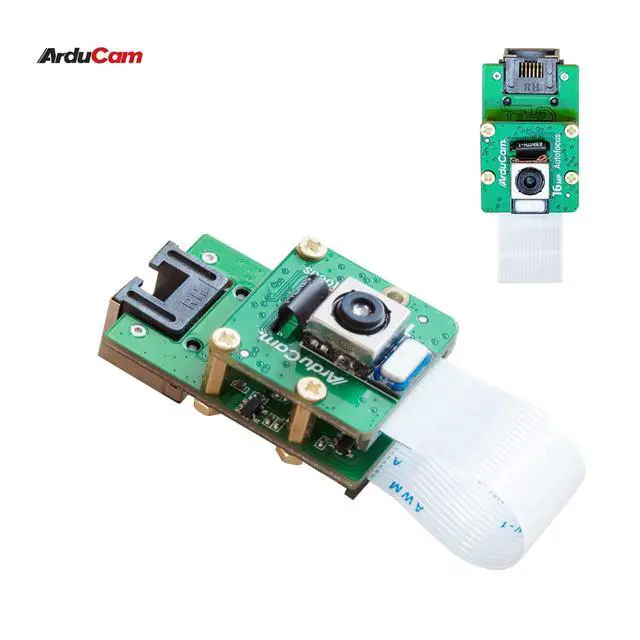
Product description Arducam Raspberry Pi Camera Cable Extension Kit This extension cable is a kit for the Raspberry Pi that replaces the CSI cable (Camera Serial Interface) with a LAN/Ethernet cable. This allows you to significantly increase the length of cable available and place the camera module up to 10 meters away from the Raspberry Pi. The kit is divided into two parts: the Transmitter Board (Tx board) which is connected to your Raspberry Pi camera module/HQ camera; and the Receiver Board (Rx) which is connected to the Raspberry Pi via the GPIO row of pins.
Note: Please make sure you are running the latest version of Raspberry Pi OS. (January 28th, 2022 or later releases, Debian
version: 11 (Bullseye) ). Arducam Ethernet Extension Kit for
Raspberry Pi Cameras: bit.
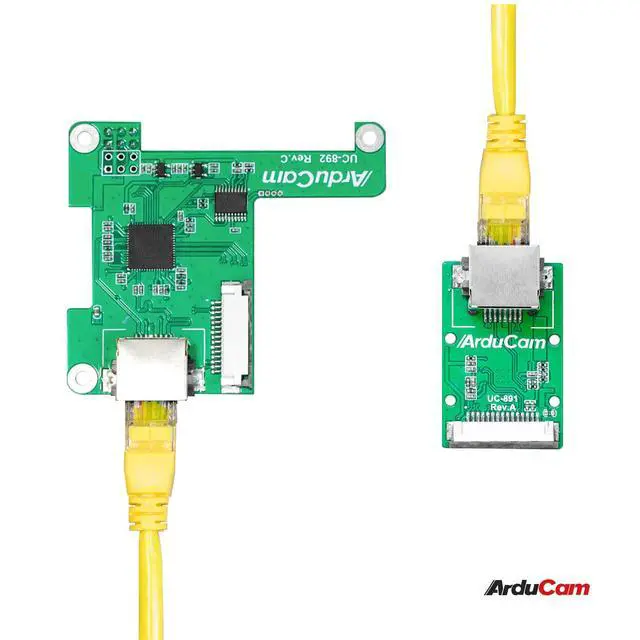
ly/Ethernet-Extension-Kit Assembly instructions: Plug the Rx board into the Raspberry Pi board; Plug the Tx board into the Raspberry Pi camera; Connect the Rx and Tx boards with a network cable.
Package Contents: 1 × The Rx board 1 × Tx board 1 × 1-meter LAN cable 2 × 8cm ribbon flex cables for MIPI CSI-2 Transmission 1 × mounting screws. GMSL2 12MP IMX477 Raspberry Pi Camera Extension Kit GMSL2 8MP IMX219 Raspberry Pi Camera Extension Kit 16MP IMX519 FPD-Link SerDes V3Link 8MP IMX219 FPD-Link SerDes V3Link CSI to HDMI Cable Extension Module Cable Extension Kit-Ethernet cable Solution Add to Cart Add to Cart Buying Options Add to Cart Add to Cart Add to Cart Customer Reviews 5.0 out of 5 stars 1 4.2 out of 5 s

Note: Please make sure you are running the latest version of Raspberry Pi OS. (January 28th, 2022 or later releases, Debian
version: 11 (Bullseye) ). Arducam Ethernet Extension Kit for
Raspberry Pi Cameras: bit.
ly/Ethernet-Extension-Kit Assembly instructions: Plug the Rx board into the Raspberry Pi board; Plug the Tx board into the Raspberry Pi camera; Connect the Rx and Tx boards with a network cable.
Package Contents: 1 × The Rx board 1 × Tx board 1 × 1-meter LAN cable 2 × 8cm ribbon flex cables for MIPI CSI-2 Transmission 1 × mounting screws. GMSL2 12MP IMX477 Raspberry Pi Camera Extension Kit GMSL2 8MP IMX219 Raspberry Pi Camera Extension Kit 16MP IMX519 FPD-Link SerDes V3Link 8MP IMX219 FPD-Link SerDes V3Link CSI to HDMI Cable Extension Module Cable Extension Kit-Ethernet cable Solution Add to Cart Add to Cart Buying Options Add to Cart Add to Cart Add to Cart Customer Reviews 5.0 out of 5 stars 1 4.2 out of 5 s
Warranty & Returns
Warranty, Returns, And Additional Information
Warranty
- Please contact the Seller directly for warranty information. Warranty information may also be found on the Manufacturer's website.
- CONTACT
Return Policies
- Return for refund within: 30 days
- Return for replacement within: 30 days
- This item is covered by TERRA HAVEN Return Policy
Manufacturer Contact Info
- For a directory of all our manufacturers, please click below.
- Manufacturers Directory
LOADING...