• $179.97
  • Free 30-day Returns
  • Ships from China.
    Sold by TERRA HAVEN

    Shipped by TERRA HAVEN

    Price alert
    Shop it at NeweggBusiness.

    Meet Your Seller

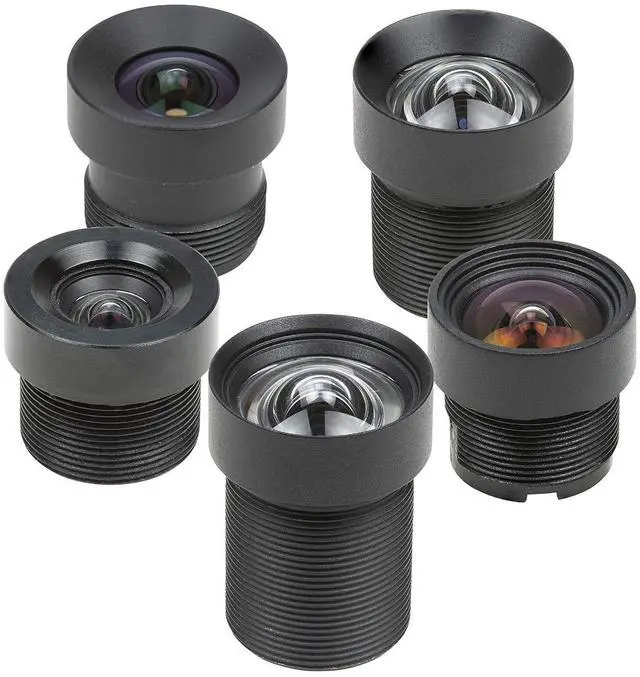
    M12 Lens Kit, Low Distortion M12 Mount Lenses for Arduino and Raspberry Pi Camera

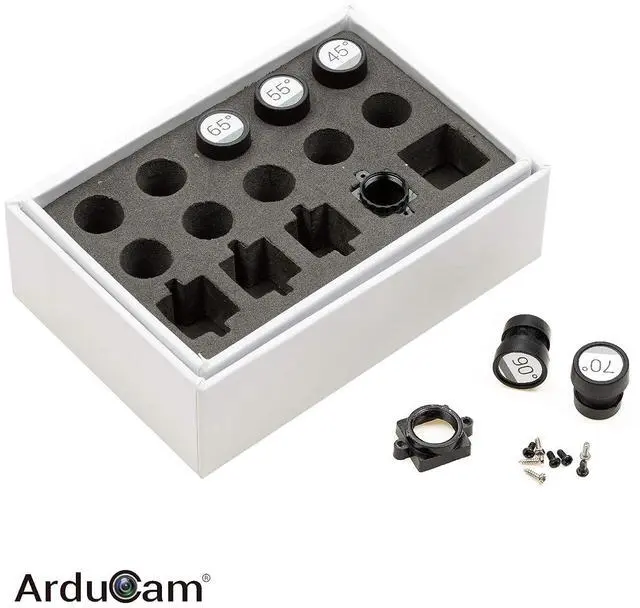
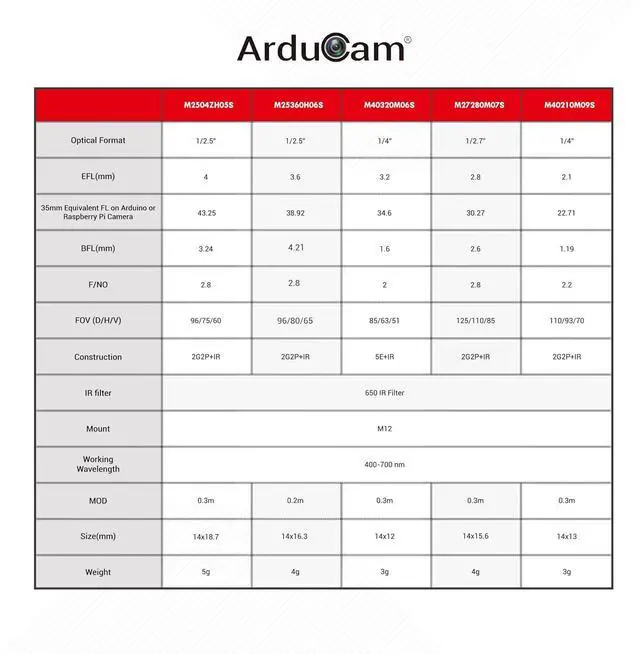
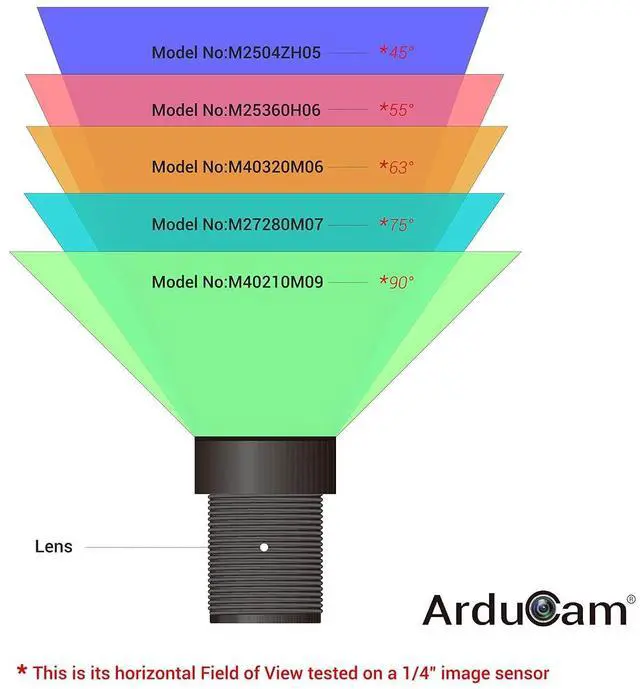
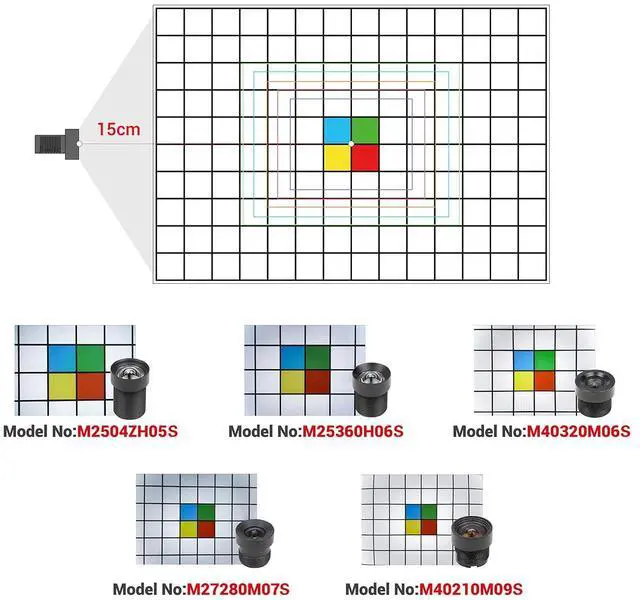
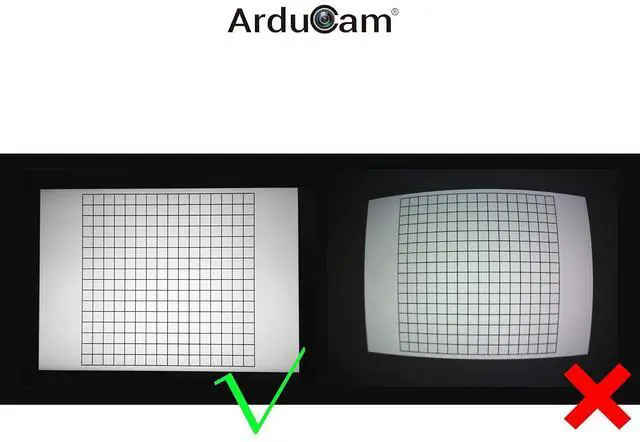
    • 5 M12 Lenses, carefully selected with minimum distortion, tested on 1/4 image sensors like OV2640 and OV5647; Come in 5 different FOV (Field of View), Horizontal FOV ranging from 45 to 90 degrees on a 1/4 sensor.; Caps labeled, screws and m12 lens holder included, specifications provided. A lifesaver for picking and changing lenses; NOTE: This kit shares the box with our 10-lens M12 lens kit, so it only takes half of the space, and some sockets are left empty
    +
    +
    Overview
    Specs
    Reviews
    avatar

    Any questions? Our AI mode will help you find out quickly.

    Product description
    Note: 1. Choose a suitable lens holder as follows: a) Determine the lens holder height listed in the lens specifications for your selected lens. If you use a different lens holder height, you might not be able to focus the lens at all. b) Ensure that the lens holder matches the screw hole pitch of your camera board. Lens holders are available with18mm and 20mm pitches. 2. If required, the thread gap between the lens and lens holder can be filled with damping grease or similar glue in order to fix the lens in position after focusing. 3. Specks of dust or tiny bubblers might be visible on the image while focusing the lens. These will disappear when the lens is in focus, and will not affect image quality. 4. When focusing or replacing a lens, do not screw the lens into the lens holder too deep, otherwise the lens might touch and damage the image sensor. Often, focusing a lens is performed while monitoring the image quality on a video screen. A blurry image will result if the lens is screwed in either too deep or too shallow from where it is in focus.

    Warranty & Returns

    Warranty, Returns, And Additional Information

    Warranty

    • Please contact the Seller directly for warranty information. Warranty information may also be found on the Manufacturer's website.
    • CONTACT

    Return Policies

    Manufacturer Contact Info

    LOADING...