

Your Browsing History

Meet Your Seller






EOTW Computer Screen Wipes Individually Wrapped Pre-moistened Electronic Monitor Cleaner Cleaning for iPhone iPad Tablet PC Keyboard Laptop, Pack of 120
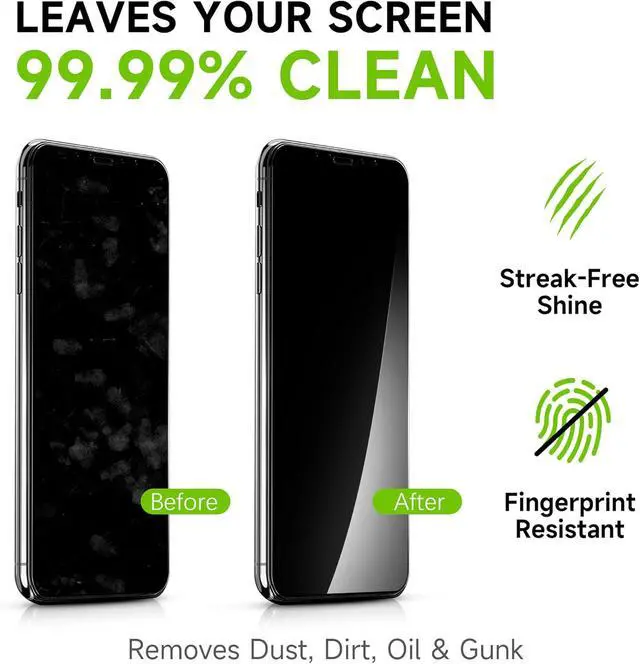
- Effective Cleaning: EOTW Computer Screen Wipes high-tech formula, that cleans effectively without leaving streaks or residue. It can quickly remove stains, fingerprints, and oil: Well-Clean, Eco-Friendly, Potable, and More Favorable Packing.
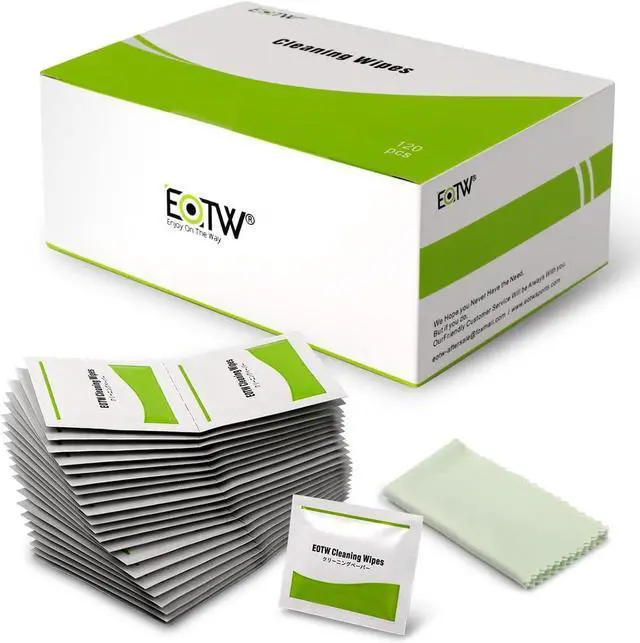
- Screen Wipes Individually Wrapped: It comes with 120pcs screen cleaner wipes and 1pc microfiber cleaning cloth in a well-packaged and organized form for longer use. It can easily fit in your pocket, handbag, and wherever needed.
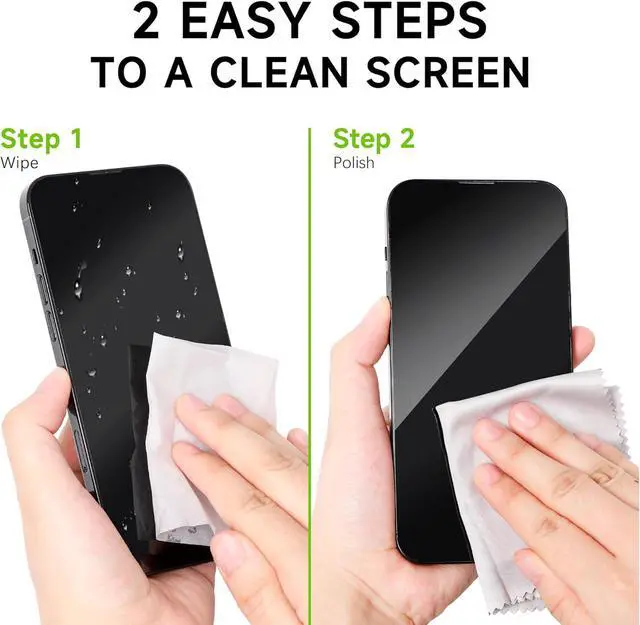
- How to Use: Step 1: Pick one or more, Tear Them, and open the wet wipes; Step 2: Have a quick and uniform wipe; Step 3(if needed): If the glasses are still wet, please use the cloth to wipe them.
- Convenience screen cleaner wipes: Unlike traditional screen cleaners that waste money and time by gushing solutions all over your screens, you can tidy up messes hassle-free with a simple swipe of our screen wipes for touch screens, It is Safe for Anti-Reflective Lenses.
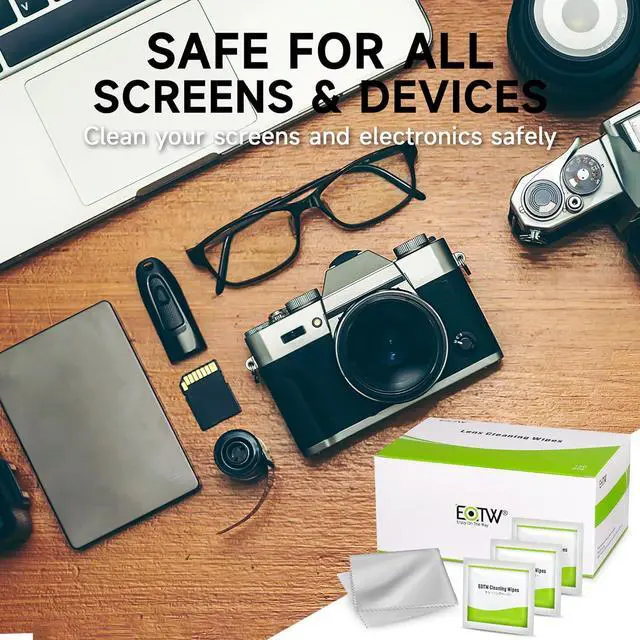
- Screen wipes for electronics: Computer screen cleaner wipes for PCs, iPhones, iPads, Tablets, Laptops, Computers, Keyboards, etc.Attention: Please do not use Retina Display directly, (like Macbook Pro), if it is no screen protector.
+
+
Overview
Specs
Reviews

Any questions? Our AI mode will help you find out quickly.
Try me now
Effective Cleaning: EOTW Computer Screen Wipes high-tech formula, that cleans effectively without leaving streaks or residue. It can quickly remove stains, fingerprints, and
oil: Well-Clean, Eco-Friendly, Potable, and More Favorable Packing.
Screen Wipes Individually Wrapped: It comes with 120pcs screen cleaner wipes and 1pc microfiber cleaning cloth in a well-packaged and organized form for longer use. It can easily fit in your pocket, handbag, and wherever needed.
How to Use: Step
1: Pick one or more, Tear Them, and open the wet wipes;
Step 2: Have a quick and uniform wipe;
Step 3 (if needed): If the glasses are still wet, please use the cloth to wipe them.
Convenience screen cleaner wipes: Unlike traditional screen cleaners that waste money and time by gushing solutions all over your screens, you can tidy up messes hassle-free with a simple swipe of our screen wipes for touch screens, It is Safe for Anti-Reflective Lenses.
Screen wipes for electronics: Computer screen cleaner wipes for PCs, iPhones, iPads, Tablets, Laptops, Computers, Keyboards, etc.
Attention: Please do not use Retina Display directly, (like Macbook Pro), if it is no screen protector.
oil: Well-Clean, Eco-Friendly, Potable, and More Favorable Packing.
Screen Wipes Individually Wrapped: It comes with 120pcs screen cleaner wipes and 1pc microfiber cleaning cloth in a well-packaged and organized form for longer use. It can easily fit in your pocket, handbag, and wherever needed.
How to Use: Step
1: Pick one or more, Tear Them, and open the wet wipes;
Step 2: Have a quick and uniform wipe;
Step 3 (if needed): If the glasses are still wet, please use the cloth to wipe them.
Convenience screen cleaner wipes: Unlike traditional screen cleaners that waste money and time by gushing solutions all over your screens, you can tidy up messes hassle-free with a simple swipe of our screen wipes for touch screens, It is Safe for Anti-Reflective Lenses.
Screen wipes for electronics: Computer screen cleaner wipes for PCs, iPhones, iPads, Tablets, Laptops, Computers, Keyboards, etc.
Attention: Please do not use Retina Display directly, (like Macbook Pro), if it is no screen protector.
Warranty & Returns
Warranty, Returns, And Additional Information
Warranty
- Please contact the Seller directly for warranty information. Warranty information may also be found on the Manufacturer's website.
- CONTACT
Return Policies
- Return for refund within: 30 days
- Return for replacement within: 30 days
- This item is covered by ProsperReach Electronics Return Policy
Manufacturer Contact Info
- For a directory of all our manufacturers, please click below.
- Manufacturers Directory
LOADING...