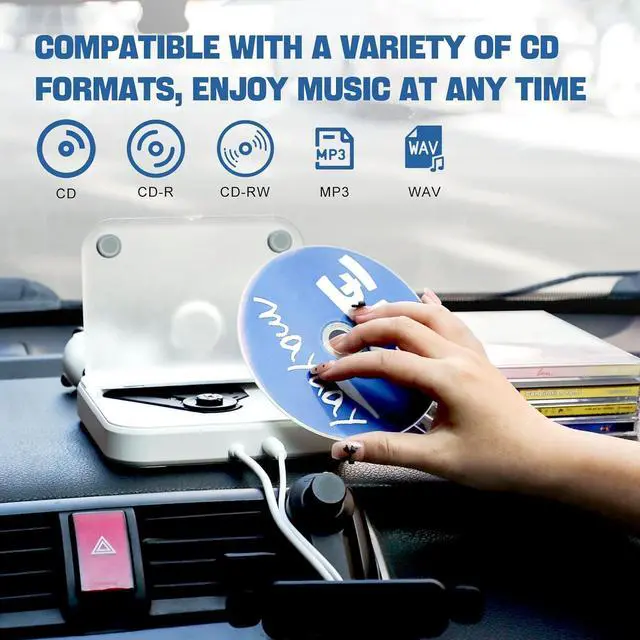
Compatible with Multiple Vehicle ModelsThis Car CD player is compatible with car stereos which support playing music files in the format of WAV, so it is compatible with more cars as long as the car stereos can play WAV music files. Not only for cars, but also for home use, easily connect to laptop, desktop, computer, TV, outdoor speakers
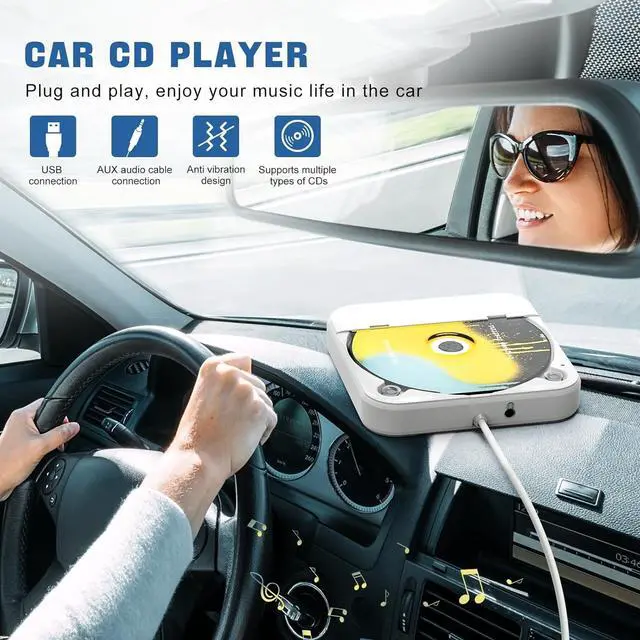
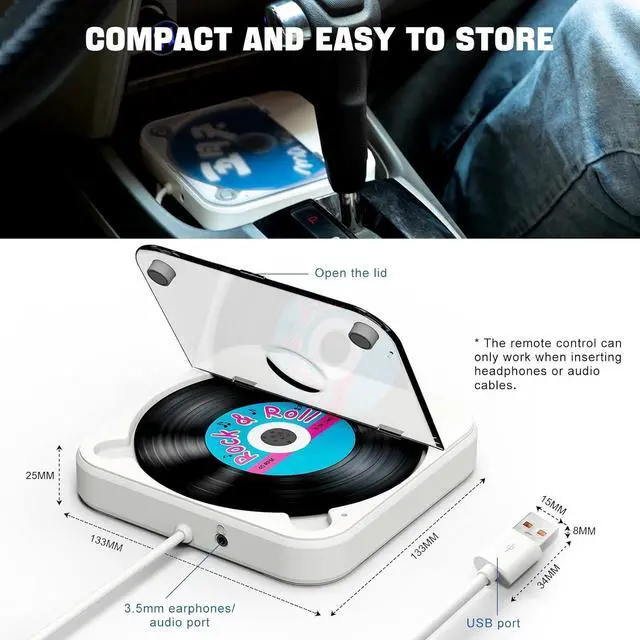
Anti Vibration DesignThe portable Car CD Player with usb can be placed by haphazardly, the music won't stop in the car's turbulence. With its compact size, the external CD player is convenient for storage and can fit in dash, car center console, ect
Please contact us if you are not sure whether this CD Player for car, compatible with your car stereo, we will help you confirm
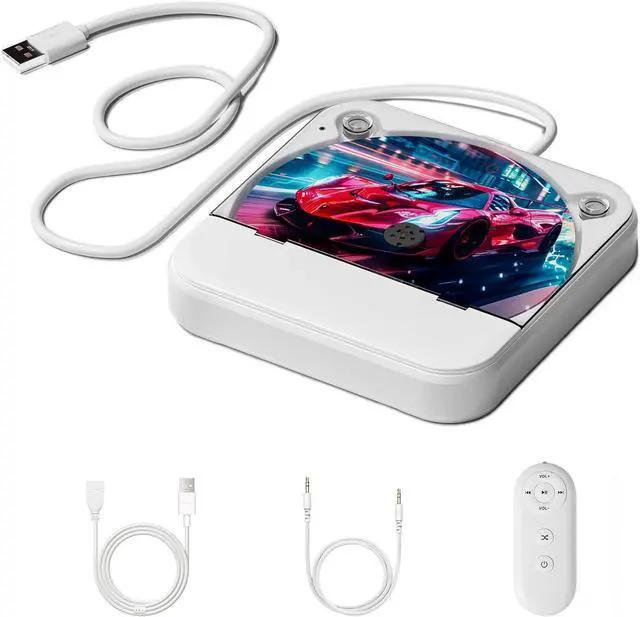
THIS CAR CD PLAYER IS DESIGNED FOR CARS WITHOUT A BUILT-IN CD PLAYER. EASY TO INSERT A CD AND TAKE OUT CDTwo Connection Methods: USB / AUX Connection
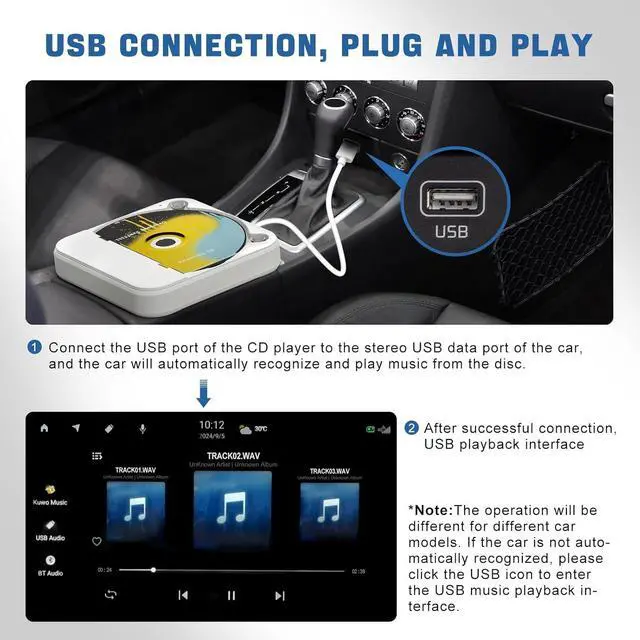
USB Connection:
Connect the USB port of the Car CD player to the USB data port on your car's stereo. The car will automatically recognize the connection and beginplaying music from the disc. Once the connection is successful, the USB playback interface will appear.
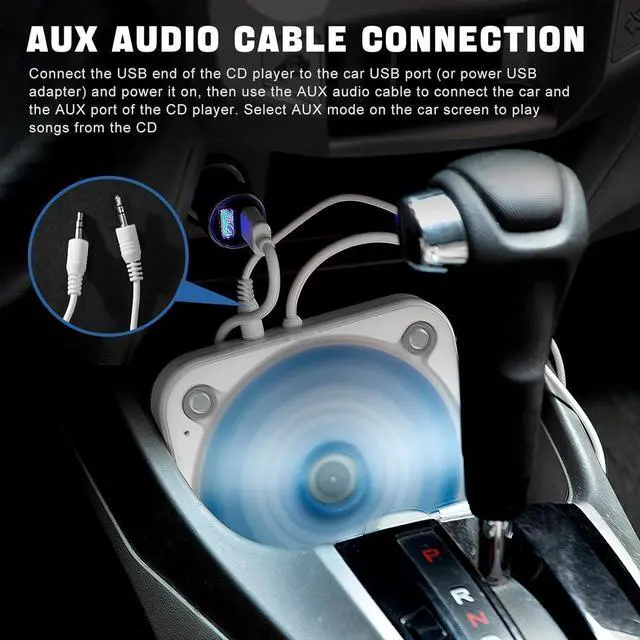
AUX Connection:
First, connect the USB end of the Car CD player to the car's USB port and turn it on. Then, use an AUX audio cable to connect the car's AUX port to theAUX port on the Car CD player. Finally, select AUX mode on your car's screen to start playing songs from the CDs.
Note:
The operation will be different for different car models. lf the car is not auto-matically recognized, please click the USB icon to enter the USB music playback in-terface.
The car stereo system must support playing WAV/MP3 audio files. Please check before purchasing
Compatible with Most CarsIf you are unsure whether Car CD player is compatible with your car before purchasing it, please consult us
Widely UsedNot only can it connect to cars, but it can also easily connect to smart TVs, TVset-top boxes, laptops (without recording function), tablets, outdoor speakers, home amplifiers, and more
Q: There is no power supply, how can the power supply be solved?
A: The USB port on the device are self-contained voltage output, this product is through the USB port reverse power supply CD player work.
Q: How to determine whether the CD player is compatible with your car?
A: The car stereo system must have a USB data port or an AUX audio port, and the car stereo system must support WAV or MP3 audio files.
Q: How to connect the CD player to the car?
A: There are two ways to connect the car. The first is to connect the USB port directly to the car stereo USB data port, plug and play. The second is to connect the AUX audio cable. Plug the CD player USB port into the car USB port or directly connect to the power supply, and then use a 3.5 mm AUX audio cable to connect the CD player and the car's AUX audio port. Select AUX mode to play the music in the CD. Different car models, interfaces and operation methods will be slightly different, please adjust according to the actual situation.
Q: How to connect the CD player to the smart TV to play the music in the CD?
A: Plug the CD player USB port into the smart TV USB port, use the remote control to open the music playlist in the CD folder, and select the songs you want to listen to.
Q: How to connect the CD player to the stereo?
A: Insert the USB port of the CD player into the USB port of the adapter to connect the power supply, and then use the 3.5 mm audio cable to plug into the AUX port of the CD player and the stereo respectively. After waiting for more than ten seconds, the stereo will automatically play the music in the CD.
Q: Why is the remote control not responding?
A: The remote control must work when the headphones or AUX audio cable are inserted. The CD player USB port is connected to the power supply, and the headphones can be inserted to enter the CD mode to listen to the music alone.


 Holiday Shipping Details & Extended Holiday Returns


