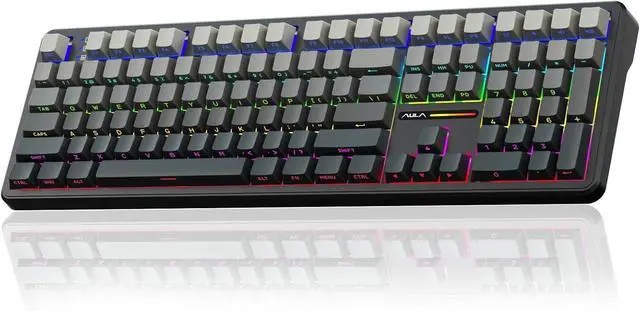
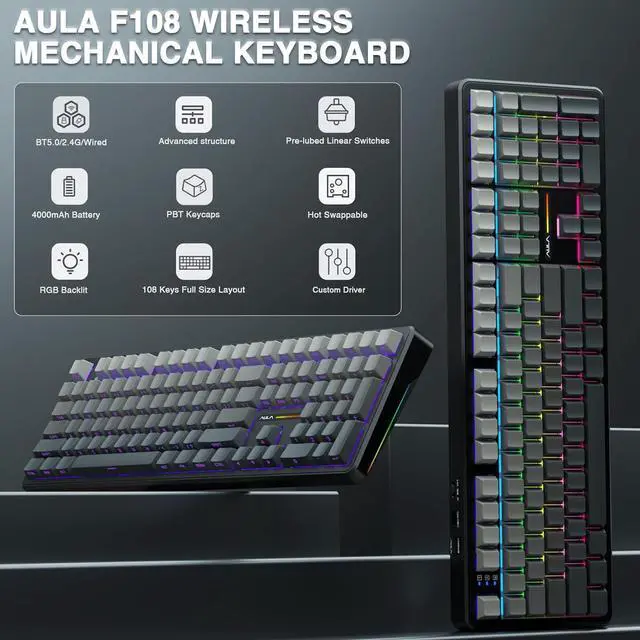
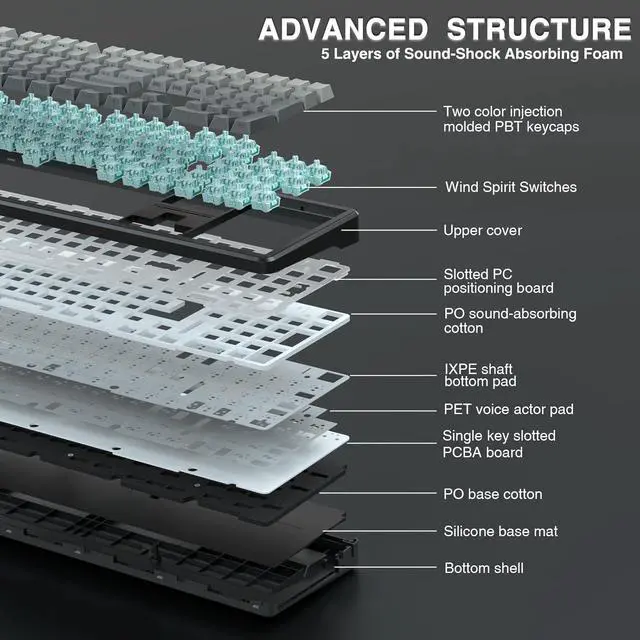
Advanced Five Layers Filling Structure: The mechanical keyboard wireless features an advanced structure, extended integrated silicone pad and PCB single key slotting, better optimizes resilience and stability, making the hand feel softer and more elastic. Five layers of filling silencer fills the gap between the PCB, the positioning plate and the shaft, effectively counteracting the cavity noise sound of the shaft hitting the positioning plate, ensuring the purest sound and soft and smooth typing experience every time you press the key
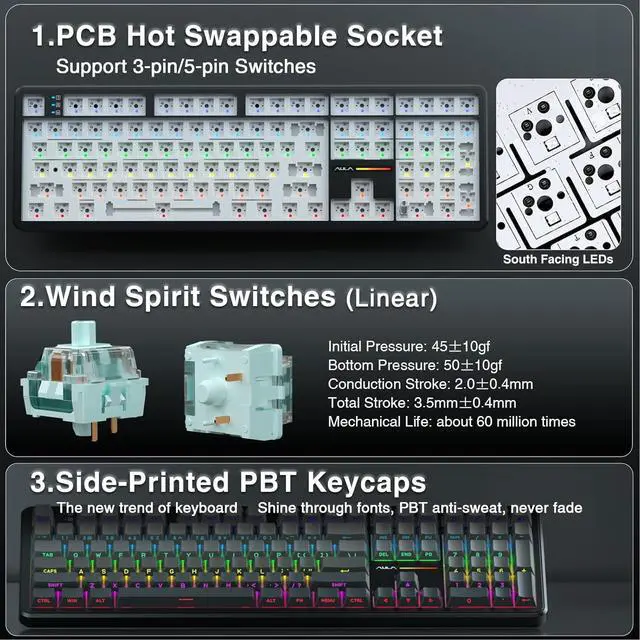
108 Keys Full Size Keyboard: F108 wireless gaming keyboard features a newly upgraded 100% full-size layout with arrow keys, function keys, and numeric zones for a more comfortable and productive office. The two-colour injection-moulded PBT keycaps are more durable without fading, sweat-proof, and softer to the touch. With the south-facing LEDs, the computer keyboard backlight clearly illuminates each key through the font, allowing you to operate accurately in the dark. The ergonomic keycap height, two-stage kickstand, and low front height greatly reduce finger fatigue and wrist strain, allowing you to work worry-free throughout the day
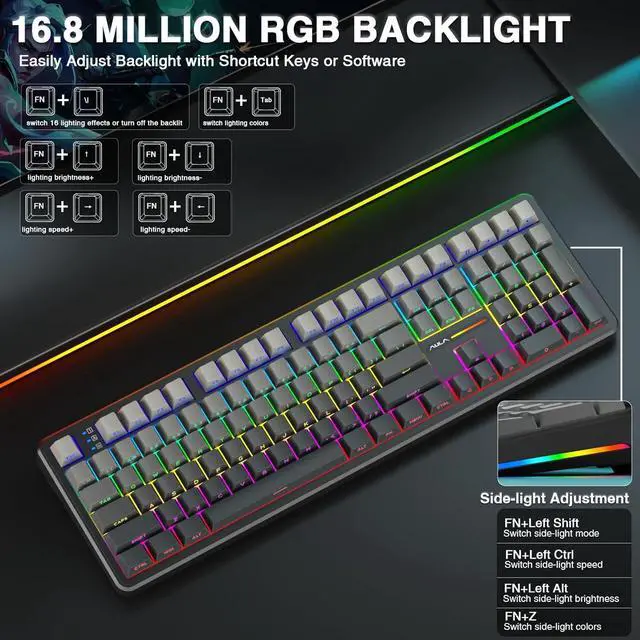
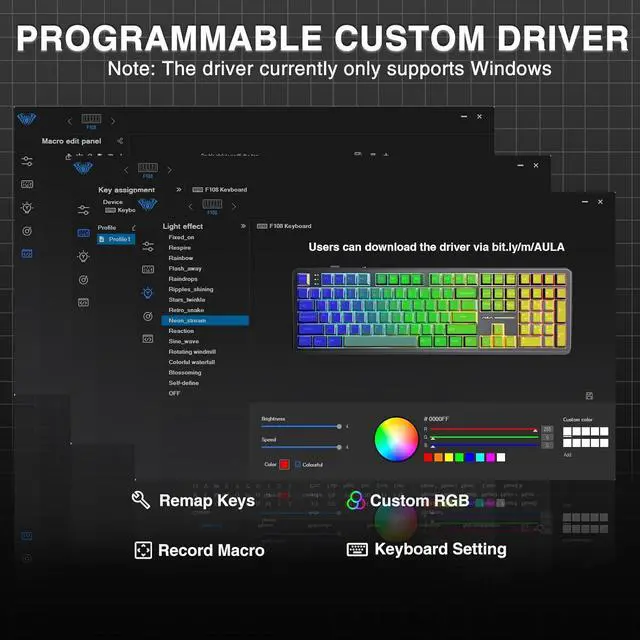
RGB Backlight & Programmable Software: The rgb backlit keyboard supports multiple dynamic RGB effects, monochrome and multi-colour modes. Over 16.8 million RGB colors are available to suit your mood, occasion or overall aesthetic. The decorative light bars on both sides are colorful and add a strong gaming atmosphere. RGB effects and colors can be switched through the shortcut keys or software. With the F108 driver, all keys support macro customization, which allows to record and edit macros to improve your work efficiency and speed up gameplay. (Note: The driver only supports windows system in wired mode).
Driver download: bit. ly/m/
1
RGB Backlight
2
4000mAH Battery
3
Custom Driver
How to download the software? Is it compatible with Mac?
1. Download the software via bit. ly/m/
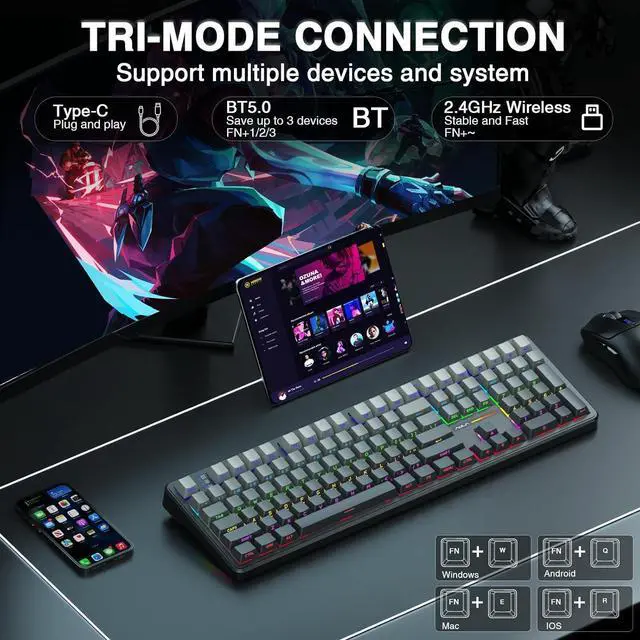
2. This F108 mechanical keyboard is compatible with Windows, Mac, IOS and Android systems, but the software only supports Windows system and wired mode.
How to quickly solve keyboard unresponsive or other unknown issues
Reset the keyboard by holding down FN+ESC for a few seconds until the keyboard light flashes
How to view the instruction manual
Scan the QR on the card inside the packaging to view it
F108 backlight/side light adjustment shortcut key?
FN+\|=switch 16 lighting effectsFN+Tab=switch lighting colorsFN+/=lighting brightness+/-FN+/=lighting speed+/-
Side Light Adjustment:
FN+Left Shift=Switch modeFN+Left Ctrl=Switch speedFN+Left Alt=Switch brightnessFN+Z=Switch colors
Received incorrect product color?
The keyboard packaging is uniformly gray yellow, please refer to the actual color inside the packaging for accuracy