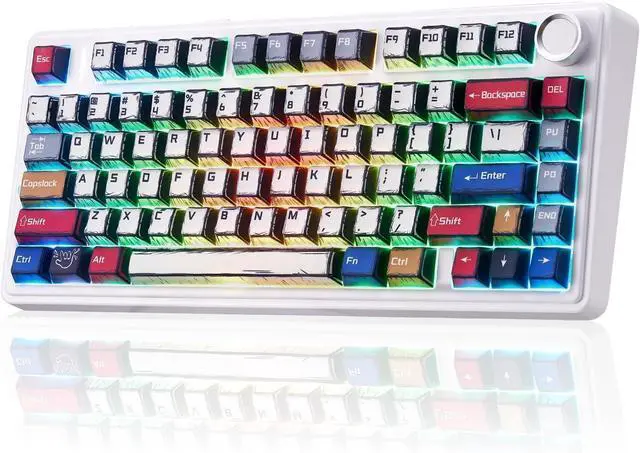
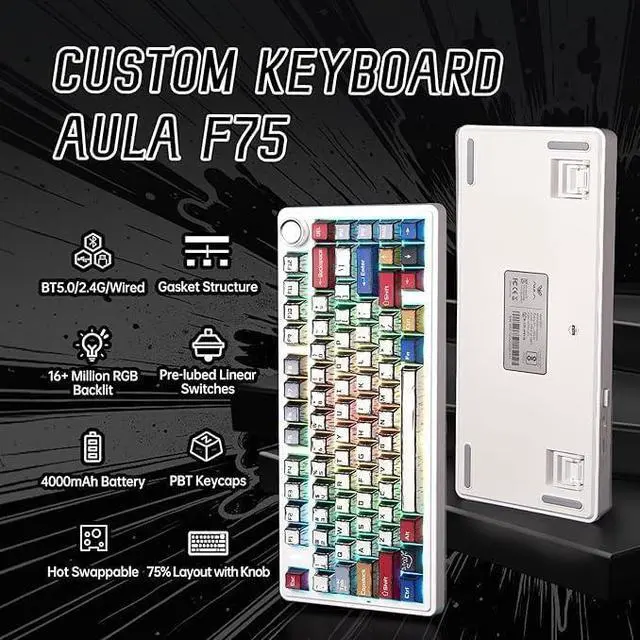
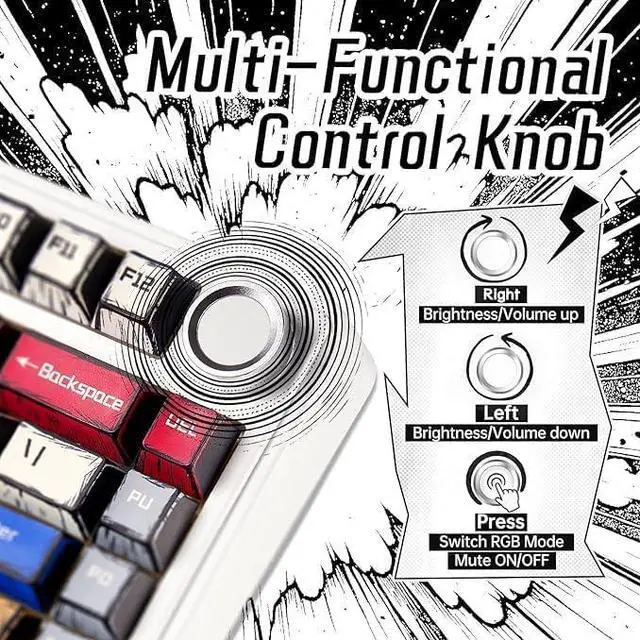
Gaming Keyboard 75 percent: This 81-key 75% layout compact keyboard integrates all the essential keys in a smaller footprint, making it perfect for streamlined desks and mobile setups without sacrificing functionality; with the multi-function knob, you can easily control the backlight and media without disrupting your workflow
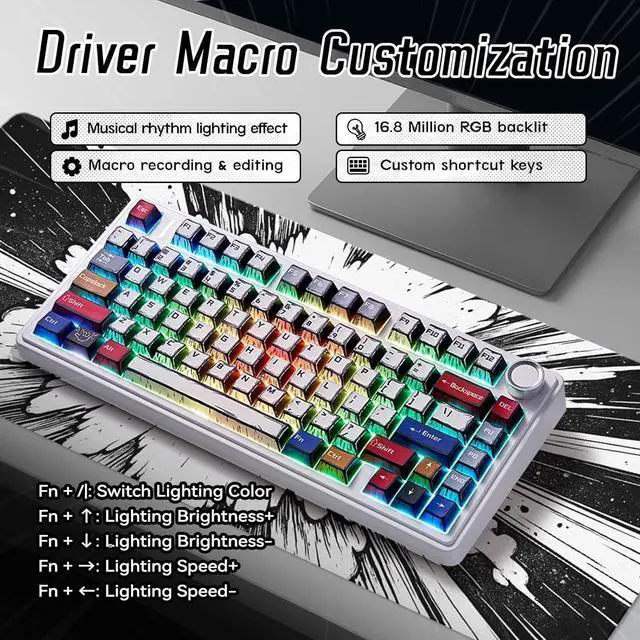
Dynamic Rgb Backlit Keyboard: F75 light up led keyboard features 16.8 million RGB lighting colors and 16 lighting effects, you can change the color, brightness and speed by the knob or FN key combination, creating a desktop atmosphere to fit your mood
Double-Shot PBT Manga Keycaps: The F75 takes durability to the next level with its Cherry-profile double-shot PBT manga keycaps, ensuring a perfect blend of robustness and stylish design. These keycaps stand resilient against wear, maintaining a sleek appearance
Quiet Gaming Keyboard: This creamy keyboard features gakets structure with 5 sound and shock-absorbing layers, effectively counteracting the cavity noise sound of the shaft hitting the positioning plate, making your hand feel softer
Full-Key Macro Programmable: You can customize the function of single key or key combination function through F75 driver to improve your work efficiency or increase the probability of winning the game; supports WIN key lock to prevent accidental touches
AULA F75 Gaming Keyboard with Knob and Creamy Sounding Manga Keycaps Gasket-mounted keyboards offer a softer, more cushioned typing experience by absorbing vibrations and reducing noise. This F75 gaming keyboard ensures consistent key press response across the entire board, enhancing comfort during prolonged use.
81 keys compact layout, saves 25% space. With the functional knob, you can easily adjust volume/light effects
Cycle through 16 preset RBG lighting effects via the knob or Fn+| shortcuts. Customize 16.8 million colors through driver software. The height of the keyboard can be adjusted according the user's needs
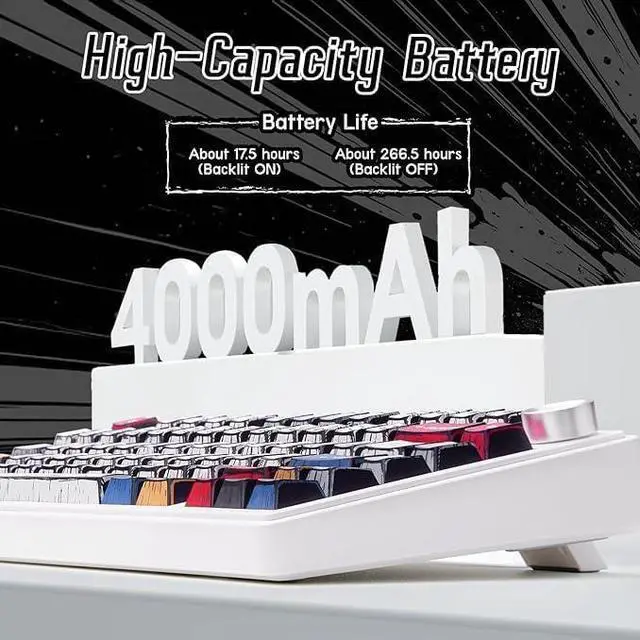
Long life battery for long time work or gaming.
Anti-sweat and anti-slip, durable color and never fade.
Easy to find and convient to use. How do I connect the keyboard?
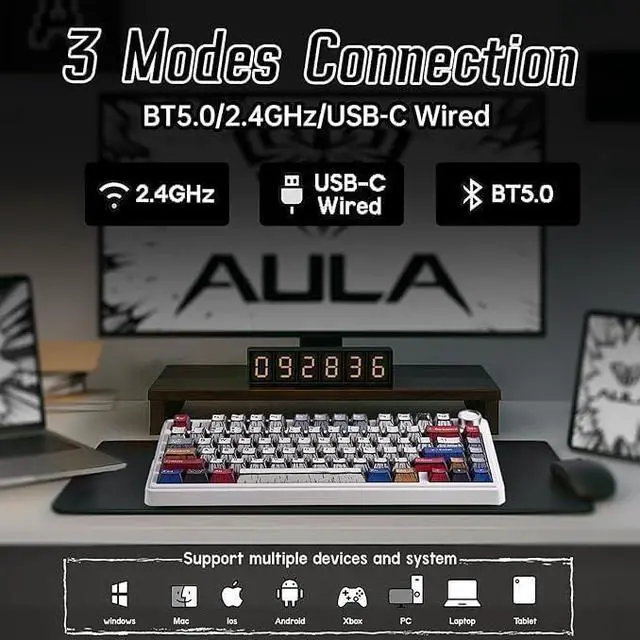
Toggle the side buttonto 2.4G /BT/Wired mode,
then:
2.4G mode: press FN+~ key for 3s, then plug in the receiver.
BT mode: press FN+1/2/3, search for the device named AULA-F75 3.0KB /AULA-F75 5.0 KB on your pc/tablet/phone, select it to connect.
How do I use the knob?
Long press to switch between Game/Office Mode.
In Game Mode: short press cycles 17 lighting effects, rotate adjusts brightness.
In Office Mode: short press toggles mute, rotate adjusts volume. See manual for details.
How do I customize the keyboard?
Download the F75 driver software on the website, switch the keyboard's side button to wired mode, then open the software to customize settings via the interface.
Is the keyboard compatible with Mac OS?
Yes, the keyboard is compatible with Mac OS, Windows and Android. After connectivity, press FN+E = Mac system (the light of E key red flashes for 3s).
Note: driver software only supports Window system in wired mode.
How can I put the keyboard into sleep mode when not in use?
The keyboard will automatically enter sleep mode after 1 minuteyou can reset the time via the Driver of inactivity. To wake it up, simply press any key.