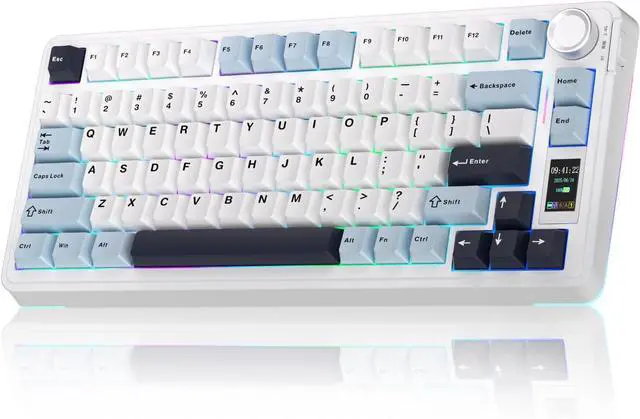
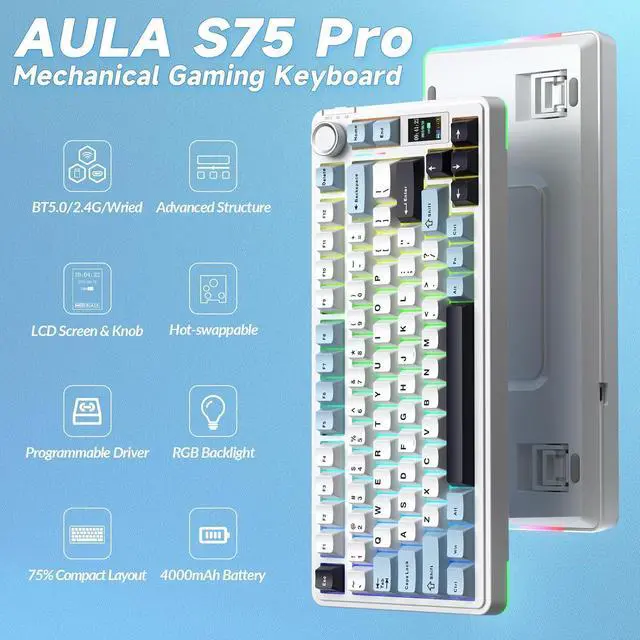
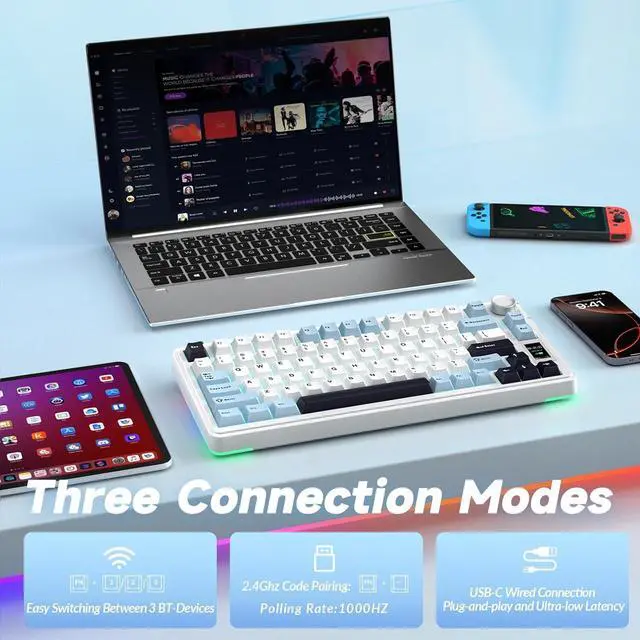
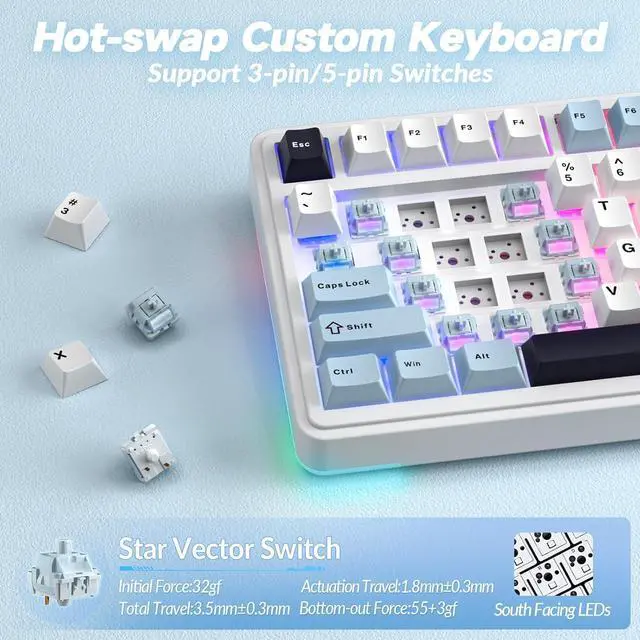
Hot-swap Custom Keyboard: This mechanical keyboard with hot-swappable base supports 3-pin or 5-pin switches replacement(keycap/switch puller is included in the package). Even keyboard beginners can easily DIY there own keyboards without soldering issue. Equipped with pre-lubricated stabilizers and switches, the computer keyboard bring smooth typing feeling and pleasant creamy mechanical sound, providing fast response for exciting games(NOTE: Turn off the power to the keyboard when replacing the switch. )
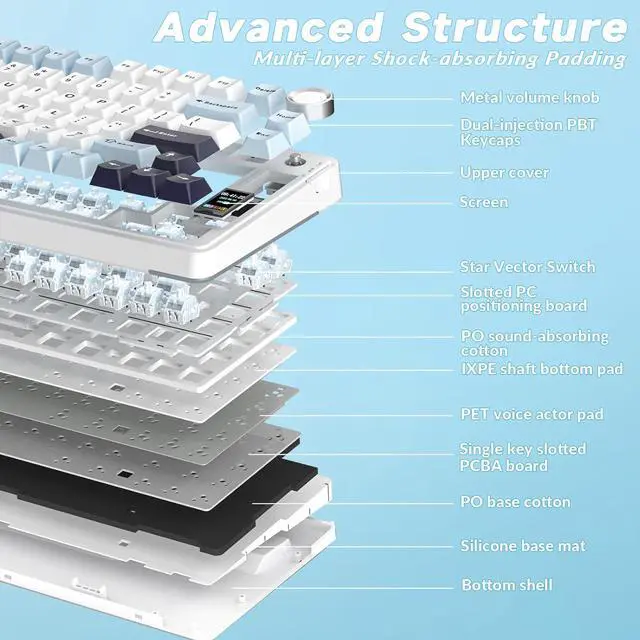
Creamy Keyboard with Advanced Structure: The S75 Pro thocky keyboard features an advanced structure, extended integrated silicone pad, and PCB single key slotting, better optimizes resilience and stability, making the hand feel softer and more elastic. Five layers of filling silencer fills the gap between the PCB, the positioning plate and the shaft, effectively counteracting the cavity noise sound of the shaft hitting the positioning plate, and providing a solid feel
75% Compact Layout & PBT Keycaps: No matter the outlook, the construction, or the function, S75 Pro keyboard is definitely a professional gaming keyboard. This 80-key 75% layout compact keyboard can save more desktop space while retaining the necessary arrow keys for gaming. These side-engraved PBT keycaps take double injection molding and heat sublimation process, which are more durable without fading, sweat-proof, and softer to the touch.
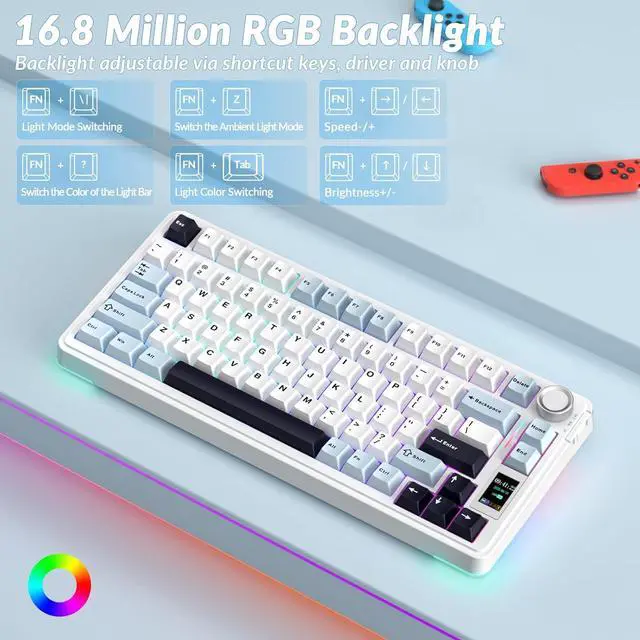
RGB Backlight & Programmable Software: The rgb backlit keyboard comes with 19 rgb lighting effects, over 16.8 million rgb colors and side light, adding a stronger gaming atmosphere. RGB effects and colors can be switched through the knob/software, or shortcut keys. And you can turn the backlight off if you do not need it. With the S75 Pro driver, all keys support macro customization, which allows you to record and edit macros to improve your work efficiency and speed up gameplay. (Note: The driver only supports windows system in wired mode).
Driver download: bit. ly/m/
No Additional Cost: You pay nothing for repairs parts, labor, and shipping included.
Coverage: Plan starts on the date of purchase. Malfunctions covered after the manufacturer's warranty. Power surges covered from day one. Real experts are available 24/7 to help with set-up, connectivity issues, troubleshooting and much more.
1
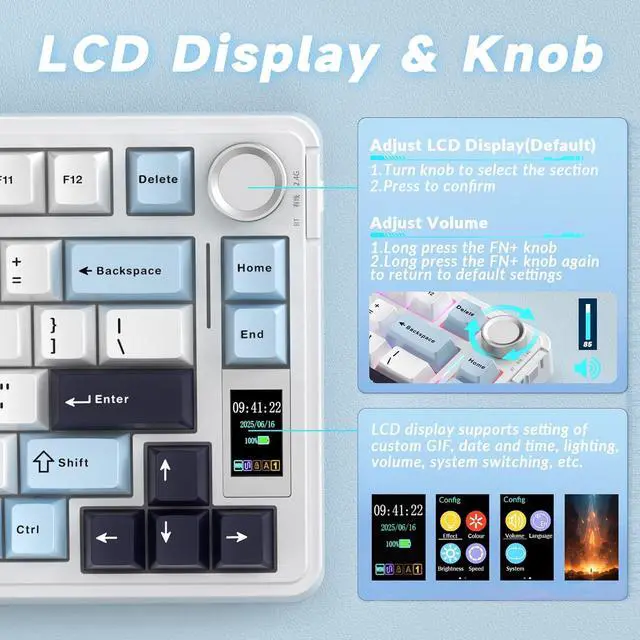
Screen & Knob
2
Hot-Swappable
3
Programmable Software
Large-capacity Rechargeable BatteryAbout 30
hours (Backlit ON)
About 80
hours (Backlit OFF)
Ergonomic DesignWith two-stage kickstand,
Fits different working heights
How to download the software/driver? Is it compatible with Mac?
1. Download the software via bit. ly/m/
2. This S75 Pro wireless mechanical keyboard is compatible with Windows, Mac, IOS and Android systems, but the software only supports Windows system and wired mode.
How to calibrate the date/time and custom GIF images on the screen?
1. Download and install the S75 pro driver in wired mode with windows system.
2. Find the "TFT screen" and click to "Time Syns" button.
3. Upload an image or gif
Note: The LCD screen has a transparent protective film that can be peeled off before use.
How to view the instruction manual
Scan the QR at the bottom of the S75 Pro gaming keyboard to view the electronic manual.
How to adjust the S75 PRO backlight/side light?
Backlight Adjustment
FN+\|=switch 19 lighting effectsFN+Tab=switch lighting colorsFN+/=lighting brightness+/-FN+/=lighting speed+/-
Side Light Adjustment:
FN+Right Shift=Switch effectFN+/? =Switch colorFN+Right Alt=Switch brightness
How to quickly solve keyboard unresponsive or other unknown issues
Reset the S75 Pro creamy keyboard by holding down FN+ESC for a few seconds until the keyboard light flashes.