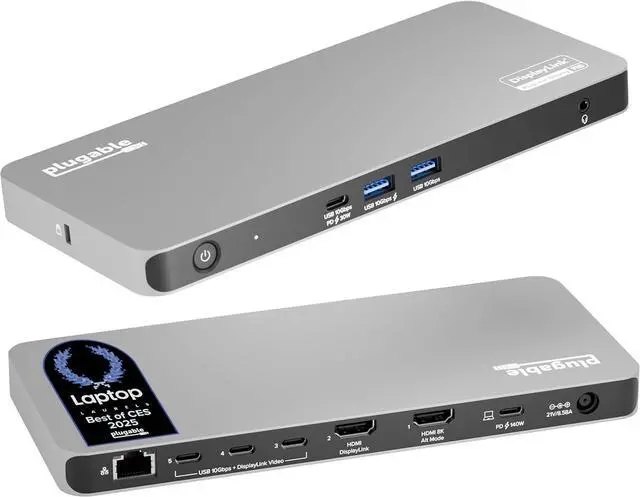
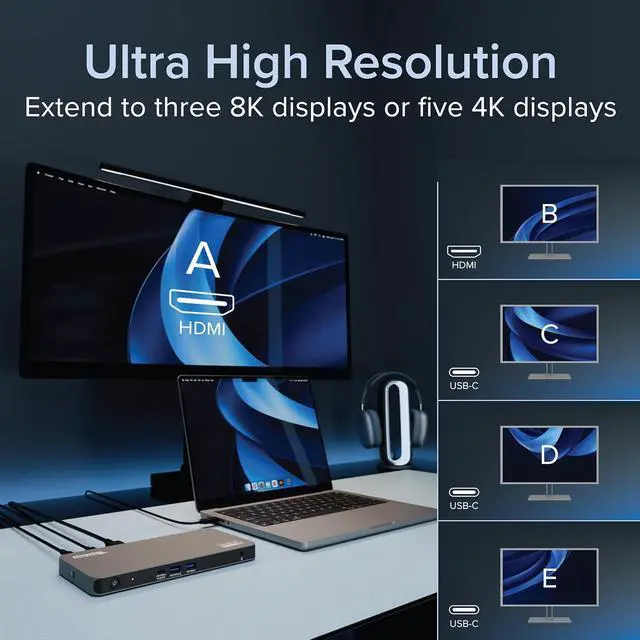
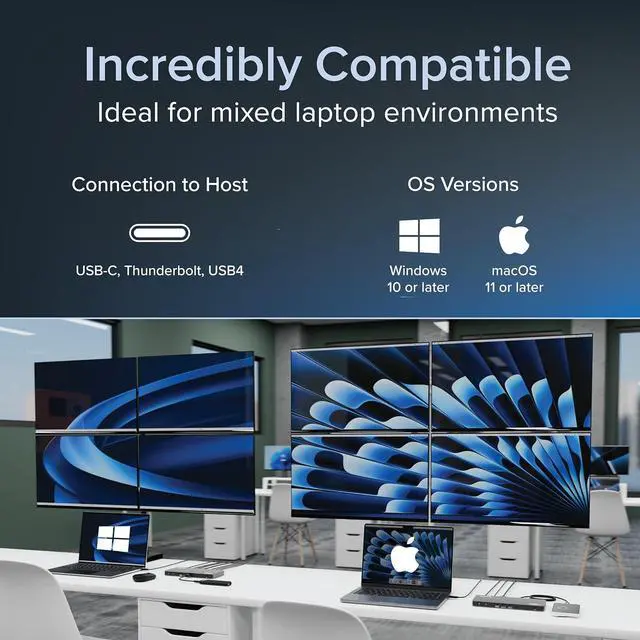
Incredibly Compatible: DisplayLink (driver required) universal docking station features HDMI & USB-C video ports. Works with video-enabled USB-C or Thunderbolt Windows 10+ or macOS 11+ hosts; even base M1/M2/M3/M4 Macs can connect 5 4K displays.
Note: HDCP video (Netflix, Hulu, etc. ) not supported
Lifetime Support: This USB-C and DisplayLink Docking Station has been designed with reliability at its core and was built to meet the deployment demands of IT departments and the ease of use necessary for home offices. Includes lifetime support from our North American team of connectivity experts
UD-7400PDMerchant Video1
5 Displays
2
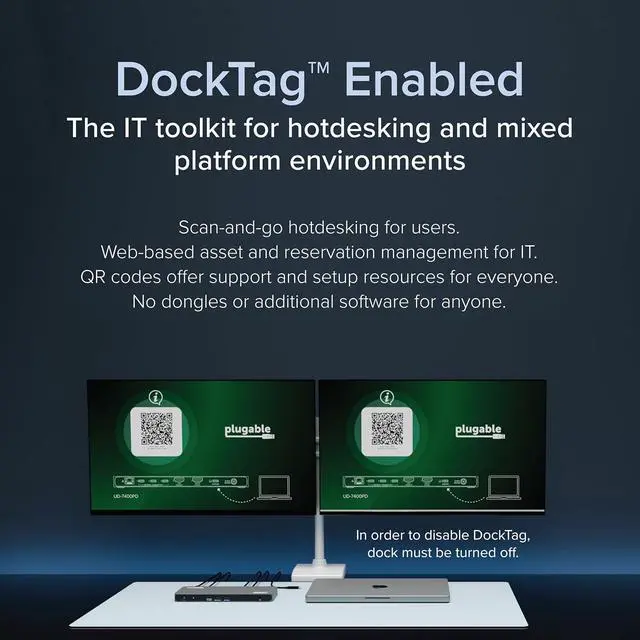
DockTag Enabled
3
Compatibility
1
The Other Guys
2
High-Speed Data
3
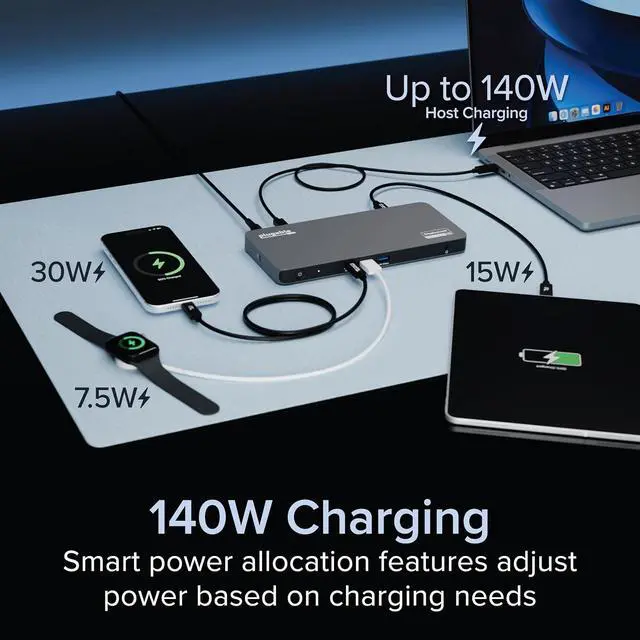
Powerful 140W Charging
Tech Specs Quintuple (5) Display Support
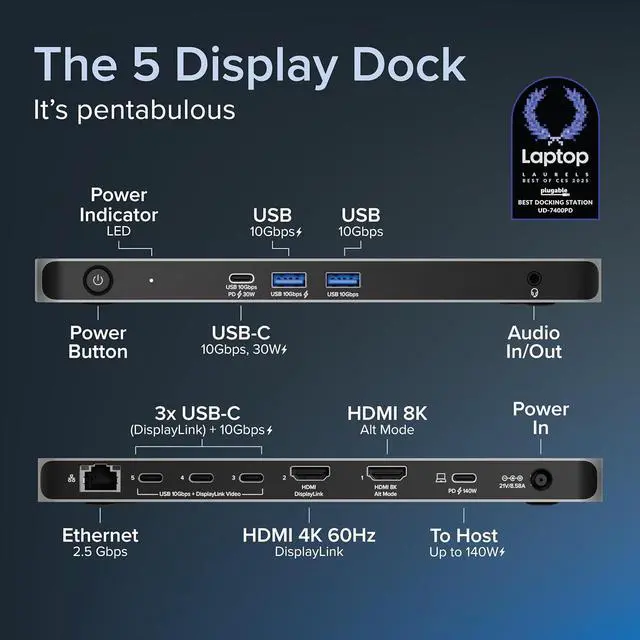
Connect up to five 4K@60Hz displays via a combination of HDMI and USB-C connections
Powerful host charging
Provides up to 140W of power to charge the host computer
Port flexibility
Three USB-C ports can support both USB 10Gbps data and video output via DisplayLink
Broad compatibility
Hybrid docking station combining the power of USB-C Alt Mode Video and the DisplayLink DL-7400 chipset
DockTag Enabled
DockTag OSD displays the docks status, asset details, and a scannable code linking to setup instructions and support resources
Will this docking station work with my computer? A computer with a full-featured USB-C port (including Thunderbolt / USB4) that supports video and charging is compatible. Monitors with HDMI and/or USB-C are compatible. Use of a USB-C video adapter or cable may be required (sold separately).
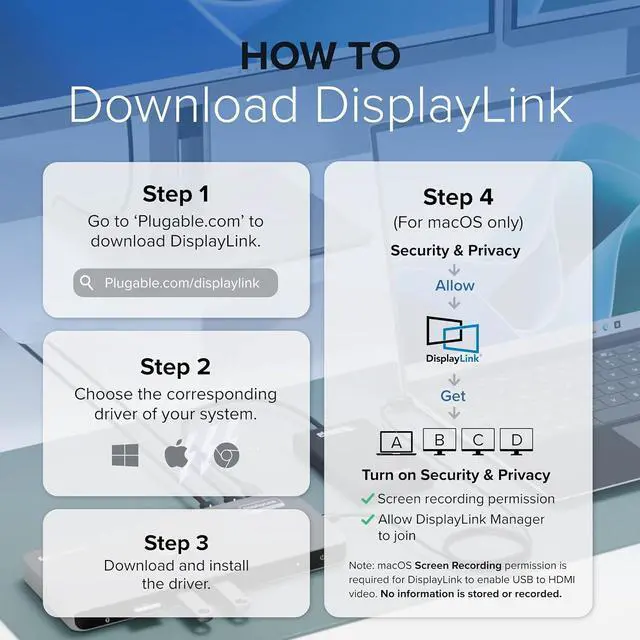
Do I need to install software or drivers in order to use the UD-7400PD docking station? DisplayLink software is required for Windows and macOS to enable display functionality. On macOS, 'Screen Recording' allows the driver to send display data via USB, enabling external displays; no data is stored.
Is this docking station compatible with M1 / M2 / M3 / M4 Mac laptops? Yes. Apple Mac laptops with M1/M2/M3/M4 processors that are running macOS 11 or later are compatible. DisplayLink software installation required. Screen Recording' allows display data to be sent via USB enabling external displays; no data is stored.
How do the DockTag on-screen informational displays work? DockTag shows a 60-minute on-screen informational display with model, serial, and additional resources when no laptop is attached to the dock. The power button can be pressed to dismiss the info screen, or power cycle the dock to restart the screen.
Some of the reviews suggest instability on Mac. What has done to address this? Based on customer feedback, and DisplayLink investigated, identified, and resolved an instability issue affecting monitors with non-standard timings. For the best experience, please download and install the current software from our website.