Triple 4K
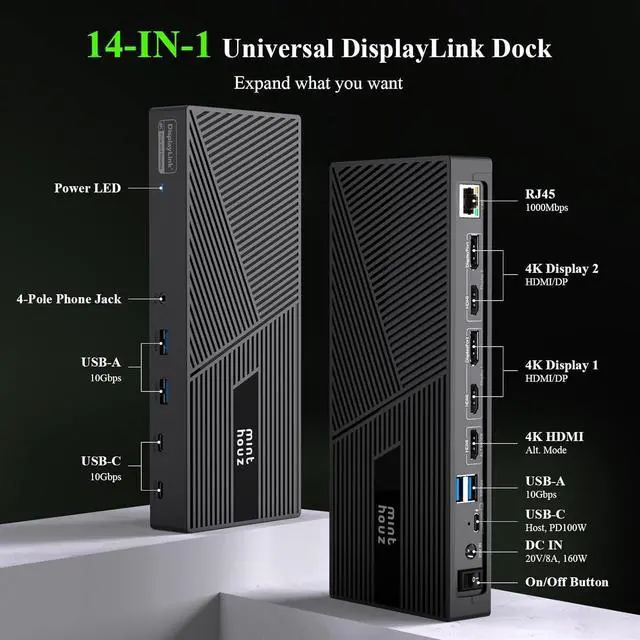
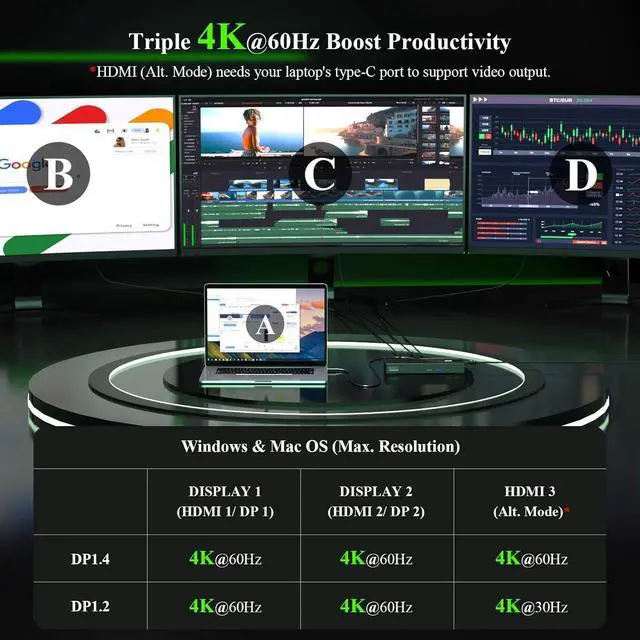
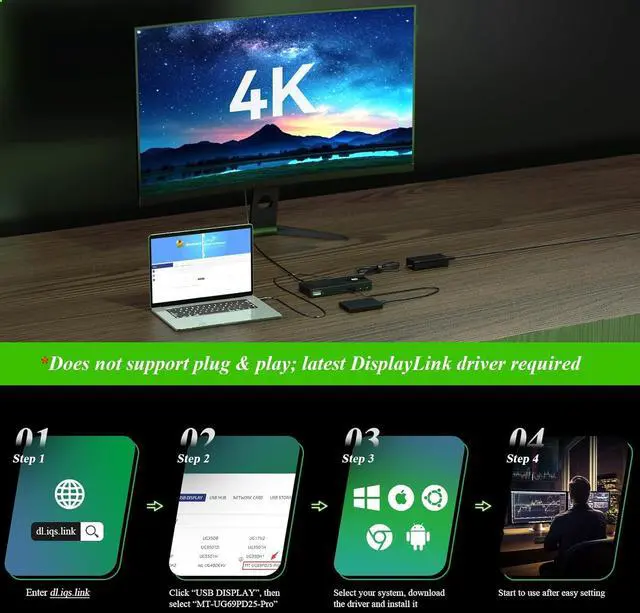
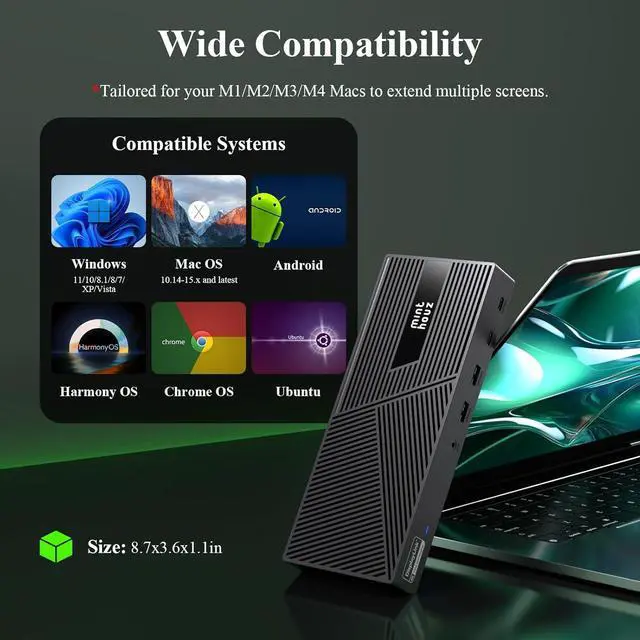
Video Output: Easily connect up to three 4K monitors! Enjoy stunning 4K@60Hz resolution on the HDMI (Alt Mode) port, perfect for tasks like video editing and gaming. The DisplayLink-6950 chipset enables dual 4K@60Hz displays on DISPLAY 1/2 (HDMI/DP) ports, ideal for expanding display options on M1/M2/M3/M4 Macs. Great for web browsing and productivity apps; not recommended for high-intensity gaming
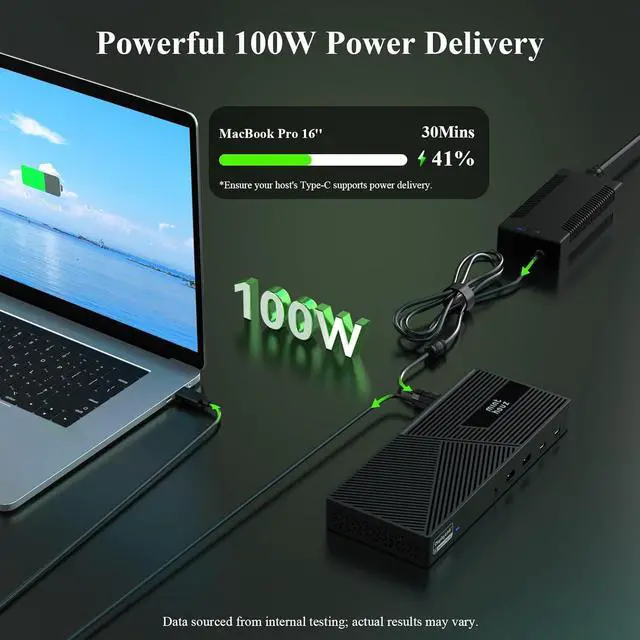
Powerful 100W Power Delivery: Equipped with a robust 160W power adapter, the dock provides up to 100W of charging power to your laptop, ensuring all-day performance while also powering connected peripherals. Stay productive without worrying about low battery issues. *Please verify that your laptops Type-C port supports power delivery
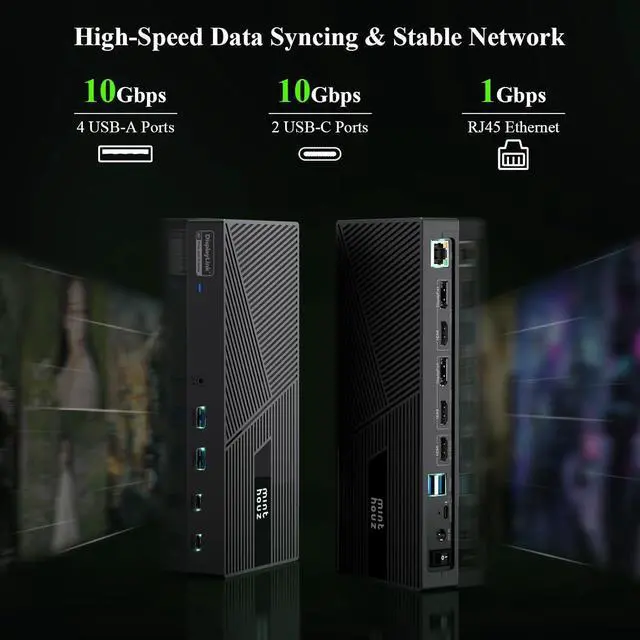
High-Speed Data Syncing: Experience fast file transfers with four 10Gbps USB-A ports and two 10Gbps USB-C ports, making it perfect for connecting external hard drives and other USB devices. Maintain a secure and stable wired network connection with the Gigabit RJ45 Ethernet port, which is backward compatible with 10/100Mbps networks
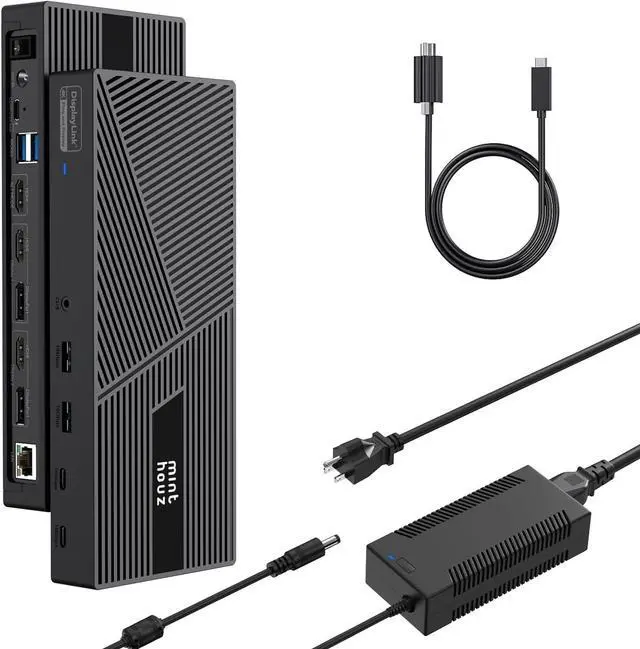
What's in the Box: Triple 4K Docking Station USB-C to C Cable (E-Mark Chip) 160W Power Adapter Quick Start Guide Driver Link Card
1
DP/HDMI
2
Wide Compatibility
3
Efficient Chips
1
Mirror Mode
2
Extend Mode
1
4K HD
2
Fast Charging
3
Data Transfer
4
Gigabit Network
5
Audio & Mic
1
In Box
2
Warning
Do i have install Display link driver for laptop to use 3 monitors? Yes. The dock runs 2 monitors via displaylink, and the other only works if your host computer support USB-C Alt video output. Once installed the displaylink software, even able to run 2 monitors via USB-A on old laptop.
Is clamshell and rotation mode supported on macOS? On Apple M1 silicon, clamshell mode is available on macOS 11.1 and later with laptop power adapter connected and display rotation for macOS 12 onwards. On Intel-based, clamshell mode was introduced in macOS 12 and rotation mode for macOS 11.0 onwards
Why can't my laptop get charged through USB C port? Not all USB-C port support charging capabilities. Making sure that your laptop complies with USB C Power Delivery or claims Thunderbolt 3/4 charging capabilities. If its not supported, that comes with the system must be used to charge the battery.