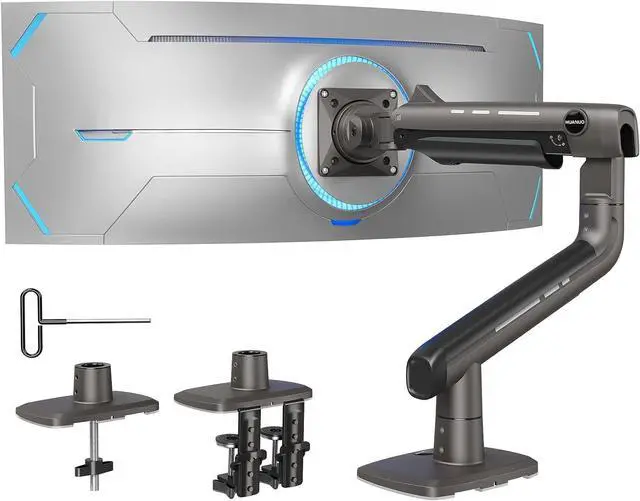
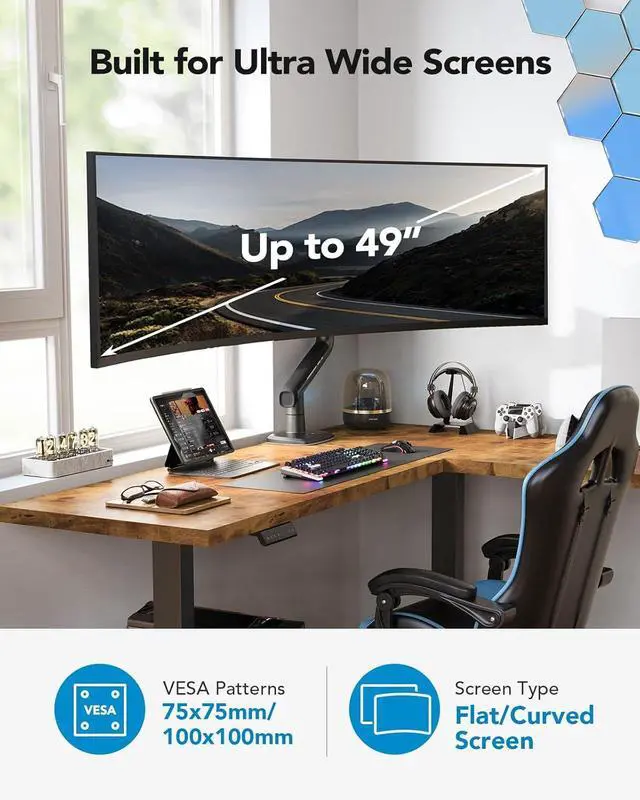
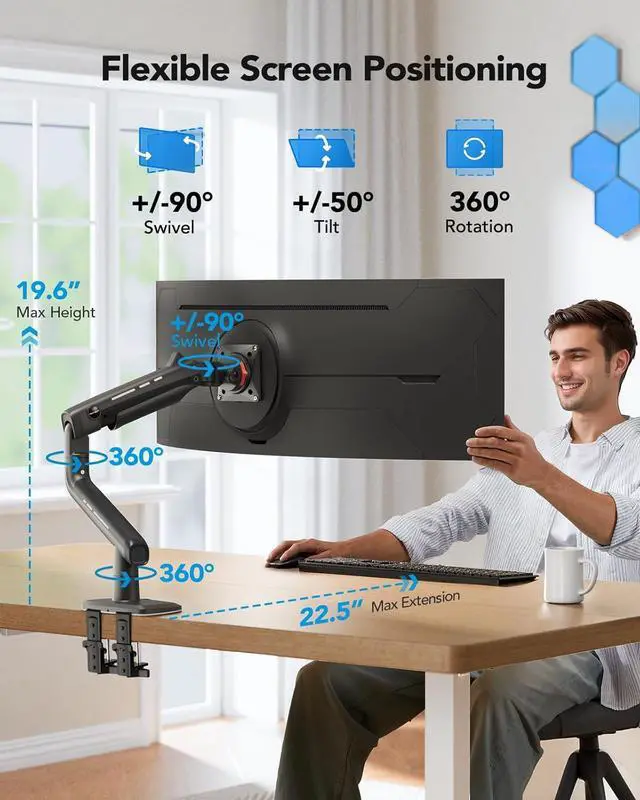
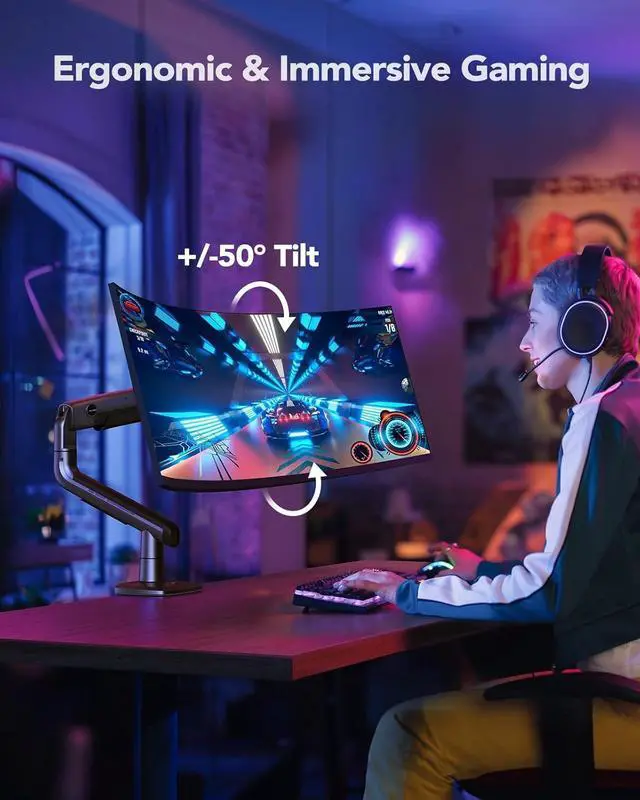
Fully Adjustable: This ultrawide monitor stand enables precise positioning with a full range of motion. Adjust the tilt angle from +50° to -50°, swivel 180° left or right, rotate 360° horizontally and vertically (compatible with screens up to 35"), and extend the arm up to 22.5". Adjust the height up to 19.6" (measured from the desk surface to the VESA mounts center) to achieve optimal ergonomic positioning for both work and entertainment.
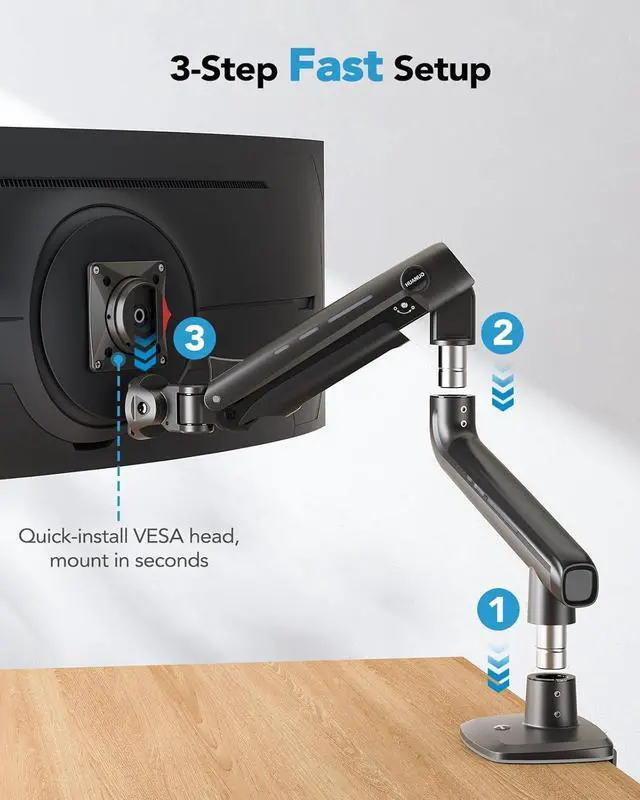
Quick 3-Step Setup: The monitor desk mount has a quick-install VESA head, so you can mount your 49 ultrawide monitor in seconds. The package includes clear, detailed instructions and labeled components for a smooth assembly. Plus, built-in cable management keeps your wires tidy and organized for a clean, streamlined workspace.
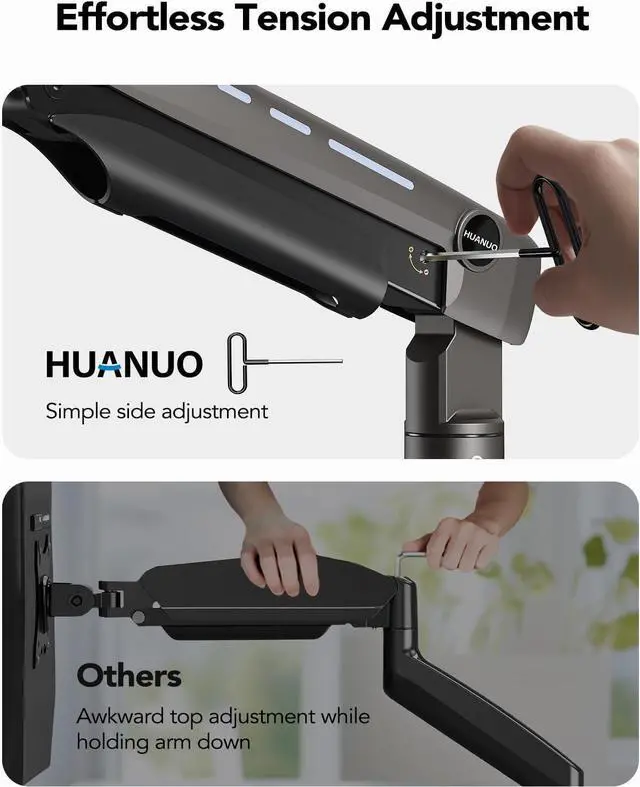
Effortless Tension Adjustment: Unlike other monitor arms that require difficult tension adjustments, the computer monitor arm makes it easy with simple one-hand operation. Just insert the included Allen key into the side bolt and fine-tune to your desired tension.
Elevate Your Viewing Experience with s Monitor Arm: Comfort & Stability
A computer monitor stand can open up 80%
more desktop space by freeing up room for a keyboard, mouse, and laptop. Integrated cable management on the single mount arm allows you to neatly route cables for a neater, more organized look.
How to attach the monitor arm for the Samsung G9 monitor?
Is my monitor suitable for this monitor arm? You should to ensure that your monitor meets these three conditions at the same time:
1) Each Monitor size range is 17-49 inches
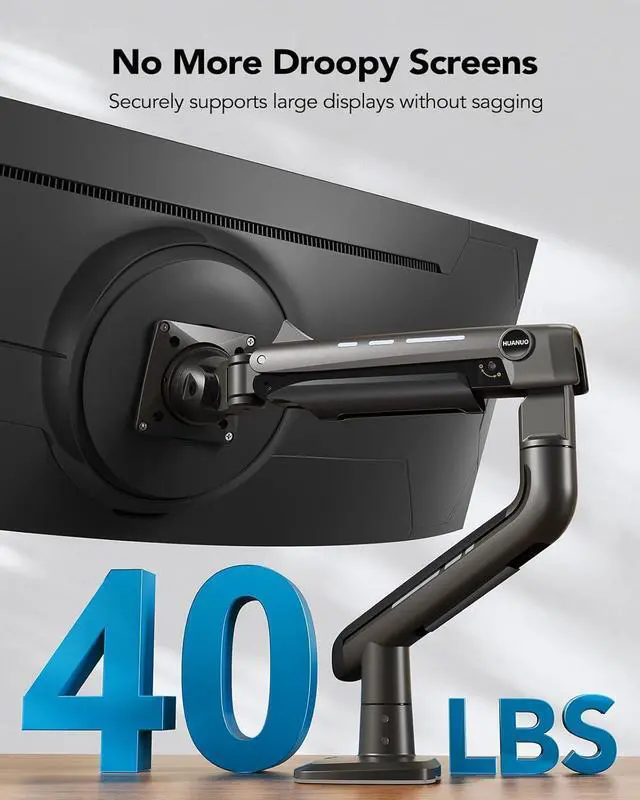
2) Each Monitor weight range is 6.6 -40lbs
3) The each monitor has a VESA hole (75*75mm or 100*100mm) on the back
What kind of desk is suitable for installing this monitor arm?
Table material: Wooden tables are recommended, plastic or glass tables are not allowed.
Table thickness range: 0.8 inches - 3.5 inches.
The bottom of the desk should not have any cross beams or panels, as this will interfere with installation.
There is no obstruction under my standard wood table. What should I pay attention to when using the C-clamp to install?
Type 1: Thickness in the range of 0.8 - 3.5 inches, the bracket can be installed smoothly.
Type 2: Thickness outside the range of 0.8 - 3.5 inches, need add a block to increase the overall thickness to the range of 0.8 - 3.5 inches.
There are obstacles under my standard wood desk. What should I pay attention to when using C-clamp installation?
Case 1: Beam is flush with the tabletop, but has a narrow diameter.
Solution: Add a block on the inside of the beam to solve the problem.
Case 2: Concave beam.
Solution: Add a block on the outside of the beam to solve the problem.
What should I pay attention to when installing with grommets? Standard wooden table with thickness in the range of 0.8 - 3.5 inches, the bracket can be installed smoothly.