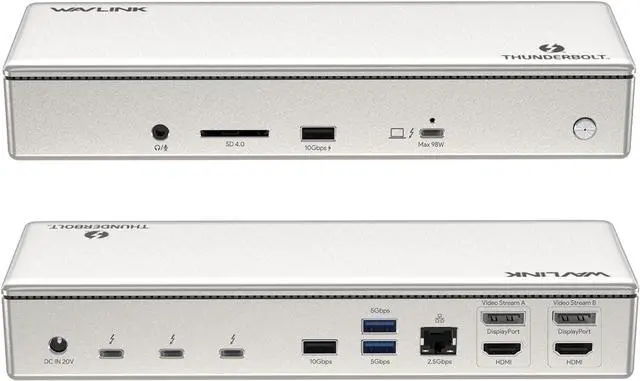
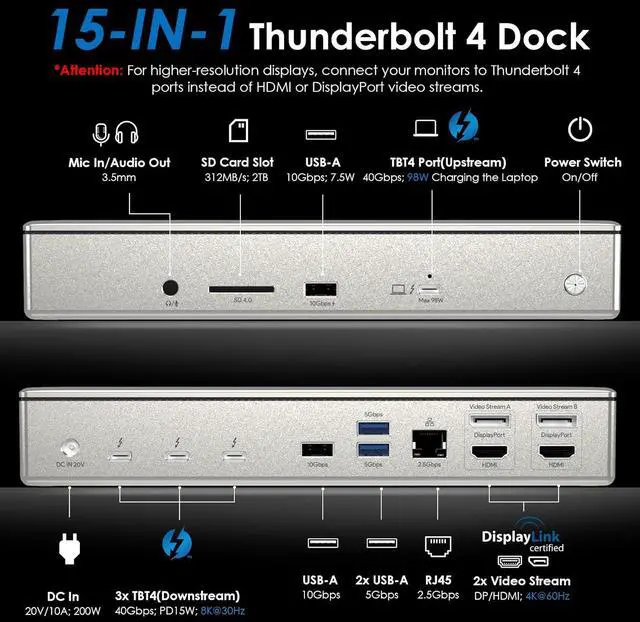
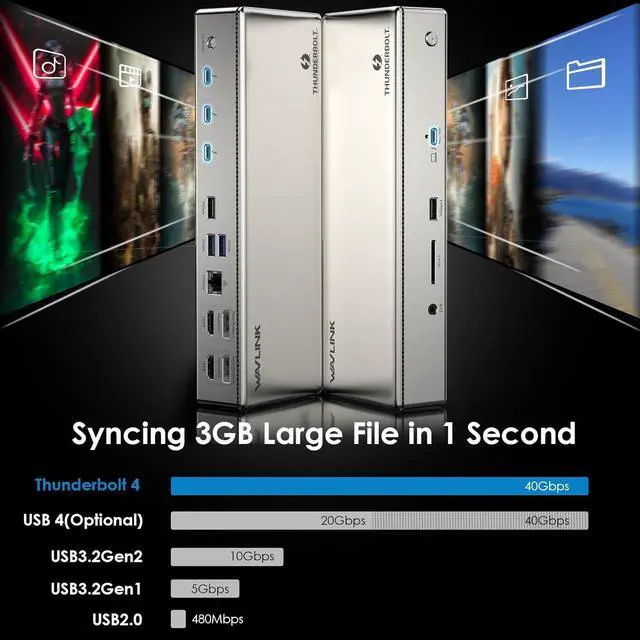
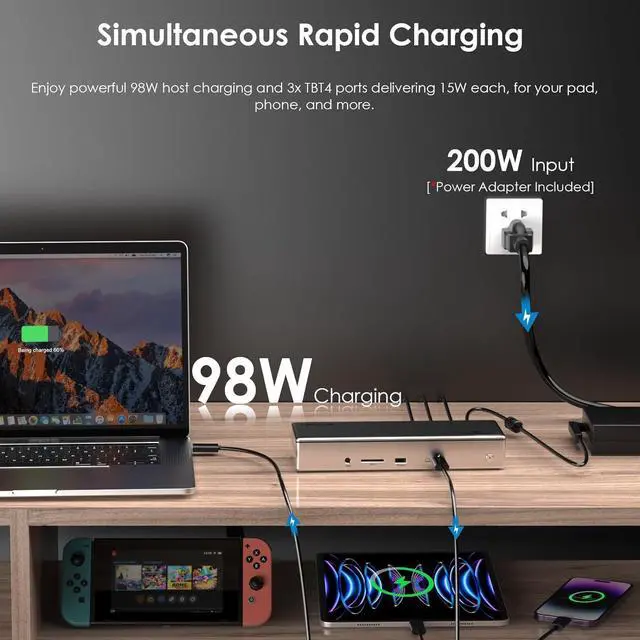
[40Gbps Transfer Speed & 98W Charging] Enjoy lightning-fast data transfer speeds with Thunderbolt 4 at 40 Gbps. The upsteam Thunderbolt 4 port supports up to 98W power delivery, allowing for efficient charging of your laptop. Additionally, the three downstream Thunderbolt 4 ports also offer 15W power delivery to keep multiple devices charged simultaneously. These extensive connectivity and power capabilities greatly enhance efficiency in your work.
[Equipped 2.5G Ethernet & SD V 4.0 card reader] Whether you're streaming, gaming, or working on bandwidth-intensive tasks, the 2.5G wired connection ensures a seamless online experience with enhanced network capabilities. Enjoy lightning-fast and lag-free connectivity without any interruption. An integrated SD V 4.0 card reader supports blazing-fast speeds of up to 312 MB/s, allowing for fast and efficient transfer of files from SD cards, saving you valuable time and ensuring smooth workflow.
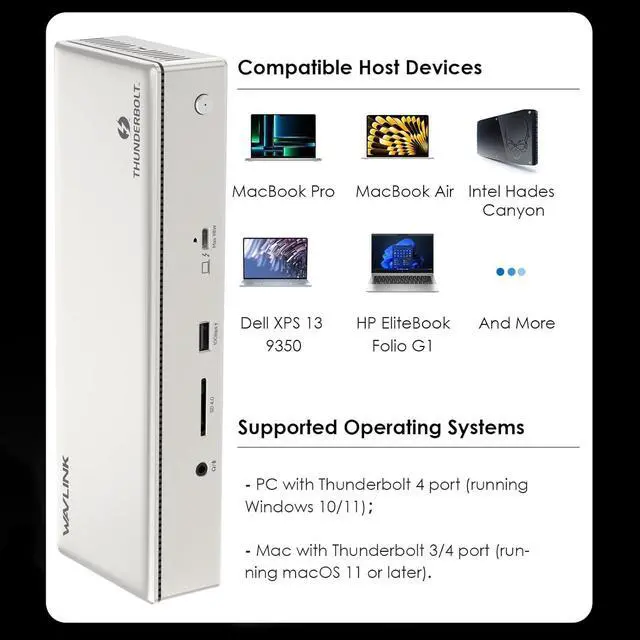
[System Compatibility & Package] This DisplayLink and Thunderbolt 4 hybrid docking station is compatible with Thunderbolt 4/USB 4-enabled PCs running Windows 10/11 and Thunderbolt 3/4-enabled Macs running Mac OS 11 or later. Just enjoy seamless connectivity and enhanced functionality on your PC or Mac with this docking station.
In the box: 1x Thunderbolt 4 Quad Display Docking Station, 1x 31 inch Thunderbolt 4 Cable, 1x Cable Holder, 1x 160W Power Adapter, 1x Quick Start Guide, 1x Driver Download Card.
1
40Gbps Data
2
2.5G Ethernet
3
Host and Device Charging
4
Powerful Compatibility
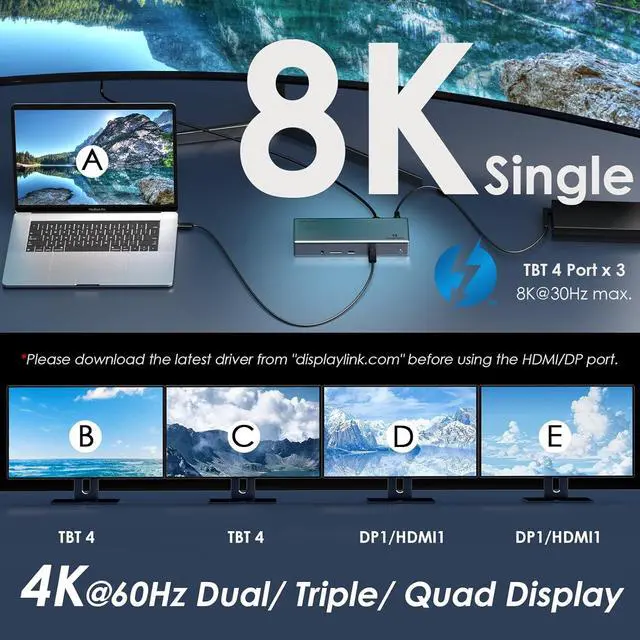
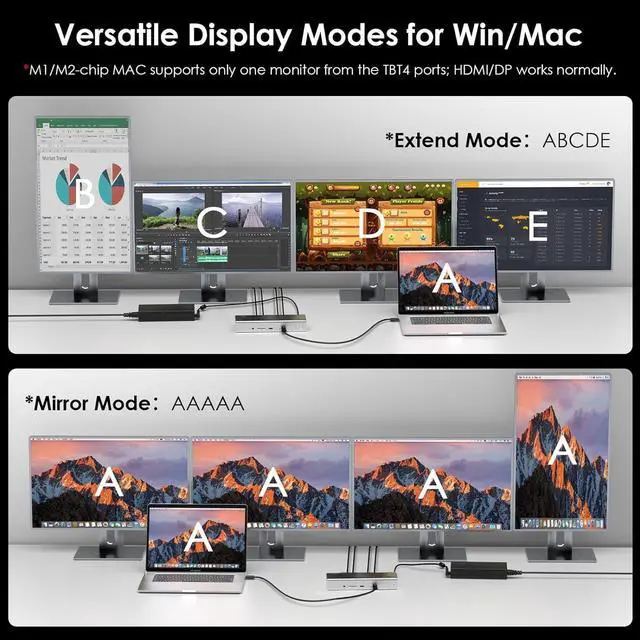
External Display OptionsTwo displaylink video streams combined with any two downstream TBT4 ports can connect up to four 4K@60Hz displays.
Do I have to install software in order to use the docking station? Yes, DisplayLink software application must be installed on a Windows or Mac computer in order for the docks HDMI/Displayport video outputs to function. Manual installation is required for macOS, Windows installation is typically automatic.
When installing DisplayLink software on my Mac, why is it necessary to grant Screen Recording permission? macOS requires "Screen Recording" for the DisplayLink driver to work properly. Approving it enables the driver to send data over USB from your computer to the DisplayLink-powered display. No data, images, or pixels are being stored or recorded.
Does this docking station work with base M1 / M2 / M3 Mac laptops? Mac with base M1, M2, or M3 processors will only support up to three external displays (any one downstream Thunderbolt 4 display and two other displays via HDMI or DP)
Does this docking station work with M1 Pro/Max, M2 Pro/Max, M3 Pro/Max, 'base' M4, M4 Pro, and M4 Max Mac laptops? Macs with M1 Pro, M1 Max, M2 Pro, M2 Max, M3 Pro, M3 Max, 'base' M4, M4 Pro, and M4 Max processors will support up to four external displays (any two downstream Thunderbolt 4 display and two other displays via HDMI or DP)
Can I use HDMI and DP simultaneously in the same video stream? No, the HDMI and DP ports in the same Video Stream can not be used at the same time.