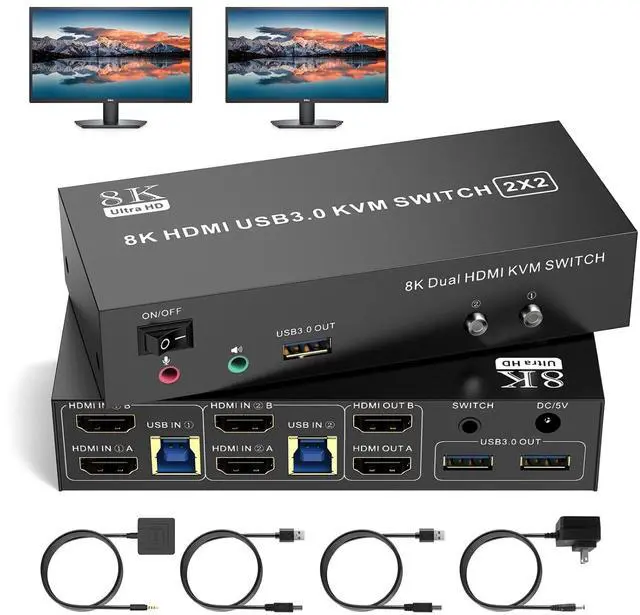
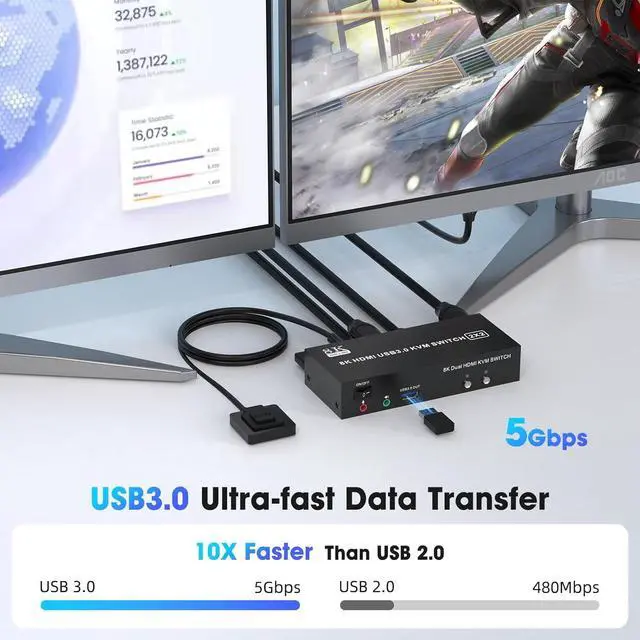
5Gbps Ultra-fast TransferHDMI USB 3.0 2 monitor kvm switch 2 computers transfer files in Seconds. This 2 computer 2 monitor kvm Switch supports ultra-fast USB 3.0 data transfer rates of up to 5Gb/s. With 4 USB 3.0 ports for peripheral USB devices such as keyboard, mouse, printer/scanner, etc. Support wireless keyboard and mouse
3×USB 3.0 + Audio Jack This 2 computers 2 monitors kvm switch features three high-speed USB 3.0 ports, a dedicated microphone/headphone jack. Effortlessly connect peripherals including external hard drives, printers, microphones and headphones, while enjoying seamless memory card access - eliminating adapter clutter for a streamlined and productive workspace
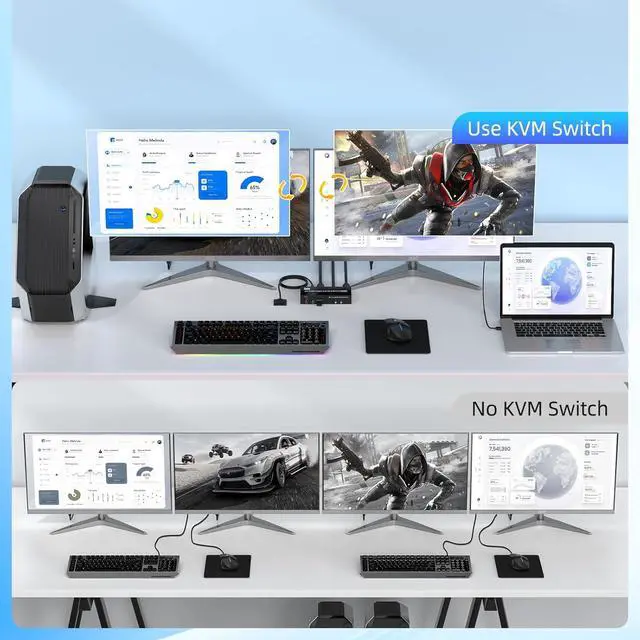
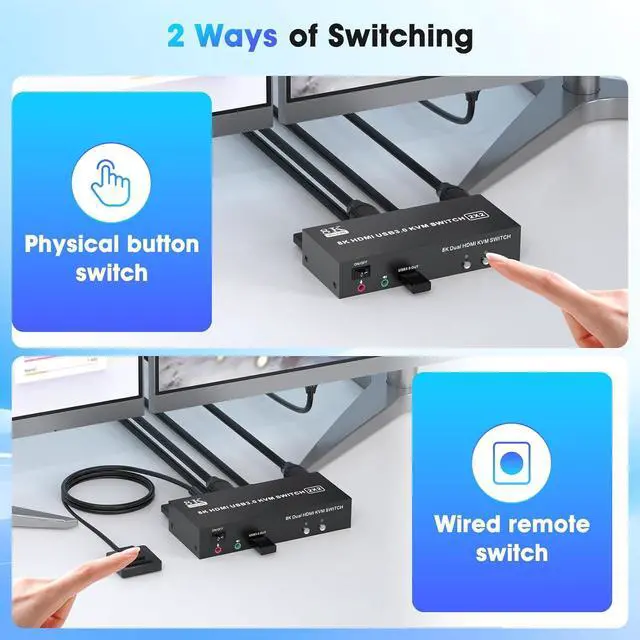
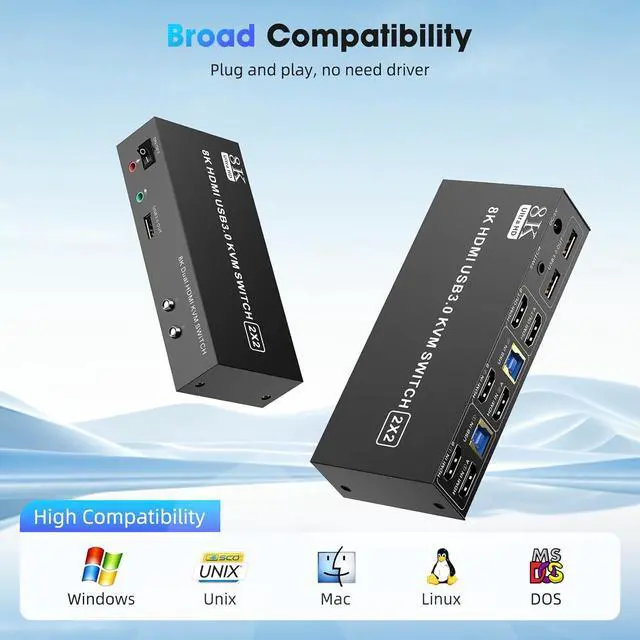
Great Compatibility & 2 Switching ModeThis two monitor hdmi kvm switch driver-free for Windows, Mac OS, Linux and Chrome OS. Compatible with PC, Laptop, TV Box. It is widely applied for home, office, teaching, games, etc. You can press the button on the panel or use the wired remoteincluded to switch the computersLED indicate the active computer
Power Adapter and ON-OFF Switch DesignedThe dual monitor switch for 2 computers hdmi is powered by USB cables, and the upgraded 5V power adapter makes the 8K 2 monitor 2 computer kvm switch work smoother and provides more stable recognition when connecting high-power USB devices. When not in use, just turn off the hdmi kvm switch without unplugging the cables
What will you Get provides 1 year war-ranty and lifetime technical support for this 8K HDMI KVM Switch.
PACKAGE LIST: 1* 8K HDMI USB 3.0 KVM switch; 2*USB-A to USB-B 3.0 Cable (1M); 1*Wired Remote( 1.5M ); 1*5V Power adapter and 1*User Manual. Any problem, pls tell us to solve
1
USB 3.0
2
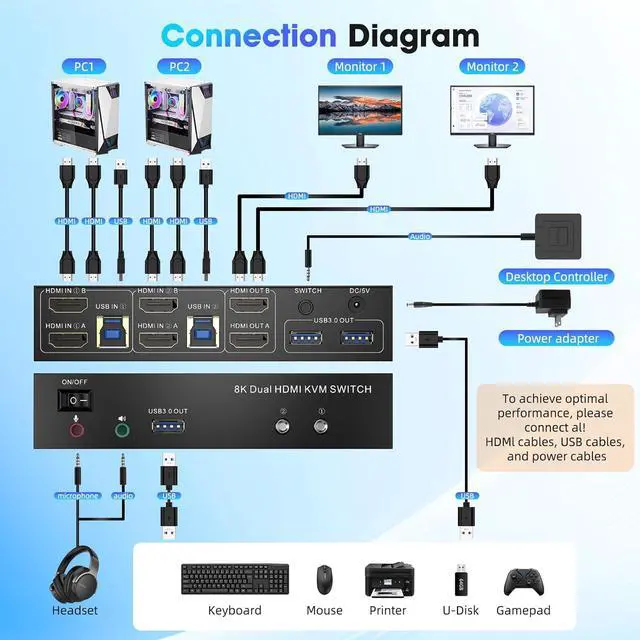
Connection Diagram
3
Avoid Common Pitfalls
1
8K@60Hz
2
Extended & Mirroe Mode
3
2 Ways of Switching
4
Supported Res
1
Packing List
2
Conference Room
3
Office Setup
4
Home Entertainment
Why is only one monitor displaying the screen? 1. Please check if each computer supports multi-display output, and set the display mode to "Extend" or "Duplicate" in the system display settings.
2. Ensure each computer is properly connected to the KVM switch with 2 HDMI cables and 1 USB-B cable.
Why aren't the keyboard and mouse working? This issue usually occurs because the USB-B cable between the computer and the switch is not properly connected. If you're using a mechanical keyboard, there may be compatibility issues.
Do I need to install any drivers? No driver installation required, plug and play.
What should I do when the KVM fails to display my Windows PC content correctly? 1. Please make sure the KVM iscorrectly (6 HDMI 2.0 cables + 2 USB-B cables + 1 Power Adapter to be connected at the same time).
2. If you encounter problems during use, please contact service support for assistance.
What operating systems are supported? It is compatible with Windows 10/8/7/XP, Linux, Mac, and more.