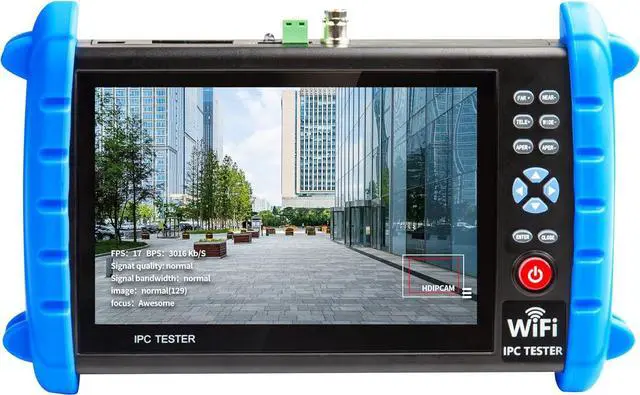
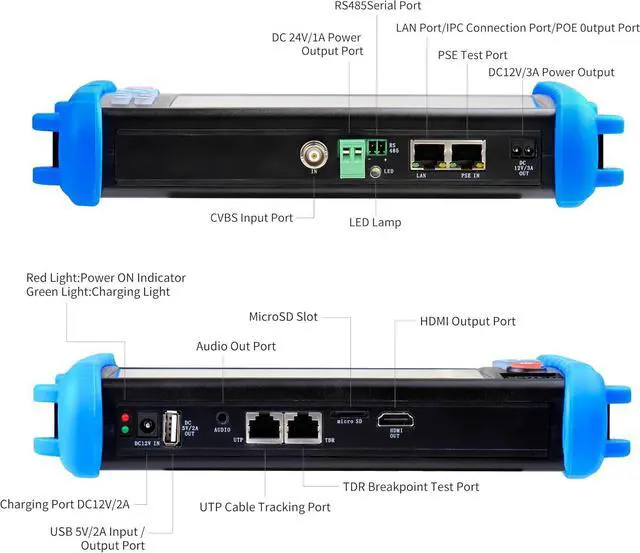
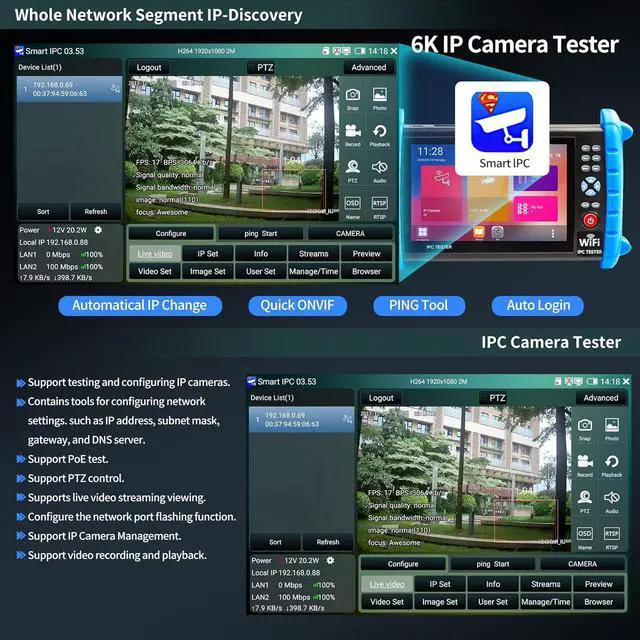
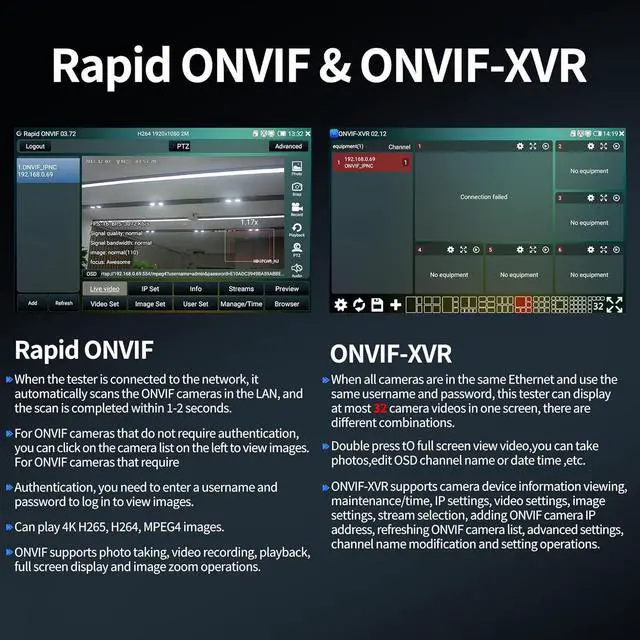
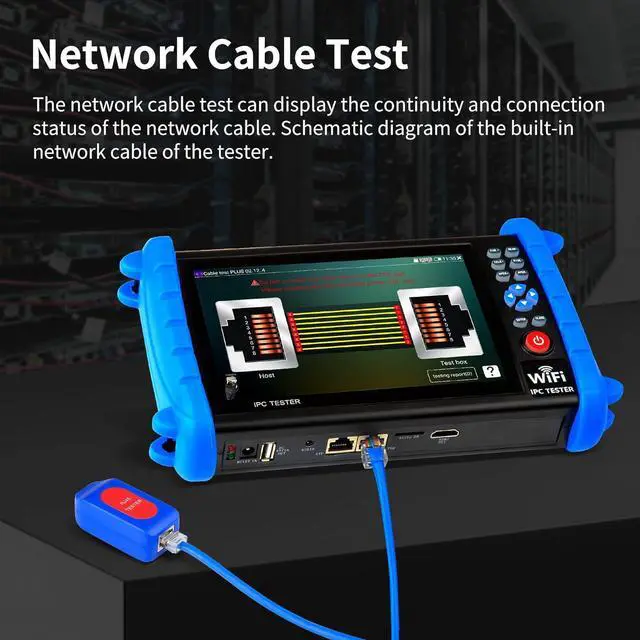
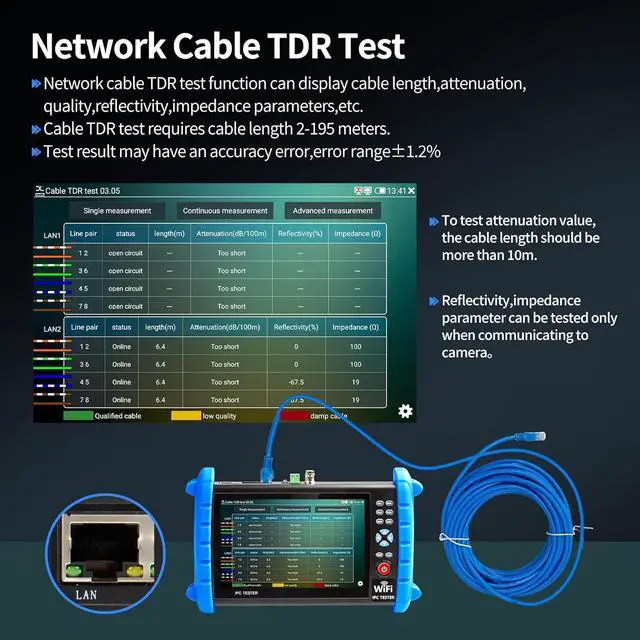
Professional testing tool: IPC Tester is a powerful network tool with full functions, supporting IP detection, PING test, network port flashing, one-click video, POE, UTP cable testing. RJ45 TDR cable The test can test network cable length, attenuation, quality, reflectivity, impedance, skew and other parameters, with a measurement range of 195 meters. Security IP Camera Tester is also equipped with HDMI output interfaces. 5 power management methods, POE48V output, 24V/1A output, 12V/3A output, USB 5V/2A output and DC12V/2A input.
More parameters: IP camera tester is equipped with a 7-inch IPS touch screen, 1920*1200 resolution. Built-in 7.4V /7000mAh battery. Ethernet port 10/100/1000Mbps, support RS485; audio input test; HDMI Outpt; built-in wireless WiFi;
DC output: 24V/1A, 12V/3A, 5V/2A; LED light; configuration upgrade center, you can do it here Manage, install and uninstall APP and other operations. CVBS Cemera Tester Dimensions/Net Weight 9.06 x 5.51 x 1.77 inches/ 0.9 kg ( 1.98 lbs).
Quality Service: cooperates with a manufacturer that specializes in R&D and production of IPC Tester to jointly launch this basic Security IP Camera Tester. We will continue to launch optimized and upgraded models in the future, so stay tuned! If this product has quality problems under normal use without manual damage, it will be guaranteed for free within one year. If you have any usage or technical questions about this product, please feel free to contact us, we will serve you wholeheartedly and guarantee that your problem will be solved within 24 hours!
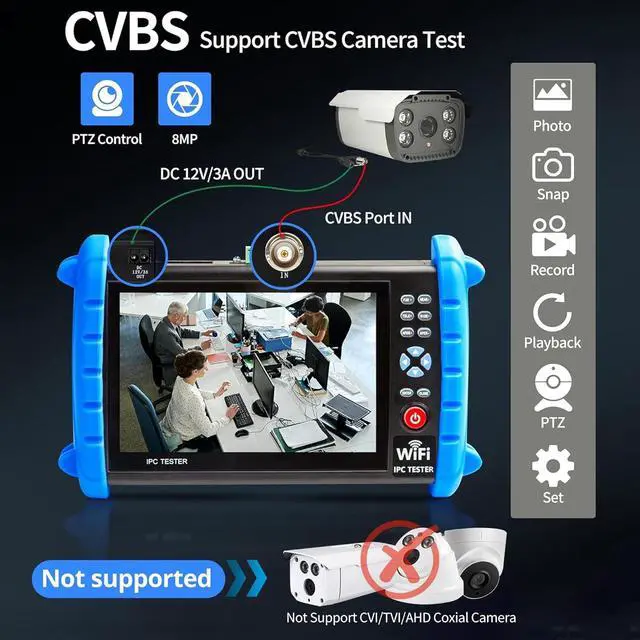
!!!!!!! NOTE!!!! The " IP+CVBS CAMERA TESTER" type cctv tester is designed solely for CVBS analog camera functionality and does not support AHD/TVI/CVI coaxial HD capabilities. For using the CVBS function, please refer to the following instructions: a. The CVBS function should only be used with standard analog cameras. b. Ensure that high-definition coaxial cameras (labeled AHD, CVI, or TVI) are excluded. c. To use the CVBS function, connect the analog camera to the CCTV tester's IN port using the included BNC video cable, and power the camera using the provided Power Output Converter connected to the DC12V/3A OUT port. Then, simply open the "CVBS" application to use it.
-