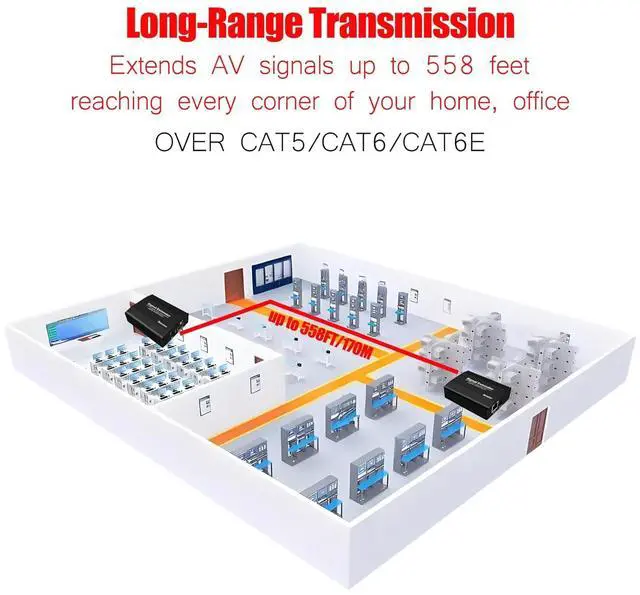
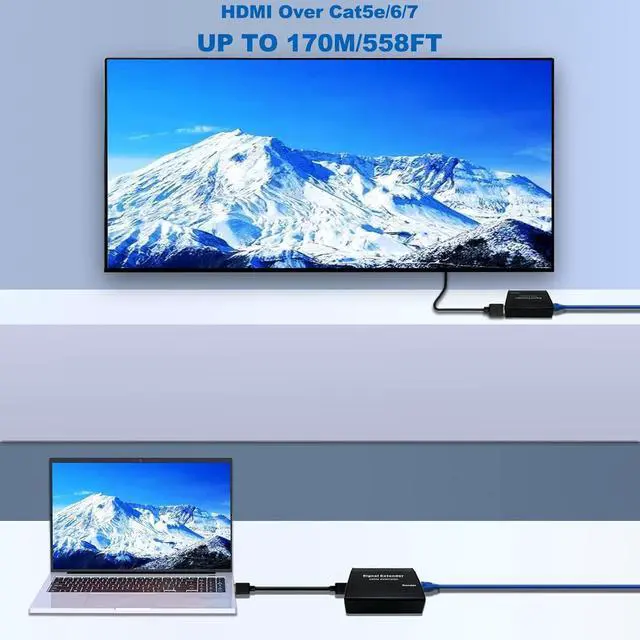
Long-Range Transmission: Extends AV signals up to 170 meters (558 feet) reaching every corner of your home, office, or workshop without distance-upgrade worries.
Plug-and-Play Convenience: No driver installation requiredinstantly connect to PCs, laptops, projectors, gaming consoles, CCTV cameras, conference cameras, and more.
Questions before buying? Click Contact Seller on this listing we respond within 24 hours.
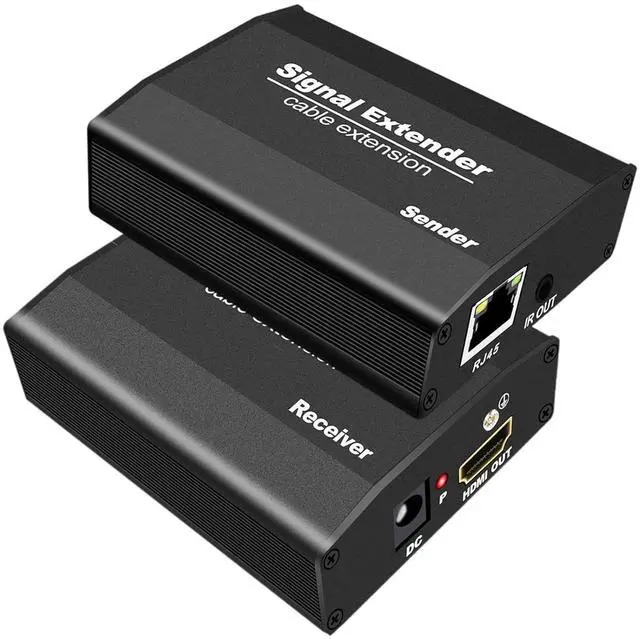
1080P HDMI Extender over 558FT (170M) This plug & play HDMI extender help you transmit high-resolution HDMI signal up to 558ft/170M through a standard CAT5E/6/7 cable.
Great ideal for applications such as security monitoring, broadcast, video conferencing, multimedia classrooms, high-end medical imaging, interactive digital signage, home theaters, education systems and even industrial automation.
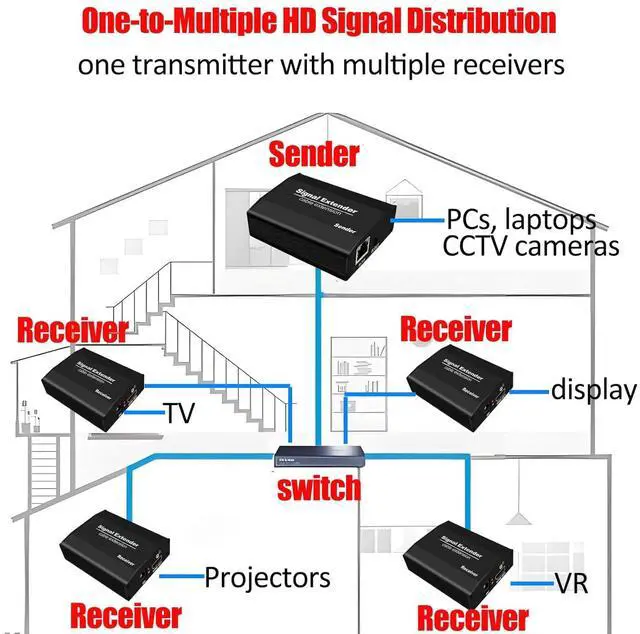
How to operate one to many connection over Ethernet Switch? For Full Kit (TX & RX), please search
ASIN: B09QPDQJS1
on. For Receiver (RX), please search
ASIN: B0B9N2ZT5Z
on.
Step1:
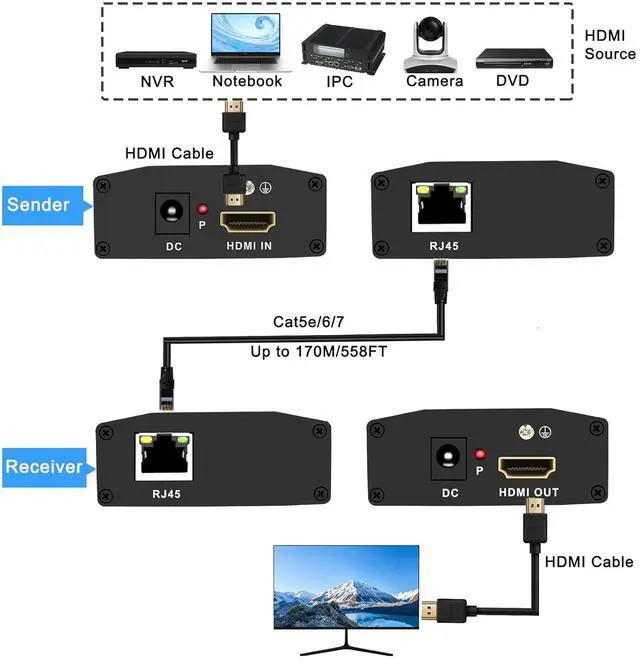
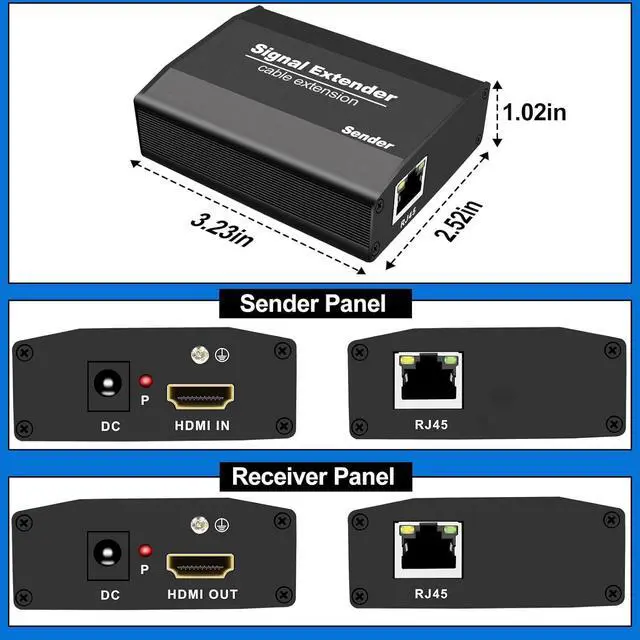
Connect your video source to the Sender's 'HDMI IN' port with the HDMI cable
Step2:
Plug one of the included power adapters into the DC power jack on the Sender, then plug the power adapter into any reliable power sources
Step3:
Connect an standard RJ45 terminated CAT5E/6/6E/7 Ethernet cable to the RJ45 connector on the Sender, and connect the other end to the LAN port on your Network switch
Connect another Ethernet cable between the LAN port on Switch and the RJ45 connector on the Receiver, then power on your Network switch
Step4:
Connect your HDMI display to the Receivers 'HDMI OUT' port with another HDMI cable
Step5:
Plug the second power adapter into the DC power jack on the Receiver, then plug the power adapter into any reliable power sources
When all connections have been made, power on all the connected devices. Now, this HDMI extender is ready to use!
Transmit 2 HDMI Signals RJ45 supports T568B crimping method, white orange, orange, white green, blue, white blue, green, white brown, brown.
1, 2, 3, 6 Four cores transmit one HDMI video signal, one network cable can transmit two HDMI video signals.
Technical Parameters Input Signals
Sender: 1channel HDMI
Output Signals
Receiver: 1channel HDMI
Transmission Distance
Up to 170m/558ft (point to point)
HDMI Version
HDMI 1.3
HDCP Version
HDCP 1.2
Video Resolution
Up to 1080P
Color Depth
24-bit/30-bit deep color/36-bit deep color
Audio Formats
DTS/HD/Dolby-tureHD/LPCM 7.1 /DTS/Dolby-AC3/DSD
TMDS
0.5 - 1.5V p-p (TTL)
DDC
5Vp-p (TTL)
Dimensions (L x W x H)
Sender: 82mm x 64mm x 26mm, Receiver: 82mm x 64mm x 26mm
Housing Enclosure
Aluminum
Voltage
DC 9-12V/1A
Working Temperature
-15-55