Your Browsing History
- Free 30-day Returns
$119.99
Meet Your Seller
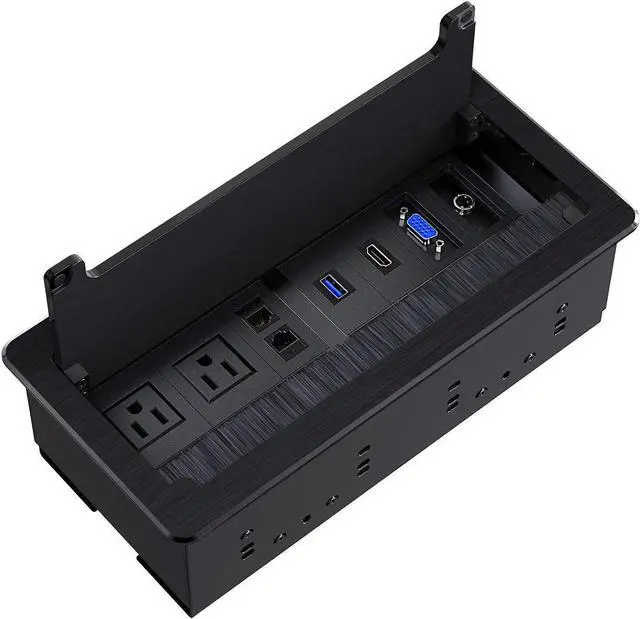
Recessed Connectivity Box Outlet for Conference Room Table with 2AC Receptacle,2RJ45, 1USB3.0, 1HDMI, 1 VGA, 13.5mm Audio, Black
- Ingenious Design- The Connectivity Box outlet with a textured black face plate made of aluminium alloy. Hard wired into power source and used in conjunction with all Power to Power Cables.
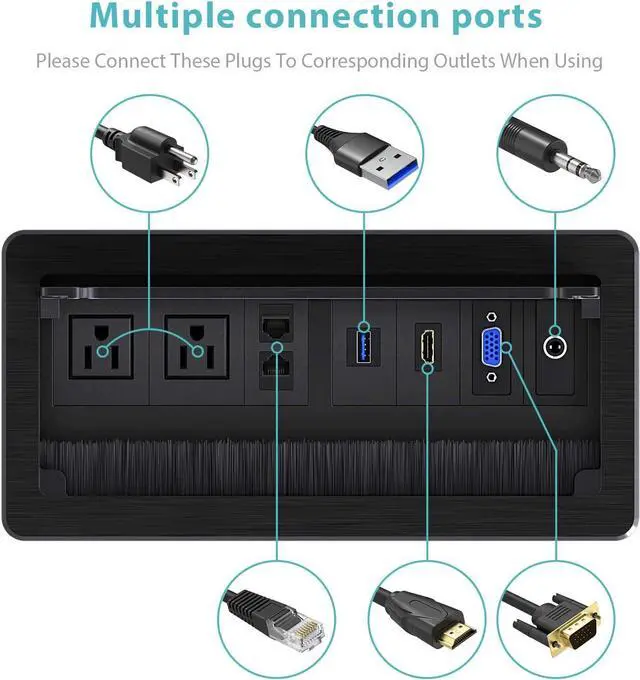
- Multi-OutletThe Connectivity Box outlet with 2AC* receptacle, 2*RJ45(CAT6), 1*HDMI, 1*USB 3.0, 1*3.5 Audio,1*VGA
- Space Saving- Reliable electrical outlet power strip perfect for home and office installations. Suitable to conference table, solderless, can be used directly.
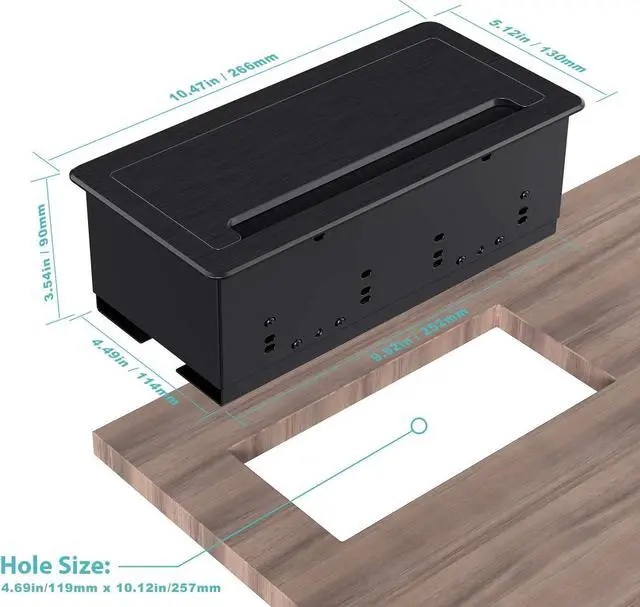
- Easy to Install- According to the size of the picture, cut a rectangle in Table, place the recessed outlet in then screw it tight. Hole cut dimension: 10.12"L * 4.69"W * 3.33"H. Product dimension with face plate : 10.47"L * 5.12"W * 3.54"H
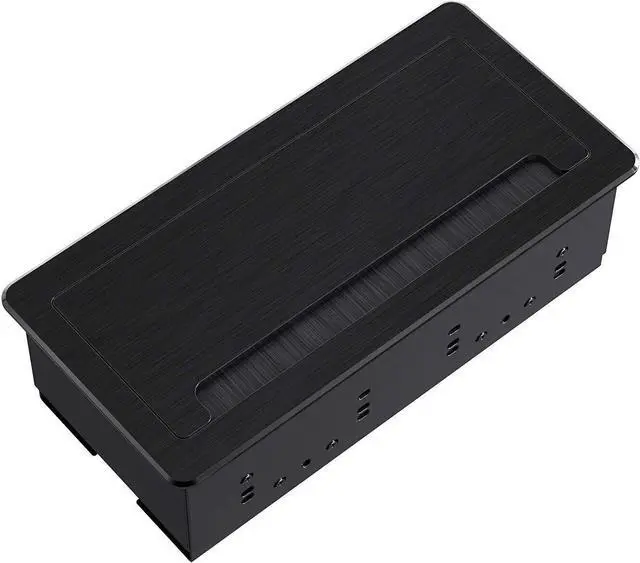
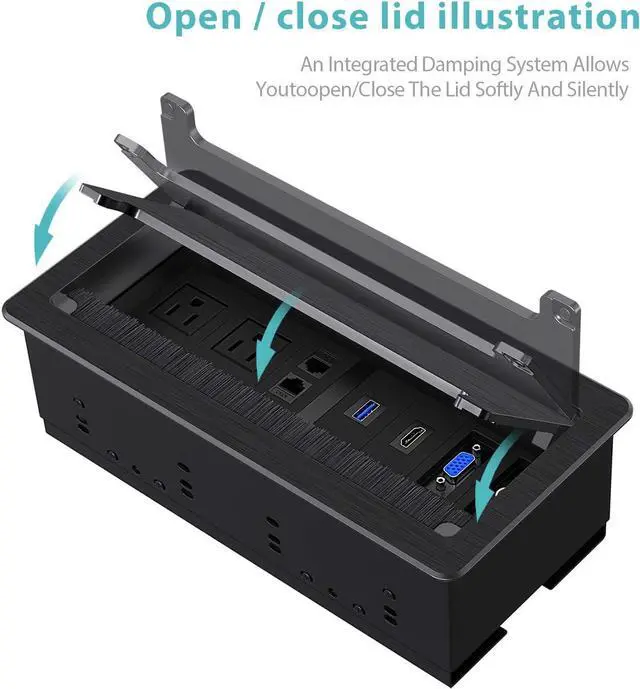
- Safety Guaranteed- Fire-resistant outer shell and built-in safety system provides you and your devices with complete protection. While not in use, the unit closes flush with the table and opens and closes by pressing on top panel
+
+
Overview
Specs
Reviews
Any questions? Our AI beta will help you find out quickly.
Try me now
In-table Design
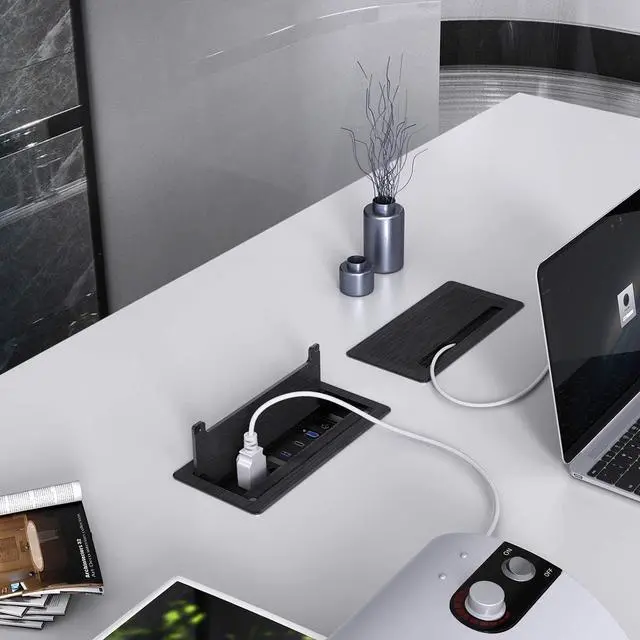
The Table Connectivity Box outlets is widely used in hotel, office, home etc. It makes your conference room cables look clean and tidy. The multimedia recessed box features a concealed and in-table design. No more crawling under the desk to find power strips.
Outlet Configuration
- 2 x AC power receptacle
- 2 x RJ45 (CAT6)
- 1 x HDMI
- 1 x USB 3.0
- 1 x 3.5 mm Audio
- 1 x VGA
Installation Steps
1. Make a 10.12"L * 4.69"W * 3.33"H hole on the surface desk.
2. Put the socket into the hole.
3. Secure the socket with a power grommet.
4. Fix it with screws and connect the power, then you can use it.
The Table Connectivity Box outlets is widely used in hotel, office, home etc. It makes your conference room cables look clean and tidy. The multimedia recessed box features a concealed and in-table design. No more crawling under the desk to find power strips.
Outlet Configuration
- 2 x AC power receptacle
- 2 x RJ45 (CAT6)
- 1 x HDMI
- 1 x USB 3.0
- 1 x 3.5 mm Audio
- 1 x VGA
Installation Steps
1. Make a 10.12"L * 4.69"W * 3.33"H hole on the surface desk.
2. Put the socket into the hole.
3. Secure the socket with a power grommet.
4. Fix it with screws and connect the power, then you can use it.
Warranty & Returns
Warranty, Returns, And Additional Information
Warranty
- Please contact the Seller directly for warranty information. Warranty information may also be found on the Manufacturer's website.
- CONTACT
Return Policies
- Return for refund within: 30 days
- Return for replacement within: 30 days
- This item is covered by B-IN Electronics Return Policy
Manufacturer Contact Info
- For a directory of all our manufacturers, please click below.
- Manufacturers Directory
LOADING...