

Your Browsing History

Meet Your Seller


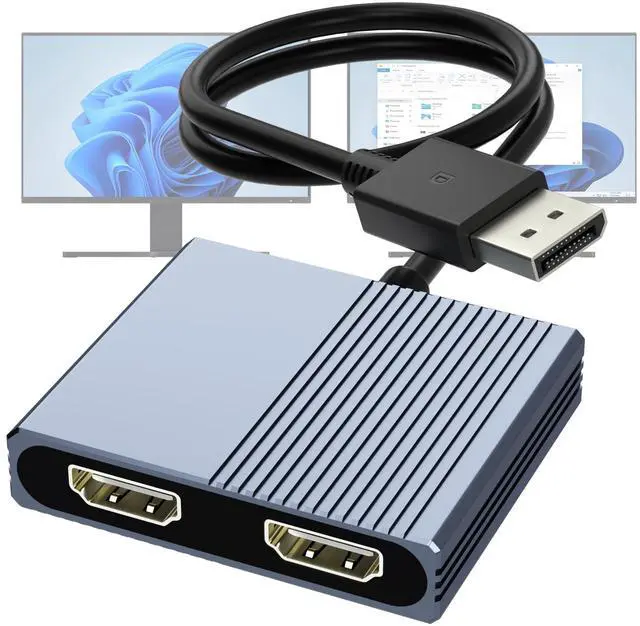


DisplayPort to Dual HDMI Adapter, 4K@60Hz DP to HDMI Splitter Extended Display, Double hdmi Adapter for 2 Monitors, hdmi Dual Monitor Adapter, DisplayPort MST Hub for Desktop Laptop Graphic Card
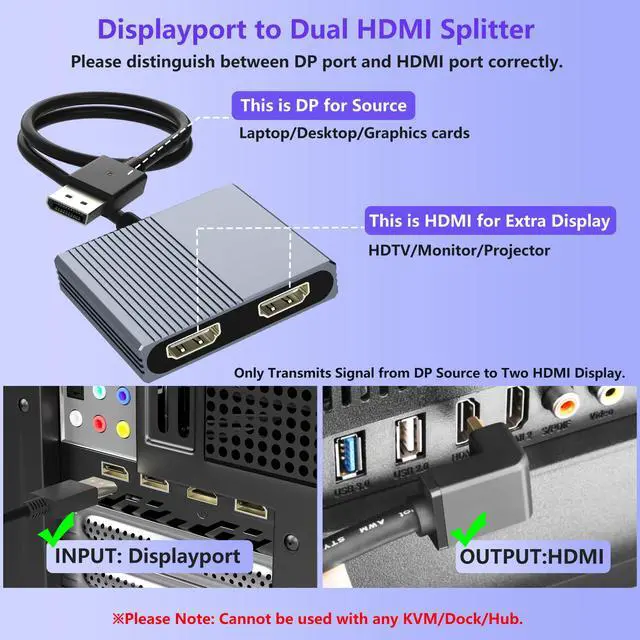
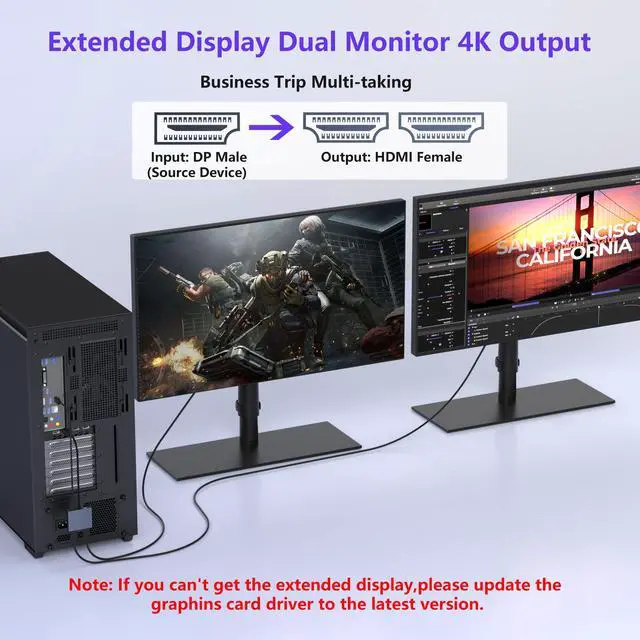
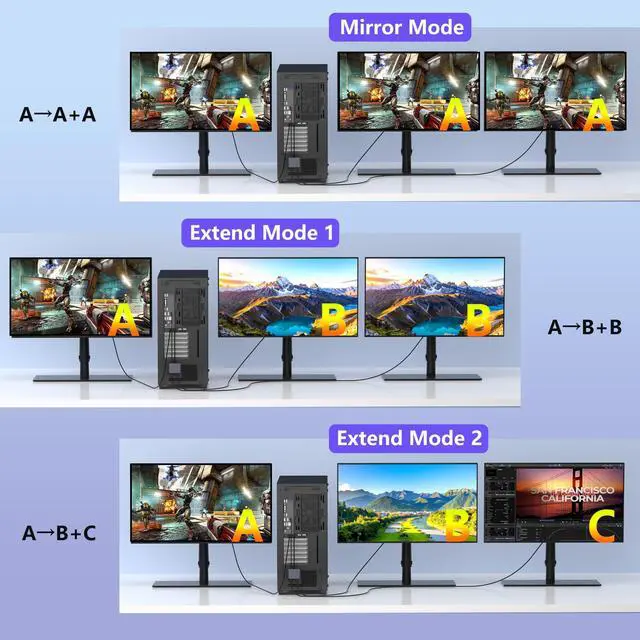
- Expand your computer display with this DisplayPort to dual HDMI splitter. It can mirror or extend 4K DisplayPort signals from one source to two HDMI displays, synchronizing both audio and video. Confirm that your computer has a DisplayPort interface. This adapter is not compatible with docking stations, USB hubs, or KVM switches, and only supports DisplayPort source output to dual HDMI monitors. This DisplayPort to HDMI cable adapter employs technology to deliver 4K@60Hz UHD resolution and is backward compatible with 4K@30Hz and 1080p@60Hz. Ensure your computer device supports DP1.4 to achieve dual 4K@60Hz; if DP1.2, it only supports single 4K@60Hz or dual 4K@30Hz. Ensure that the monitor and cable also support 4K@60Hz and that the cable length does not exceed 6.5ft (2 meters). The DisplayPort HDMI splitter for dual monitors features two 4K@60Hz HDMI ports, allowing your laptop to extend to two different monitors. No drivers or software are needed; just plug and play. It supports both SST and MST modes. Both HDMI ports can be used at the same time. Before use, connect the provided USB-C power cable to a USB port on the hub to supply power to the built-in chipset. A 5V 2A power adapter is required (not included). This DisplayPort HDMI hub for multiple monitors requires your computer to have a DP port, or your mini PC or desktop graphics card to be one of the following models. Mini PC models: A-SUS ExpertCenter, Beelink SER8/SER9/SER5, D-ell OptiPlex, H-P EliteDesk, In-tel NU
+
+
Overview
Specs
Reviews

Any questions? Our AI mode will help you find out quickly.
Try me now
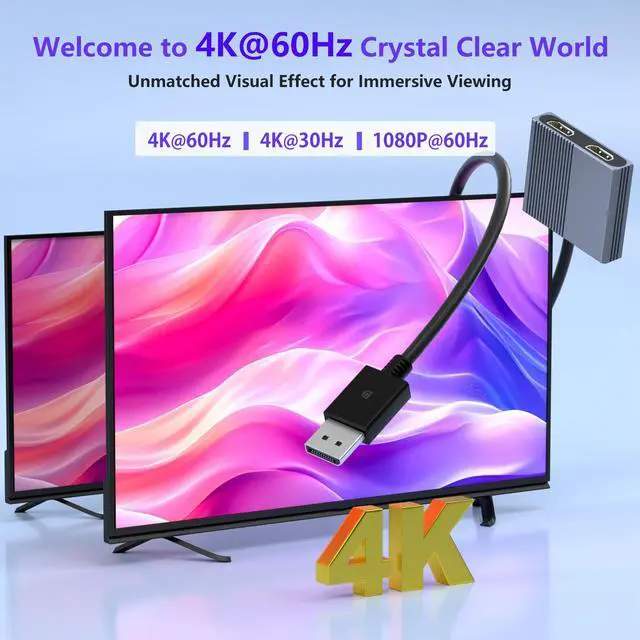
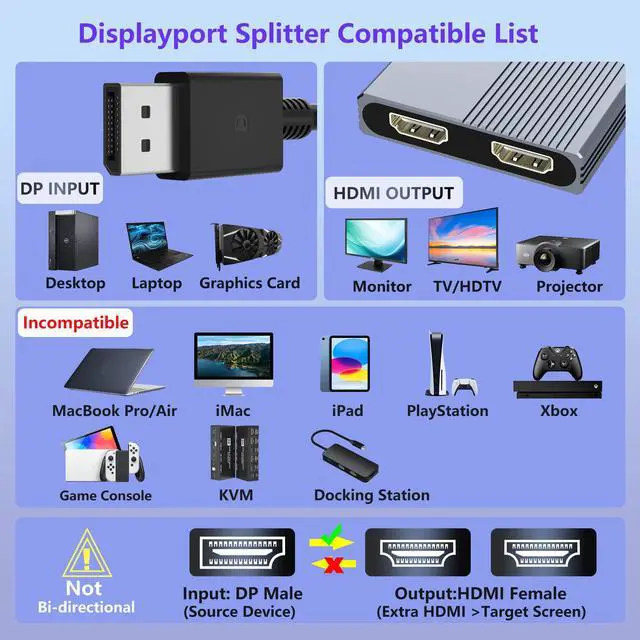
Expand your computer display with this DisplayPort to dual HDMI splitter. It can mirror or extend 4K DisplayPort signals from one source to two HDMI displays, synchronizing both audio and video. Confirm that your computer has a DisplayPort interface. This adapter is not compatible with docking stations, USB hubs, or KVM switches, and only supports DisplayPort source output to dual HDMI monitors. This DisplayPort to HDMI cable adapter employs technology to deliver 4K@60Hz UHD resolution and is backward compatible with 4K@30Hz and 1080p@60Hz. Ensure your computer device supports DP 1.4 to achieve dual 4K@60Hz; if DP 1.2, it only supports single 4K@60Hz or dual 4K@30Hz.
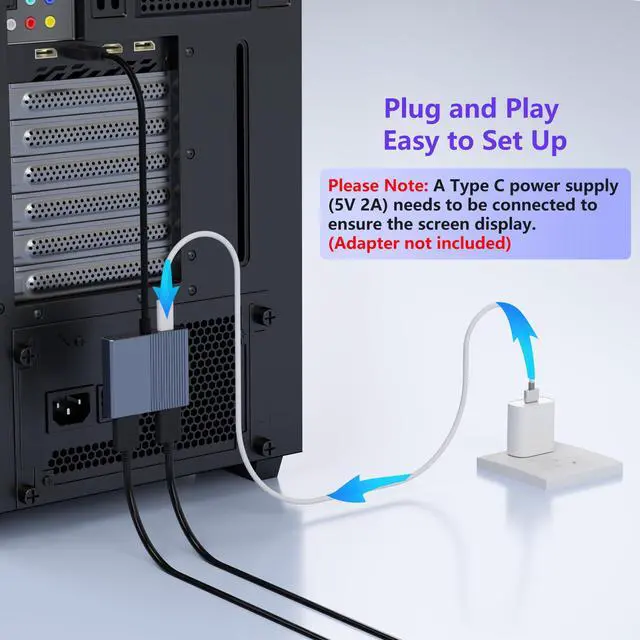
Ensure that the monitor and cable also support 4K@60Hz and that the cable length does not exceed 6.5 ft (2 meters). The DisplayPort HDMI splitter for dual monitors features two 4K@60Hz HDMI ports, allowing your laptop to extend to two different monitors. No drivers or software are needed; just plug and play. It supports both SST and MST modes. Both HDMI ports can be used at the same time. Before use, connect the provided USB-C power cable to a USB port on the hub to supply power to the built-in chipset.
A 5V 2A power adapter is required (not included). This DisplayPort HDMI hub for multiple monitors requires your computer to have a DP port, or your mini PC or desktop graphics card to be one of the following models.
Mini PC models: A-SUS ExpertCenter, Beelink SER8/SER9/SER5, D-ell OptiPlex, H-P EliteDesk, In-tel NUC 12 Enthusiast, Minisforum Venus.
Graphics Card models: AM-D Radeon RX7000/6000, AAEO-N GAR-A750E, In-tel Arc A750/A770/A680, NVI-DIA GeForce RTX/GTX. Ensure the DP port on your host device is from a dedicated graphics card rather than an integrated graphics card. Due to hardware limitations, integrated graphics may not support display output or may only support mirror mode. This DisplayPort adapter is equipped with a built-in smart chip. The non-locking connector design helps prevent damage to your graphics card when unplugging. All ports on the splitter support DisplayPort 1.4 and feature multi-layer shielding for durable construction and stable signal transmission. Package
Ensure that the monitor and cable also support 4K@60Hz and that the cable length does not exceed 6.5 ft (2 meters). The DisplayPort HDMI splitter for dual monitors features two 4K@60Hz HDMI ports, allowing your laptop to extend to two different monitors. No drivers or software are needed; just plug and play. It supports both SST and MST modes. Both HDMI ports can be used at the same time. Before use, connect the provided USB-C power cable to a USB port on the hub to supply power to the built-in chipset.
A 5V 2A power adapter is required (not included). This DisplayPort HDMI hub for multiple monitors requires your computer to have a DP port, or your mini PC or desktop graphics card to be one of the following models.
Mini PC models: A-SUS ExpertCenter, Beelink SER8/SER9/SER5, D-ell OptiPlex, H-P EliteDesk, In-tel NUC 12 Enthusiast, Minisforum Venus.
Graphics Card models: AM-D Radeon RX7000/6000, AAEO-N GAR-A750E, In-tel Arc A750/A770/A680, NVI-DIA GeForce RTX/GTX. Ensure the DP port on your host device is from a dedicated graphics card rather than an integrated graphics card. Due to hardware limitations, integrated graphics may not support display output or may only support mirror mode. This DisplayPort adapter is equipped with a built-in smart chip. The non-locking connector design helps prevent damage to your graphics card when unplugging. All ports on the splitter support DisplayPort 1.4 and feature multi-layer shielding for durable construction and stable signal transmission. Package
Warranty & Returns
Warranty, Returns, And Additional Information
Warranty
- Please contact the Seller directly for warranty information. Warranty information may also be found on the Manufacturer's website.
- CONTACT
Return Policies
- Return for refund within: 30 days
- Return for replacement within: 30 days
- This item is covered by WanJin World Shop Return Policy
Manufacturer Contact Info
- For a directory of all our manufacturers, please click below.
- Manufacturers Directory
LOADING...