

Your Browsing History

Meet Your Seller


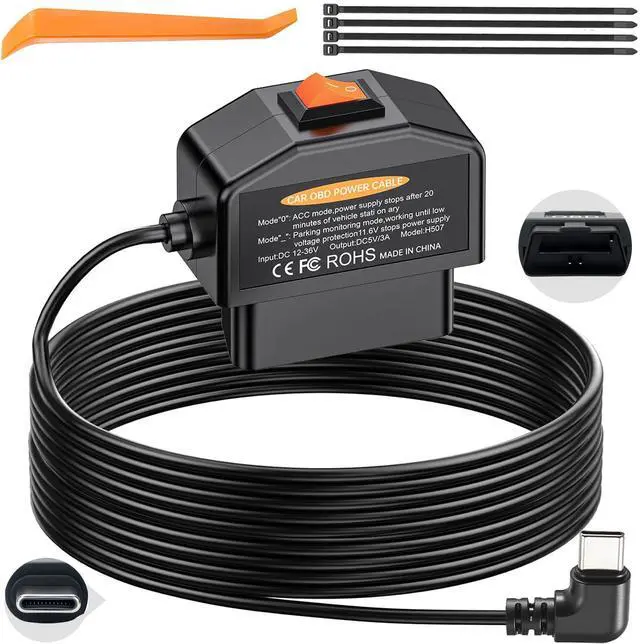


Dash Cam Hardwire Kit USB C, OBD2 to Type-C Adapter Hardwire Kit with 24/7 Parking Mode, Low Voltage Protection (11.6V/23.4V) with 2 Modes Switch, Acc Detection, Plug and Play Continuous Recording
Limited time offer, ends 08/26 By WanJin World Shop
- Wide Compatibility: Converts 12V-24V vehicle voltage to a stable 5V/3A output, suitable for most USB-C dash cams, GPS units, and radar detectors on cars, trucks, SUVs, and commercial vehicles. Please note: Your dashcam must have a USB-C power input and must use the A5-B5 pin configuration. It does not work with devices that require an A8-B8 pin interface. Smart Dual-Mode Switch for Dash Cam: Features a dual-mode switch. Mode-is for 24-hour parking monitoring, supplying power to your dash cam even when the vehicle is parked. Mode0(ACC mode) ensures the power automatically shuts off 20 minutes after the engine is turned off to avoid excessive battery drain. 24/7 Parking Monitoring: Mode-delivers continuous parking surveillance. When your car is off, the dash cam power cord supplies constant power. Built-in low voltage protection helps prevent car-battery depletion. 11.6V/23.4V Smart Low-Voltage Protection: This OBD2 dash cam hardwire kit is equipped with an intelligent program control chip. It automatically cuts power when voltage falls below 11.6V (for 12V vehicles) or 23.4V (for 24V vehicles), helping to avoid a dead battery. Plug and Play OBD2 To USB C: This plug-and-play OBD2 to USB-C power cable works with any dashcam. Connect the dashcam cable harness to the USB C port of the car. The power cord is simple to install and ideal for concealed setup. User Guide for the OBD2 Power Cable for Dashcams: If you start the car and the device does not power on after installat
+
+
Overview
Specs
Reviews

Any questions? Our AI mode will help you find out quickly.
Try me now
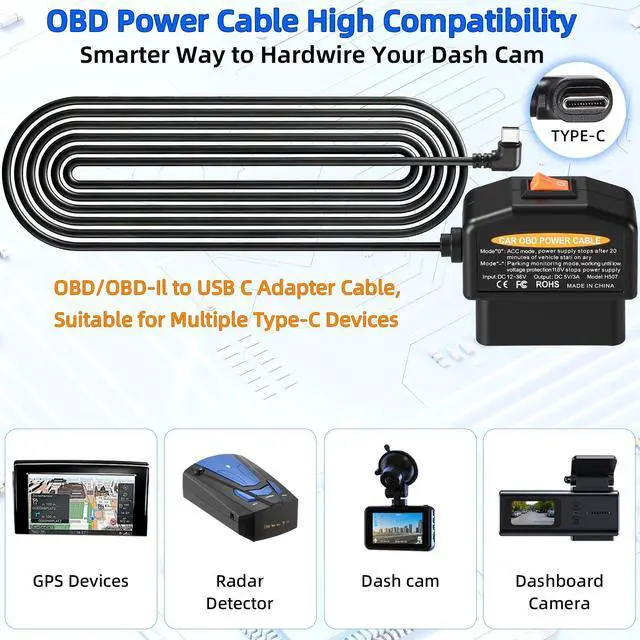
Wide Compatibility: Converts 12V-24V vehicle voltage to a stable 5V/3A output, suitable for most USB-C dash cams, GPS units, and radar detectors on cars, trucks, SUVs, and commercial vehicles.
Please note: Your dashcam must have a USB-C power input and must use the A5-B5 pin configuration. It does not work with devices that require an A8-B8 pin interface. Smart Dual-Mode Switch for
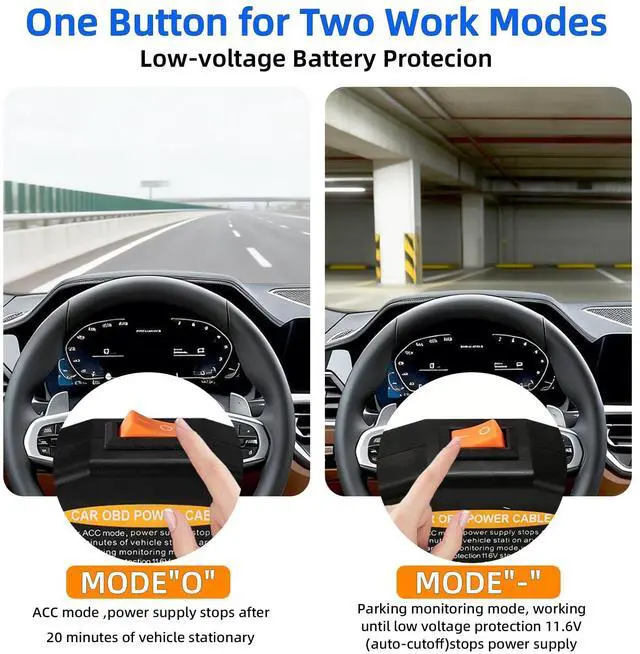
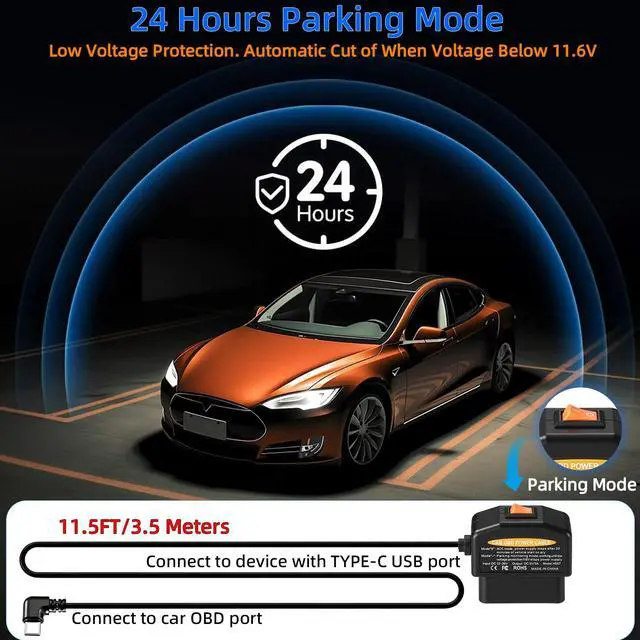
Dash Cam: Features a dual-mode switch. Mode-is for 24-hour parking monitoring, supplying power to your dash cam even when the vehicle is parked. Mode0 (ACC mode) ensures the power automatically shuts off 20 minutes after the engine is turned off to avoid excessive battery drain.
24/7 Parking Monitoring: Mode-delivers continuous parking surveillance. When your car is off, the dash cam power cord supplies constant power. Built-in low voltage protection helps prevent car-battery depletion. 11.6V / 23.4V
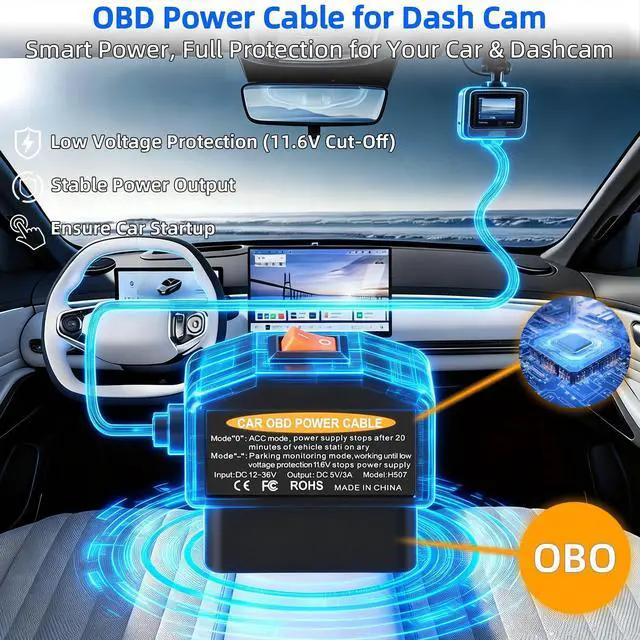
Smart Low-Voltage Protection: This OBD2 dash cam hardwire kit is equipped with an intelligent program control chip. It automatically cuts power when voltage falls below 11.6V (for 12V vehicles) or 23.4V (for 24V vehicles), helping to avoid a dead battery. Plug and Play OBD2 To
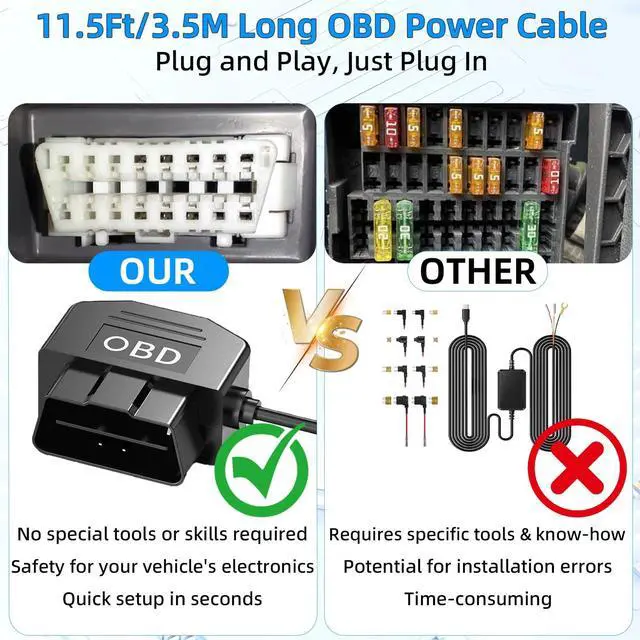
USB C: This plug-and-play OBD2 to USB-C power cable works with any dashcam. Connect the dashcam cable harness to the USB C port of the car. The power cord is simple to install and ideal for concealed setup. User Guide for the OBD2 Power
Cable for Dashcams: If you start the car and the device does not power on after installation, please drive the car a short distance (reaching a speed of 20 km/h) to activate the product, as power is not supplied immediately in certain models. This OBD2 to USB C power cable kit is 3.5 meters long and contains 1 pry tool and 4 wire ties to meet your usage and installation requirements. High-Security Hardwire Kit for
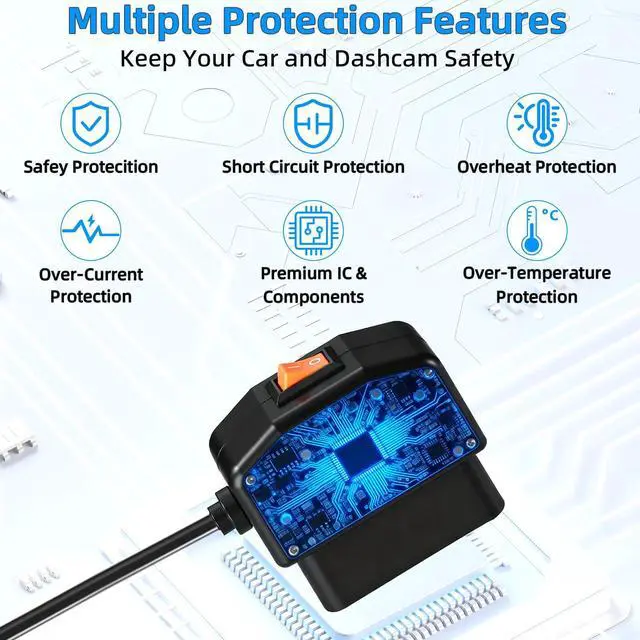
Dash Cam: This dashcam hard-wiring kit comes with a built-in fuse and multiple protective features (over-current, short-circuit, over-heat, and reverse connection) to help protect both your dashcam and your vehicle
Please note: Your dashcam must have a USB-C power input and must use the A5-B5 pin configuration. It does not work with devices that require an A8-B8 pin interface. Smart Dual-Mode Switch for
Dash Cam: Features a dual-mode switch. Mode-is for 24-hour parking monitoring, supplying power to your dash cam even when the vehicle is parked. Mode0 (ACC mode) ensures the power automatically shuts off 20 minutes after the engine is turned off to avoid excessive battery drain.
24/7 Parking Monitoring: Mode-delivers continuous parking surveillance. When your car is off, the dash cam power cord supplies constant power. Built-in low voltage protection helps prevent car-battery depletion. 11.6V / 23.4V
Smart Low-Voltage Protection: This OBD2 dash cam hardwire kit is equipped with an intelligent program control chip. It automatically cuts power when voltage falls below 11.6V (for 12V vehicles) or 23.4V (for 24V vehicles), helping to avoid a dead battery. Plug and Play OBD2 To
USB C: This plug-and-play OBD2 to USB-C power cable works with any dashcam. Connect the dashcam cable harness to the USB C port of the car. The power cord is simple to install and ideal for concealed setup. User Guide for the OBD2 Power
Cable for Dashcams: If you start the car and the device does not power on after installation, please drive the car a short distance (reaching a speed of 20 km/h) to activate the product, as power is not supplied immediately in certain models. This OBD2 to USB C power cable kit is 3.5 meters long and contains 1 pry tool and 4 wire ties to meet your usage and installation requirements. High-Security Hardwire Kit for
Dash Cam: This dashcam hard-wiring kit comes with a built-in fuse and multiple protective features (over-current, short-circuit, over-heat, and reverse connection) to help protect both your dashcam and your vehicle
Warranty & Returns
Warranty, Returns, And Additional Information
Warranty
- Please contact the Seller directly for warranty information. Warranty information may also be found on the Manufacturer's website.
- CONTACT
Return Policies
- Return for refund within: 30 days
- Return for replacement within: 30 days
- This item is covered by WanJin World Shop Return Policy
Manufacturer Contact Info
- For a directory of all our manufacturers, please click below.
- Manufacturers Directory
LOADING...