

Your Browsing History

Meet Your Seller




New Backlight V5 Pro Voice Remote Control Compatible with vSeeBox V1, V2, V3, V5 Pro, V3 Plus, V1 Max, Elite, Max Models
Limited time offer, ends 09/18 By WanJin World Shop
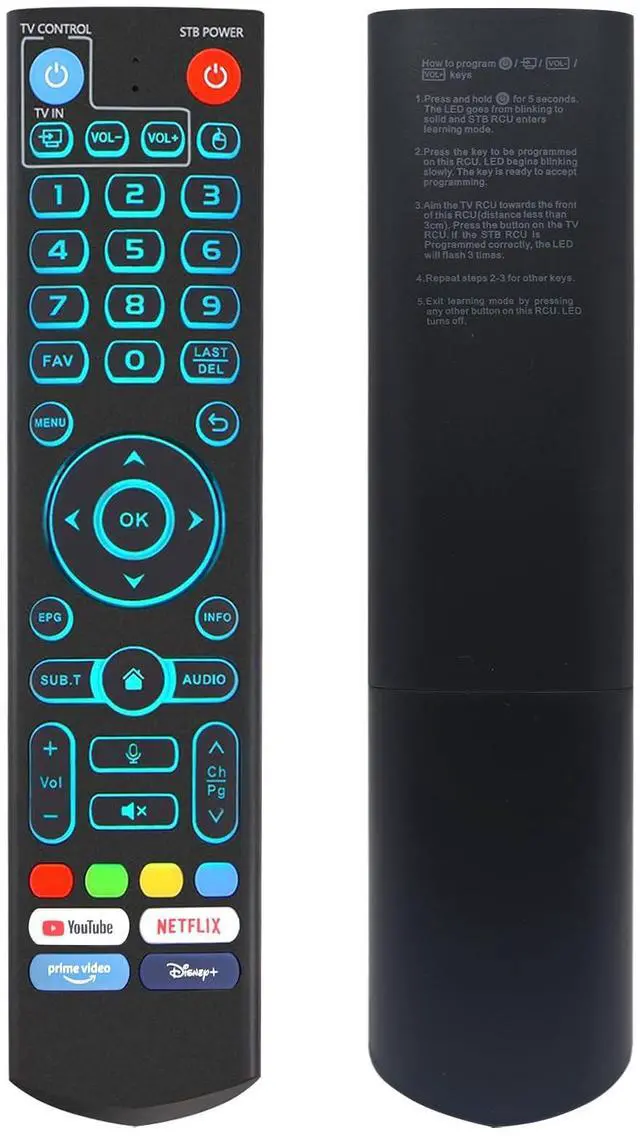
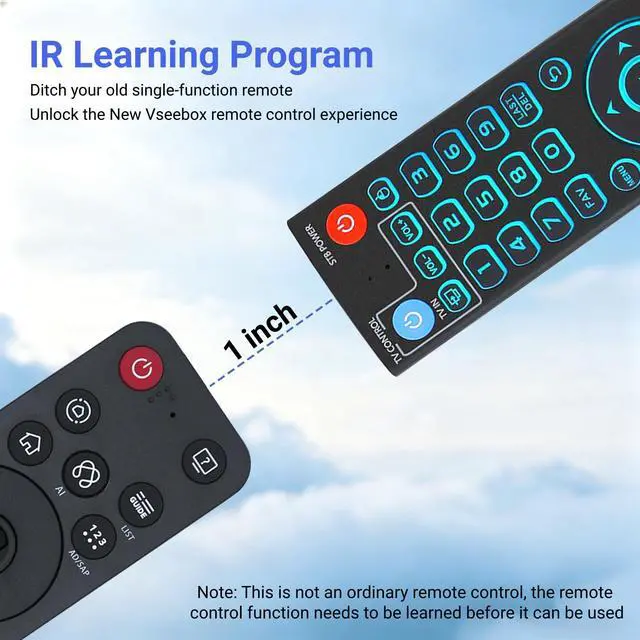
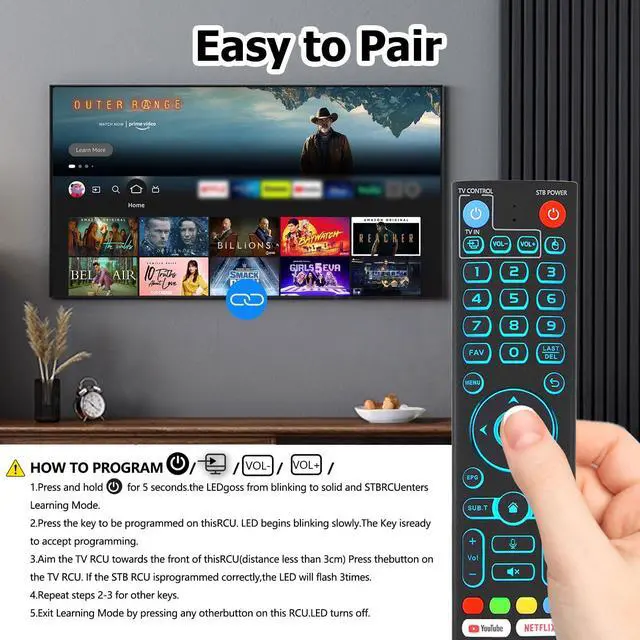
- V5 Pro Backlit Voice Remote for Model Numbers: Compatible with vSeeBox models including V5 Pro, V3 Pro, V3 Plus, V1, V1 Pro, V2, V2 Pro, V1 Max, Elite, and Max. With backlight: Backlit buttons glow gently for easy navigation in dim lighting. Whether you're watching movies at night or relaxing in a home theater, locate the correct button instantly without needing to switch on room lights. Smart Voice Search: This voice remote control includes a microphone button, allowing voice search for content, volume control, input source selection, and music playback. Simply speak your commands to easily manage your TV, change the volume, or play preferred music. Please note: V1 Max, V1 Pro, and V2 Pro models do not support voice command functionality. Programming Instructions: Press and hold the Power button for 5 seconds until the LED remains lit, then press the button you to program on this remote. Point it directly at your original remote and press the matching button. Successful programming is indicated by the LED flashing 3 times. Repeat for other buttons, and press any button to exit learning mode, which turns off the LED. How to Pair: Press and hold the "OK" and "Vol-" buttons together for approximately five seconds. The remote's indicator light will blink repeatedly to confirm Bluetooth activation. Then proceed to System Settings > Bluetooth > Pair New Device, select the remote, and connect. The remote offers two operating modes: V3 (default) and V2. To switch modes, press and
+
+
Overview
Specs
Reviews

Any questions? Our AI mode will help you find out quickly.
Try me now
V5 Pro Backlit Voice Remote for
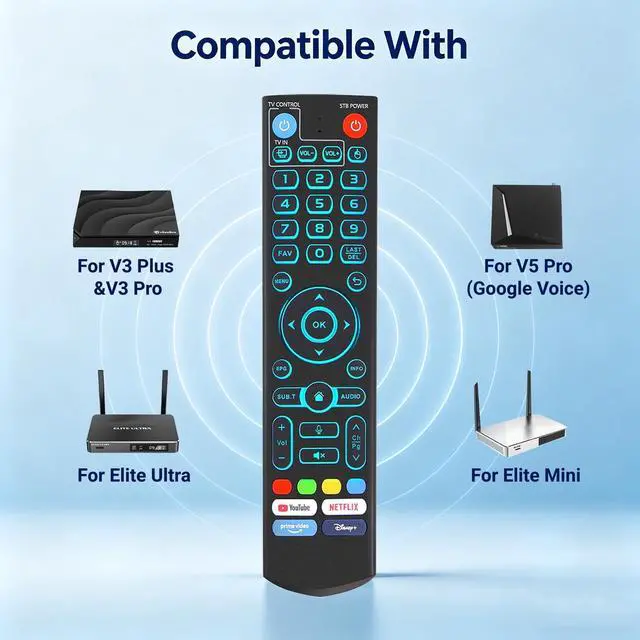
Model Numbers: Compatible with vSeeBox models including V5 Pro, V3 Pro, V3 Plus, V1, V1 Pro, V2, V2 Pro, V1 Max, Elite, and Max.
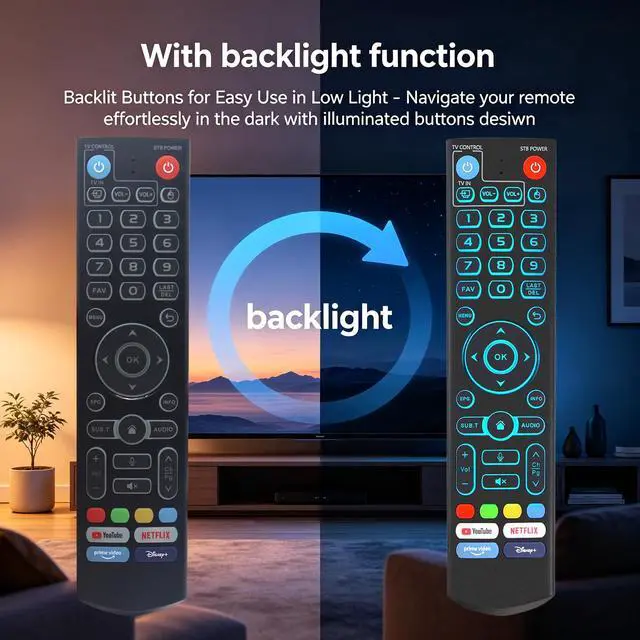
With backlight: Backlit buttons glow gently for easy navigation in dim lighting. Whether you're watching movies at night or relaxing in a home theater, locate the correct button instantly without needing to switch on room lights.
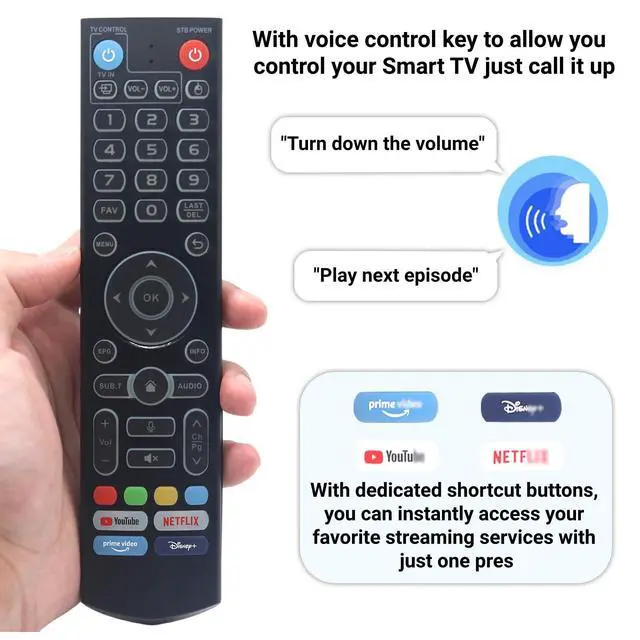
Smart Voice Search: This voice remote control includes a microphone button, allowing voice search for content, volume control, input source selection, and music playback. Simply speak your commands to easily manage your TV, change the volume, or play preferred music.
Please note: V1 Max, V1 Pro, and V2 Pro models do not support voice command functionality.
Programming Instructions: Press and hold the Power button for 5 seconds until the LED remains lit, then press the button you to program on this remote. Point it directly at your original remote and press the matching button. Successful programming is indicated by the LED flashing 3 times. Repeat for other buttons, and press any button to exit learning mode, which turns off the LED.
How to Pair: Press and hold the "OK" and "Vol-" buttons together for approximately five seconds. The remote's indicator light will blink repeatedly to confirm Bluetooth activation. Then proceed to System Settings > Bluetooth > Pair New Device, select the remote, and connect. The remote offers two operating modes: V3 (default) and V2. To switch modes, press and hold the number 5 button for over ten seconds.
One-Touch Streaming Access: Featuring dedicated shortcut buttons for YouTube, Netflix, Prime Video, and Disney+, you can launch your preferred streaming services with a single press. Skip menu navigation and enjoy smooth entertainment directly
Model Numbers: Compatible with vSeeBox models including V5 Pro, V3 Pro, V3 Plus, V1, V1 Pro, V2, V2 Pro, V1 Max, Elite, and Max.
With backlight: Backlit buttons glow gently for easy navigation in dim lighting. Whether you're watching movies at night or relaxing in a home theater, locate the correct button instantly without needing to switch on room lights.
Smart Voice Search: This voice remote control includes a microphone button, allowing voice search for content, volume control, input source selection, and music playback. Simply speak your commands to easily manage your TV, change the volume, or play preferred music.
Please note: V1 Max, V1 Pro, and V2 Pro models do not support voice command functionality.
Programming Instructions: Press and hold the Power button for 5 seconds until the LED remains lit, then press the button you to program on this remote. Point it directly at your original remote and press the matching button. Successful programming is indicated by the LED flashing 3 times. Repeat for other buttons, and press any button to exit learning mode, which turns off the LED.
How to Pair: Press and hold the "OK" and "Vol-" buttons together for approximately five seconds. The remote's indicator light will blink repeatedly to confirm Bluetooth activation. Then proceed to System Settings > Bluetooth > Pair New Device, select the remote, and connect. The remote offers two operating modes: V3 (default) and V2. To switch modes, press and hold the number 5 button for over ten seconds.
One-Touch Streaming Access: Featuring dedicated shortcut buttons for YouTube, Netflix, Prime Video, and Disney+, you can launch your preferred streaming services with a single press. Skip menu navigation and enjoy smooth entertainment directly
Warranty & Returns
Warranty, Returns, And Additional Information
Warranty
- Please contact the Seller directly for warranty information. Warranty information may also be found on the Manufacturer's website.
- CONTACT
Return Policies
- Return for refund within: 30 days
- Return for replacement within: 30 days
- This item is covered by WanJin World Shop Return Policy
Manufacturer Contact Info
- For a directory of all our manufacturers, please click below.
- Manufacturers Directory
LOADING...