

Your Browsing History

Meet Your Seller


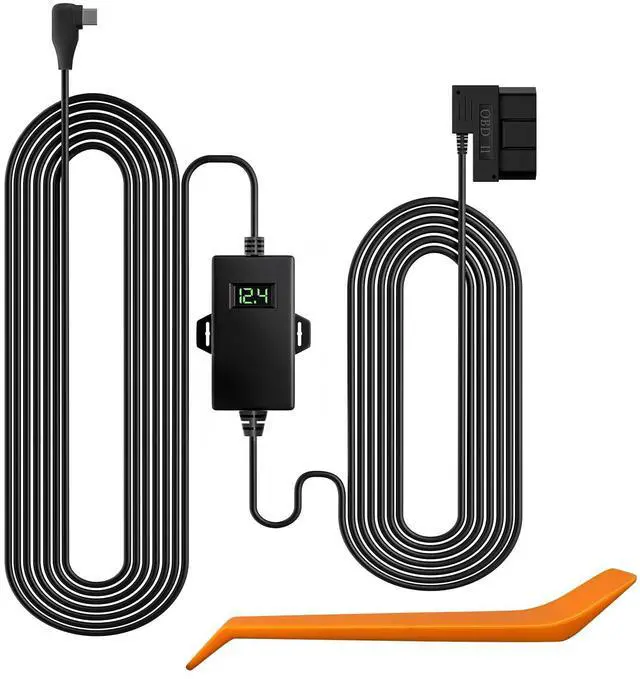


USB C Hardwire Kit OBD, Hard Wire Car Charger Cable Kit 12V-24V to 5V, Avoid Dash Cam Battery Drain, Suitable for G840S/G930/G840H/G850/G850PRO/X5/X5 DUO/i07/i17/X3 Dash Cam
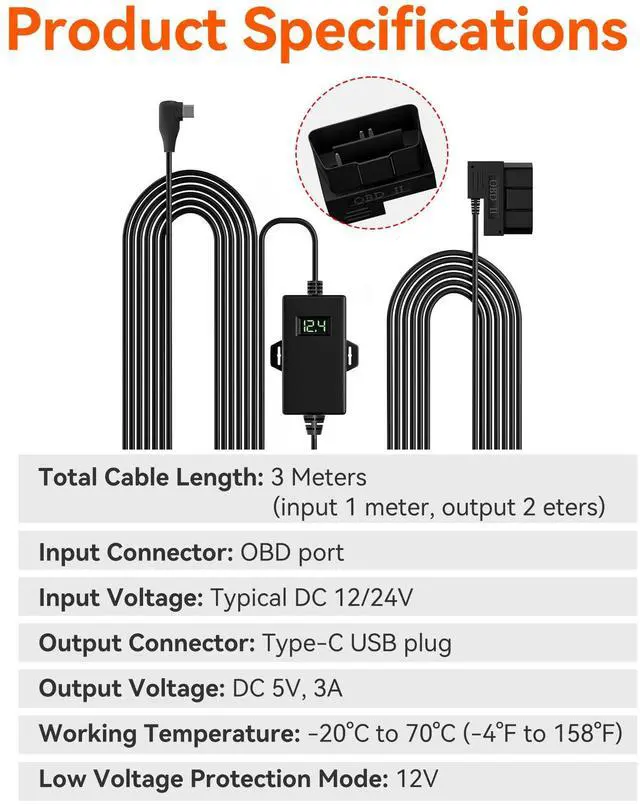
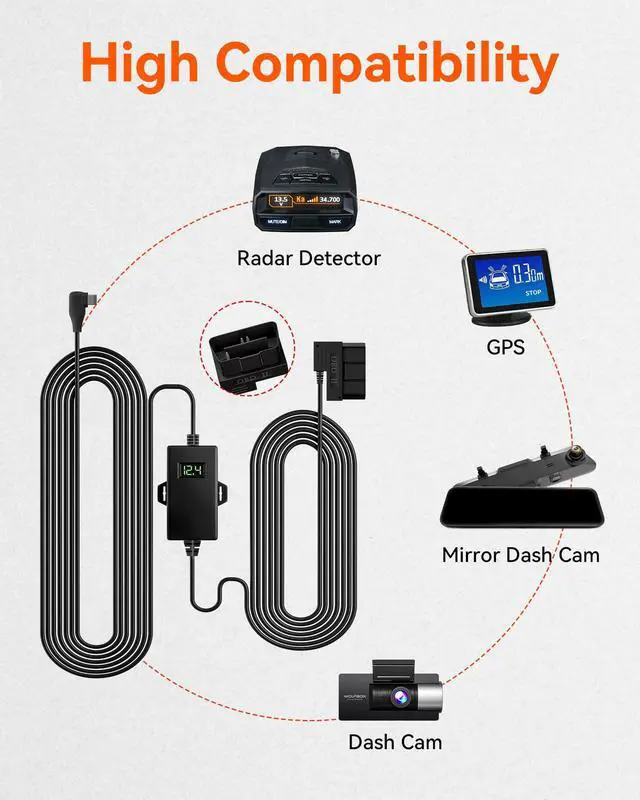
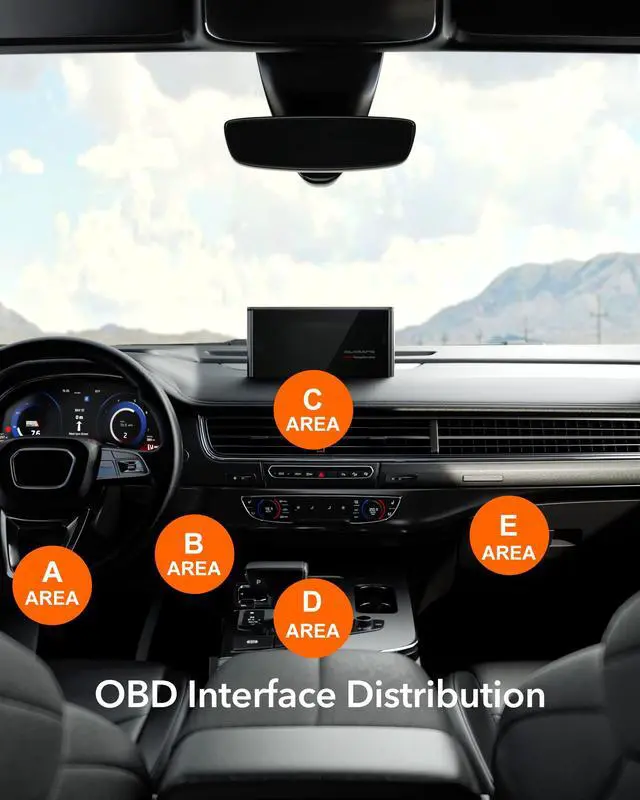
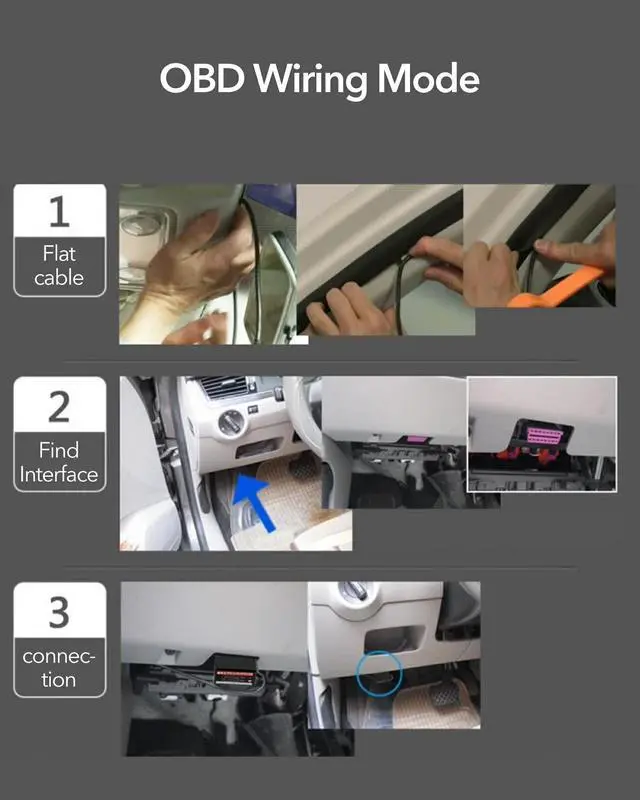
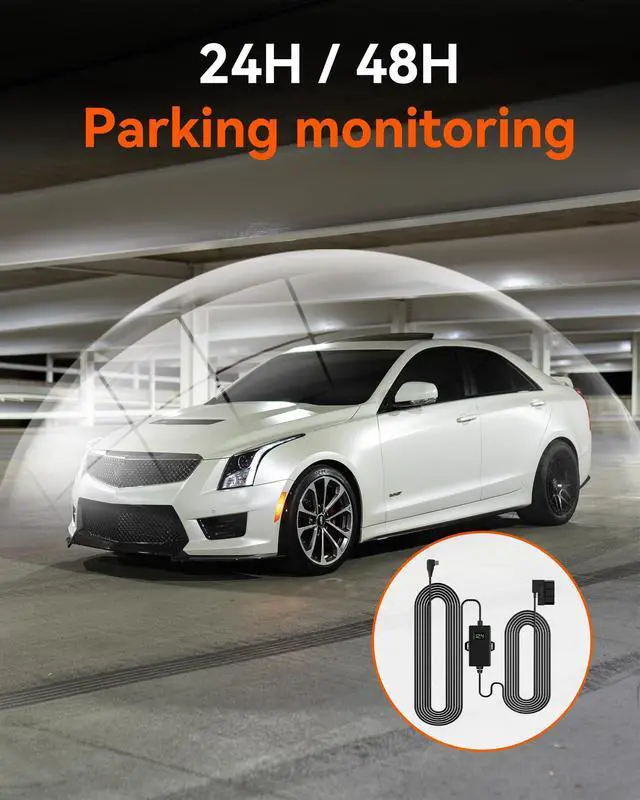
- Wide Capacity - This hardwire kit for dash cams or other devices is powered by a Type-C port, providing a steady 5V/3A output. The voltage input supports 12V to 24V. High Compatibility - The OBD step-down line can supply power to most car electronics (except for Tesla). It is plug-and-play and will not damage any car circuits. The anti-interference design does not affect the normal operation of other devices. Installation Location - The most common location for the car's OBD interface is on the lower left of the trim panel under the steering wheel. However, the OBD port location can vary slightly depending on the vehicle's origin and model year. Some are located above the accelerator pedal, near the driver's side fuse box, or in front of the shift lever. Select the most suitable location for installation. Connect and Setup - Connect the OBD hardwire kit to the vehicle's OBD interface, and connect the Type-C USB to the dash cam. Then start the car, turn on the dash cam, and configure the parking monitor mode. Low Voltage Protection - Multiple security features include low voltage protection. When the car is turned off and the voltage drops below 13V, recording will continue for up to 5 minutes before the power shuts off
+
+
Overview
Specs
Reviews

Any questions? Our AI mode will help you find out quickly.
Try me now
Wide Capacity - This hardwire kit for dash cams or other devices is powered by a Type-C port, providing a steady 5V/3A output. The voltage input supports 12V to 24V. High Compatibility - The OBD step-down line can supply power to most car electronics (except for Tesla). It is plug-and-play and will not damage any car circuits. The anti-interference design does not affect the normal operation of other devices. Installation Location - The most common location for the car's OBD interface is on the lower left of the trim panel under the steering wheel.
However, the OBD port location can vary slightly depending on the vehicle's origin and model year. Some are located above the accelerator pedal, near the driver's side fuse box, or in front of the shift lever. Select the most suitable location for installation. Connect and Setup - Connect the OBD hardwire kit to the vehicle's OBD interface, and connect the Type-C USB to the dash cam. Then start the car, turn on the dash cam, and configure the parking monitor mode. Low Voltage Protection - Multiple security features include low voltage protection.
When the car is turned off and the voltage drops below 13V, recording will continue for up to 5 minutes before the power shuts off
However, the OBD port location can vary slightly depending on the vehicle's origin and model year. Some are located above the accelerator pedal, near the driver's side fuse box, or in front of the shift lever. Select the most suitable location for installation. Connect and Setup - Connect the OBD hardwire kit to the vehicle's OBD interface, and connect the Type-C USB to the dash cam. Then start the car, turn on the dash cam, and configure the parking monitor mode. Low Voltage Protection - Multiple security features include low voltage protection.
When the car is turned off and the voltage drops below 13V, recording will continue for up to 5 minutes before the power shuts off
Warranty & Returns
Warranty, Returns, And Additional Information
Warranty
- Please contact the Seller directly for warranty information. Warranty information may also be found on the Manufacturer's website.
- CONTACT
Return Policies
- Return for refund within: 30 days
- Return for replacement within: 30 days
- This item is covered by WanJin World Shop Return Policy
Manufacturer Contact Info
- For a directory of all our manufacturers, please click below.
- Manufacturers Directory
LOADING...