

Your Browsing History

Meet Your Seller
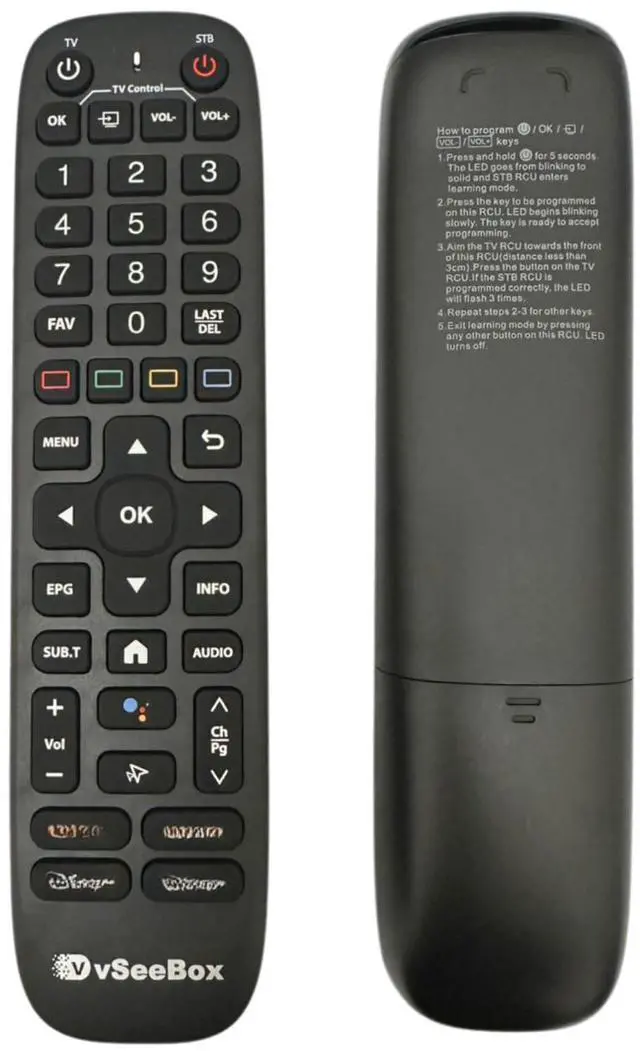
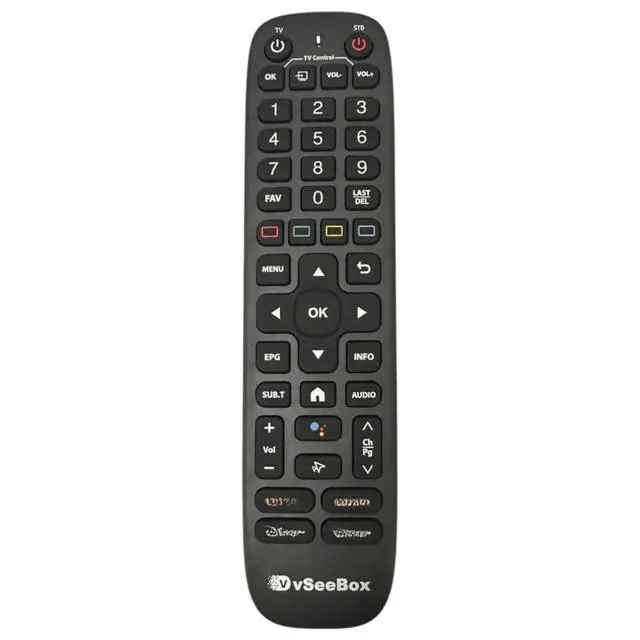


Replacement Voice Remote for VSeeBox V6 Plus with Backlit Keys
Limited time offer, ends 08/26 By Audivibe
- [Exclusive V6 Plus Fit] Crafted as a precise replacement for the VSeeBox V6 Plus Android TV Box model. Please confirm your device model before purchase to ensure smooth compatibility and operation. [Effortless Low Light Operation] Locating your keys in a dim room is straightforward with the integrated illumination feature. The buttons light up distinctly, enabling you to conveniently navigate your media library without struggling in the dark. [Power Requirements & Setup] This remote operates on 2 x AA batteries (not included). For troubleshooting, if the device does not work initially, simply attempt re-pairing it with your TV box to regain full smart control. [Easy IR Programming] Combine your remotes conveniently. Hold [TV POWER] for 6 seconds until the LED is steady. Press the key you to program, point your TV remote at the front (within 3cm), and press the corresponding TV button. The LED blinks 3 times to indicate success
+
+
Overview
Specs
Reviews

Any questions? Our AI mode will help you find out quickly.
Try me now
[Exclusive V6 Plus Fit] Crafted as a precise replacement for the VSeeBox V6 Plus Android TV Box model. Please confirm your device model before purchase to ensure smooth compatibility and operation. [Effortless Low Light Operation] Locating your keys in a dim room is straightforward with the integrated illumination feature. The buttons light up distinctly, enabling you to conveniently navigate your media library without struggling in the dark. [Power Requirements & Setup] This remote operates on 2 x AA batteries (not included). For troubleshooting, if the device does not work initially, simply attempt re-pairing it with your TV box to regain full smart control.
[Easy IR Programming] Combine your remotes conveniently. Hold [TV POWER] for 6 seconds until the LED is steady. Press the key you to program, point your TV remote at the front (within 3cm), and press the corresponding TV button. The LED blinks 3 times to indicate success
[Easy IR Programming] Combine your remotes conveniently. Hold [TV POWER] for 6 seconds until the LED is steady. Press the key you to program, point your TV remote at the front (within 3cm), and press the corresponding TV button. The LED blinks 3 times to indicate success
Warranty & Returns
Warranty, Returns, And Additional Information
Warranty
- Please contact the Seller directly for warranty information. Warranty information may also be found on the Manufacturer's website.
- CONTACT
Return Policies
- Return for refund within: 30 days
- Return for replacement within: 30 days
- This item is covered by Audivibe Return Policy
Manufacturer Contact Info
- For a directory of all our manufacturers, please click below.
- Manufacturers Directory
LOADING...