

Your Browsing History

Meet Your Seller
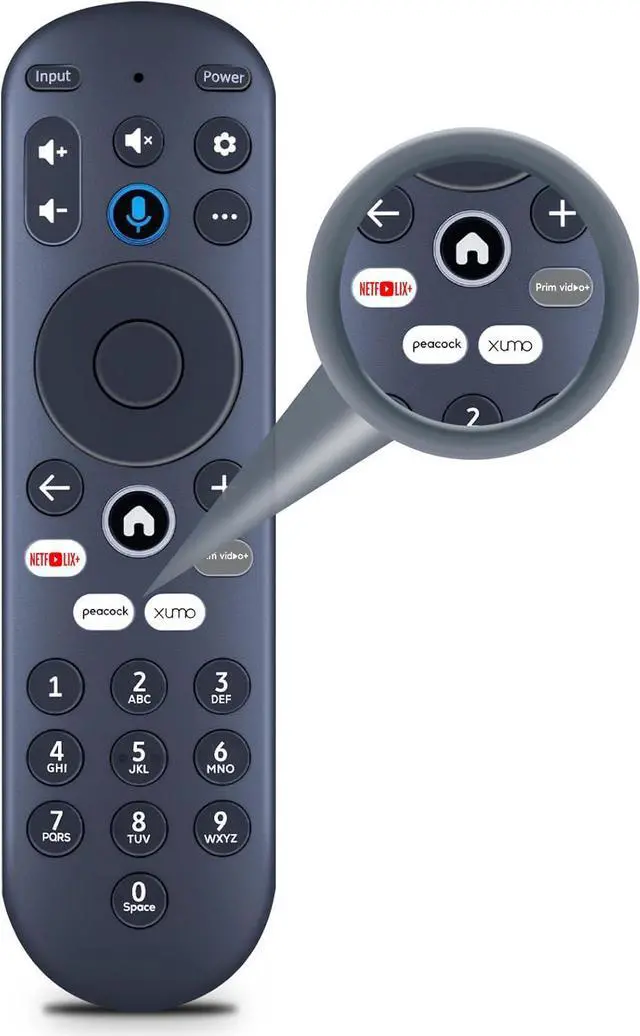
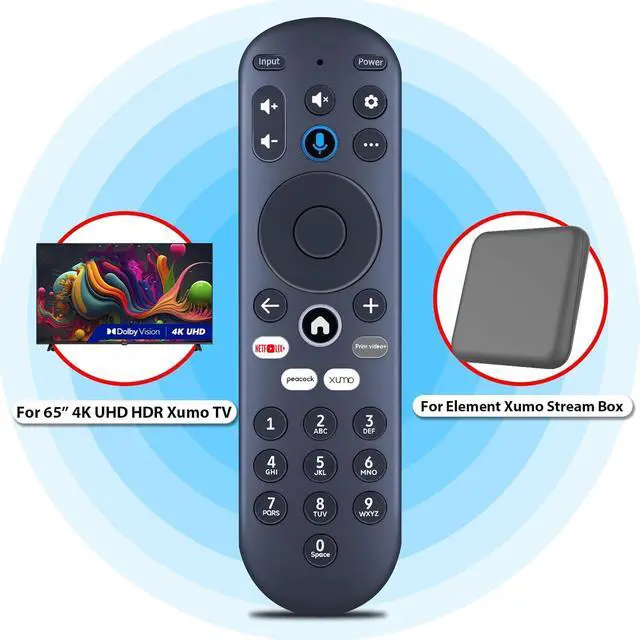
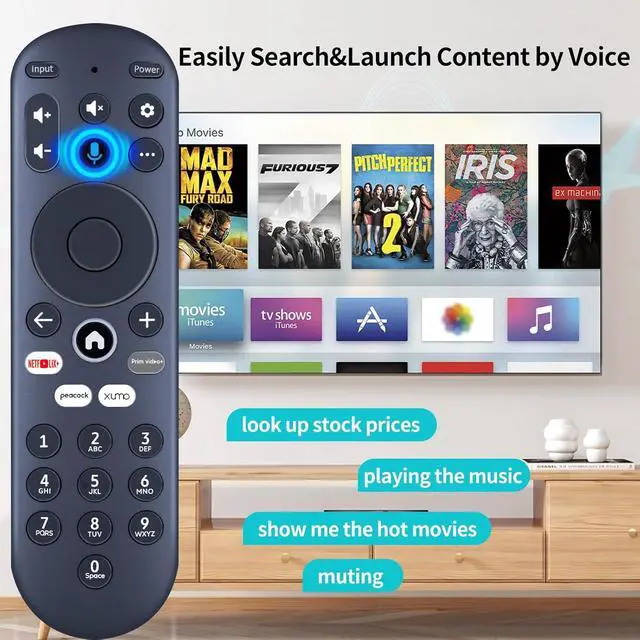
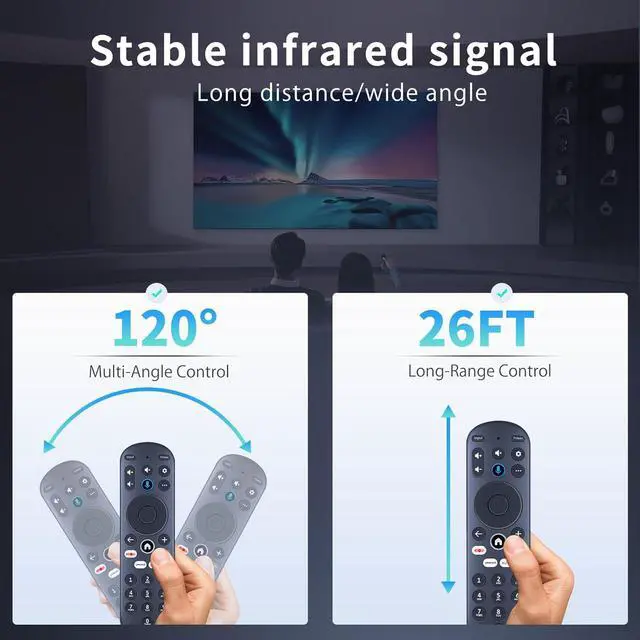
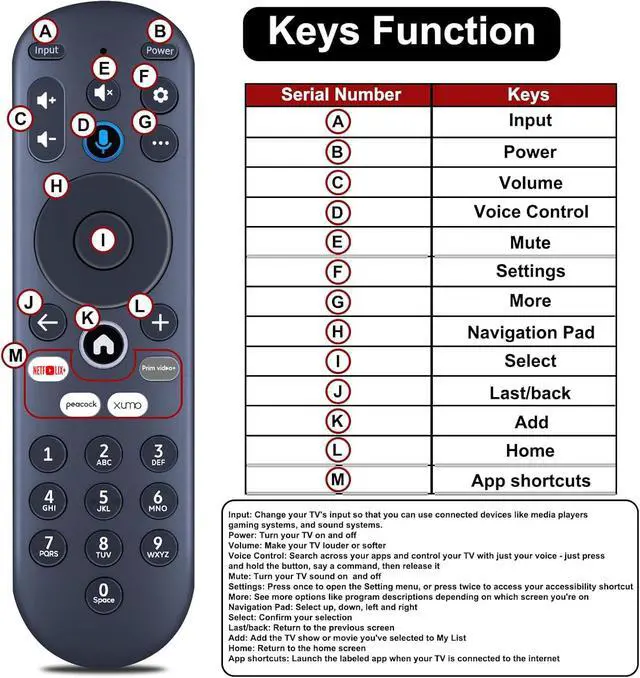


Replacement for Element Xumo TV Stream Box Voice Remote Control, Compatible with Element 65 4K UHD HDR Xumo TV E500AC65C E500AC43C E500AC55C E500AC50C
- New replacement voice remote control compatible with Element Xumo TV Stream Box, including Element 65 4K UHD HDR Xumo TV models E500AC65C, E500AC43C, E500AC55C, and E500AC50C. This advanced voice remote allows you to swiftly search and access your favorites across every app. Stop scrubbing through different streaming platforms to find that show your friend suggested. Switch between apps, discover new programs, adjust the volume, and more using your voice. More viewing, less waiting. (Note: Voice control will not function until you pair your remote. Voice commands only operate when your TV is connected to the internet.) **How to Pair with a New Xumo TV:** Before using your remote, you need to pair it with your TV. If you install batteries in your remote within 15 minutes of initially plugging in your TV, your remote will automatically pair with your TV. If unpaired, please follow these instructions: Step 1) Press the SETTING button. Step 2) Select Remote > Pair your remote to your TV. Step 3) Follow the on-screen instructions. (Tips: If pairing is unsuccessful, turn off your TV and disconnect it from the power source. Plug the TV back in, power it on, and attempt steps 1-3 again.) **How to Pair with a Sound System:** Step 1) Press the SETTING button. Step 2) Select Remote > Pair your remote and sound system. Step 3) Follow the on-screen instructions. **How To Reset the Remote:** Step 1) Hold the and buttons for 3 seconds until the light at the top of the remote turns so
+
+
Overview
Specs
Reviews

Any questions? Our AI mode will help you find out quickly.
Try me now
New replacement voice remote control compatible with Element Xumo TV Stream Box, including Element 65 4K UHD HDR Xumo TV models E500AC65C, E500AC43C, E500AC55C, and E500AC50C. This advanced voice remote allows you to swiftly search and access your favorites across every app. Stop scrubbing through different streaming platforms to find that show your friend suggested. Switch between apps, discover new programs, adjust the volume, and more using your voice. More viewing, less waiting.
(Note: Voice control will not function until you pair your remote. Voice commands only operate when your TV is connected to the internet. ) **How to Pair with a
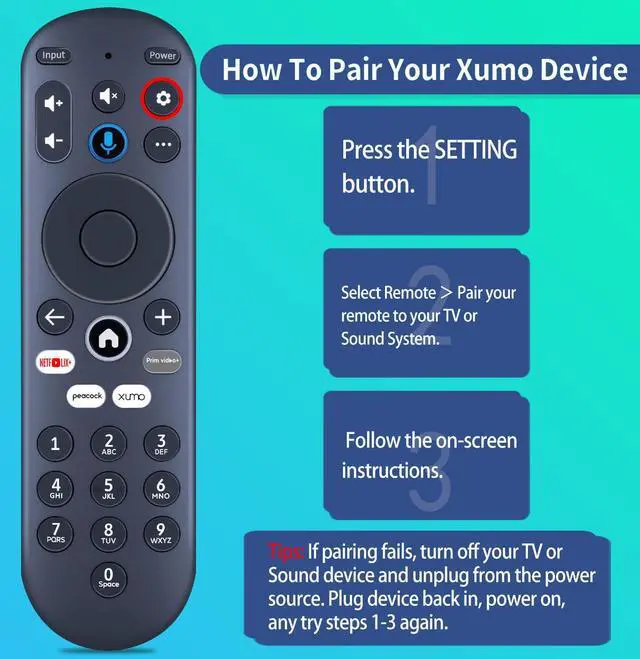
New Xumo TV: ** Before using your remote, you need to pair it with your TV. If you install batteries in your remote within 15 minutes of initially plugging in your TV, your remote will automatically pair with your TV. If unpaired, please
follow these instructions: Step 1) Press the SETTING button. Step 2) Select Remote > Pair your remote to your TV. Step 3) Follow the on-screen instructions.
(Tips: If pairing is unsuccessful, turn off your TV and disconnect it from the power source. Plug the TV back in, power it on, and attempt steps 1-3 again. ) **How to Pair with a
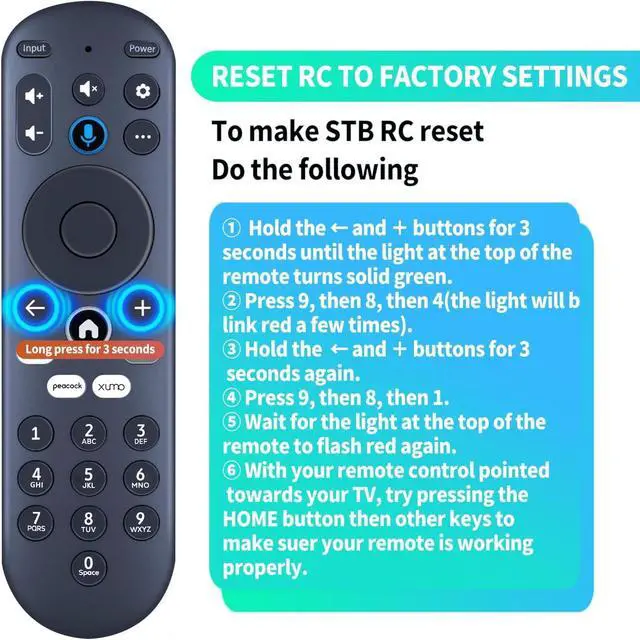
Sound System: ** Step 1) Press the SETTING button. Step 2) Select Remote > Pair your remote and sound system. Step 3) Follow the on-screen instructions. **How To Reset the
Remote: ** Step 1) Hold the and buttons for 3 seconds until the light at the top of the remote turns solid green. Step 2) Press 9, then 8, then 4 (the light will blink red a few times). Step 3) Hold the and buttons for 3 seconds again. Step 4) Press 9, then 8, then
1. Step 5) Wait for the light at the top of the remote to flash red again. Step 6) With your remote control pointed towards your TV, try pressing the HOME button and then other keys to confirm your remote is operating correctly
(Note: Voice control will not function until you pair your remote. Voice commands only operate when your TV is connected to the internet. ) **How to Pair with a
New Xumo TV: ** Before using your remote, you need to pair it with your TV. If you install batteries in your remote within 15 minutes of initially plugging in your TV, your remote will automatically pair with your TV. If unpaired, please
follow these instructions: Step 1) Press the SETTING button. Step 2) Select Remote > Pair your remote to your TV. Step 3) Follow the on-screen instructions.
(Tips: If pairing is unsuccessful, turn off your TV and disconnect it from the power source. Plug the TV back in, power it on, and attempt steps 1-3 again. ) **How to Pair with a
Sound System: ** Step 1) Press the SETTING button. Step 2) Select Remote > Pair your remote and sound system. Step 3) Follow the on-screen instructions. **How To Reset the
Remote: ** Step 1) Hold the and buttons for 3 seconds until the light at the top of the remote turns solid green. Step 2) Press 9, then 8, then 4 (the light will blink red a few times). Step 3) Hold the and buttons for 3 seconds again. Step 4) Press 9, then 8, then
1. Step 5) Wait for the light at the top of the remote to flash red again. Step 6) With your remote control pointed towards your TV, try pressing the HOME button and then other keys to confirm your remote is operating correctly
Warranty & Returns
Warranty, Returns, And Additional Information
Warranty
- Please contact the Seller directly for warranty information. Warranty information may also be found on the Manufacturer's website.
- CONTACT
Return Policies
- Return for refund within: 30 days
- Return for replacement within: 30 days
- This item is covered by Audivibe Return Policy
Manufacturer Contact Info
- For a directory of all our manufacturers, please click below.
- Manufacturers Directory
LOADING...