

Your Browsing History

Meet Your Seller
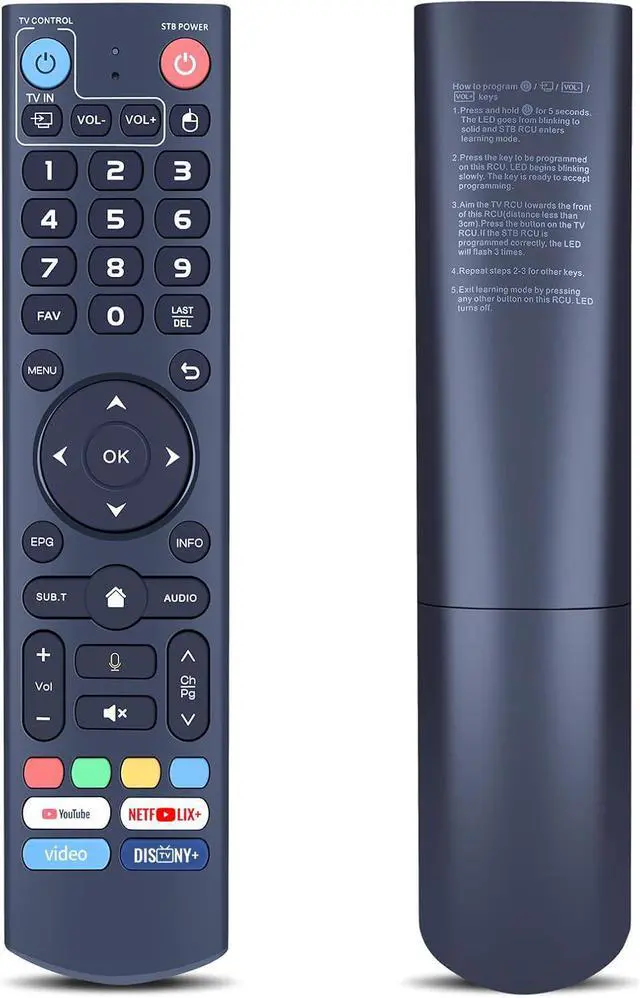
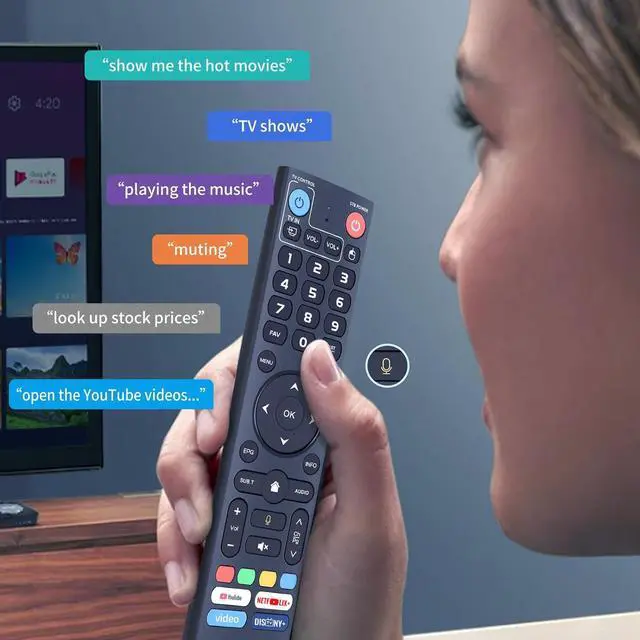


V3 Pro Replacement Voice Remote Control Compatible with vSeeBox V5 Pro / V3 Plus/V3 Pro / V2 Pro / V1 Pro/V1 Max/Elite/Max
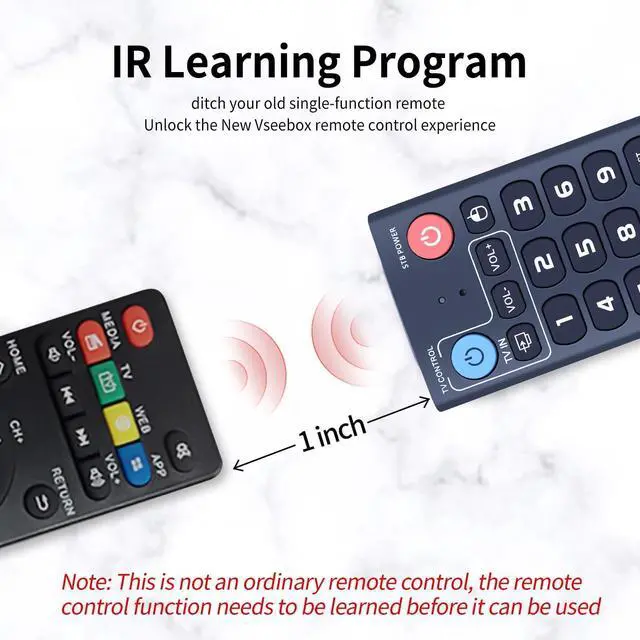
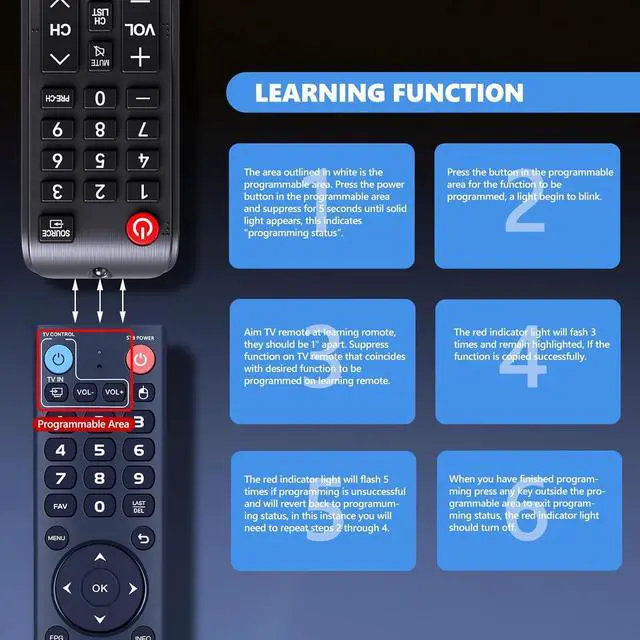
- If some functions are not available, please follow the steps below: 1) Press and hold the [POWER] key for 5 seconds. The LED indicator will change from blinking to solid, indicating the STB RCU has entered Learning Mode. 2) Press the key you to program on this remote control. The LED will begin to blink slowly, showing it is ready to accept the new command. 3) Point your original TV remote towards the front of this RCU (keep the distance under 3cm) and press the desired button on the TV remote. If programmed correctly, the LED will flash three times. 4) Repeat steps 2 and 3 for programming other keys. To exit learning mode, press any other button on this remote control. The LED will turn off. This V3 Pro voice remote control is compatible with part vSeeBox models, including vSeeBox V5 Pro, V3 Plus, V3 Pro, V2 Pro, V1 Pro, V1 Max, Elite, and Max. Please note: The V1 Max, V1 Pro, and V2 Pro models do not support the voice command function. Please verify your box model is included in the list above. It incorporates advanced technology for quick pairing, a stable connection, and an extended operational range, making the setup process straightforward. It offers two working modes: V3 mode and V2 mode. To switch modes, press and hold the number 5 key for over 10 seconds until the indicator light flashes, confirming a successful mode change. The V3 Pro working mode is for use with V3 Pro models. The V2 Pro working mode is for use with V1 Pro, V2 Pro, Max, and Elite models. (Note: T
+
+
Overview
Specs
Reviews

Any questions? Our AI mode will help you find out quickly.
Try me now
If some functions are not available, please
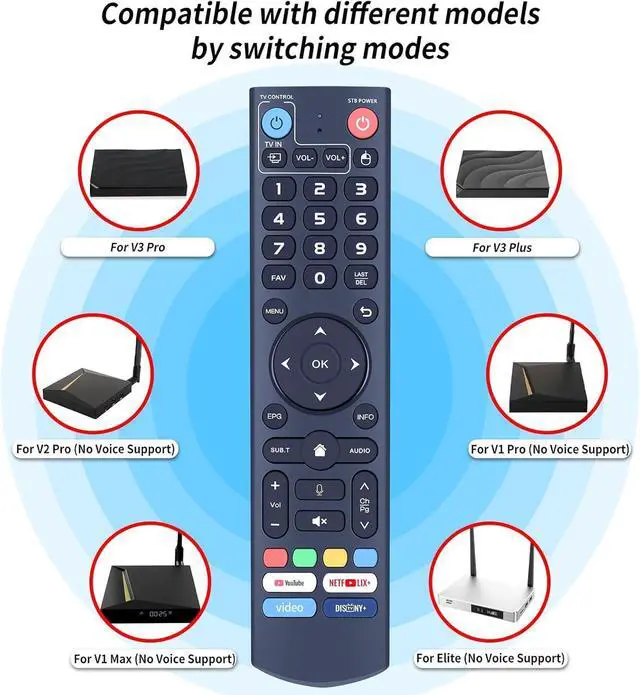
follow the steps below: 1) Press and hold the [POWER] key for 5 seconds. The LED indicator will change from blinking to solid, indicating the STB RCU has entered Learning Mode. 2) Press the key you to program on this remote control. The LED will begin to blink slowly, showing it is ready to accept the new command. 3) Point your original TV remote towards the front of this RCU (keep the distance under 3cm) and press the desired button on the TV remote. If programmed correctly, the LED will flash three times. 4) Repeat steps 2 and 3 for programming other keys. To exit learning mode, press any other button on this remote control. The LED will turn off. This V3 Pro voice remote control is compatible with part vSeeBox models, including vSeeBox V5 Pro, V3 Plus, V3 Pro, V2 Pro, V1 Pro, V1 Max, Elite, and Max.
Please note: The V1 Max, V1 Pro, and V2 Pro models do not support the voice command function. Please verify your box model is included in the list above. It incorporates advanced technology for quick pairing, a stable connection, and an extended operational range, making the setup process straightforward.
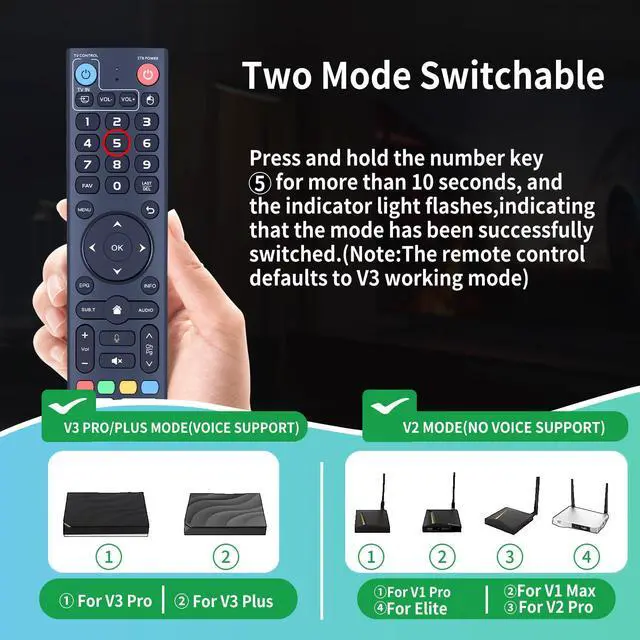
It offers two working modes: V3 mode and V2 mode. To switch modes, press and hold the number 5 key for over 10 seconds until the indicator light flashes, confirming a successful mode change. The V3 Pro working mode is for use with V3 Pro models. The V2 Pro working mode is for use with V1 Pro, V2 Pro, Max, and Elite models.
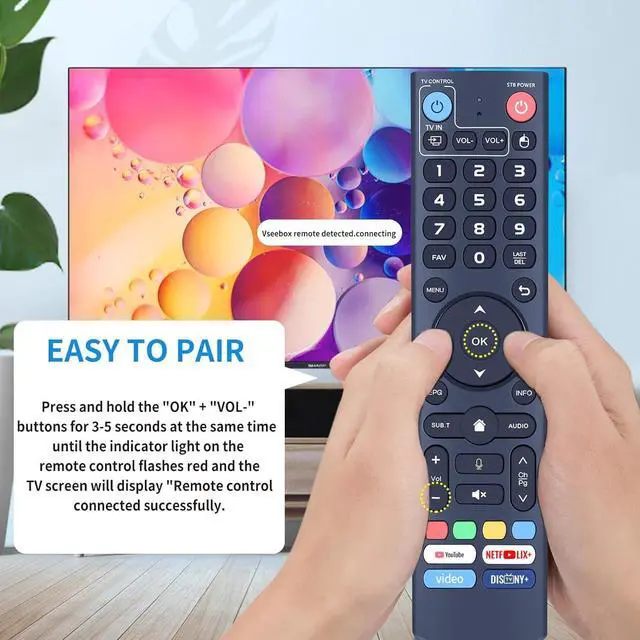
(Note: The remote control defaults to V3 working mode. ) To use this V3 remote control with V1 Pro, V2 Pro, Max, or
Elite models: Press and hold the OK and Volume Down keys together for approximately five seconds until the remote's indicator light flashes continuously, signifying Bluetooth is active. Then, proceed to pair the remote via System Settings > Bluetooth > Pair New Device. Locate the remote control in the list and connect to it. If it is not found, ensure Bluetooth is enabled by pressing and holding the OK and Volume Down keys simultaneously once more
follow the steps below: 1) Press and hold the [POWER] key for 5 seconds. The LED indicator will change from blinking to solid, indicating the STB RCU has entered Learning Mode. 2) Press the key you to program on this remote control. The LED will begin to blink slowly, showing it is ready to accept the new command. 3) Point your original TV remote towards the front of this RCU (keep the distance under 3cm) and press the desired button on the TV remote. If programmed correctly, the LED will flash three times. 4) Repeat steps 2 and 3 for programming other keys. To exit learning mode, press any other button on this remote control. The LED will turn off. This V3 Pro voice remote control is compatible with part vSeeBox models, including vSeeBox V5 Pro, V3 Plus, V3 Pro, V2 Pro, V1 Pro, V1 Max, Elite, and Max.
Please note: The V1 Max, V1 Pro, and V2 Pro models do not support the voice command function. Please verify your box model is included in the list above. It incorporates advanced technology for quick pairing, a stable connection, and an extended operational range, making the setup process straightforward.
It offers two working modes: V3 mode and V2 mode. To switch modes, press and hold the number 5 key for over 10 seconds until the indicator light flashes, confirming a successful mode change. The V3 Pro working mode is for use with V3 Pro models. The V2 Pro working mode is for use with V1 Pro, V2 Pro, Max, and Elite models.
(Note: The remote control defaults to V3 working mode. ) To use this V3 remote control with V1 Pro, V2 Pro, Max, or
Elite models: Press and hold the OK and Volume Down keys together for approximately five seconds until the remote's indicator light flashes continuously, signifying Bluetooth is active. Then, proceed to pair the remote via System Settings > Bluetooth > Pair New Device. Locate the remote control in the list and connect to it. If it is not found, ensure Bluetooth is enabled by pressing and holding the OK and Volume Down keys simultaneously once more
Warranty & Returns
Warranty, Returns, And Additional Information
Warranty
- Please contact the Seller directly for warranty information. Warranty information may also be found on the Manufacturer's website.
- CONTACT
Return Policies
- Return for refund within: 30 days
- Return for replacement within: 30 days
- This item is covered by Audivibe Return Policy
Manufacturer Contact Info
- For a directory of all our manufacturers, please click below.
- Manufacturers Directory
LOADING...