

Your Browsing History

Meet Your Seller
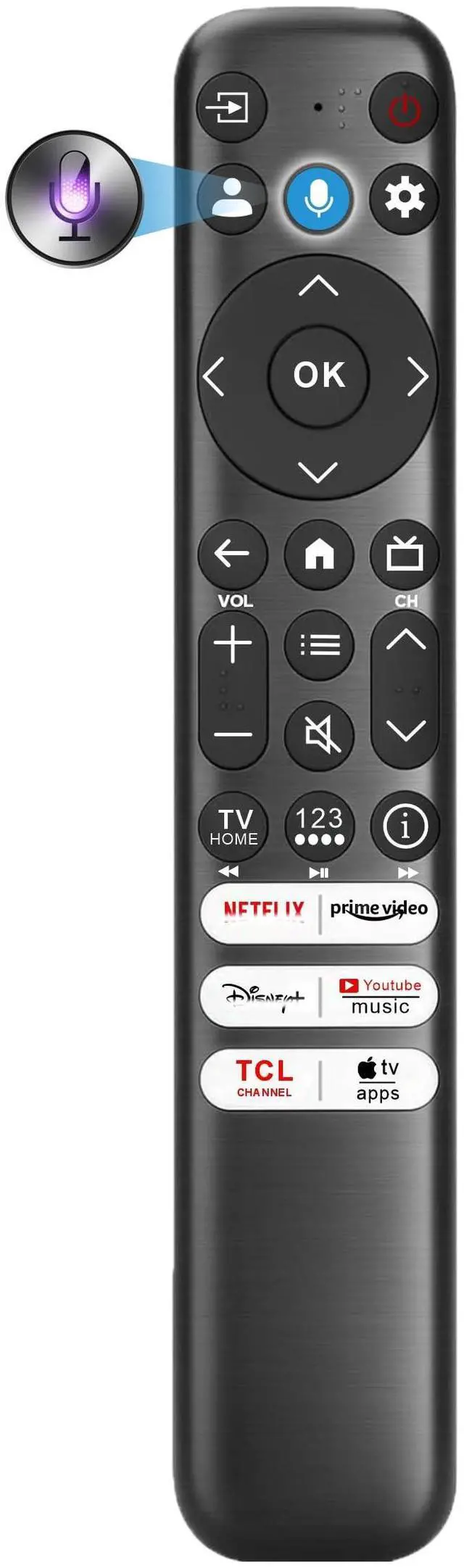


Replacement for TCL Remote Control 2026-2016, for TCL Google TV Remote | Universal | Motion Backlit | Voice & Bluetooth | Fire TLC and Android TVs
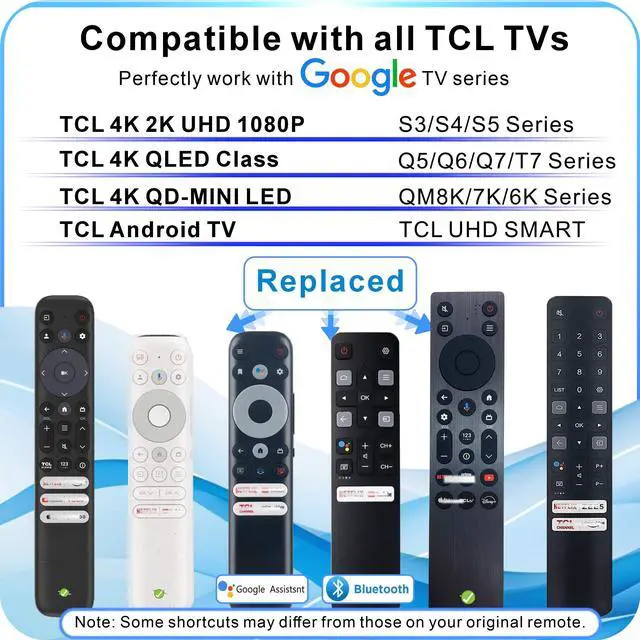
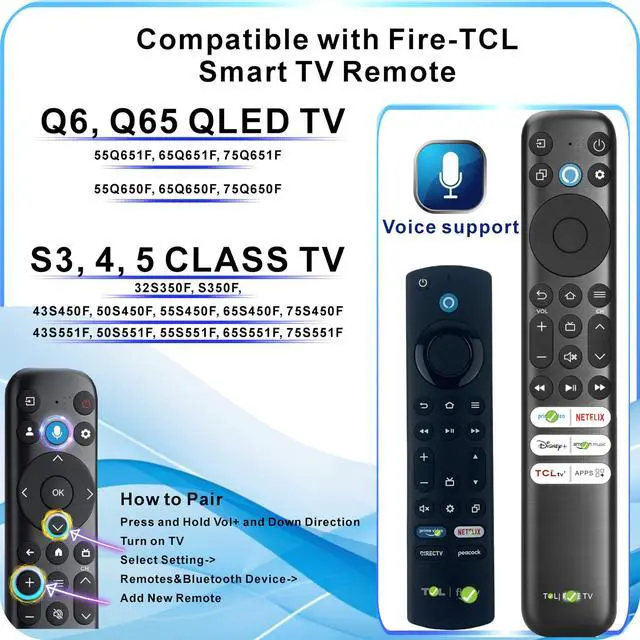
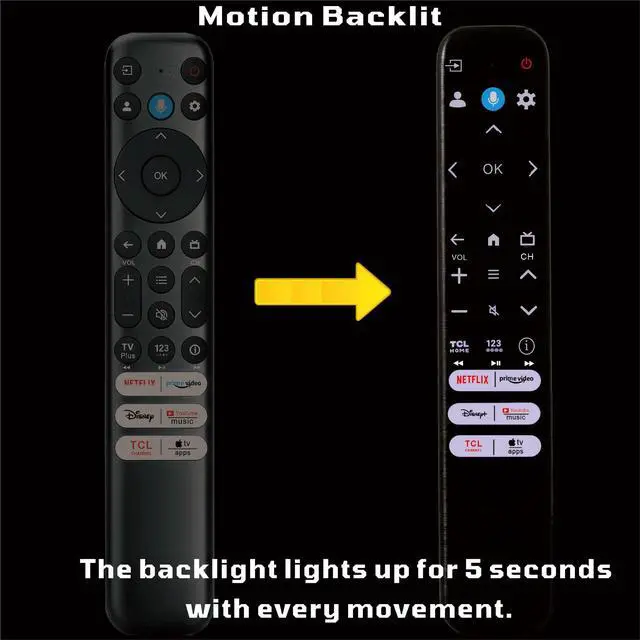
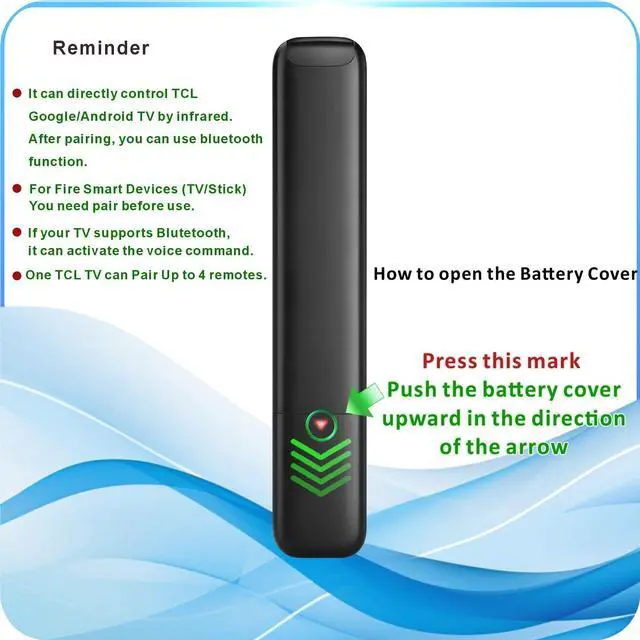
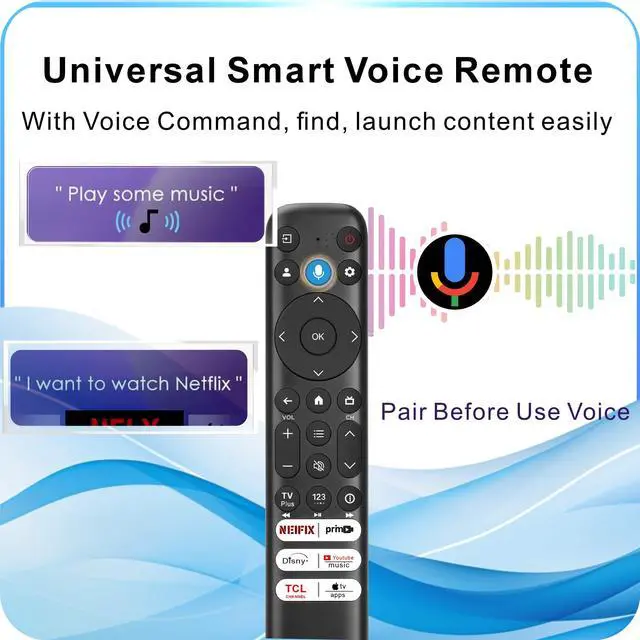
- Universal Voice Control Smart Remote: Activate voice command features on compatible TCL TVs! If your TCL TV has Bluetooth hardware (4.0+/5.0+/5.3+), this remote enhances your infrared-only original remote to provide full voice-control capability. The pairing process differs by TV model. Compatible with TCL all Google smart TVs: QM6K, QM7K, QM8K, Q5, Q6, Q7, S3, S4, S5, NXTVISION, QD-MINI LED, 4K UHD, HD, QLED TVS series. Please note that some TCL TVs do not support the Voice function. Pairing is required to use the Voice command. One TCL TV can be paired with up to 4 remotes. Pairing method for TCL Google TVs: Press and hold the Home and OK buttons until the blue LED flashes, for approximately 3 seconds. Compatible with Fire TCL Smart TV: 2023, 2024, 2025, 2026 Series: S551F, Q651F, Q650F, Q681F, S350F series. Pairing is necessary. Also compatible with other Fire Smart TVs: Stick, Cube, Insignia, Toshiba TV. Pairing method for Fire Smart TVs: Press and hold the Volume+ and Direction Down buttons until the red LED flashes, for about 3 seconds. Motion-activated backlight enables you to easily locate buttons in the dark for seamless movie nights. Voice Function is available for TCL Google, Android, and Fire-Operating systems. Troubleshooting: Reset the remote or install fresh batteries if the remote does not function. Press Home and OK to reset the remote. Remote Technology & Range: This replacement remote utilizes both infrared and Bluetooth technology. It provides stable res
+
+
Overview
Specs
Reviews

Any questions? Our AI mode will help you find out quickly.
Try me now
Universal Voice
Control Smart Remote: Activate voice command features on compatible TCL TVs! If your TCL TV has Bluetooth hardware ( 4.0 +/ 5.0 +/ 5.3 +), this remote enhances your infrared-only original remote to provide full voice-control capability. The pairing process differs by TV model. Compatible with TCL all Google smart
TVs: QM6K, QM7K, QM8K, Q5, Q6, Q7, S3, S4, S5, NXTVISION, QD-MINI LED, 4K UHD, HD, QLED TVS series. Please note that some TCL TVs do not support the Voice function. Pairing is required to use the Voice command. One TCL TV can be paired with up to 4 remotes. Pairing method for
TCL Google TVs: Press and hold the Home and OK buttons until the blue LED flashes, for approximately 3 seconds. Compatible with
Fire TCL Smart TV: 2023, 2024, 2025, 2026
Series: S551F, Q651F, Q650F, Q681F, S350F series. Pairing is necessary. Also compatible with other
Fire Smart TVs: Stick, Cube, Insignia, Toshiba TV. Pairing method for
Fire Smart TVs: Press and hold the Volume+ and Direction Down buttons until the red LED flashes, for about 3 seconds. Motion-activated backlight enables you to easily locate buttons in the dark for seamless movie nights. Voice Function is available for TCL Google, Android, and Fire-Operating systems.
Troubleshooting: Reset the remote or install fresh batteries if the remote does not function. Press Home and OK to reset the remote.
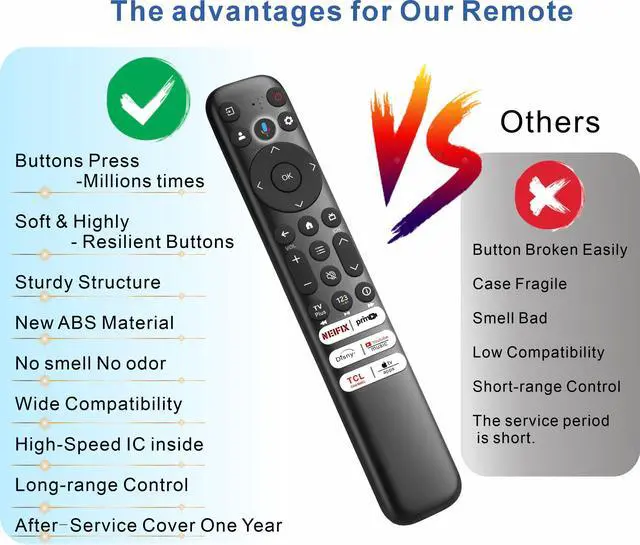
Remote Technology & Range: This replacement remote utilizes both infrared and Bluetooth technology. It provides stable responsiveness within 10 meters and can operate effectively up to 12 meters. Each button has been tested to endure 5, 0008, 000 presses, ensuring reliable performance and quick response
Control Smart Remote: Activate voice command features on compatible TCL TVs! If your TCL TV has Bluetooth hardware ( 4.0 +/ 5.0 +/ 5.3 +), this remote enhances your infrared-only original remote to provide full voice-control capability. The pairing process differs by TV model. Compatible with TCL all Google smart
TVs: QM6K, QM7K, QM8K, Q5, Q6, Q7, S3, S4, S5, NXTVISION, QD-MINI LED, 4K UHD, HD, QLED TVS series. Please note that some TCL TVs do not support the Voice function. Pairing is required to use the Voice command. One TCL TV can be paired with up to 4 remotes. Pairing method for
TCL Google TVs: Press and hold the Home and OK buttons until the blue LED flashes, for approximately 3 seconds. Compatible with
Fire TCL Smart TV: 2023, 2024, 2025, 2026
Series: S551F, Q651F, Q650F, Q681F, S350F series. Pairing is necessary. Also compatible with other
Fire Smart TVs: Stick, Cube, Insignia, Toshiba TV. Pairing method for
Fire Smart TVs: Press and hold the Volume+ and Direction Down buttons until the red LED flashes, for about 3 seconds. Motion-activated backlight enables you to easily locate buttons in the dark for seamless movie nights. Voice Function is available for TCL Google, Android, and Fire-Operating systems.
Troubleshooting: Reset the remote or install fresh batteries if the remote does not function. Press Home and OK to reset the remote.
Remote Technology & Range: This replacement remote utilizes both infrared and Bluetooth technology. It provides stable responsiveness within 10 meters and can operate effectively up to 12 meters. Each button has been tested to endure 5, 0008, 000 presses, ensuring reliable performance and quick response
Warranty & Returns
Warranty, Returns, And Additional Information
Warranty
- Please contact the Seller directly for warranty information. Warranty information may also be found on the Manufacturer's website.
- CONTACT
Return Policies
- Return for refund within: 30 days
- Return for replacement within: 30 days
- This item is covered by Audivibe Return Policy
Manufacturer Contact Info
- For a directory of all our manufacturers, please click below.
- Manufacturers Directory
LOADING...