

Your Browsing History

Meet Your Seller


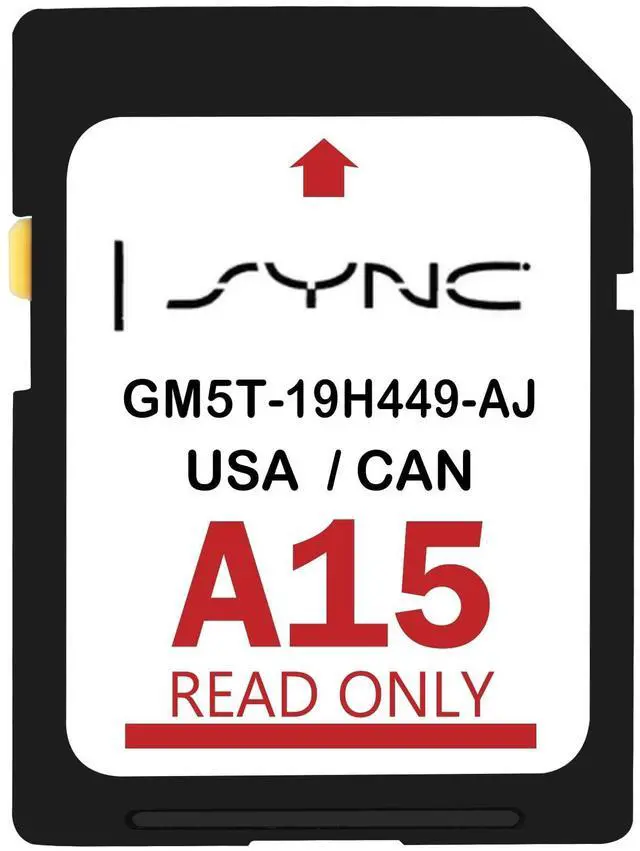
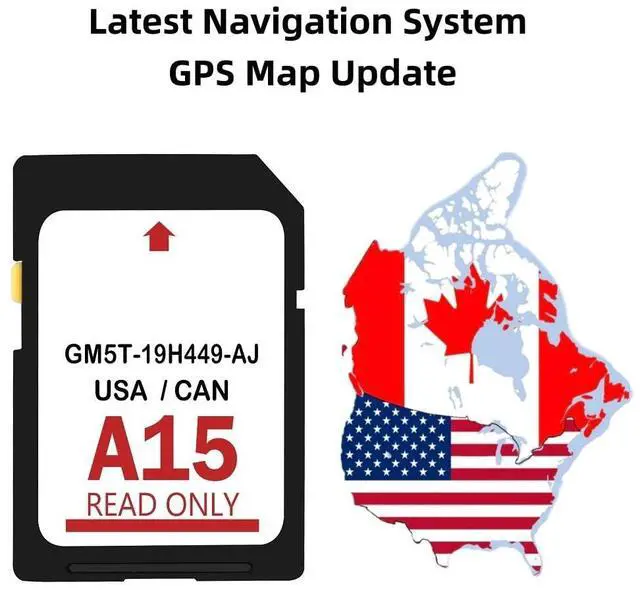


2026 Latest A15 Navigation SD Card Compatible with Ford/Lincoln | F150 Explorer Fusion Expedition Escape Edge MKC MKZ MKX, Sync Navigation Accessories, Update USA/Canada Maps, GM5T-19H449-AJ
Limited time offer, ends 08/26 By WanJin World Shop
- UPDATED DATA: The A15 navigation SD card refreshes map databases from earlier versions like A14, A13, A12, A11, A10, A9, A8, A7, A6, A5, A4, and so on. This map update includes hundreds of cities, counties, and metropolitan areas across all 50 U.S. states and Canada. The latest 2025 version navigation accessory is made for Ford and Lincoln vehicles. COMPATIBLE WITH FORD MODELS: Fits Ford F-150 (2013 - 2015), Explorer (2011 - 2016), Fusion (2013 - 2016), Expedition (2015), Escape (2013 - 2015), Edge (2011 - 2015), Focus (2012 - 2015), C-MAX (2013 - 2015), Escape Hybrid (2013 - 2015), Expedition XT (2015), Fiesta (2014 - 2015), Flex (2013 - 2015), Mustang (2015), Super Duty (F-250 / F-350 / F-450) (2013 - 2016), Taurus (2013 - 2015), Transit (2013 - 2015), Transit Connect (2014 - 2016). COMPATIBLE WITH LINCOLN MODELS: Fits Lincoln MKZ (2013 - 2016), MKX (2011 - 2016), MKC (2015), MKS (2013 - 2015), MKT (2013 - 2015), Navigator (2015). INSTALLATION INSTRUCTION: First, confirm if the CCPU of your Ford/Lincoln SYNC system is compatible or needs an update by checking the product image matching the CCPU version. Installation Steps: 1. Turn the vehicle off. 2. Find the SD card slot. 3. Take out the old SD card. 4. Place the new navigation SD card into the SD card slot until it clicks. 5. Start the engine to confirm the new navigation SD card is working. The word "Navigation" should show in the upper right-hand corner. If "Insert Nav SD Card" appears, it means the system does not de
+
+
Overview
Specs
Reviews

Any questions? Our AI mode will help you find out quickly.
Try me now
UPDATED DATA: The A15 navigation SD card refreshes map databases from earlier versions like A14, A13, A12, A11, A10, A9, A8, A7, A6, A5, A4, and so on. This map update includes hundreds of cities, counties, and metropolitan areas across all 50 U. S. states and Canada. The latest 2025 version navigation accessory is made for Ford and Lincoln vehicles.
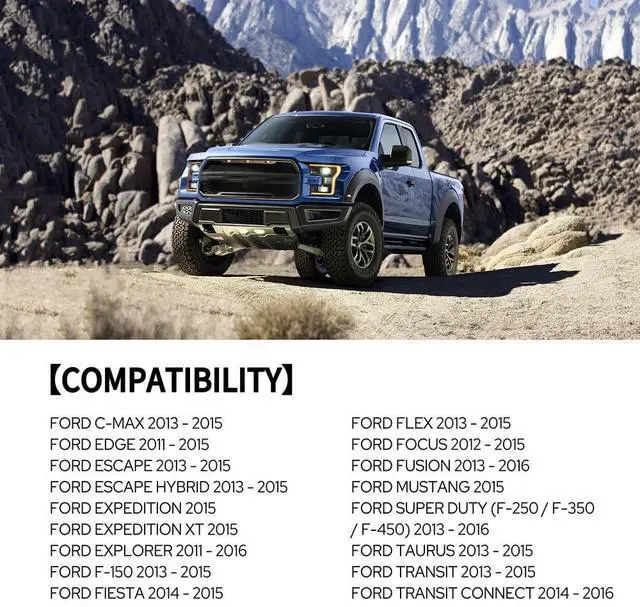
COMPATIBLE WITH FORD MODELS: Fits Ford F-150 (2013 - 2015), Explorer (2011 - 2016), Fusion (2013 - 2016), Expedition (2015), Escape (2013 - 2015), Edge (2011 - 2015), Focus (2012 - 2015), C-MAX (2013 - 2015), Escape Hybrid (2013 - 2015), Expedition XT (2015), Fiesta (2014 - 2015), Flex (2013 - 2015), Mustang (2015), Super Duty (F-250 / F-350 / F-450) (2013 - 2016), Taurus (2013 - 2015), Transit (2013 - 2015), Transit Connect (2014 - 2016).
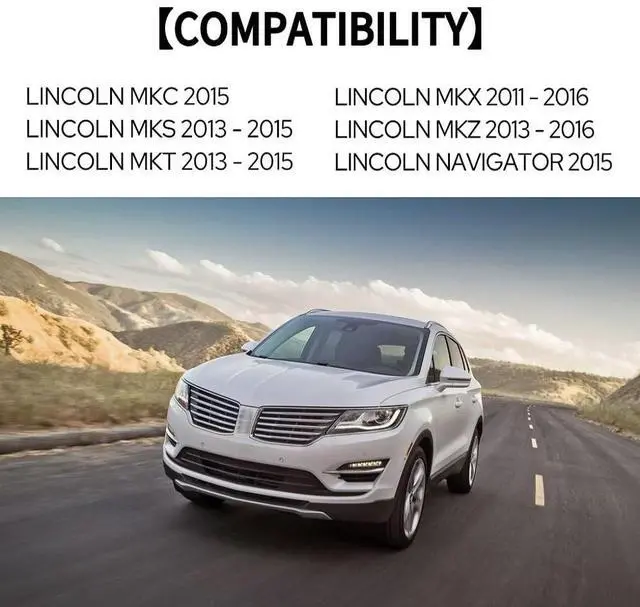
COMPATIBLE WITH LINCOLN MODELS: Fits Lincoln MKZ (2013 - 2016), MKX (2011 - 2016), MKC (2015), MKS (2013 - 2015), MKT (2013 - 2015), Navigator (2015).
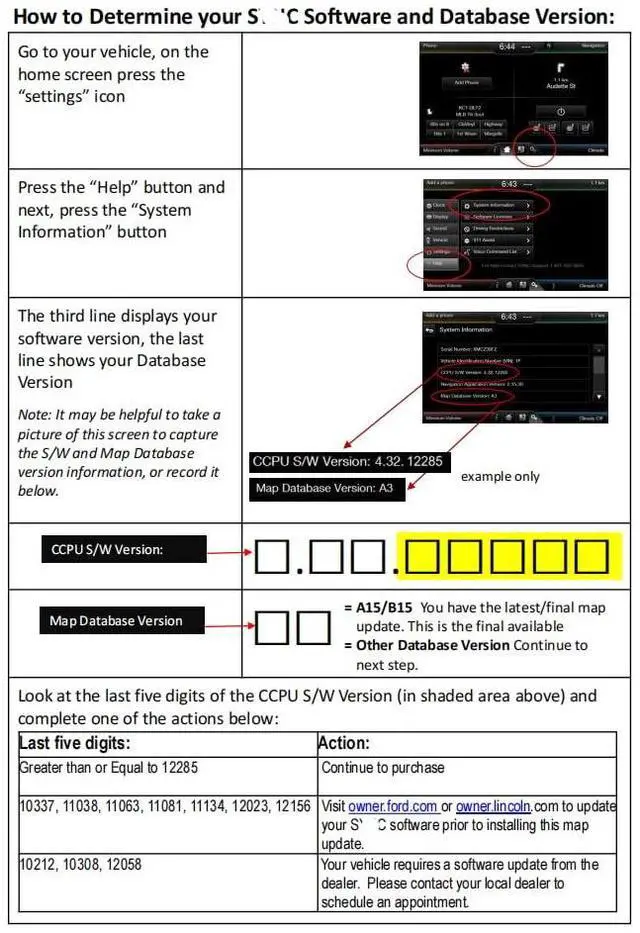
INSTALLATION INSTRUCTION: First, confirm if the CCPU of your Ford/Lincoln SYNC system is compatible or needs an update by checking the product image matching the CCPU version.
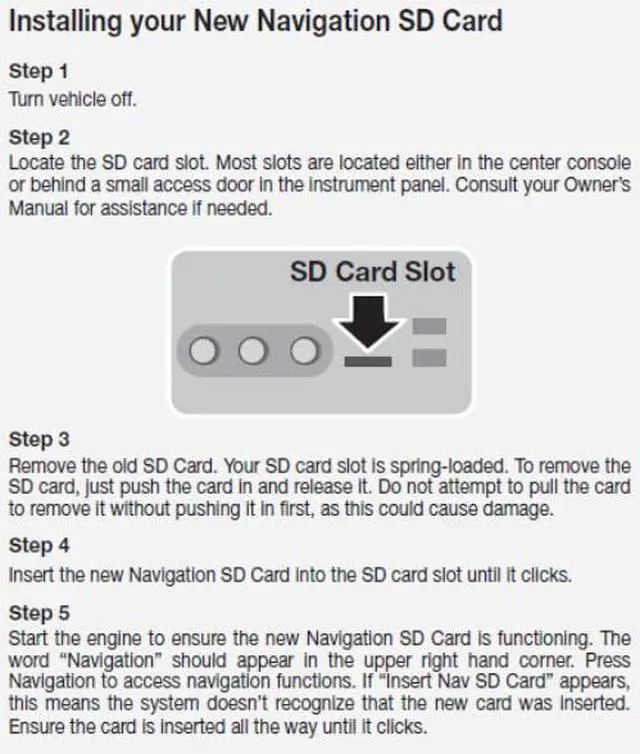
Installation Steps: 1. Turn the vehicle off. 2. Find the SD card slot. 3. Take out the old SD card. 4. Place the new navigation SD card into the SD card slot until it clicks. 5. Start the engine to confirm the new navigation SD card is working. The word "Navigation" should show in the upper right-hand corner. If "Insert Nav SD Card" appears, it means the system does not detect the new card. Make sure the card is pushed in completely until it clicks
COMPATIBLE WITH FORD MODELS: Fits Ford F-150 (2013 - 2015), Explorer (2011 - 2016), Fusion (2013 - 2016), Expedition (2015), Escape (2013 - 2015), Edge (2011 - 2015), Focus (2012 - 2015), C-MAX (2013 - 2015), Escape Hybrid (2013 - 2015), Expedition XT (2015), Fiesta (2014 - 2015), Flex (2013 - 2015), Mustang (2015), Super Duty (F-250 / F-350 / F-450) (2013 - 2016), Taurus (2013 - 2015), Transit (2013 - 2015), Transit Connect (2014 - 2016).
COMPATIBLE WITH LINCOLN MODELS: Fits Lincoln MKZ (2013 - 2016), MKX (2011 - 2016), MKC (2015), MKS (2013 - 2015), MKT (2013 - 2015), Navigator (2015).
INSTALLATION INSTRUCTION: First, confirm if the CCPU of your Ford/Lincoln SYNC system is compatible or needs an update by checking the product image matching the CCPU version.
Installation Steps: 1. Turn the vehicle off. 2. Find the SD card slot. 3. Take out the old SD card. 4. Place the new navigation SD card into the SD card slot until it clicks. 5. Start the engine to confirm the new navigation SD card is working. The word "Navigation" should show in the upper right-hand corner. If "Insert Nav SD Card" appears, it means the system does not detect the new card. Make sure the card is pushed in completely until it clicks
Warranty & Returns
Warranty, Returns, And Additional Information
Warranty
- Please contact the Seller directly for warranty information. Warranty information may also be found on the Manufacturer's website.
- CONTACT
Return Policies
- Return for refund within: 30 days
- Return for replacement within: 30 days
- This item is covered by WanJin World Shop Return Policy
Manufacturer Contact Info
- For a directory of all our manufacturers, please click below.
- Manufacturers Directory
LOADING...