

Your Browsing History

Meet Your Seller


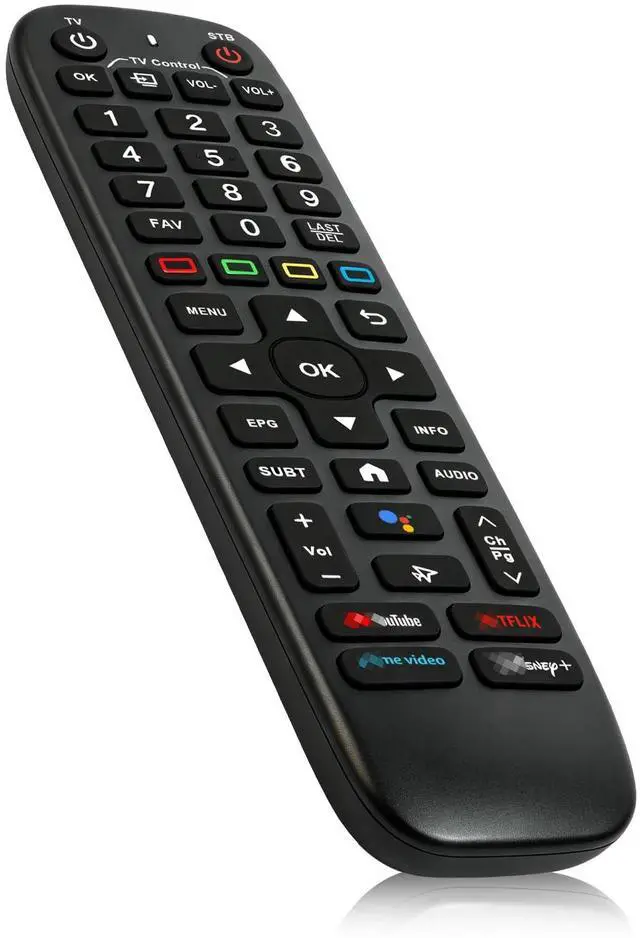


Backlight V6 Plus Voice Remote Control Replacement for Vseebox V6plus Remote Compatible for vSeeBox V5 Pro,3 Pro, V3 Plus
- Troubleshoot no power issue: Some batteries feature a large positive cap that may prevent contact. Ensure full contact between the battery positive tip and the internal terminal before installing new batteries. Wide Compatibility: The V6 Plus Backlit Voice Remote is designed for vSeeBox models, including the V5 Pro, V3 Pro, and V3 Plus. Constructed from ABS plastic and silicone, this remote provides excellent comfort and long-lasting durability. Backlit Buttons: Illuminated keys enable easy navigation in dimly lit settings, perfect for use at night. Voice Control: The voice feature allows for channel changes, volume adjustments, and movie searches. (Note: Voice control is not supported on the V1 Max, V1 Pro, and V2 Pro models). Connection method for vSeeBox v3/v5 series boxes: Pairing the Remote Control: Press and hold the OK key and the CH-> key together for 3-5 seconds. The indicator light will flash and enter pairing mode. Once pairing is complete, the indicator light will turn off. Connecting a New Remote with an Already Paired Remote: 1. Press the Home key, then navigate to SETTING > Remotes & Accessories. 2. Select "Add accessory" and press the OK key to confirm pairing. 3. Press and hold the OK key and the CH-> key together for 3-5 seconds. The indicator light will flash and enter pairing mode. Once pairing is complete, the indicator light will turn off. Please use brand-new batteries for this remote control. Their manufacturing date should be recent, close to your p
+
+
Overview
Specs
Reviews

Any questions? Our AI mode will help you find out quickly.
Try me now
Troubleshoot no power issue: Some batteries feature a large positive cap that may prevent contact. Ensure full contact between the battery positive tip and the internal terminal before installing new batteries.
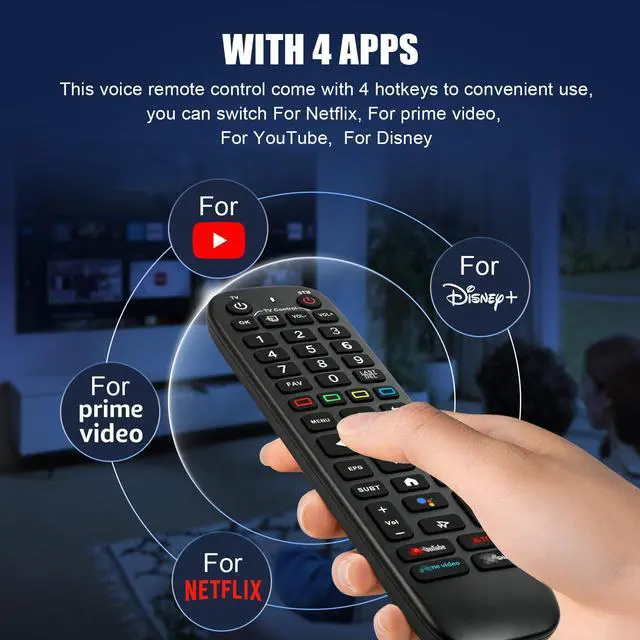
Wide Compatibility: The V6 Plus Backlit Voice Remote is designed for vSeeBox models, including the V5 Pro, V3 Pro, and V3 Plus. Constructed from ABS plastic and silicone, this remote provides excellent comfort and long-lasting durability.
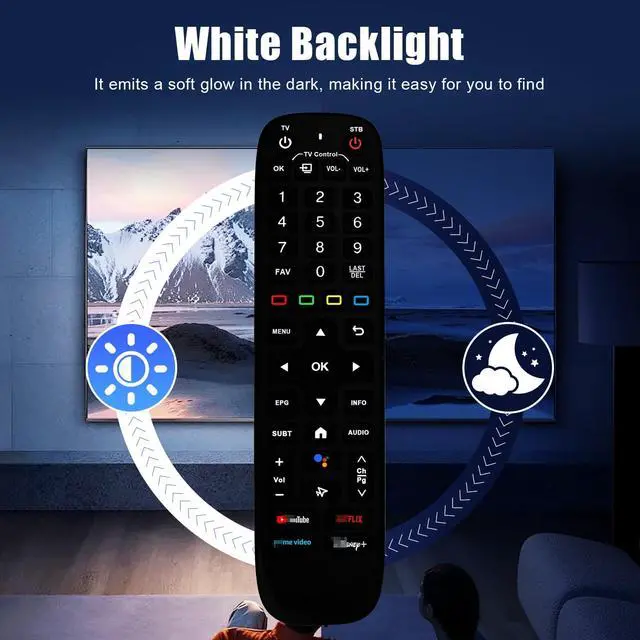
Backlit Buttons: Illuminated keys enable easy navigation in dimly lit settings, perfect for use at night.
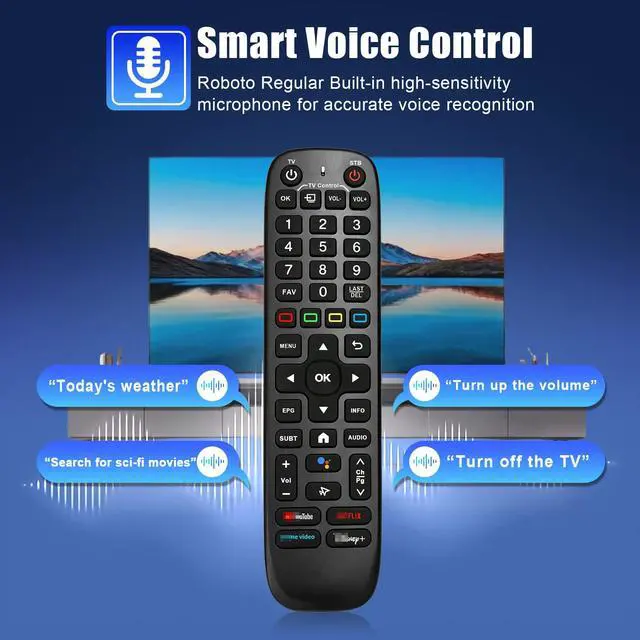
Voice Control: The voice feature allows for channel changes, volume adjustments, and movie searches.
(Note: Voice control is not supported on the V1 Max, V1 Pro, and V2 Pro models). Connection method for vSeeBox v3/v5 series boxes: Pairing the
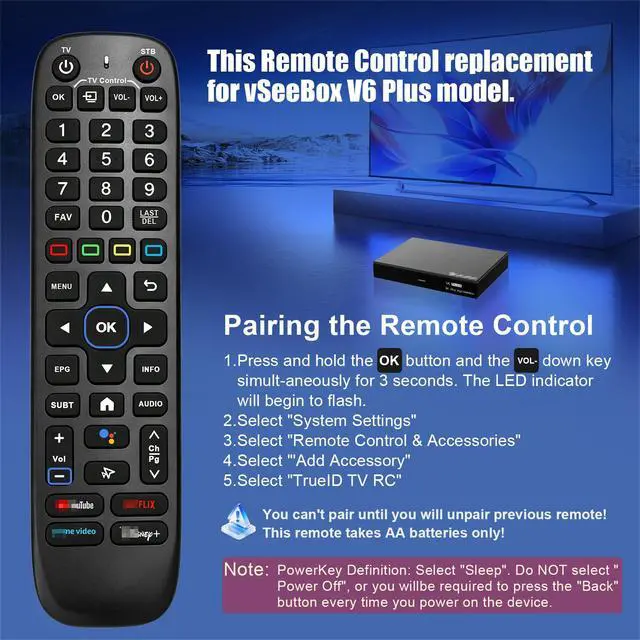
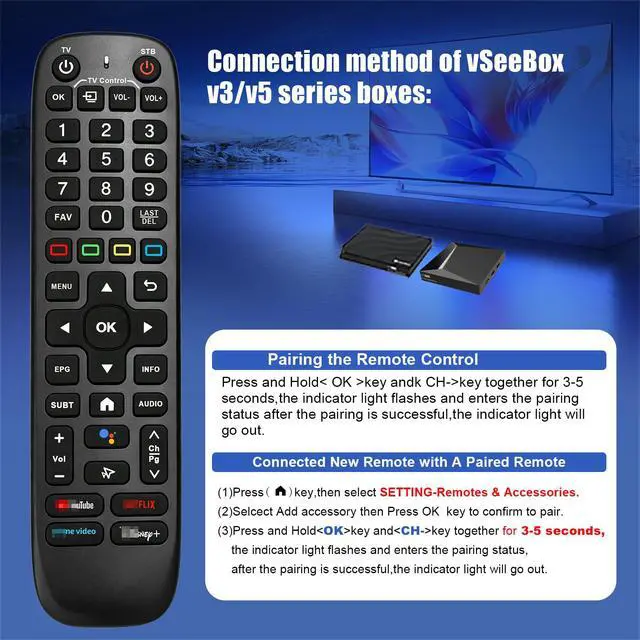
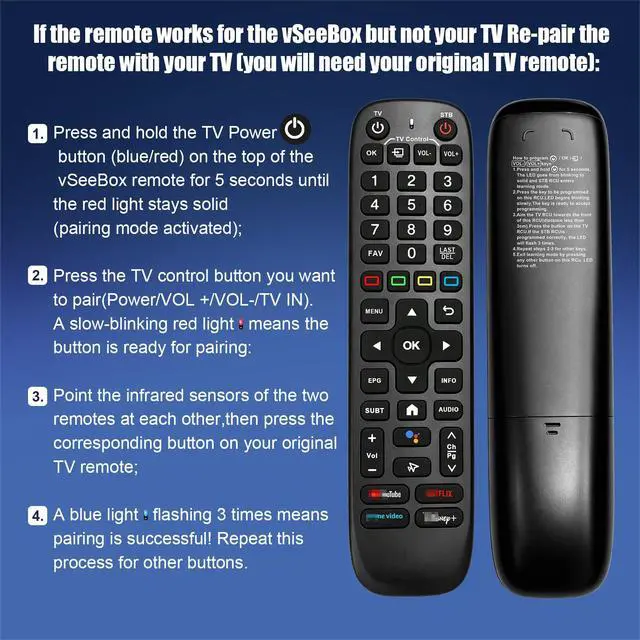
Remote Control: Press and hold the OK key and the CH-> key together for 3-5 seconds. The indicator light will flash and enter pairing mode. Once pairing is complete, the indicator light will turn off. Connecting a New Remote with an
Already Paired Remote:
1. Press the Home key, then navigate to SETTING > Remotes & Accessories.
2. Select "Add accessory" and press the OK key to confirm pairing.
3. Press and hold the OK key and the CH-> key together for 3-5 seconds. The indicator light will flash and enter pairing mode. Once pairing is complete, the indicator light will turn off. Please use brand-new batteries for this remote control. Their manufacturing date should be recent, close to your purchase date. Otherwise, the remote might not power on correctly. This remote features a premium backlight function, which requires full battery power to activate properly. If the backlight does not illuminate upon receiving the remote, please check your batteries and replace them with new, fully-charged ones.
Note: While batteries may function in other devices, this remote specifically needs brand-new, fully-charged batteries to complete its activation process
Wide Compatibility: The V6 Plus Backlit Voice Remote is designed for vSeeBox models, including the V5 Pro, V3 Pro, and V3 Plus. Constructed from ABS plastic and silicone, this remote provides excellent comfort and long-lasting durability.
Backlit Buttons: Illuminated keys enable easy navigation in dimly lit settings, perfect for use at night.
Voice Control: The voice feature allows for channel changes, volume adjustments, and movie searches.
(Note: Voice control is not supported on the V1 Max, V1 Pro, and V2 Pro models). Connection method for vSeeBox v3/v5 series boxes: Pairing the
Remote Control: Press and hold the OK key and the CH-> key together for 3-5 seconds. The indicator light will flash and enter pairing mode. Once pairing is complete, the indicator light will turn off. Connecting a New Remote with an
Already Paired Remote:
1. Press the Home key, then navigate to SETTING > Remotes & Accessories.
2. Select "Add accessory" and press the OK key to confirm pairing.
3. Press and hold the OK key and the CH-> key together for 3-5 seconds. The indicator light will flash and enter pairing mode. Once pairing is complete, the indicator light will turn off. Please use brand-new batteries for this remote control. Their manufacturing date should be recent, close to your purchase date. Otherwise, the remote might not power on correctly. This remote features a premium backlight function, which requires full battery power to activate properly. If the backlight does not illuminate upon receiving the remote, please check your batteries and replace them with new, fully-charged ones.
Note: While batteries may function in other devices, this remote specifically needs brand-new, fully-charged batteries to complete its activation process
Warranty & Returns
Warranty, Returns, And Additional Information
Warranty
- Please contact the Seller directly for warranty information. Warranty information may also be found on the Manufacturer's website.
- CONTACT
Return Policies
- Return for refund within: 30 days
- Return for replacement within: 30 days
- This item is covered by WanJin World Shop Return Policy
Manufacturer Contact Info
- For a directory of all our manufacturers, please click below.
- Manufacturers Directory
LOADING...